• Fri frakt över 249 kr
  • •
  • Snabba leveranser
  • •
  • Billiga böcker
Kundservice

Du är på sajten för privatpersoner.

Företag, bibliotek eller offentlig verksamhet?

Du handlar på classic.bokus.com, där alla dina funktioner finns intakta.
Till classic.bokus.com
Bokus logotyp. Gå till startsidan.
  • Erbjudanden
  • Student
  • Topplistor
  • Barn & ungdom
  • Bokus Play
  • E-böcker
  • Ljudböcker
  • Pocketböcker
  • Spel och pussel

Pocketfynda! Hundratals böcker för 49 kr/st →

Sidfot

Mina sidor

    Hjälp

    • Kundservice
    • Vanliga frågor och svar
    • Frakt och leverans
    • Retur vid ångerrätt
    • Reklamera vara
    • Betalning
    • Köpvillkor
    • Allmänna villkor
    • Information om webbplatsens tillgänglighet

    Om Bokus

    • Om oss
    • Pressrum
    • För studenter
    • För företag
    • För bibliotek och offentlig verksamhet
    • För leverantörer
    • Hållbarhet

    Populärt

    • Aktuella erbjudanden
    • Presentkort
    • Studentlitteratur
    • Nya böcker
    • Topplistor
    • Signerade böcker
    • Engelska böcker

    Inspiration

    • Boktips
    • BookTok
    • Barnbokskaraktärer
    • Populära författare
    Logotyp för Bokus
    Följ oss på Facebook (extern länk)Följ oss på Instagram (extern länk)Följ oss på YouTube (extern länk)Följ oss på TikTok (extern länk)
    bokus @ CookiesAnpassa cookiesIntegritetspolicyKöpvillkor
    Till Citymail hemsida (extern länk)Till Budbee hemsida (extern länk)Till Postnord hemsida (extern länk)Till Schenker hemsida (extern länk)Till Early Bird hemsida (extern länk)Till Walleys hemsida (extern länk)
    1. Barn och ungdom
    2. Faktaböcker
    3. Naturvetenskap och teknik

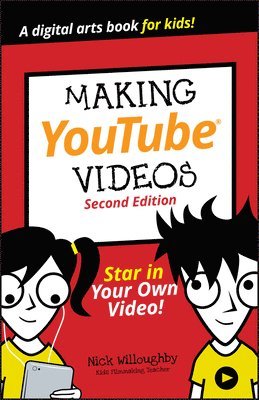
    Making YouTube Videos

    Star in Your Own Video!

    AvNick Willoughby

    Häftad, Engelska, 2019

    Del i serien Dummies Junior

    85 kr

    Beställningsvara. Skickas inom 5-8 vardagar. Fri frakt över 249 kr.

    Fler format och utgåvor

    E-bok

    110 kr

    E-bok

    110 kr

    Beskrivning

    Everything kids need to create and star in their own video! YouTube has won the hearts, minds, and eyes of kids around the globe. Young people everywhere are making their mark on this popular platform—some of them even gaining massive followings, worldwide recognition, and the paychecks that come along with it. While lots of youngsters are happy to be spectators, others are hungry to create and star in YouTube content of their own—and this book shows them how. Written for kids in a language they can understand, this book helps budding filmmakers and producers create their own videos—no matter the subject. It offers creators the insight on how to plan and shoot quality videos, install and use video editing tools, and post the final product to YouTube. Apply tricks that pro filmmakers use for better shots, lighting, and sound
Edit your video, add transitions, insert a soundtrack, and spice things up with effects
Shoot and share your video gaming exploitsShare finished videos with family, friends, and the worldFor any kid interested in joining the YouTube revolution, this book is the perfect place to start!

    Produktinformation

    • Utgivningsdatum:2019-10-11
    • Mått:137 x 213 x 13 mm
    • Vikt:249 g
    • Format:Häftad
    • Språk:Engelska
    • Serie:Dummies Junior
    • Antal sidor:192
    • Upplaga:2
    • Förlag:John Wiley & Sons Inc
    • ISBN:9781119641506

    Utforska kategorier

    • Naturvetenskap och teknik inom Barn och ungdom

    Mer om författaren

    Nick Willoughby heads Filmmaking For Kids and Film Future, a pair of programs designed to teach kids aged 7-16 the various aspects of filmmaking. Nick is also author of Digital Filmmaking For Kids.

    Innehållsförteckning

    • Introduction 1About YouTube 1About This Book 1About You 3About the Icons 3Project 1: Get Started 4Follow the Video-Making Process 5Development 5Preproduction 6Production 6Post-production 7Distribution 7Gather Your Tools 8Choose Your Camera 10Webcams 12Camera phones 13Camcorders 15Action cameras 17Aerial cameras 18DSLR and mirrorless video 18Digital cinema cameras 20Project 2: Shoot 22Choose a Style 23Think of an Idea 25Structure Your Video 26Script Your Video 28Write Dialogue 29Make a Shot List 30Choose a Shot Type 32Wide shot 33Mid shot 34Close-up 36Choose Movement or Fixed 38Record Sound 41Built-in microphone 43External microphone 44Use a Microphone for Dialogue 47Deal with wind 49Monitor sound 50Dubbing and foley 53Light Your Video 54Use natural light 54Use extra lights 56Direct Your Film 66Direct your actors 68Direct your crew 68Use Shooting Tips 69Check for continuity mistakes 69Always get one more take than you need 70Shoot out of order 70Check Your Shots 70Project 3: Edit 73Choose an Editing Tool 73Create a New Project in iMovie 76Import Your Footage in iMovie 77Record from Webcam in iMovie 80Add Footage to a Timeline in iMovie 81Add Transitions in iMovie 87Add Jump Cuts in iMovie 89Add Titles in iMovie 90Record a Voiceover in iMovie 93Import Your Footage into a New Filmora Project 96Record from a Webcam in Filmora 98Add Footage to a Timeline in Filmora 100Add Transitions in Filmora 105Add Jump Cuts in Filmora 107Add Titles in Filmora 109Record a Voiceover in Filmora 112Project 4: Creating a Gameplay Video 115Capturing Game Footage from a PS4 117Capturing Game Footage from an XBox One 120Capturing Game Footage from a PC or Macintosh 121Importing Gameplay into HitFilm Express 124Basic Editing in HitFilm Express 127More Basic Editing in HitFilm Express 132Adding a Voiceover to Your Gameplay Video 136Recording and Editing a Voiceover for Your Gameplay Video 138Adding a Voiceover to Your HitFilm Project 141Exporting your HitFilm Project for YouTube 142Project 5: Share 144Get a Google Account 144Upload a Video to YouTube 148Share Your Video to YouTube with iMovie 152Share Your Video to YouTube with Filmora 155Titles, Thumbnails, and Testing 159Titles 159Thumbnails 160Testing 162Your YouTube Studio 162The Dashboard 163Videos 164Analytics 165Comments 169How to Make Great Videos 171A is for Attract their attention 171B is for Be yourself 172C is for connection 173D is for direct them on what to do next 173Ways to Attract More Views! 174Glossary 177