• Fri frakt över 249 kr
  • •
  • Snabba leveranser
  • •
  • Billiga böcker
Kundservice

Du är på sajten för privatpersoner.

Företag, bibliotek eller offentlig verksamhet?

Du handlar på classic.bokus.com, där alla dina funktioner finns intakta.
Till classic.bokus.com
Bokus logotyp. Gå till startsidan.
  • Erbjudanden
  • Nyheter
  • Student
  • Topplistor
  • Barn & ungdom
  • Bokus Play
  • E-böcker
  • Pocketböcker
  • Spel & pussel

10% rabatt på allt med kod: NYSTART10 →

Sidfot

Mina sidor

    Hjälp

    • Kundservice
    • Vanliga frågor och svar
    • Frakt och leverans
    • Retur vid ångerrätt
    • Reklamera vara
    • Betalning
    • Köpvillkor
    • Allmänna villkor
    • Information om webbplatsens tillgänglighet

    Om Bokus

    • Om oss
    • Pressrum
    • För studenter
    • För företag
    • För bibliotek och offentlig verksamhet
    • För leverantörer
    • Hållbarhet

    Populärt

    • Aktuella erbjudanden
    • Presentkort
    • Studentlitteratur
    • Nya böcker
    • Topplistor
    • Signerade böcker
    • Engelska böcker

    Inspiration

    • Boktips
    • BookTok
    • Populära bokserier
    • Barnbokskaraktärer
    • Populära författare
    Logotyp för Bokus
    Följ oss på Facebook (extern länk)Följ oss på Instagram (extern länk)Följ oss på YouTube (extern länk)Följ oss på TikTok (extern länk)
    bokus @ CookiesAnpassa cookiesIntegritetspolicyKöpvillkor
    Till Citymail hemsida (extern länk)Till Budbee hemsida (extern länk)Till Postnord hemsida (extern länk)Till Schenker hemsida (extern länk)Till Early Bird hemsida (extern länk)Till Walleys hemsida (extern länk)
    1. Data och IT
    2. Affärsapplikationer

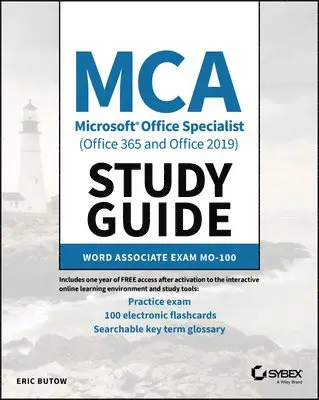
    MCA Microsoft Office Specialist (Office 365 and Office 2019) Study Guide

    Word Associate Exam MO-100

    AvEric Butow

    Häftad, Engelska, 2021

    193 kr

    Beställningsvara. Skickas inom 5-8 vardagar. Fri frakt över 249 kr.

    Fler format och utgåvor

    Häftad

    193 kr

    E-bok

    232 kr

    E-bok

    233 kr

    E-bok

    232 kr

    E-bok

    232 kr

    E-bok

    232 kr

    E-bok

    233 kr

    Beskrivning

    Learn the realities of being a Microsoft Office Specialist and efficiently prepare for the Word Associate MO-100 Exam with a single, comprehensive study guideMCA Microsoft Office Specialist Study Guide: Word Associate Exam MO-100 comprehensively prepares you for the MO-100 Exam. Accomplished and experienced author Eric Butow provides readers with a one-stop resource for learning the job responsibilities of a Microsoft Office Specialist and succeeding on the MO-100 Exam.The study guide is written in a straightforward and practical style which, when combined with the companion online Sybex resources, allows you to learn efficiently and effectively. The online resources include hundreds of practice questions, flashcards, and a glossary of key terms. In addition to preparing you for the realities of the Microsoft Office Specialist job role, this study guide covers all the subjects necessary to do well on the certifying exam, including: Managing documentsInserting and formatting text, paragraphs, and sectionsManaging tables and listsCreating and managing referencesInserting and formatting graphicsManaging document collaborationPerfect for anyone seeking to begin a new career as a Microsoft Office Specialist, or simply wondering what the job entails, the Study Guide also belongs on the bookshelf of currently practicing professionals who want to brush up on the fundamentals of their role.

    Produktinformation

    • Utgivningsdatum:2021-02-25
    • Mått:185 x 231 x 15 mm
    • Vikt:340 g
    • Format:Häftad
    • Språk:Engelska
    • Antal sidor:208
    • Förlag:John Wiley & Sons Inc
    • ISBN:9781119718260

    Utforska kategorier

    • Affärsapplikationer inom Data och IT

    Mer om författaren

    Eric Butow is the author or coauthor of 35 books on multiple aspects of technology. He has also developed and taught networking, computing, and usability courses for Ed2Go, Virtual Training Company, California State University/Sacramento, and Udemy. Eric began using Word, Excel, and PowerPoint professionally in 1992. He has been a technical writer for large and small companies, and presently provides website development, online marketing, and technical writing services through his company, Butow Communications Group.

    Innehållsförteckning

    • Introduction xviiAssessment Test xxiiChapter 1 Working with Documents 1Navigating Within Documents 2Searching for Text 2Linking to Locations Within Documents 6Moving to Specific Locations and Objects in Documents 7Showing and Hiding Formatting Symbols and Hidden Text 8Formatting Documents 11Setting Up Document Pages 12Applying Style Settings 13Inserting and Modifying Headers and Footers 15Configuring Page Background Elements 16Saving and Sharing Documents 18Saving Documents in Alternative File Formatting 18Changing Basic Document Properties 19Modifying Print Settings 21Sharing Documents Electronically 22Inspecting Documents for Issues 24Locating and Removing Hidden Properties and Personal Information 24Finding and Fixing Accessibility Issues 26Locating and Correcting Compatibility Issues 27Summary 28Key Terms 29Exam Essentials 29Review Questions 31Chapter 2 Inserting and Formatting Text 33Adding and Replacing Text 34Finding and Replacing Text 34Inserting Symbols and Special Characters 38Formatting Text and Paragraphs 40Adding Text Effects 40Applying Formatting by Using Format Painter 41Setting Line and Paragraph Spacing and Indentation 41Applying Built-In Styles to Text 44Clearing Formatting 45Creating and Configuring Document Sections 48Formatting Text in Multiple Columns 48Inserting Page, Section, and Column Breaks 50Changing Page Setting Options for a Section 51Summary 54Key Terms 55Exam Essentials 55Review Questions 56Chapter 3 Managing Tables and Lists 59Creating Tables 60Converting Text to Tables 62Switching Tables to Text 63Creating Tables by Specifying Rows and Columns 64Modifying Tables 66Sorting Table Data 66Configuring Cell Margins and Spacing 68Merging and Splitting Cells 71Resizing Tables, Rows, and Columns 73Splitting Tables 78Configuring a Repeating Row Header 80Creating and Formatting Lists 83Structuring Paragraphs as Numbered and Bulleted Lists 83Changing Bullet Characters and Number Formatting 84Defining Custom Bullet Characters and Number Formatting 86Increasing and Decreasing List Levels 89Restarting and Continuing List Numbering 90Setting Starting Number Values 92Summary 93Key Terms 94Exam Essentials 94Review Questions 95Chapter 4 Building References 97Creating and Managing Referencing Elements 98Inserting Footnotes and Endnotes 98Modifying Footnote and Endnote Properties 101Creating and Modifying Bibliography Citation Sources 102Inserting Citations for Bibliographies 105Working with Referencing Tables 107Inserting Tables of Contents 107Customizing Tables of Contents 108Adding Bibliographies 110Summary 111Key Terms 111Exam Essentials 112Review Questions 113Chapter 5 Adding and Formatting Graphic Elements 115Inserting Illustrations and Text Boxes 116Adding Shapes 116Including Pictures 118Inserting 3D Models 119Adding SmartArt Graphics 120Placing Screenshots and Screen Clippings 121Inserting Text Boxes 123Formatting Illustrations and Text Boxes 125Applying Artistic Effects 125Adding Picture Effects and Picture Styles 126Removing Picture Backgrounds 129Formatting Graphic Elements 130Setting Up SmartArt Graphics 132Working with 3D Models 134Adding and Organizing Text 135Formatting Text in Text Boxes 135Adding Text in Shapes 137Changing SmartArt Graphic Content 139Modifying Graphic Elements 140Positioning Objects 140Wrapping Text Around Objects 141Adding Alt Text to Objects 144Summary 146Key Terms 146Exam Essentials 146Review Questions 147Chapter 6 Working with Other Users on Your Document 149Adding Comments 150Inserting Comments 150Reviewing and Replying to Comments 151Resolving Comments 152Deleting Comments 153Tracking Your Changes 155Turning On Track Changes 155Reviewing Tracked Changes 156Accepting and Rejecting Tracked Changes 157Locking and Unlocking Change Tracking 160Summary 163Key Terms 163Exam Essentials 163Review Questions 164Appendix Answers to Review Questions 167Chapter 1: Working with Documents 168Chapter 2: Inserting and Formatting Text 168Chapter 3: Managing Tables and Lists 169Chapter 4: Building References 170Chapter 5: Adding and Formatting Graphic Elements 170Chapter 6: Working with Other Users on Your Document 171Index 173