• Fri frakt över 249 kr
  • •
  • Snabba leveranser
  • •
  • Billiga böcker
Kundservice

Du är på sajten för privatpersoner.

Företag, bibliotek eller offentlig verksamhet?

Du handlar på classic.bokus.com, där alla dina funktioner finns intakta.
Till classic.bokus.com
Bokus logotyp. Gå till startsidan.
  • Erbjudanden
  • Nyheter
  • Student
  • Topplistor
  • Barn & ungdom
  • Bokus Play
  • E-böcker
  • Pocketböcker
  • Spel & pussel

10% rabatt på allt med kod NYSTART10 →

Sidfot

Mina sidor

    Hjälp

    • Kundservice
    • Vanliga frågor och svar
    • Frakt och leverans
    • Retur vid ångerrätt
    • Reklamera vara
    • Betalning
    • Köpvillkor
    • Allmänna villkor
    • Information om webbplatsens tillgänglighet

    Om Bokus

    • Om oss
    • Pressrum
    • För studenter
    • För företag
    • För bibliotek och offentlig verksamhet
    • För leverantörer
    • Hållbarhet

    Populärt

    • Aktuella erbjudanden
    • Presentkort
    • Studentlitteratur
    • Nya böcker
    • Topplistor
    • Signerade böcker
    • Engelska böcker

    Inspiration

    • Boktips
    • BookTok
    • Populära bokserier
    • Barnbokskaraktärer
    • Populära författare
    Logotyp för Bokus
    Följ oss på Facebook (extern länk)Följ oss på Instagram (extern länk)Följ oss på YouTube (extern länk)Följ oss på TikTok (extern länk)
    bokus @ CookiesAnpassa cookiesIntegritetspolicyKöpvillkor
    Till Citymail hemsida (extern länk)Till Budbee hemsida (extern länk)Till Postnord hemsida (extern länk)Till Schenker hemsida (extern länk)Till Early Bird hemsida (extern länk)Till Walleys hemsida (extern länk)
    1. Psykologi och pedagogik
    2. Pedagogik

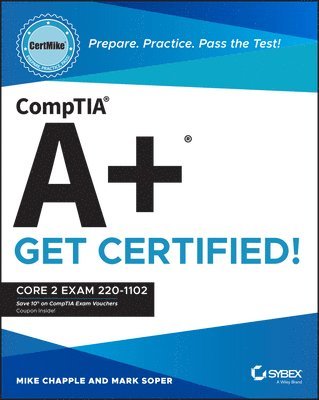
    CompTIA A+ CertMike: Prepare. Practice. Pass the Test! Get Certified!

    Core 2 Exam 220-1102

    AvMike Chapple,Mark Soper

    Häftad, Engelska, 2023

    Del i serien CertMike Get Certified

    517 kr

    Skickas . Fri frakt över 249 kr.

    Fler format och utgåvor

    Häftad

    424 kr

    Häftad

    367 kr

    E-bok

    583 kr

    E-bok

    583 kr

    Häftad

    367 kr

    E-bok

    585 kr

    E-bok

    583 kr

    Beskrivning

    Skip the fluff and get straight to the essentials with an indispensable prep handbook for the CompTIA A+ Core 2 examIn CompTIA A+ CertMike: Prepare. Practice. Pass the Test! Get Certified!Core 2 Exam 220-1102, veteran tech experts and educators Mike Chapple and Mark Soper deliver a hands-on and practical roadmap to taking—and succeeding on—the CompTIA A+ Core 2 exam. You’ll learn how to install, configure, and maintain computer equipment, mobile devices, and software for end users, service components based on customer requirements, understand networking basics, and apply essential cybersecurity methods. Ace the test using the proven CertMike approach: Prepare -- CertMike is your personal study coach, guiding you through all the exam objectives and helping you gain an understanding of how they apply to on-the-job tasks!Practice -- Each chapter includes two multiple choice practice questions. Work through the detailed explanations to evaluate each answer option and understand the reason for the best answer!Pass -- On exam day, use the critical knowledge you've learned when you’re ready to take the test. You'll feel ready and confident to pass the exam and earn your certification!  With a laser-focus on getting you job- and exam-ready, the book skips the fluff and gets right to the point of getting you familiar with IT basics and on the road to an in-demand IT certification and a new career in tech. You’ll also get complimentary access to additional online study tools, complete with a bonus practice exam and audio recordings of the CertMike Exam Essentials. Banish test anxiety and feel ready to pass the test—the first time around!An indispensable resource for anyone preparing for their A+ certification, CompTIA A+ CertMike: Prepare. Practice. Pass the Test! Get Certified! Core 2 Exam 220-1102 is also a must-read for hardware and PC technicians seeking to upgrade their skillset.

    Produktinformation

    • Utgivningsdatum:2023-06-19
    • Mått:188 x 234 x 41 mm
    • Vikt:885 g
    • Format:Häftad
    • Språk:Engelska
    • Serie:CertMike Get Certified
    • Antal sidor:656
    • Förlag:John Wiley & Sons Inc
    • ISBN:9781119898122

    Utforska kategorier

    • Pedagogik inom Psykologi och pedagogik

    Mer om författaren

    ABOUT THE AUTHORS Mike Chapple, PhD, is Teaching Professor of Information Technology, Analytics, and Operations at Notre Dame’s Mendoza College of Business. He is a bestselling author of over 25 books and serves as the Academic Director of the University’s Master of Science in Business Analytics program. He holds multiple additional certifications, including the CISSP (Certified Information Systems Security Professional), CySA+ (CompTIA Cybersecurity Analyst), CIPP/US (Certified Information Privacy Professional), CompTIA PenTest+, and CompTIA Security+. Mike provides cybersecurity certification resources at his website, CertMike.com. Mark Soper, MCP, CompTIA A+, has over 30 years’ experience in IT. He is the author or co-author of 40 books on technology, covering topics ranging from CompTIA A+ to Microsoft Windows, networking, and troubleshooting.

    Innehållsförteckning

    • Introduction xxiiiPart I Domain 1.0: Operating Systems 1Chapter 1 Microsoft Windows Editions 3Windows 10 Editions 3Feature Differences Between Editions 7Upgrade Paths 12Chapter 2 Microsoft Command- Line Tools 17Navigation 17Command- Line Tools 20Chapter 3 Windows 10 Operating System Tools 37Task Manager 38Microsoft Management Console (MMC) Snap- In 42Additional Tools 51Chapter 4 Windows 10 Control Panel 59Control Panel Overview 60Opening Control Panel 60Internet Options 61Devices and Printers 62Programs and Features 63Network and Sharing Center 64System 64Windows Defender Firewall 65Mail 65Sound 67User Accounts 69Device Manager 69Indexing Options 71Administrative Tools 72File Explorer Options 73Power Options 78Ease of Access 80Chapter 5 Windows Settings 85Accessing Settings 86Time & Language 87Update & Security 88Personalization 91Apps 92Privacy 93System 94Devices 97Network & Internet 98Gaming 98Accounts 99Chapter 6 Windows Networking 105Workgroup vs. Domain Setup 106Local OS Firewall Settings 109Client Network Configuration 113Establish Network Connections 117Proxy Settings 120Public Network vs. Private Network 121File Explorer Navigation – Network Paths 122Metered Connections and Limitations 122Chapter 7 Application Installation and Configuration 127System Requirements for Applications 128OS Requirements for Applications 135Distribution Methods 136Physical Media vs. Downloadable 137ISO Mountable 137Other Considerations for New Applications 138Chapter 8 Operating System Types 143Workstation OSs 143Cell Phone/Tablet OSs 148Various Filesystem Types 150Vendor Life- Cycle Limitations 156Compatibility Concerns Between OSs 157Chapter 9 Operating System Installations and Upgrades 161Boot Methods 162Types of Installations 167Partitioning 170Drive Format 171Upgrade Considerations 172Feature Updates 173Chapter 10 macOS 177Installation and Uninstallation of Applications 178Apple ID and Corporate Restrictions 180Best Practices 181System Preferences 182Features 188Disk Utility 194FileVault 195Terminal 196Force Quit 197Chapter 11 Linux 201Common Commands 201Best Practices 212Tools 214Part II Domain 2.0: Security 219Chapter 12 Physical Security 221Physical Security 221Physical Security for Staff 224Chapter 13 Logical Security 231Logical Security 231Mobile Device Management (MDM) 238Active Directory 238Chapter 14 Wireless Security 249Protocols and Encryption 249Authentication 252Chapter 15 Malware 259Malware 260Malware Prevention and Removal Tools and Methods 262Chapter 16 Social Engineering and Security Threats 271Social Engineering 271Threats 276Vulnerabilities 281Chapter 17 Windows Security 289Defender Antivirus 290Firewall 292Users and Groups 295Login OS Options 297NTFS vs. Share Permissions 299Run As Administrator vs. Standard User 304BitLocker 307Bitlocker to Go 308Encrypting File System (EFS) 308Chapter 18 Workstation Security Configuration 313Data- at- Rest Encryption 314Password Best Practices 314End- User Best Practices 318Account Management 320Change Default Administrator’s User Account/Password 323Disable Autorun 325Disable Autoplay 325Chapter 19 Mobile and Embedded Device Security 331Screen Locks 332Locator Apps and Remote Wipes 334OS Updates 335Device Encryption 336Remote Backup Applications 336Failed Login Attempts Restrictions 337Antivirus/Antimalware 338Firewalls 338Policies and Procedures 339Internet of Things (IoT) 340Chapter 20 Data Destruction and Disposal 345Physical Destruction 345Recycling or Repurposing Best Practices 349Outsourcing Concepts 355Chapter 21 Network Security 359Home Router Settings 360Wireless Specific Settings 367Firewall Settings 372Chapter 22 Browser Security 379Browser Download/Installation 379Settings 385Part III Domain 3.0: Software Troubleshooting 395Chapter 23 Troubleshooting Windows 397Common Symptoms 397Common Troubleshooting Steps 407Chapter 24 Troubleshooting PC Security 419Common Symptoms 419Browser- Related Symptoms 426Chapter 25 Troubleshooting Malware 433Step 1. Investigate and Verify Malware Symptoms 434Step 2. Quarantine Infected Systems 436Step 3. Disable System Restore in Windows 436Step 4. Remediate Infected Systems 437Step 5. Schedule Scans and Run Updates 441Step 6. Enable System Restore and Create a Restore Point in Windows 443Step 7. Educate the End User 443Chapter 26 Troubleshooting Mobile Device OS and Applications 447Common Mobile OS and Application Symptoms 448Chapter 27 Troubleshooting Mobile Device Security 463Security Concerns 464Common Symptoms 467Part IV Domain 4.0: Operational Procedures 477Chapter 28 Documentation 479Ticketing Systems 480Asset Management 483Types of Documents 486Knowledge Base/Articles 491Chapter 29 Change Management 495Documented Business Processes 495Change Management 497Chapter 30 Workstation Backup and Recovery 505Backup and Recovery 505Backup Testing 511Backup Rotation Schemes 513Chapter 31 Safety 519Electrostatic Discharge (ESD) Straps 519ESD Mats 521Equipment Grounding 522Proper Power Handling 523Proper Component Handling and Storage 524Antistatic Bags 524Compliance with Government Regulations 524Personal Safety 525Chapter 32 Environmental Protection 533Material Safety Data Sheet (MSDS): Documentation for Handling and Disposal 533Temperature, Humidity- Level Awareness, and Proper Ventilation 536Power Surges, Under- Voltage Events, and Power Failures 538Chapter 33 Privacy, Licensing, Policy, and Incident Response 543Incident Response 544Licensing/Digital Rights Management (DRM)/End- User License Agreement (EULA) 546Regulated Data 548Chapter 34 Communication and Professionalism 553Professional Appearance and Attire 554Use Proper Language and Avoid Jargon, Acronyms, and Slang, When Applicable 555Maintain a Positive Attitude/Project Confidence 555Actively Listen, Take Notes, and Avoid Interrupting the Customer 556Be Culturally Sensitive 556Be on Time (If Late, Contact the Customer) 557Avoid Distractions 557Dealing with Difficult Customers or Situations 558Set and Meet Expectations/Time Line and Communicate Status with the Customer 559Deal Appropriately with Customers’ Confidential and Private Materials 560Chapter 35 Scripting 565Script File Types 565Use Cases for Scripting 568Other Considerations When Using Scripts 569Chapter 36 Remote Access 575Methods/Tools 575Security Considerations of Each Access Method 588Index 593