• Fri frakt över 249 kr
  • •
  • Snabba leveranser
  • •
  • Billiga böcker
Kundservice

Du är på sajten för privatpersoner.

Företag, bibliotek eller offentlig verksamhet?

Du handlar på classic.bokus.com, där alla dina funktioner finns intakta.
Till classic.bokus.com
Bokus logotyp. Gå till startsidan.
  • Erbjudanden
  • Nyheter
  • Student
  • Topplistor
  • Barn & ungdom
  • Bokus Play
  • E-böcker
  • Pocketböcker
  • Spel & pussel

10% rabatt på allt med kod: NYSTART10 →

Sidfot

Mina sidor

    Hjälp

    • Kundservice
    • Vanliga frågor och svar
    • Frakt och leverans
    • Retur vid ångerrätt
    • Reklamera vara
    • Betalning
    • Köpvillkor
    • Allmänna villkor
    • Information om webbplatsens tillgänglighet

    Om Bokus

    • Om oss
    • Pressrum
    • För studenter
    • För företag
    • För bibliotek och offentlig verksamhet
    • För leverantörer
    • Hållbarhet

    Populärt

    • Aktuella erbjudanden
    • Presentkort
    • Studentlitteratur
    • Nya böcker
    • Topplistor
    • Signerade böcker
    • Engelska böcker

    Inspiration

    • Boktips
    • BookTok
    • Populära bokserier
    • Barnbokskaraktärer
    • Populära författare
    Logotyp för Bokus
    Följ oss på Facebook (extern länk)Följ oss på Instagram (extern länk)Följ oss på YouTube (extern länk)Följ oss på TikTok (extern länk)
    bokus @ CookiesAnpassa cookiesIntegritetspolicyKöpvillkor
    Till Citymail hemsida (extern länk)Till Budbee hemsida (extern länk)Till Postnord hemsida (extern länk)Till Schenker hemsida (extern länk)Till Early Bird hemsida (extern länk)Till Walleys hemsida (extern länk)
    1. Kultur
    2. Fotoböcker
    3. Fotoutrustning och fototeknik

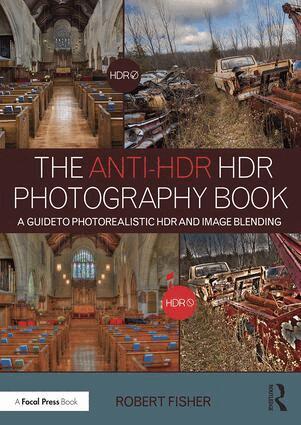
    Anti-HDR HDR Photography Book

    A Guide to Photorealistic HDR and Image Blending

    AvRobert Fisher

    Häftad, Engelska, 2016

    686 kr

    Beställningsvara. Skickas inom 5-8 vardagar. Fri frakt över 249 kr.

    Fler format och utgåvor

    Inbunden

    2 724 kr

    E-bok

    814 kr

    E-bok

    812 kr

    Beskrivning

    The Anti-HDR HDR Photography Book contains everything you’ll need to know in order to get the best results from your High Dynamic Range images. Designed for those who want to extend the dynamic range in their work, but are frustrated by over-processed and hyper-saturated images, this book proves that HDR techniques are capable of producing photographs that are both stunning and realistic.In addition to helping you choose the right equipment and settings to optimize your shoot for HDR, the book explains how to use post-processing software to create natural-looking photographs, blend source images with layer masks, and establish an efficient workflow. By teaching you to effectively use all the most important tools of HDR, it will expand the scope of your portfolio and allow you to create images that you never thought were possible.Key features include: What to look for when choosing a camera for HDR Description of gear that is important to the HDR photographer How to use the HDR software applications Photomatix and SNS-HDR Pro to achieve natural-looking results Discussion of blending multiple source images using simple masks and techniques An in-depth examination of the use of Luminance Masks for blending and editing bracketed images to a photorealistic composite Guide to workflow, from organizing images on the computer to pre-merge editing of RAW files using both Adobe Lightroom and Adobe Bridge The use of black-and-white in HDR and image-blending, including ways to convert color images to black-and-white

    Produktinformation

    • Utgivningsdatum:2016-10-03
    • Mått:178 x 254 x 15 mm
    • Vikt:664 g
    • Format:Häftad
    • Språk:Engelska
    • Antal sidor:232
    • Förlag:Taylor & Francis Ltd
    • ISBN:9781138962347

    Utforska kategorier

    • Fotoutrustning och fototeknik inom Kultur
    • Internet och digitala medier inom Kultur

    Mer om författaren

    Robert Fisher is a commercial photographer and freelance writer based just outside of Toronto, Canada. His love of photography began over 15 years ago when he was first exposed to the impressionistic style. As a writer, he has traveled the world to cover topics ranging from politics to concussions, and as a photographer he has exhibited his work in a number of shows and galleries. He is the author of The Digital Zone System: Taking Control from Capture to Print and The Mobile Photographer: A Guide to Using Android® Phones, Tablets and Apps in a Photography Workflow.

    Recensioner i media

    "You'll find a good discussion on tone mapping and excellent coverage of blending, both automatically and manually. Good comparison images too." - Peter Bauer, Photoshop User magazine

    Innehållsförteckning

    • GearChoosing a CameraSensor SizeMirrorless or SLRLensesTo Cable or Not to Cable?Do You Have Support?Tripod LegsTripod HeadsMemory CardsFilters The Fundamentals – Exposure & CompositionExposure and MeteringMeteringExposure & The TriumvirateShutter SpeedApertureISO SettingComposition Rule of ThirdsGolden SectionLeading Lines & S-Curves Time to Take Some Pictures?Yield Not to Temptation (AKA, Because I Can)What to Bracket How Many to Bracket Using HDR SoftwareManual BlendingCan I Use My Segmented Meter?What About ETTR?Do I Have to Bracket? Organization & Prep – PreBlend WorkImage Organization Using Lightroom & BridgeImporting Using LightroomImporting Using BridgeBacking Up Your WorkPrepping Your Files for BlendingPrepping for Blending in HDR SoftwareIn LightroomIn Bridge Blending Using Photomatix & SNS-HDRPhotomatixTonemappingDetails EnhancerContrast OptimizerExposure FusionSNS-HDR Pro TonemappingMasking Manual Blending Using Simple MasksPreparation of Images for Manual BlendingBasic Panel (Tab in Camera Raw)CurvesHSL/GrayscaleBlending with Simple Layer Masks Advanced Blending Using Luminance MasksCreating Luminance MasksBlending with Luminance Masks Final Tweaking of Merged & Tonemapped ImagesSharpeningCapture SharpeningCreative SharpeningOutput SharpeningOutput Sharpening in LightroomOutput Sharpening in PhotoshopFinal Editing Converting to Black & WhiteConverting Source Images to Black-and-WhiteConverting in Lightroom or Adobe Camera RawMerging in PhotomatixBlending in SNS-HDRConverting to Black-and-White After BlendingUsing Snapshots