• Fri frakt över 249 kr
  • •
  • Snabba leveranser
  • •
  • Billiga böcker
Kundservice

Du är på sajten för privatpersoner.

Företag, bibliotek eller offentlig verksamhet?

Du handlar på classic.bokus.com, där alla dina funktioner finns intakta.
Till classic.bokus.com
Bokus logotyp. Gå till startsidan.
  • Erbjudanden
  • Nyheter
  • Student
  • Topplistor
  • Barn & ungdom
  • Bokus Play
  • E-böcker
  • Pocketböcker
  • Spel & pussel

10% rabatt på allt med kod NYSTART10 →

Sidfot

Mina sidor

    Hjälp

    • Kundservice
    • Vanliga frågor och svar
    • Frakt och leverans
    • Retur vid ångerrätt
    • Reklamera vara
    • Betalning
    • Köpvillkor
    • Allmänna villkor
    • Information om webbplatsens tillgänglighet

    Om Bokus

    • Om oss
    • Pressrum
    • För studenter
    • För företag
    • För bibliotek och offentlig verksamhet
    • För leverantörer
    • Hållbarhet

    Populärt

    • Aktuella erbjudanden
    • Presentkort
    • Studentlitteratur
    • Nya böcker
    • Topplistor
    • Signerade böcker
    • Engelska böcker

    Inspiration

    • Boktips
    • BookTok
    • Populära bokserier
    • Barnbokskaraktärer
    • Populära författare
    Logotyp för Bokus
    Följ oss på Facebook (extern länk)Följ oss på Instagram (extern länk)Följ oss på YouTube (extern länk)Följ oss på TikTok (extern länk)
    bokus @ CookiesAnpassa cookiesIntegritetspolicyKöpvillkor
    Till Citymail hemsida (extern länk)Till Budbee hemsida (extern länk)Till Postnord hemsida (extern länk)Till Schenker hemsida (extern länk)Till Early Bird hemsida (extern länk)Till Walleys hemsida (extern länk)
    1. Data och IT
    2. Hårdvara

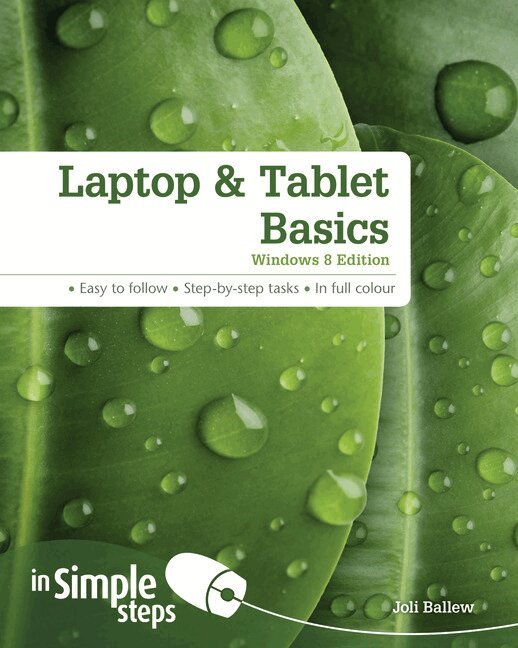
    Laptop & Tablet Basics: Windows 8 Edition

    AvJoli Ballew

    Häftad, Engelska, 2013

    122 kr

    Beställningsvara. Skickas inom 7-10 vardagar. Fri frakt över 249 kr.

    Beskrivning

    Use your laptop or tablet with confidence 


    This practical book will have you achieving immediate results using:


    • a friendly, visual approach
    • simple language
    • practical, task-based examples
    • large, full-colour screenshots.


    Discover everything you want to know about choosing and using your laptop or tablet in this easy-to-use guide; from the most essential tasks that you’ll want to perform, to solving the most common problems you’ll encounter.


    Practical. Simple. Fast.


    Get the most out of your laptop or tablet with practical tips on every page:


    ·    ALERT: Solutions to common problems

    ·    HOT TIP: Time-saving shortcuts

    ·    SEE ALSO: Related tasks and information

    ·    DID YOU KNOW? Additional features to explore  

    ·    WHAT DOES THIS MEAN? Jargon explained in plain English


    Produktinformation

    • Utgivningsdatum:2013-10-10
    • Mått:190 x 234 x 12 mm
    • Vikt:548 g
    • Format:Häftad
    • Språk:Engelska
    • Antal sidor:264
    • Upplaga:1
    • Förlag:Pearson Education
    • ISBN:9781292002620

    Utforska kategorier

    • Hårdvara inom Data och IT
    • Operativsystem inom Data och IT

    Innehållsförteckning

    • Top Ten Tips  1. Explore your laptopKnow your devicePlug in the power cableAccess and use USB portsLocate and the Ethernet portConnect headphonesLocate additional portsLocate, insert or remove the batteryLocate the power button and start Windows 8Use the Windows keyUse the touchpad/track pad  2. Learn Windows 8 EssentialsUnderstand New Windows 8 TermsUnderstand your Account OptionsLog In to Windows 8Explore the Start ScreenAccess CharmsExplore CharmsAccess the Traditional DesktopConnect to a Wi-Fi networkConnect to an Ethernet networkFlick, Tap, Double Tap, and Scroll for Touch  3. Explore Start Screen Apps and Personalize Their TilesView Your Local WeatherExplore the Travel AppSearch for a Location with MapsGet the Latest Sports News and Follow a TeamUse an App’s CharmsView Your Personal CalendarMove among Open AppsMove Tiles on the Start ScreenTurn Live Tiles On or OffMake App Tiles Larger or Smaller  4. Use the Internet Explorer Start Screen App Understand the versions of IEExplore the Internet Explorer AppVisit a WebsiteManage Tabs with the Hidden ToolbarPin a Website to the Start ScreenExplore Settings  5. Get an always-available Internet connectionSet up Wi-Fi settings appropriatelyUnderstand your needsKnow what to ask before committing to a planConsider a cellular providerConsider an ISPConsider a satellite providerObtain the proper settingsMake the connection  6. Perform Computer Basics on the Desktop Explore the DesktopLearndesktop techniquesExplore the taskbarUnderstand libraries in File ExplorerOpen, close, resize the File Explorer windowChange the view in a windowSnap a window to the side of the desktopCreate a folder or subfolderMove a folder or fileSearch for a file or other itemBack up a folder to an external drive  7. Explore Desktop Apps  Search for an application from the Start screenWrite a letter with WordPadSave a letter with WordPadPrint a letter with WordPadUse the calculatorUse the Snipping ToolEmail a snipRecord a sound clipExplore other Desktop appsPin your favorite Desktop apps to the taskbar  8. Use the Internet Explorer Desktop App Explore the Internet Explorer Desktop appUse tabsSet a home pageMark a favouriteZoom in or outPrint a web pageClear HistoryStay Safe on the InternetConfigure the IE Desktop App as the default  9. Configure and Use Mail Access emailSet up a third party email accountOpen and read emailCompose and send a new emailFormat email textReply to or forward an emailPrint an emailAttach something to an emailView an attachment in an emailView junk e-mailDelete e-mail in a folder  10. Personalize Windows 8 Switch from a local account to a Microsoft accountLog on faster: create a pinChange the picture on the lock screenChoose lock screen appsPersonalize the start screen backgroundAdd a tile to the start screenRemove a tile from the start screenCreate a shortcut for a folder or library on the desktopCreate a shortcut for a program, accessory, system tool and moreAdd an item to the taskbarChose which desktop icons appearJoin a homegroupCreate a new userShare with the