• Fri frakt över 249 kr
  • •
  • Snabba leveranser
  • •
  • Billiga böcker
Kundservice

Du är på sajten för privatpersoner.

Företag, bibliotek eller offentlig verksamhet?

Du handlar på classic.bokus.com, där alla dina funktioner finns intakta.
Till classic.bokus.com
Bokus logotyp. Gå till startsidan.
  • Erbjudanden
  • Nyheter
  • Student
  • Topplistor
  • Barn & ungdom
  • Bokus Play
  • E-böcker
  • Pocketböcker
  • Spel & pussel

10% rabatt på allt med kod NYSTART10 →

Sidfot

Mina sidor

    Hjälp

    • Kundservice
    • Vanliga frågor och svar
    • Frakt och leverans
    • Retur vid ångerrätt
    • Reklamera vara
    • Betalning
    • Köpvillkor
    • Allmänna villkor
    • Information om webbplatsens tillgänglighet

    Om Bokus

    • Om oss
    • Pressrum
    • För studenter
    • För företag
    • För bibliotek och offentlig verksamhet
    • För leverantörer
    • Hållbarhet

    Populärt

    • Aktuella erbjudanden
    • Presentkort
    • Studentlitteratur
    • Nya böcker
    • Topplistor
    • Signerade böcker
    • Engelska böcker

    Inspiration

    • Boktips
    • BookTok
    • Populära bokserier
    • Barnbokskaraktärer
    • Populära författare
    Logotyp för Bokus
    Följ oss på Facebook (extern länk)Följ oss på Instagram (extern länk)Följ oss på YouTube (extern länk)Följ oss på TikTok (extern länk)
    bokus @ CookiesAnpassa cookiesIntegritetspolicyKöpvillkor
    Till Citymail hemsida (extern länk)Till Budbee hemsida (extern länk)Till Postnord hemsida (extern länk)Till Schenker hemsida (extern länk)Till Early Bird hemsida (extern länk)Till Walleys hemsida (extern länk)
    1. Data och IT
    2. Affärsapplikationer

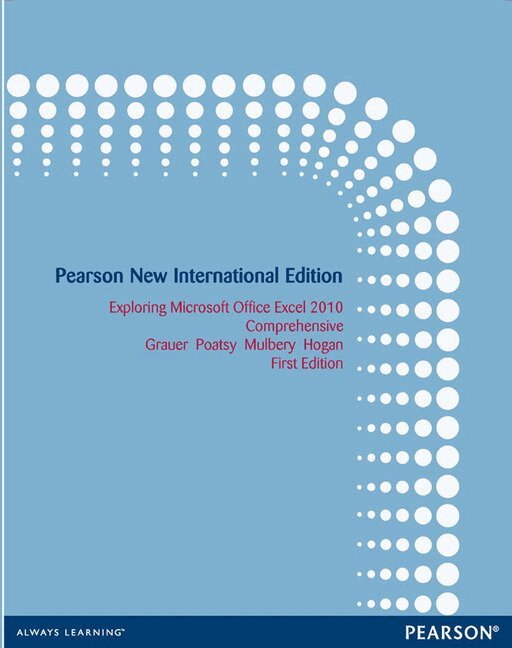
    Exploring Microsoft Office Excel 2010 Comprehensive

    Pearson New International Edition

    AvRobert Grauer,Mary Poatsy

    Häftad, Engelska, 2013

    1 229 kr

    Beställningsvara. Skickas inom 7-10 vardagar. Fri frakt över 249 kr.

    Beskrivning

    For introductory computer courses on Microsoft Office 2010 or courses in computer concepts with a lab component for Microsoft Office 2010 applications. The goal of the Exploring series has been to move students beyond the point and click, helping them understand the why and how behind each skill. The Exploring series for Office 2010 also enables students to extend the learning beyond the classroom. Students go to college now with a different set of skills than they did five years ago. With this in mind, the Exploring series seeks to move students beyond the basics of the software at a faster pace, without sacrificing coverage of the fundamental skills that everybody needs to know. A lot of learning takes place outside of the classroom, and the Exploring series provides learning tools that students can access anytime, anywhere. The goal of the Exploring series has been to move students beyond the point and click, helping them understand the why and how behind each skill.

    Produktinformation

    • Utgivningsdatum:2013-11-01
    • Mått:217 x 274 x 24 mm
    • Vikt:1 308 g
    • Format:Häftad
    • Språk:Engelska
    • Antal sidor:656
    • Upplaga:1
    • Förlag:Pearson Education
    • ISBN:9781292027043

    Utforska kategorier

    • Affärsapplikationer inom Data och IT

    Innehållsförteckning

    • OFFICE FUNDAMENTALS AND FILE MANAGEMENTCHAPTER ONE ¿ Office Fundamentals and File Management CASE STUDY: RAILS AND TRAILS OBJECTIVES FILES AND FOLDERS Using Windows Explorer Working with Folders and Files Selecting, Copying, and Moving Multiple Files and Folders HANDS-ON EXERCISE 1: Files and Folders MICROSOFT OFFICE SOFTWAREIdentifying Common Interface ComponentsGetting Office Help HANDS-ON EXERCISE 2: Microsoft Office Software BACKSTAGE VIEW TASKS Opening a File Printing a File Closing a File and Application HANDS-ON EXERCISE 3: Backstage View Tasks HOME TAB TASKS Selecting and Editing Text Using the Clipboard Group Tasks Using the Editing Group Tasks HANDS-ON EXERCISE 4: Home Tab Tasks INSERT TAB TASKS Inserting Objects REVIEW TAB TASKS Reviewing a File PAGE LAYOUT TAB TASKS Changing Page Settings HANDS-ON EXERCISE 5: Tasks on the Insert Tab, Page Layout Tab, and Review Tab CHAPTER OBJECTIVES REVIEW KEY TERMS MULTIPLE CHOICE PRACTICE EXERCISES MID-LEVEL EXERCISES CAPSTONE EXERCISE BEYOND THE CLASSROOM  MICROSOFT OFFICE EXCEL 2010CHAPTER ONE ¿ Introduction to Excel CASE STUDY: OK OFFICE SYSTEMS OBJECTIVES INTRODUCTION TO SPREADSHEETSPlanning for Effective Workbook and Worksheet Design Exploring the Excel Window Entering and Editing Cell Data HANDS-ON EXERCISE 1: Introduction to Spreadsheets MATHEMATICS AND FORMULASUsing Symbols and the Order of Precedence Using Auto Fill Displaying Cell Formulas HANDS-ON EXERCISE 2: Mathematics and Formulas WORKBOOK AND WORKSHEET MANAGEMENT Managing Worksheets Managing Columns and Rows Selecting, Moving, Copying, and Pasting HANDS-ON EXERCISE 3: Workbook and Worksheet Management FORMATTING Applying Alignment and Font Options Applying Number Formats HANDS-ON EXERCISE 4: Formatting PAGE SETUP AND PRINTING Selecting Page Setup Options Printing a Worksheet HANDS-ON EXERCISE 5: Page Setup and Printing CHAPTER OBJECTIVES REVIEW KEY TERMS MULTIPLE CHOICE PRACTICE EXERCISES MID-LEVEL EXERCISES CAPSTONE EXERCISE BEYOND THE CLASSROOM  CHAPTER TWO ¿ Formulas and FunctionsCASE STUDY: DENVER MORTGAGE COMPANY OBJECTIVES FORMULA BASICS Using Semi-Selection to Create a Formula Using Relative, Absolute, and Mixed Cell References in Formulas Avoiding Circular References HANDS-ON EXERCISE 1: Formula Basics FUNCTION BASICS Inserting a Function Totaling Values with the SUM Function Inserting Basic Statistical Functions Using Date Functions HANDS-ON EXERCISE 2: Function Basics LOGICAL, LOOKUP, AND FINANCIAL FUNCTIONS Determining Results with the IF Function Using Lookup Functions Calculating Payments with the PMT Function HANDS-ON EXERCISE 3: Logical, Lookup, and Financial Functions RANGE NAMES Creating and Maintaining Range Names Using Range Names in Formulas HANDS-ON EXERCISE 4: Range Names CHAPTER OBJECTIVES REVIEW KEY TERMS MULTIPLE CHOICE PRACTICE EXERCISES MID-LEVEL EXERCISES CAPSTONE EXERCISE BEYOND THE CLASSROOM  CHAPTER THREE ¿ Ch