• Fri frakt över 249 kr
  • •
  • Snabba leveranser
  • •
  • Billiga böcker
Kundservice

Du är på sajten för privatpersoner.

Företag, bibliotek eller offentlig verksamhet?

Du handlar på classic.bokus.com, där alla dina funktioner finns intakta.
Till classic.bokus.com
Bokus logotyp. Gå till startsidan.
  • Erbjudanden
  • Nyheter
  • Student
  • Topplistor
  • Barn & ungdom
  • Bokus Play
  • E-böcker
  • Pocketböcker
  • Spel & pussel

10% rabatt på allt med kod NYSTART10 →

Sidfot

Mina sidor

    Hjälp

    • Kundservice
    • Vanliga frågor och svar
    • Frakt och leverans
    • Retur vid ångerrätt
    • Reklamera vara
    • Betalning
    • Köpvillkor
    • Allmänna villkor
    • Information om webbplatsens tillgänglighet

    Om Bokus

    • Om oss
    • Pressrum
    • För studenter
    • För företag
    • För bibliotek och offentlig verksamhet
    • För leverantörer
    • Hållbarhet

    Populärt

    • Aktuella erbjudanden
    • Presentkort
    • Studentlitteratur
    • Nya böcker
    • Topplistor
    • Signerade böcker
    • Engelska böcker

    Inspiration

    • Boktips
    • BookTok
    • Populära bokserier
    • Barnbokskaraktärer
    • Populära författare
    Logotyp för Bokus
    Följ oss på Facebook (extern länk)Följ oss på Instagram (extern länk)Följ oss på YouTube (extern länk)Följ oss på TikTok (extern länk)
    bokus @ CookiesAnpassa cookiesIntegritetspolicyKöpvillkor
    Till Citymail hemsida (extern länk)Till Budbee hemsida (extern länk)Till Postnord hemsida (extern länk)Till Schenker hemsida (extern länk)Till Early Bird hemsida (extern länk)Till Walleys hemsida (extern länk)
    1. Data och IT
    2. Systemvetenskap och AI

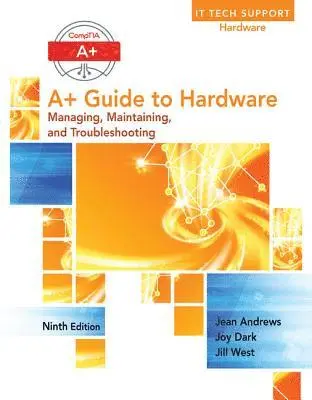
    A+ Guide to Hardware

    AvJean Andrews

    Inbunden, Engelska, 2016

    1 205 kr

    Beställningsvara. Skickas inom 5-8 vardagar. Fri frakt över 249 kr.

    Beskrivning

    This step-by-step, highly visual text provides a comprehensive introduction to managing and maintaining computer hardware and software. Written by best-selling author and educator Jean Andrews, A+ GUIDE TO HARDWARE, Ninth Edition, closely integrates the CompTIA A+ Exam objectives to prepare students for the 220-901 certification exams. The new Ninth Edition also features extensive updates to reflect current technology, techniques, and industry standards in the dynamic, fast-paced field of PC repair and information technology. Each chapter covers both core concepts and advanced topics, organizing material to facilitate practical application and encourage students to learn by doing. The new edition features more coverage of updated hardware, security, and increased emphasis on mobile devices. Supported by a wide range of supplemental resources to enhance learning with Lab Manuals, CourseNotes, online labs and the optional MindTap that includes labs, certification test prep and interactive exercises and activities, this proven text offers students an ideal way to prepare for success as a professional IT support technician.

    Produktinformation

    • Utgivningsdatum:2016-01-26
    • Mått:223 x 27 x 281 mm
    • Vikt:1 450 g
    • Format:Inbunden
    • Språk:Engelska
    • Antal sidor:784
    • Upplaga:9
    • Förlag:Cengage Learning
    • ISBN:9781305266452

    Utforska kategorier

    • Systemvetenskap och AI inom Data och IT

    Mer om författaren

    Jean Andrews has more than 30 years of experience in the computer industry, including more than 13 years in the college classroom. She has worked in a variety of businesses and corporations designing, writing, and supporting application software; managing a help desk for computer support technicians; and troubleshooting wide area networks. Dr. Andrews has written numerous books on software, hardware, and the Internet, including the best-selling A+ Guide To IT Technical Support. She retired from writing computer science textbooks with the Eleventh Edition of this textbook. Dr. Andrews now lives in north Georgia, writing books about new paradigms for education and building character in life-giving communities.

    Innehållsförteckning

    • 1.First Look at Computer Parts and Tools.2. Working Inside Desktop Computers and Laptops.3. All About Motherboards.4. Supporting Processors and Upgrading Memory.5. Supporting the Power System and Troubleshooting Computers.6. Supporting Hard Drives and Other Storage Devices.7. Supporting I/O Devices.8. Connecting To and Setting Up a Network.9. Supporting Network Hardware.10. Supporting Printers and Customizing a System.Appendix A.Safety Procedures and Environmental Concerns.Appendix B. Entry Points for Windows Startup Processes.Appendix C. CompTIA A+ AcronymsGlossary.