• Fri frakt över 249 kr
  • •
  • Snabba leveranser
  • •
  • Billiga böcker
Kundservice

Du är på sajten för privatpersoner.

Företag, bibliotek eller offentlig verksamhet?

Du handlar på classic.bokus.com, där alla dina funktioner finns intakta.
Till classic.bokus.com
Bokus logotyp. Gå till startsidan.
  • Erbjudanden
  • Nyheter
  • Student
  • Topplistor
  • Barn & ungdom
  • Bokus Play
  • E-böcker
  • Pocketböcker
  • Spel & pussel

10% rabatt på allt med kod: NYSTART10 →

Sidfot

Mina sidor

    Hjälp

    • Kundservice
    • Vanliga frågor och svar
    • Frakt och leverans
    • Retur vid ångerrätt
    • Reklamera vara
    • Betalning
    • Köpvillkor
    • Allmänna villkor
    • Information om webbplatsens tillgänglighet

    Om Bokus

    • Om oss
    • Pressrum
    • För studenter
    • För företag
    • För bibliotek och offentlig verksamhet
    • För leverantörer
    • Hållbarhet

    Populärt

    • Aktuella erbjudanden
    • Presentkort
    • Studentlitteratur
    • Nya böcker
    • Topplistor
    • Signerade böcker
    • Engelska böcker

    Inspiration

    • Boktips
    • BookTok
    • Populära bokserier
    • Barnbokskaraktärer
    • Populära författare
    Logotyp för Bokus
    Följ oss på Facebook (extern länk)Följ oss på Instagram (extern länk)Följ oss på YouTube (extern länk)Följ oss på TikTok (extern länk)
    bokus @ CookiesAnpassa cookiesIntegritetspolicyKöpvillkor
    Till Citymail hemsida (extern länk)Till Budbee hemsida (extern länk)Till Postnord hemsida (extern länk)Till Schenker hemsida (extern länk)Till Early Bird hemsida (extern länk)Till Walleys hemsida (extern länk)
    1. Data och IT
    2. Systemvetenskap och AI

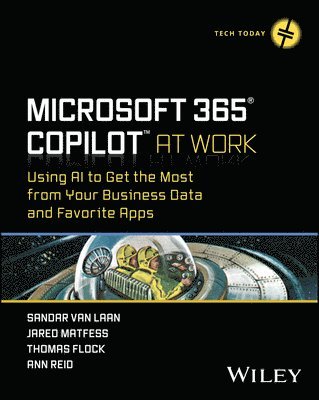
    Microsoft 365 Copilot At Work

    Using AI to Get the Most from Your Business Data and Favorite Apps

    AvSandar Van Laan,Jared Matfess

    Häftad, Engelska, 2025

    Del i serien Tech Today

    673 kr

    Beställningsvara. Skickas inom 5-8 vardagar. Fri frakt över 249 kr.

    Beskrivning

    Learn to leverage Microsoft's new AI tool, Copilot, for enhanced productivity at work In Microsoft 365 Copilot At Work: Using AI to Get the Most from Your Business Data and Favorite Apps, a team of software and AI experts delivers a comprehensive guide to unlocking the full potential of Microsoft's groundbreaking AI tool, Copilot. Written for people new to AI, as well as experienced users, this book provides a hands-on roadmap for integrating Copilot into your daily workflow. You'll find the knowledge and strategies you need to maximize your team's productivity and drive success. The authors offer you a unique opportunity to gain a deep understanding of AI fundamentals, including machine learning, large language models, and generative AI versus summative AI. You'll also discover: How Copilot utilizes AI technologies to provide real-time intelligent assistance and revolutionize the way you work with Microsoft 365 appsPractical Implementation Strategies for project and change management, as well as practical guidance on rolling out Copilot within your organizationSpecific use cases, including Outlook, Teams, Excel, PowerPoint, and OneNote, and how Copilot can streamline tasks and boost efficiency across various Microsoft applicationsTake your Copilot proficiency to the next level with advanced AI concepts, usage monitoring, and custom development techniques. Delve into Microsoft Framework Accelerator, Copilot plugins, semantic kernels, and custom plugin development, empowering you to tailor Copilot to your organization's unique needs and workflows. Get ready to revolutionize your productivity with Microsoft 365 Copilot!

    Produktinformation

    • Utgivningsdatum:2025-01-07
    • Mått:184 x 234 x 22 mm
    • Vikt:477 g
    • Format:Häftad
    • Språk:Engelska
    • Serie:Tech Today
    • Antal sidor:368
    • Förlag:John Wiley & Sons Inc
    • ISBN:9781394258376

    Utforska kategorier

    • Systemvetenskap och AI inom Data och IT
    • Affärsapplikationer inom Data och IT

    Mer om författaren

    SANDAR VAN LAAN is a Senior Principal at Slalom within the Microsoft Modern Work and AI space, leading Copilot rollouts across multiple clients and demonstrating a deep understanding of AI and its practical applications in the enterprise environment. His strategic approach has been instrumental in guiding organizations through the adoption process, ensuring seamless integration and maximizing the benefits of AI technologies. JARED MATFESS serves as an AI Architect at AvePoint, bringing more than two decades of experience within the Microsoft ecosystem to his role. He has been honored with the Microsoft MVP award six times for the Office App & Services category and is actively engaged in sharing his expertise at various community events. Jared’s primary ambition is to assist organizations in their transformation by leveraging advanced technologies like AI. THOMAS FLOCK is a senior consultant at Slalom and specializes in data integrating using AI. His father was a senior engineer for MCI starting in 1983 when he was born, so Thomas has been around computers all his life. Thomas grew up in the Fairfax Virginia area and his first job was for Network Access Solutions in Herndon as a TCP/IP tester. ANN REID is a keen early adopter and experienced M365 Copilot implementation consultant with Slalom. With over 20 years of IT experience, she recognizes the transformative impact of M365 Copilot on organizations as well as challenges it presents. She shares some practical knowledge and strategies for building robust information protection capabilities and demystifies the process of prompt engineering for M365 Copilot.

    Innehållsförteckning

    • Introduction xxiPart I Understanding and Using Copilot 1Chapter 1 Introduction to Artificial Intelligence 3The Importance of AI 4Foundations of AI 5Real-World Applications of AI 6Impact of AI on Various Industries 7Healthcare Industry 7Manufacturing Industry 8Finance Industry 9Case Studies of Successful AI Implementations 10Ethical Considerations 12Responsible Use of AI 13Future Ethical Considerations 14AI and Society 15Public Perception and Acceptance of AI 16The Future of AI 16Potential Advancements and Breakthroughs 16Preparing for an AI-driven Future 17Conclusion 18Chapter 2 Introduction to Microsoft 365 Copilot 19Microsoft 365 Copilot—Your Personal AI Assistant 19Differences from Other Chat-based AI Personal Assistants 21Fitting Microsoft 365 Copilot into a Day-to-day Routine 21Prompt Generation 24Fact-Checking 24Microsoft 365 Copilot Versus Clippy 24The Security of Microsoft 365 Copilot 25Conclusion 25Chapter 3 An Introduction to Prompt Engineering 27Introduction to Large Language Models 28Foundations of Prompt Engineering 29Concept of Prompt Engineering 29Three Prompt Mnemonics 30Refining Your Prompt 33Other Prompting Styles 34Prompt Validation Steps 36Copilot Lab 38Overview of Copilot Lab 38Bookmarking Your Favorite Prompts 40The Future of Prompt Engineering 40Conclusion 41Chapter 4 Security/Purview Planning in Preparation for Copilot 43Introduction to Information Protection 43Deploying M365 Copilot 44Building a Culture of Information Protection 44Identifying Weaknesses in Information Protection 45Conducting a Risk Assessment 46Review Your Security Foundations 48Zero Trust and Conditional Access 48Identity Access Management 49Dynamic Access Policies 50Data Classification and Sensitivity Labels 52Review Your Data Policies 53Data Loss Prevention Policies 54Data Retention Policy 54Data Encryption Policy 55Data Breach Policy 56Acceptable Use Policy 57Review Your Toolkit 58Microsoft Entra ID 59Microsoft Copilot Dashboard 60Public Web Content in M365 Copilot 61Microsoft Purview 62SharePoint Advanced Management 65AI-Powered Security Capability 66Get Your Pilot Started with These Initial Steps 67Conclusion 69Chapter 5 Planning Your Microsoft 365 Copilot Rollout 71Project Management 72Stakeholder Management 72The Project Team Pilot 73The “Equity” Risk 76The “Oversharing” Risk 77Technical Enablement 79Initial Provisioning Issues 80Governance 80Content Governance 81Copilot Acceptable Use Policy 82Microsoft 365 Copilot Operating Model Dependency 82Generative AI Steering Committee Best Practices 84Change Management 86The Power of Personas 88Building Your Change Champion Network 89Identifying Change Champions 89Mobilizing Change Champions 90Creating Onboarding Materials 90Copilot Lab 91Hosting Office Hours 92Success Measures 93Technical Extensibility 97Managing Microsoft 365 Copilot Extensibility Requests 97Building Your Copilot Center of Excellence 99Conclusion 100Chapter 6 Microsoft Copilot Business Chat 101Free Personal Versus Paid Corporate Versions 102Accessing the Free Version of Business Chat 102Accessing the Paid Version of Business Chat 104Working with Business Chat 108Pulling Data from the Internet 110Pulling Information from Internal Systems 112Copilot on Your Phone 113Privacy Concerns Using Business Chat 116Conclusion 117Chapter 7 Microsoft Outlook 119Creating Communications with Microsoft 365 Copilot 120Drafting Your Prompt 120Tone and Length 121Refining Your Message 123Managing Escalations 124Microsoft 365 Copilot Coaching 124Summarizing Email Threads 125Email Summarization—Chat 127Calendar Information 129Conclusion 131Chapter 8 Copilot in Microsoft Teams 133Managing Project Communications 134Summarizing Chats and Channel Communications 134Creating Posts and Chats with Copilot 138Creating a post or chat with Copilot 138Tone and Length 141Copilot and Grammatical Issues 141Managing Project Meetings 141Using Copilot During a Live Meeting 142Using Copilot with a Past Meeting 143Copilot in Microsoft Teams Phone 144Data Privacy and Security 144Conclusion 146Chapter 9 Copilot in Microsoft Excel 147Getting Started with Copilot in Excel 147Identifying a Dataset 148Preparing Your Workbook 148Manipulating Excel Data 150Creating New Formulas 150Creating Charts 152Creating a PivotTable with Copilot 156Asking Questions About Your Data 157Copilot Suggested Prompts for Data Insights 159Additional Formatting 162Managing Sales Data with Copilot 165Conclusion 171Chapter 10 Copilot in Microsoft PowerPoint 173Preparing Your PowerPoint Template for Copilot 174Initial Setup of an Organizational Assets Library 174PowerPoint Template Requirements 175Creating Your First PowerPoint Presentation with Copilot 176Improving the Prompt 177Improving the Content 179Generating New Content 182Navigating Microsoft PowerPoint with Copilot 184Creating a PowerPoint Presentation from a Microsoft Word Document 186Refining Your Presentation with Copilot 188Using Copilot to Get Feedback on a Presentation 189Using Copilot to Clarify a Presentation 190Using Copilot to Improve Engagement on a Presentation 191Conclusion 191Chapter 11 Copilot in Microsoft Loop 193Loop Overview 193What’s in a Loop? 194Getting Started with Loop 195Loop Components within Teams 196Creating a Loop Workspace 197Inviting Others to Collaborate 198When to Use Loop 199Positioning Loop in Your Organization 200Use Cases for Loop 200Microsoft 365 Copilot in Loop 202Brainstorming with Copilot 204Unlocking Insights with Copilot 208Conclusion 210Chapter 12 Transforming Text with Copilot in Microsoft Word 211Getting Started with Copilot in Word 212Using Reference Documents to Enhance Copilot Results 214Rewriting with Copilot 215Copilot’s Document Analysis Capability 218Conclusion 220Part II Extending Copilot 221Chapter 13 Unlocking Real Value with Copilot 223The Business Case for Copilot 223Executive Summary 225Background and Introduction 226Business Objectives 228Current Situation Analysis 229Solution Description 230Implementation Plan 231Cost-Benefit Analysis 231Evaluation and Measurement 233Presenting Your Business Case 234Measuring Business Value 234Copilot Adoption Dashboard Setup 234Accessing the Copilot Adoption Dashboard 235Copilot Adoption Dashboard “Advanced Features” 238Viva Pulse Surveys 238Mapping Business Processes: The Proposal Use Case 242Mapping Your RFP Response Process 243Aligning Tasks to Copilot Capabilities 243Building an Enterprise Prompt Library 244Reporting Your ROI 246Conclusion 248Chapter 14 Introduction to Microsoft Copilot Studio 249Who Should Use Copilot Studio? 250Customizing Existing Copilot vs. Creating a Stand-alone Copilot 250Getting Started with Microsoft Copilot Studio 252Navigating the Copilot Studio User Interface 252Building Your First Copilot 255Testing Your Copilot 259Publishing Your Copilot 260Creating a Copilot Plugin 264Testing Your Copilot Plugin 270Conclusion 272Chapter 15 Creating a Custom Teams Copilot 273Extensibility Options 274Knowledge and Software Prerequisites 274An Understanding of the General Architecture of Plugins 275A Code Background 275A Microsoft Developer Account 276Node.js and npm 277Introduction to Node.js 277Installing Node.js 278Selecting the Correct Version of Node.js 279npm Configuration Tips 280Installing .NET 282A Configured Integrated Development Environment 283Installing and Setting Up VSCode IDE 284Downloading VSCode 284Essential Extensions for VSCode 285Customizing the IDE for Productivity 285Installing Azure AI Studio SDKs and Necessary Libraries 286Setting Up TypeScript for Azure AI Development 286Git 287Installing Git 287Initial Git Setup 288Building a Custom Teams Copilot 288Deploying a Custom Teams Copilot 300Introduction to Semantic Kernel 304Conclusion 305Chapter 16 Copilot Wave 2 Features 307Bizchat, aka Copilot Chat 307Copilot Updates in Outlook 309Copilot Updates in PowerPoint 310Copilot Updates in Microsoft Teams 314Copilot Updates in Word 314Copilot Updates in Excel 315Copilot Updates in OneDrive 317Copilot Pages 319Copilot Agents 321Conclusion 323Index 325