• Fri frakt över 249 kr
  • •
  • Snabba leveranser
  • •
  • Billiga böcker
Kundservice

Du är på sajten för privatpersoner.

Företag, bibliotek eller offentlig verksamhet?

Du handlar på classic.bokus.com, där alla dina funktioner finns intakta.
Till classic.bokus.com
Bokus logotyp. Gå till startsidan.
  • Erbjudanden
  • Nyheter
  • Student
  • Topplistor
  • Barn & ungdom
  • Bokus Play
  • E-böcker
  • Pocketböcker
  • Spel & pussel

10% rabatt på allt med kod: NYSTART10 →

Sidfot

Mina sidor

    Hjälp

    • Kundservice
    • Vanliga frågor och svar
    • Frakt och leverans
    • Retur vid ångerrätt
    • Reklamera vara
    • Betalning
    • Köpvillkor
    • Allmänna villkor
    • Information om webbplatsens tillgänglighet

    Om Bokus

    • Om oss
    • Pressrum
    • För studenter
    • För företag
    • För bibliotek och offentlig verksamhet
    • För leverantörer
    • Hållbarhet

    Populärt

    • Aktuella erbjudanden
    • Presentkort
    • Studentlitteratur
    • Nya böcker
    • Topplistor
    • Signerade böcker
    • Engelska böcker

    Inspiration

    • Boktips
    • BookTok
    • Populära bokserier
    • Barnbokskaraktärer
    • Populära författare
    Logotyp för Bokus
    Följ oss på Facebook (extern länk)Följ oss på Instagram (extern länk)Följ oss på YouTube (extern länk)Följ oss på TikTok (extern länk)
    bokus @ CookiesAnpassa cookiesIntegritetspolicyKöpvillkor
    Till Citymail hemsida (extern länk)Till Budbee hemsida (extern länk)Till Postnord hemsida (extern länk)Till Schenker hemsida (extern länk)Till Early Bird hemsida (extern länk)Till Walleys hemsida (extern länk)
    1. Data och IT
    2. Informationsteknik: allmänt

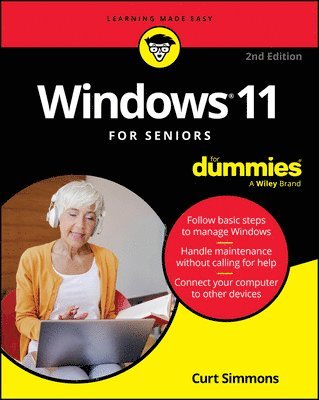
    Windows 11 For Seniors For Dummies, 2nd Edition

    AvCurt Simmons

    Häftad, Engelska, 2025

    193 kr

    Beställningsvara. Skickas inom 5-8 vardagar. Fri frakt över 249 kr.

    Fler format och utgåvor

    E-bok

    309 kr

    E-bok

    309 kr

    Beskrivning

    The top-selling Windows book for the older and wiser crowd Windows 11 For Seniors For Dummies, 2nd Edition delivers fluff-free information on making the latest version of Windows work for you. You'll get clear guidance on the basics, troubleshooting tips, and advice for staying safe while you use Windows to get online. Even if you've never used Windows before, this friendly guide will quickly teach you how to get started, without all the jargon and complicated steps. These simple steps and solutions give you the confidence boost you need to navigate the latest interface and even try out the artificial intelligence tools built into Windows. With larger print and clearer graphics, this For Seniors title saves you time and energy as you learn your way around your Windows computer. Get started with the latest version of Windows—without a lot of unnecessary jargonCommunicate with friends, keep track of files, share photos and videos, and stream your favorite mediaTry out Copilot, the Windows AI tool that offers fast answers to any questionBe your own tech guru with step-by-step troubleshooting and maintenance adviceThese days, a new computer or a new Windows update shouldn't have to slow you down. Spend less time learning and more time doing, with this edition of Windows For Seniors For Dummies.

    Produktinformation

    • Utgivningsdatum:2025-02-06
    • Mått:188 x 231 x 25 mm
    • Vikt:476 g
    • Format:Häftad
    • Språk:Engelska
    • Antal sidor:352
    • Upplaga:2
    • Förlag:John Wiley & Sons Inc
    • ISBN:9781394276912

    Utforska kategorier

    • Informationsteknik: allmänt inom Data och IT
    • Operativsystem inom Data och IT
    • Programmeringsböcker inom Data och IT

    Mer om författaren

    Curt Simmons is an experienced tech educator who has published on a wide variety of topics, including Microsoft Windows, photo editing apps, networking, and mobile devices. He is also creator of the “Intro to Windows” course at ed2go.com and author of Drone Piloting For Dummies.

    Innehållsförteckning

    • Introduction 1Part 1: Getting Started with Windows 11 7Chapter 1: Getting Acquainted with Windows 11 9Chapter 2: Using the Start Screen, Apps, Widgets, and Copilot 29Chapter 3: Adjusting Windows 11 Settings 55Chapter 4: Working with User Accounts 71Chapter 5: Getting Comfortable with the Desktop 93Part 2: Windows 11 and the Web 113Chapter 6: Finding What You Need on the Web 115Chapter 7: Emailing Family and Friends 135Chapter 8: Connecting with Microsoft Teams 153Chapter 9: Exploring Apps for Your Daily Life 169Part 3: Having Fun with Windows 11 191Chapter 10: Exploring the Microsoft Store 193Chapter 11: Taking Photos and More 209Chapter 12: Enjoying Music and Videos 229Part 4: Beyond the Basics 247Chapter 13: Maintaining Windows 11 249Chapter 14: Connecting a Printer and Other Devices 269Chapter 15: Working with Files 279Chapter 16: Backing Up and Restoring Files 301Index 317