• Fri frakt över 249 kr
  • •
  • Snabba leveranser
  • •
  • Billiga böcker
Kundservice

Du är på sajten för privatpersoner.

Företag, bibliotek eller offentlig verksamhet?

Du handlar på classic.bokus.com, där alla dina funktioner finns intakta.
Till classic.bokus.com
Bokus logotyp. Gå till startsidan.
  • Erbjudanden
  • Student
  • Topplistor
  • Barn & ungdom
  • Bokus Play
  • E-böcker
  • Ljudböcker
  • Pocketböcker
  • Spel och pussel

Pocketfynda! Hundratals böcker för 49 kr/st →

Sidfot

Mina sidor

    Hjälp

    • Kundservice
    • Vanliga frågor och svar
    • Frakt och leverans
    • Retur vid ångerrätt
    • Reklamera vara
    • Betalning
    • Köpvillkor
    • Allmänna villkor
    • Information om webbplatsens tillgänglighet

    Om Bokus

    • Om oss
    • Pressrum
    • För studenter
    • För företag
    • För bibliotek och offentlig verksamhet
    • För leverantörer
    • Hållbarhet

    Populärt

    • Aktuella erbjudanden
    • Presentkort
    • Studentlitteratur
    • Nya böcker
    • Topplistor
    • Signerade böcker
    • Engelska böcker

    Inspiration

    • Boktips
    • BookTok
    • Barnbokskaraktärer
    • Populära författare
    Logotyp för Bokus
    Följ oss på Facebook (extern länk)Följ oss på Instagram (extern länk)Följ oss på YouTube (extern länk)Följ oss på TikTok (extern länk)
    bokus @ CookiesAnpassa cookiesIntegritetspolicyKöpvillkor
    Till Citymail hemsida (extern länk)Till Budbee hemsida (extern länk)Till Postnord hemsida (extern länk)Till Schenker hemsida (extern länk)Till Early Bird hemsida (extern länk)Till Walleys hemsida (extern länk)
    1. Data och IT
    2. Affärsapplikationer

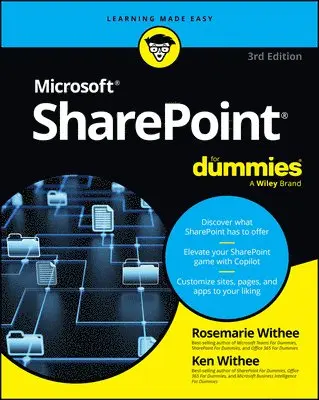
    SharePoint For Dummies

    AvRosemarie Withee,Ken Withee

    Häftad, Engelska, 2025

    Del i serien For Dummies

    230 kr

    Beställningsvara. Skickas inom 5-8 vardagar. Fri frakt över 249 kr.

    Beskrivning

    Become a SharePoint power user with this quick-and-easy guide to its many features SharePoint For Dummies is your trusted instruction manual as you learn to create sites, upload and manage documents, collaborate with coworkers, and streamline workflows. Updated to include new AI functionality with Copilot, this edition walks you through the steps you'll need to take to customize SharePoint and take advantage of all it has to offer. You'll also learn how to integrate SharePoint with the tools you already use, so it's easy and seamless to make the shift to online file sharing and version control. You can manage who has access to view and edit files, and you can track, automate, and summarize content—all with this powerful Microsoft platform, and SharePoint For Dummies as your guide. Learn what SharePoint does and discover features that can improve your processesIntegrate Microsoft's AI Copilot to do more with SharepointCustomize your SharePoint sites by applying styles and custom layoutsImprove collaboration and boost efficiency with advanced SharePoint featuresThis easy-to-follow book is a must for anyone looking for quick answers to SharePoint questions—whether you have experience with SharePoint or are just getting started.

    Produktinformation

    • Utgivningsdatum:2025-05-01
    • Mått:188 x 229 x 28 mm
    • Vikt:590 g
    • Format:Häftad
    • Språk:Engelska
    • Serie:For Dummies
    • Antal sidor:400
    • Upplaga:3
    • Förlag:John Wiley & Sons Inc
    • ISBN:9781394295548

    Utforska kategorier

    • Affärsapplikationer inom Data och IT

    Mer om författaren

    Rosemarie Withee is a technology professional and the coauthor of the most recent editions of Microsoft Teams For Dummies and Office 365 For Dummies. Ken Withee is now part of the Microsoft Azure team. He is a former SharePoint consultant and a coauthor of previous editions of the SharePoint For Dummies series.

    Innehållsförteckning

    • Introduction 1Part 1: Getting Started with SharePoint 5Chapter 1: Getting to Know SharePoint 7Chapter 2: Introducing SharePoint in Microsoft 365 25Chapter 3: Embracing Artificial Intelligence with Copilot 33Chapter 4: Wrangling SharePoint Functionality 41Part 2: Diving Headfirst into SharePoint 49Chapter 5: Discovering SharePoint in Your Pocket 51Chapter 6: Understanding SharePoint Sites 59Chapter 7: Working with Web Pages and Web Parts 71Chapter 8: Adding Content to SharePoint 93Chapter 9: Discovering SharePoint in Microsoft Teams 103Chapter 10: Working with SharePoint from Microsoft Office 111Chapter 11: Getting Social 121Part 3: Customizing SharePoint 139 Chapter 12: Customizing SharePoint with Apps 141Chapter 13: Developing a Custom App 159Chapter 14: Taking Control of Your Profile and Content 177Chapter 15: Organizing and Viewing Content 185Chapter 16: Creating Workflows with Microsoft Power Automate 211Chapter 17: Getting Answers with Microsoft Forms 219Part 4: Becoming a SharePoint Administrator 229Chapter 18: Building Business Apps with Power Apps 231Chapter 19: Realizing You Are a SharePoint Administrator 241Chapter 20: Configuring Site Navigation 261Chapter 21: Creating a Client or Partner Portal 277Chapter 22: Securing SharePoint 285Part 5: Managing Enterprise Content 305Chapter 23: Managing Content and the Content Lifecycle 307Chapter 24: Finding What You Need with Search 325Chapter 25: Integrating with Power BI 341Part 6: The Part of Tens 351Chapter 26: Ten Ways to Maintain Control with Governance 353Chapter 27: Ten Ways to Become a SharePoint Server Guru 359Chapter 28: Ten Hot SharePoint Topics 365Index 371