• Fri frakt över 249 kr
  • •
  • Snabba leveranser
  • •
  • Billiga böcker
Kundservice

Du är på sajten för privatpersoner.

Företag, bibliotek eller offentlig verksamhet?

Du handlar på classic.bokus.com, där alla dina funktioner finns intakta.
Till classic.bokus.com
Bokus logotyp. Gå till startsidan.
  • Erbjudanden
  • Nyheter
  • Student
  • Topplistor
  • Barn & ungdom
  • Bokus Play
  • E-böcker
  • Pocketböcker
  • Spel & pussel

10% rabatt på allt med kod NYSTART10 →

Sidfot

Mina sidor

    Hjälp

    • Kundservice
    • Vanliga frågor och svar
    • Frakt och leverans
    • Retur vid ångerrätt
    • Reklamera vara
    • Betalning
    • Köpvillkor
    • Allmänna villkor
    • Information om webbplatsens tillgänglighet

    Om Bokus

    • Om oss
    • Pressrum
    • För studenter
    • För företag
    • För bibliotek och offentlig verksamhet
    • För leverantörer
    • Hållbarhet

    Populärt

    • Aktuella erbjudanden
    • Presentkort
    • Studentlitteratur
    • Nya böcker
    • Topplistor
    • Signerade böcker
    • Engelska böcker

    Inspiration

    • Boktips
    • BookTok
    • Populära bokserier
    • Barnbokskaraktärer
    • Populära författare
    Logotyp för Bokus
    Följ oss på Facebook (extern länk)Följ oss på Instagram (extern länk)Följ oss på YouTube (extern länk)Följ oss på TikTok (extern länk)
    bokus @ CookiesAnpassa cookiesIntegritetspolicyKöpvillkor
    Till Citymail hemsida (extern länk)Till Budbee hemsida (extern länk)Till Postnord hemsida (extern länk)Till Schenker hemsida (extern länk)Till Early Bird hemsida (extern länk)Till Walleys hemsida (extern länk)
    1. Data och IT
    2. Affärsapplikationer

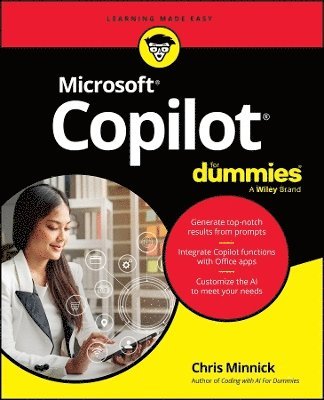
    Microsoft Copilot For Dummies

    AvChris Minnick

    Häftad, Engelska, 2025

    Del i serien For Dummies

    193 kr

    Beställningsvara. Skickas inom 5-8 vardagar. Fri frakt över 249 kr.

    Fler format och utgåvor

    E-bok

    309 kr

    E-bok

    309 kr

    Beskrivning

    Straightforward guidance on the AI tool that's built into Windows, Microsoft 365, and more Microsoft is enhancing all its most widely used productivity software—including Windows and apps like Word and Excel—with the power of AI. And now you can learn to make the most of this revolutionary new tool with Microsoft Copilot For Dummies! You'll discover how to write Copilot-friendly prompts, enhance output with integrated Copilot tools, and how to apply Copilot functions to project management and other specific tasks and disciplines. In the book, you'll find out how to: Use text or your voice to prompt reliable results from Microsoft CopilotCustomize Microsoft Copilot to respond to your unique needs and demandsAdd plug-ins to the Microsoft Copilot service to extend its functionality even moreLearn to supercharge your efficiency with Microsoft Copilot For Dummies. This book is perfect for professional and home users of Windows, Microsoft 365, and other Microsoft products and software who want to increase their productivity. Grab a copy today!

    Produktinformation

    • Utgivningsdatum:2025-02-13
    • Mått:180 x 231 x 23 mm
    • Vikt:377 g
    • Format:Häftad
    • Språk:Engelska
    • Serie:For Dummies
    • Antal sidor:320
    • Förlag:John Wiley & Sons Inc
    • ISBN:9781394314942

    Utforska kategorier

    • Affärsapplikationer inom Data och IT
    • Systemvetenskap och AI inom Data och IT

    Mer om författaren

    Chris Minnick is an accomplished author, teacher, and programmer. Minnick has authored or coauthored over 20 books, including titles in the For Dummies series. He has developed video courses for online training providers, and he teaches programming and machine learning to professional developers at leading companies globally. He is author of Coding with AI For Dummies and JavaScript All-in-One For Dummies.

    Innehållsförteckning

    • Introduction 1 Part 1: Meeting Your AI Assistant 7 Chapter 1: Getting Started with Microsoft Copilot 9 Chapter 2: Chatting with Copilot 29 Chapter 3: Browsing with Copilot 45 Chapter 4: Going Mobile with Copilot 71 Chapter 5: Using a Copilot+ PC 85 Part 2: Getting Work Done with Microsoft 365 Copilot 97 Chapter 6: Writing with Copilot 99 Chapter 7: Crunching the Numbers with Copilot 125 Chapter 8: Presenting with Copilot 151 Chapter 9: Emailing with Copilot 169 Chapter 10: Meeting and Collaborating with Copilot 179 Chapter 11: Generating and Manipulating Images 191 Chapter 12: Using Copilot for Project Management 211 Part 3: Jumpstarting Your Productivity with Copilot 227 Chapter 13: Making Custom Copilots 229 Chapter 14: Expanding Copilot’s Capabilities with Plugins 253 Chapter 15: Troubleshooting Common Issues with Copilot 265 Part 4: The Part of Tens 273 Chapter 16: Ten Plugins for Copilot 275 Chapter 17: Ten Hidden Copilot Gems 285 Index 295