• Fri frakt över 249 kr
  • •
  • Snabba leveranser
  • •
  • Billiga böcker
Kundservice

Du är på sajten för privatpersoner.

Företag, bibliotek eller offentlig verksamhet?

Du handlar på classic.bokus.com, där alla dina funktioner finns intakta.
Till classic.bokus.com
Bokus logotyp. Gå till startsidan.
  • Erbjudanden
  • Nyheter
  • Student
  • Topplistor
  • Barn & ungdom
  • Bokus Play
  • E-böcker
  • Pocketböcker
  • Spel & pussel

10% rabatt på allt med kod NYSTART10 →

Sidfot

Mina sidor

    Hjälp

    • Kundservice
    • Vanliga frågor och svar
    • Frakt och leverans
    • Retur vid ångerrätt
    • Reklamera vara
    • Betalning
    • Köpvillkor
    • Allmänna villkor
    • Information om webbplatsens tillgänglighet

    Om Bokus

    • Om oss
    • Pressrum
    • För studenter
    • För företag
    • För bibliotek och offentlig verksamhet
    • För leverantörer
    • Hållbarhet

    Populärt

    • Aktuella erbjudanden
    • Presentkort
    • Studentlitteratur
    • Nya böcker
    • Topplistor
    • Signerade böcker
    • Engelska böcker

    Inspiration

    • Boktips
    • BookTok
    • Populära bokserier
    • Barnbokskaraktärer
    • Populära författare
    Logotyp för Bokus
    Följ oss på Facebook (extern länk)Följ oss på Instagram (extern länk)Följ oss på YouTube (extern länk)Följ oss på TikTok (extern länk)
    bokus @ CookiesAnpassa cookiesIntegritetspolicyKöpvillkor
    Till Citymail hemsida (extern länk)Till Budbee hemsida (extern länk)Till Postnord hemsida (extern länk)Till Schenker hemsida (extern länk)Till Early Bird hemsida (extern länk)Till Walleys hemsida (extern länk)
    1. Data och IT
    2. Grafik och bildbehandling

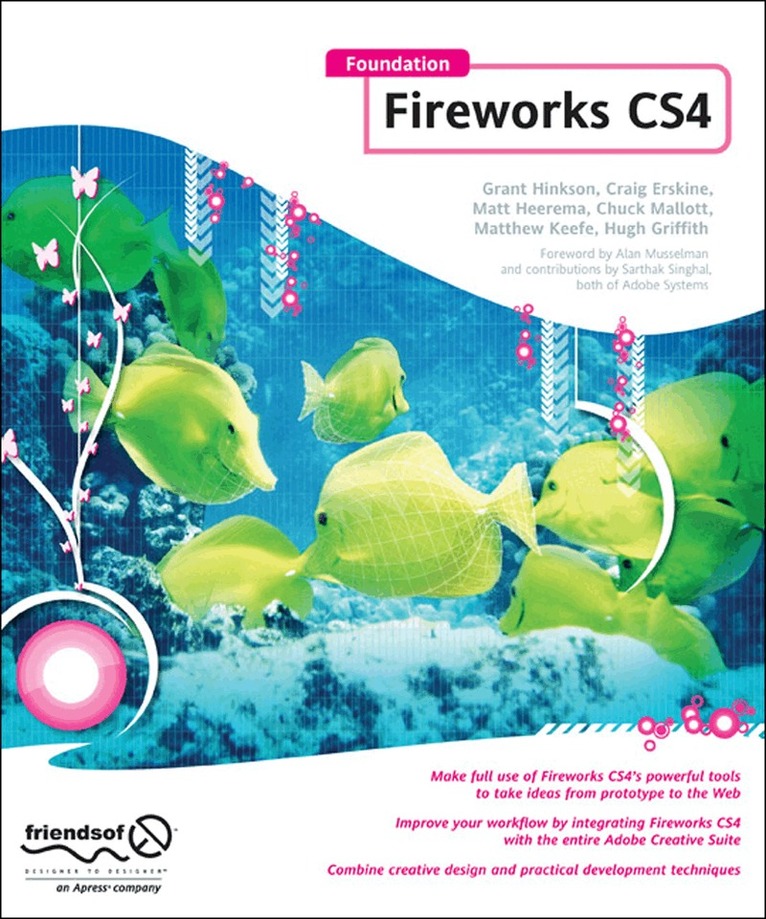
    Foundation Fireworks CS4

    AvHugh Griffith,Rogie King

    Häftad, Engelska, 2009

    353 kr

    Beställningsvara. Skickas inom 10-15 vardagar. Fri frakt över 249 kr.

    Beskrivning

    Are you a web designer who is looking for a new and quicker way to prototype and create for the web? Perhaps you are a programmer who finds most design tools to be overkill for what you need to get done. Or, maybe you're an old Fireworks pro, who wants to get up-to-date on the changes in Creative Suite 4. Either way, this book has something for you.Coverage of all that's new and powerful for the Web designer and developer in Fireworks CS4 Targets developers who want design tools that don't get in their way and designers who want development tools that don't constrain their creativity Do all your website and page prototypes and comps in one tool and learn how to take them straight to Dreamweaver to implement your designs

    Produktinformation

    • Utgivningsdatum:2009-03-26
    • Mått:191 x 229 x 19 mm
    • Vikt:502 g
    • Format:Häftad
    • Språk:Engelska
    • Antal sidor:304
    • Upplaga:9001
    • Förlag:APress
    • ISBN:9781430216186

    Utforska kategorier

    • Grafik och bildbehandling inom Data och IT

    Mer om författaren

    A bio is not available for this author.

    Innehållsförteckning

    • 00. Book forward, possibly: --- Jon Hicks, prominent FW designer --- Alan Musselman, FW dev relations Part I: Learning Fireworks 01. Introduction --- History of Fireworks --- Adobe acquisition of Macromedia --- Fireworks vs. Photoshop 02. Integration --- with Dreamweaver --- with Flash --- with Photoshop --- with Illustrator (HG) 03. Working with rasters --- Marquee, lasso --- Pencil, brush --- Blur --- Sharpen --- Dodge --- Burn --- Smudge --- Rubber stamp --- Replace color --- Red-eye removal --- Eraser 04. Working with vectors --- Benefits vs. raster --- Integration with Flash --- Good at all resolutions --- Combining shapes, add/delete vertices --- Join --- Split --- Union --- Intersect --- Punch --- Crop --- Line tool --- Pen tool --- Masks (CM) --- Shapes --- Rectangle (most commonly used) --- Ellipse --- Polygon --- Special (all the rest) 05. Exporting --- Hotspot tool --- Slice tool --- Exporting code (not recommended) --- Optimizing quality vs. file size --- Using the side-by-side view Part II: Using Fireworks 06. Creating effects --- Adding depth --- Inner shadow --- Drop shadow --- Jewel button --- Chrome --- Water droplet --- Reflections --- Wicked worn --- Pixel bevel --- Simple mask 07. Creating logos --- (Firefox logo done in FW!) --- Convert text to vector --- Kerning letters --- Modifying typography --- Anti-aliasing, how much? 08. Animation --- Frames --- GIF --- Flash 09. Web design workflow --- Using multiple pages --- Using/Benefits of Symbols (CE) --- Using the 9-slice tool --- Enterprise environment --- Benefits of PNG --- Wireframing (HG) --- Designing on a grid --- Common grid templates --- Using the align tool --- Batch processing (Is this the right place for this? HG) 10. Extensibility --- Installing a plugin --- Must-have plugins --- Photoshop compatible --- for Fireworks only --- Creating your own Part III: Fireworks in Action 11. Website case study #1: Blog—Matt --- Gather requirements --- Choosing a color palette --- Building the interface --- Slicing and dicing --- Writing the code (by hand) 12. Website case study #2: Photo Site—Nathan Website case study #3: Comic Site—Hugh 14. Website case study #4: CSS Sprites—Craig 15. Website case study #5: Adobe AIR— Rogie 16. Website case study #6: e-Commerce—Chuck Appendix --- Keyboard shortcuts --- Fireworks resource sites