• Fri frakt över 249 kr
  • •
  • Snabba leveranser
  • •
  • Billiga böcker
Kundservice

Du är på sajten för privatpersoner.

Företag, bibliotek eller offentlig verksamhet?

Du handlar på classic.bokus.com, där alla dina funktioner finns intakta.
Till classic.bokus.com
Bokus logotyp. Gå till startsidan.
  • Erbjudanden
  • Nyheter
  • Student
  • Topplistor
  • Barn & ungdom
  • Bokus Play
  • E-böcker
  • Pocketböcker
  • Spel & pussel

10% rabatt på allt med kod: NYSTART10 →

Sidfot

Mina sidor

    Hjälp

    • Kundservice
    • Vanliga frågor och svar
    • Frakt och leverans
    • Retur vid ångerrätt
    • Reklamera vara
    • Betalning
    • Köpvillkor
    • Allmänna villkor
    • Information om webbplatsens tillgänglighet

    Om Bokus

    • Om oss
    • Pressrum
    • För studenter
    • För företag
    • För bibliotek och offentlig verksamhet
    • För leverantörer
    • Hållbarhet

    Populärt

    • Aktuella erbjudanden
    • Presentkort
    • Studentlitteratur
    • Nya böcker
    • Topplistor
    • Signerade böcker
    • Engelska böcker

    Inspiration

    • Boktips
    • BookTok
    • Populära bokserier
    • Barnbokskaraktärer
    • Populära författare
    Logotyp för Bokus
    Följ oss på Facebook (extern länk)Följ oss på Instagram (extern länk)Följ oss på YouTube (extern länk)Följ oss på TikTok (extern länk)
    bokus @ CookiesAnpassa cookiesIntegritetspolicyKöpvillkor
    Till Citymail hemsida (extern länk)Till Budbee hemsida (extern länk)Till Postnord hemsida (extern länk)Till Schenker hemsida (extern länk)Till Early Bird hemsida (extern länk)Till Walleys hemsida (extern länk)
    1. Data och IT
    2. Hårdvara

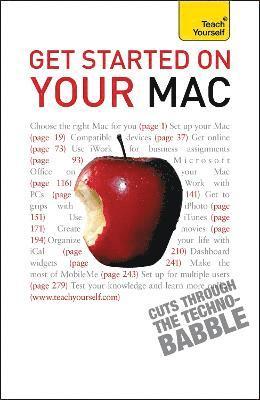
    Get Started on your Mac

    AvRod Lawton

    Häftad, Engelska, 2010

    Del i serien TY Computing

    162 kr

    Beställningsvara. Skickas inom 5-8 vardagar. Fri frakt över 249 kr.

    Beskrivning

    Are you looking to get the best out your new Mac, either as a complete novice or as a convert from a Windows PC?Or are you looking to learn about Microsoft Office 2008 or the latest updates of Apple's latest iWork suite and its iLife applications?Make sure you're getting the most out of your machine and understand its full potential. Get Started on your Mac offers a wider, more beginner-friendly scope - an all-in-one reference for those who want to understand the basic concepts rather than the in-depth technicalities. Focusing on the iLife applications which are bundled with Macs including email, iPhoto, iCal, iMovie, iTunes and others, it will help you to enjoy the full Mac experience, and see its appeal as a user-friendly computer that's ready to be used straight away. Learn to live life to the full with your music, your photos, DVDs and email. With straightforward writing from expert authors, the Teach Yourself computing series cuts through the 'technobabble', giving you easy and enjoyable access to all of the computer skills you want to acquire.NOT GOT MUCH TIME?One, five and ten-minute introductions to key principles to get you started.AUTHOR INSIGHTSLots of instant help with common problems and quick tips for success, based on the author's many years of experience.TEST YOURSELFTests in the book and online to keep track of your progress.EXTEND YOUR KNOWLEDGEExtra online articles at www.teachyourself.com to give you a richer understanding of your Mac.FIVE THINGS TO REMEMBERQuick refreshers to help you remember the key facts.TRY THISInnovative exercises illustrate what you've learnt and how to use it.

    Produktinformation

    • Utgivningsdatum:2010-11-26
    • Mått:131 x 198 x 22 mm
    • Vikt:336 g
    • Format:Häftad
    • Språk:Engelska
    • Serie:TY Computing
    • Antal sidor:352
    • Upplaga:2
    • Förlag:John Murray Press
    • ISBN:9781444100846

    Utforska kategorier

    • Hårdvara inom Data och IT
    • Digital livsstil och datorspel inom Data och IT

    Mer om författaren

    Based in Weston Super Mare, Somerset, Rod Lawton is a full-time freelance technology journalist with extensive experience with both PCs and Macs. He writes for both Computer Shopping magazine and Mac User.

    Innehållsförteckning

    • : 1. Choosing a Mac:: 2. How Macs work: 3. Plug-in devices: 4. What’s new 5. Internet and email: 6. Word processing and presentations with iWork: 7. Mac Office 2008: 8. Working alongside Windows PCs: 9. Manage your photos with iPhoto: 10. Using iTunes: 11. Make movies with iMovie and iDVD: 12. Organise your life with iCal and Address Book: 13. Get online with iWeb: 14. .Mac: 15. Dashboard Widgets: 16. Games and utilities: 17. Multiple users: 18. System Preferences: Index