• Fri frakt över 249 kr
  • •
  • Snabba leveranser
  • •
  • Billiga böcker
Kundservice

Du är på sajten för privatpersoner.

Företag, bibliotek eller offentlig verksamhet?

Du handlar på classic.bokus.com, där alla dina funktioner finns intakta.
Till classic.bokus.com
Bokus logotyp. Gå till startsidan.
  • Erbjudanden
  • Nyheter
  • Student
  • Topplistor
  • Barn & ungdom
  • Bokus Play
  • E-böcker
  • Pocketböcker
  • Spel & pussel

10% rabatt på allt med kod NYSTART10 →

Sidfot

Mina sidor

    Hjälp

    • Kundservice
    • Vanliga frågor och svar
    • Frakt och leverans
    • Retur vid ångerrätt
    • Reklamera vara
    • Betalning
    • Köpvillkor
    • Allmänna villkor
    • Information om webbplatsens tillgänglighet

    Om Bokus

    • Om oss
    • Pressrum
    • För studenter
    • För företag
    • För bibliotek och offentlig verksamhet
    • För leverantörer
    • Hållbarhet

    Populärt

    • Aktuella erbjudanden
    • Presentkort
    • Studentlitteratur
    • Nya böcker
    • Topplistor
    • Signerade böcker
    • Engelska böcker

    Inspiration

    • Boktips
    • BookTok
    • Populära bokserier
    • Barnbokskaraktärer
    • Populära författare
    Logotyp för Bokus
    Följ oss på Facebook (extern länk)Följ oss på Instagram (extern länk)Följ oss på YouTube (extern länk)Följ oss på TikTok (extern länk)
    bokus @ CookiesAnpassa cookiesIntegritetspolicyKöpvillkor
    Till Citymail hemsida (extern länk)Till Budbee hemsida (extern länk)Till Postnord hemsida (extern länk)Till Schenker hemsida (extern länk)Till Early Bird hemsida (extern länk)Till Walleys hemsida (extern länk)
    1. Data och IT
    2. Databaser

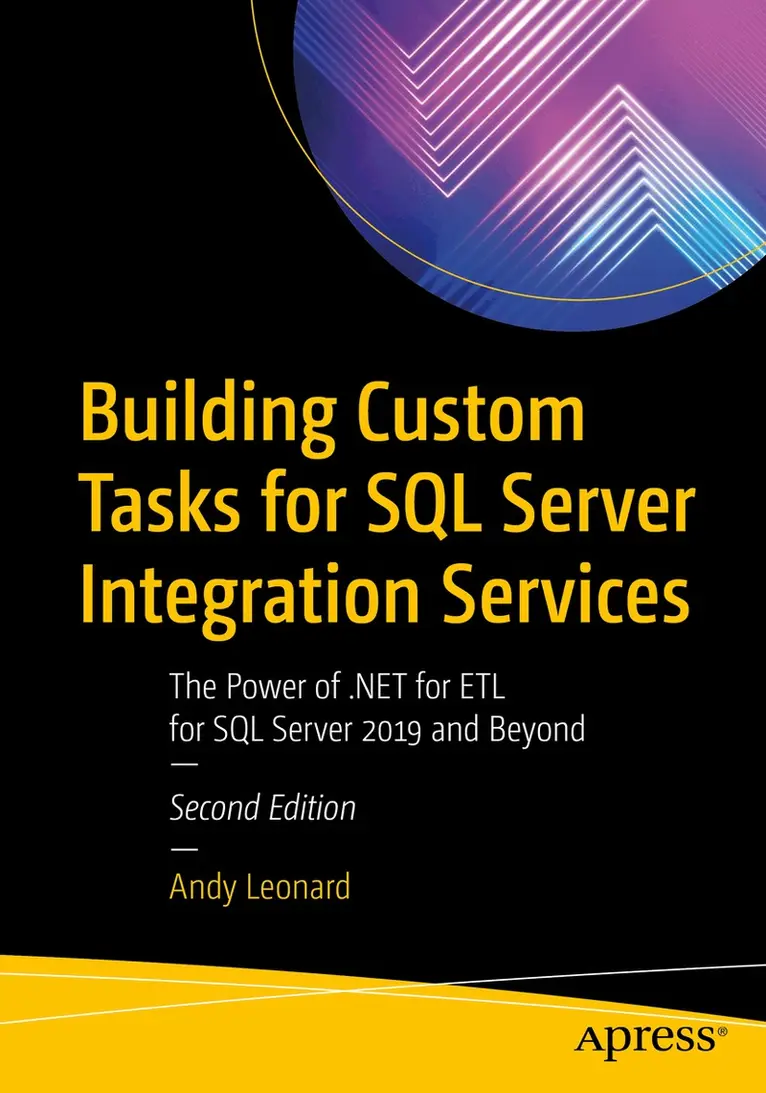
    Building Custom Tasks for SQL Server Integration Services

    The Power of .NET for ETL for SQL Server 2019 and Beyond

    AvAndy Leonard

    Häftad, Engelska, 2021

    507 kr

    Beställningsvara. Skickas inom 10-15 vardagar. Fri frakt över 249 kr.

    Fler format och utgåvor

    E-bok

    407 kr

    E-bok

    650 kr

    Beskrivning

    Build custom SQL Server Integration Services (SSIS) tasks using Visual Studio Community Edition and C#. Bring all the power of Microsoft .NET to bear on your data integration and ETL processes, and for no added cost over what you’ve already spent on licensing SQL Server. New in this edition is a demonstration deploying a custom SSIS task to the Azure Data Factory (ADF) Azure-SSIS Integration Runtime (IR). All examples in this new edition are implemented in C#. Custom task developers are shown how to implement custom tasks using the widely accepted and default language for .NET development.Why are custom components necessary? Because even though the SSIS catalog of built-in tasks and components is a marvel of engineering, gaps remain in the available functionality. One such gap is a constraint of the built-in SSIS Execute Package Task, which does not allow SSIS developers to select SSIS packages from other projects in the SSIS Catalog. Examples in this bookshow how to create a custom Execute Catalog Package task that allows SSIS developers to execute tasks from other projects in the SSIS Catalog. Building on the examples and patterns in this book, SSIS developers may create any task to which they aspire, custom tailored to their specific data integration and ETL needs. What You Will LearnConfigure and execute Visual Studio in the way that best supports SSIS task developmentCreate a class library as the basis for an SSIS task, and reference the needed SSIS assembliesProperly sign assemblies that you create in order to invoke them from your taskImplement source code control via Azure DevOps, or your own favorite tool setTroubleshoot and execute custom tasks as part of your own projectsCreate deployment projects (MSIs) for distributing code-complete tasksDeploy custom tasks to Azure Data Factory Azure-SSIS IRs in the cloudCreate advanced editors for custom task parametersWho This Book Is ForFor database administrators and developers who are involved in ETL projects built around SQL Server Integration Services (SSIS). Readers do not need a background in software development with C#. Most important is a desire to optimize ETL efforts by creating custom-tailored tasks for execution in SSIS packages, on-premises or in ADF Azure-SSIS IRs.

    Produktinformation

    • Utgivningsdatum:2021-02-18
    • Mått:178 x 254 x 38 mm
    • Vikt:1 322 g
    • Format:Häftad
    • Språk:Engelska
    • Antal sidor:692
    • Upplaga:2
    • Förlag:APress
    • ISBN:9781484264812

    Utforska kategorier

    • Databaser inom Data och IT
    • Programmeringsböcker inom Data och IT

    Mer om författaren

    Andy Leonard is Chief Data Engineer at Enterprise Data & Analytics, an SSIS trainer, consultant, developer of the Data Integration Lifecycle Management (DILM) Suite, a Business Intelligence Markup Language (Biml) developer, and BimlHero. He is a SQL Server database and data warehouse developer, community mentor, engineer, and occasional farmer. He is co-author of Apress books SQL Server Integration Services Design Patterns and The Biml Book, and author of the Apress book Data Integration Life Cycle Management with SSIS and the Stairway to Integration Services series at SQLServerCentral.com.

    Innehållsförteckning

    • 1. The Story of This Book.- 2. Preparing the Environment.- 3. Creating the Assembly Project.- 4. Check-In the Project Code.- 5. Signing the Assembly.- 6. Preparing to Build.- 7. Coding the Task.- 8. Coding a Simple Task Editor.- 9. Signing and Binding.- 10. Expanding Editor Functionality.- 11. Minimal Coding for the Complex Editor.- 12. Editor Integration.- 13. Implement Views and Properties.- 14. Implement New Connection.- 15. Implement Use32bit, Synchronized, and LoggingLevel SettingsView Properties.- 16. Refactoring SourceConnection.- 17. Refactoring the SSIS Package Hierarchy.- 18. Instrumentation and Validation.- 19. Crushing Bugs.- 20. Adding Synchronous Execution Properties.- 21. Testing the Task.- 22. Building the Setup Project.- 23. Using the Execute Catalog Package Task in an SSIS Framework.- 24. Deploying to Azure-SSIS.- 25. Test the Task in Azure Data Factory.- 26. Notes from my Experience.