• Fri frakt över 249 kr
  • •
  • Snabba leveranser
  • •
  • Billiga böcker
Kundservice

Du är på sajten för privatpersoner.

Företag, bibliotek eller offentlig verksamhet?

Du handlar på classic.bokus.com, där alla dina funktioner finns intakta.
Till classic.bokus.com
Bokus logotyp. Gå till startsidan.
  • Erbjudanden
  • Nyheter
  • Student
  • Topplistor
  • Barn & ungdom
  • Bokus Play
  • E-böcker
  • Pocketböcker
  • Spel & pussel

10% rabatt på allt med kod: NYSTART10 →

Sidfot

Mina sidor

    Hjälp

    • Kundservice
    • Vanliga frågor och svar
    • Frakt och leverans
    • Retur vid ångerrätt
    • Reklamera vara
    • Betalning
    • Köpvillkor
    • Allmänna villkor
    • Information om webbplatsens tillgänglighet

    Om Bokus

    • Om oss
    • Pressrum
    • För studenter
    • För företag
    • För bibliotek och offentlig verksamhet
    • För leverantörer
    • Hållbarhet

    Populärt

    • Aktuella erbjudanden
    • Presentkort
    • Studentlitteratur
    • Nya böcker
    • Topplistor
    • Signerade böcker
    • Engelska böcker

    Inspiration

    • Boktips
    • BookTok
    • Populära bokserier
    • Barnbokskaraktärer
    • Populära författare
    Logotyp för Bokus
    Följ oss på Facebook (extern länk)Följ oss på Instagram (extern länk)Följ oss på YouTube (extern länk)Följ oss på TikTok (extern länk)
    bokus @ CookiesAnpassa cookiesIntegritetspolicyKöpvillkor
    Till Citymail hemsida (extern länk)Till Budbee hemsida (extern länk)Till Postnord hemsida (extern länk)Till Schenker hemsida (extern länk)Till Early Bird hemsida (extern länk)Till Walleys hemsida (extern länk)
    1. Data och IT
    2. Informationsteknik: allmänt
    • Nyhet

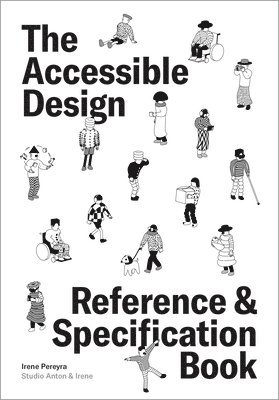
    Accessible Design Reference and Specification Book

    What Every Digital Designer Should Know

    AvIrene Pereyra

    Häftad, Engelska, 2026

    Del i serien Reference & Specification Book

    219 kr

    Skickas . Fri frakt över 249 kr.

    Beskrivning

    The Accessible Design Reference and Specification Book gives UX and UI designers the tools to meet compliance—and exceed expectations.Award-winning designer and educator Irene Pereyra makes accessibility approachable with clear answers to the most pressing design questions in a Q&A format, accompanied by real-world case studies, practical tips, and inspiring analogies.Structured around 12 core areas—typography, color & contrast, navigation & structure, interactions & animations, images & video, context, human factors, assistive technologies, team & process, testing, laws & regulations, and history—this guide helps designers anticipate challenges and design accessibly from the start. Whether you’re working on websites, apps, or cross-platform digital products, this is your everyday desk reference for inclusive design.Inside, you’ll find:150+ illustrations and examples to visualize accessibility principles in actionUp-to-date legal guidance on WCAG, ADA, Section 508, EAA, and other global standardsQ&A-style organization answering common questions across 12 core design topicsCase studies and analogies that connect abstract concepts to real-world practiceA designer-first tone that balances creative inspiration with practical applicationThe book itself is carefully designed for all readers, offering tangible examples of accessible font, color, and layout choices.Timely, accessible, and deeply practical, this is the book every UX, UI, product, and interaction designer needs to future-proof their design process—and ensure their work includes everyone.

    Produktinformation

    • Utgivningsdatum:2026-08-06
    • Mått:146 x 210 x 12 mm
    • Vikt:440 g
    • Format:Häftad
    • Språk:Engelska
    • Serie:Reference & Specification Book
    • Antal sidor:216
    • Förlag:Quarto Publishing Group USA Inc
    • ISBN:9781577158387

    Utforska kategorier

    • Informationsteknik: allmänt inom Data och IT
    • Grafik och bildbehandling inom Data och IT
    • Människa – datorinteraktion inom Data och IT

    Mer om författaren

    User Experience Director and Designer Irene Pereyra is responsible for translating business requirements into intuitive interactive solutions. She has led the strategy and UX initiatives for clients including The Met, Wacom, Balenciaga, USA Today, EA, HTC, Google, Nickelodeon, FOX, Verizon, BBC, Red Bull, and many more for both the web and cross-platform applications. Her work has been recognized by Cannes, The Webbys, FWA, Interaction Design Association, and The European Design Awards. Irene has been a guest speaker at numerous conferences, such as OFFF and FITC, and taught at prestigious learning institutions like Hyper Island in Sweden, SVA in New York, Elisava in Barcelona, Harbour Space in Barcelona, and the Design Academy in the Netherlands. Her personal projects have been displayed in design conferences and festivals in Amsterdam, Antwerp, Paris, New York, Singapore, and Tegucigalpa.Originally from Amsterdam, Irene holds a Bachelor’s Degree in Fine Arts from the Art Institute of Atlanta and a Master of Science in Communications Design from Pratt Institute in New York. She currently splits her time between Barcelona and Brooklyn, where she heads up her design studio, Anton & Irene, together with her creative partner, Anton Repponen.

    Innehållsförteckning

    • IntroductionTypographyInteractions & AnimationsWhat should I know about buttons and inputs?How can I make interactions easier for everyone?How do I choose the right type size? What are the typesetting recommendations? Are some typefaces more accessible than others?What should I avoid when working with type?Color & ContrastHow can I design better for color blindness? What should I keep in mind when selecting colors?How do lighting conditions affect color and contrast?How can I test color choices in context?How should I handle animations or transitions? Are there any issues with gestures?How can I reduce stress for users?Images & VideoHow can I make images more accessible?How do I write great alt text?How are captions and subtitles different?What are the guidelines for video content?Are there guidelines for dynamic content?Navigation & StructureHow do I make navigating layouts more accessible?What should I know about writing copy?What is unique about designing accessible forms?Are there accessibility guidelines for notifications?What’s the best way to make overlays accessible?How can I better support readers with low vision?ContextWhat makes mobile accessibility different?How is designing for TV different?How do I design for kiosks or public spaces?What challenges come up in car interfaces?What does accessibility look like in VR and AR?How will AI change accessibility?