• Fri frakt över 249 kr
  • •
  • Snabba leveranser
  • •
  • Billiga böcker
Kundservice

Du är på sajten för privatpersoner.

Företag, bibliotek eller offentlig verksamhet?

Du handlar på classic.bokus.com, där alla dina funktioner finns intakta.
Till classic.bokus.com
Bokus logotyp. Gå till startsidan.
  • Erbjudanden
  • Nyheter
  • Student
  • Topplistor
  • Barn & ungdom
  • Bokus Play
  • E-böcker
  • Pocketböcker
  • Spel & pussel

10% rabatt på allt med kod: NYSTART10 →

Sidfot

Mina sidor

    Hjälp

    • Kundservice
    • Vanliga frågor och svar
    • Frakt och leverans
    • Retur vid ångerrätt
    • Reklamera vara
    • Betalning
    • Köpvillkor
    • Allmänna villkor
    • Information om webbplatsens tillgänglighet

    Om Bokus

    • Om oss
    • Pressrum
    • För studenter
    • För företag
    • För bibliotek och offentlig verksamhet
    • För leverantörer
    • Hållbarhet

    Populärt

    • Aktuella erbjudanden
    • Presentkort
    • Studentlitteratur
    • Nya böcker
    • Topplistor
    • Signerade böcker
    • Engelska böcker

    Inspiration

    • Boktips
    • BookTok
    • Populära bokserier
    • Barnbokskaraktärer
    • Populära författare
    Logotyp för Bokus
    Följ oss på Facebook (extern länk)Följ oss på Instagram (extern länk)Följ oss på YouTube (extern länk)Följ oss på TikTok (extern länk)
    bokus @ CookiesAnpassa cookiesIntegritetspolicyKöpvillkor
    Till Citymail hemsida (extern länk)Till Budbee hemsida (extern länk)Till Postnord hemsida (extern länk)Till Schenker hemsida (extern länk)Till Early Bird hemsida (extern länk)Till Walleys hemsida (extern länk)
    1. Data och IT
    2. Operativsystem

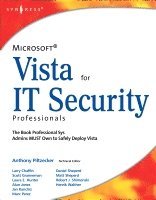
    Microsoft Vista for IT Security Professionals

    AvAnthony Piltzecker

    Häftad, Engelska, 2007

    424 kr

    Beställningsvara. Skickas inom 10-15 vardagar. Fri frakt över 249 kr.

    Fler format och utgåvor

    E-bok

    515 kr

    Beskrivning

    Microsoft Vista for IT Security Professionals is designed for the professional system administrators who need to securely deploy Microsoft Vista in their networks. Readers will not only learn about the new security features of Vista, but they will learn how to safely integrate Vista with their existing wired and wireless network infrastructure and safely deploy with their existing applications and databases. The book begins with a discussion of Microsoft's Trustworthy Computing Initiative and Vista's development cycle, which was like none other in Microsoft's history. Expert authors will separate the hype from the reality of Vista's preparedness to withstand the 24 x 7 attacks it will face from malicious attackers as the world's #1 desktop operating system.

    • Microsoft Windows operating systems run more than 90% of the desktop PCs in the world and Vista is the first major Windows release in more than 5 years
    • This is currently the only book on Windows Vista Security

    Produktinformation

    • Utgivningsdatum:2007-04-16
    • Mått:152 x 229 x 50 mm
    • Vikt:1 070 g
    • Format:Häftad
    • Språk:Engelska
    • Antal sidor:672
    • Förlag:Elsevier Science
    • ISBN:9781597491396

    Utforska kategorier

    • Operativsystem inom Data och IT
    • IT-säkerhet inom Data och IT

    Mer om författaren

    Tony Piltzecker (CISSP, MCSE, CCNA, CCVP, Check Point CCSA, Citrix CCA), is an independent consultant based in Boston, MA. Tony's specialties include network security design, Microsoft operating system and applications architecture, as well as Cisco IP Telephony implementations. Tony’s background includes positions as Systems Practice Manager for Presidio Networked Solutions, IT Manager for SynQor Inc, Network Architect for Planning Systems, Inc, and Senior Networking Consultant with Integrated Information Systems. Along with his various certifications, Tony holds a bachelor’s degree in business administration.

    Innehållsförteckning

    • Technical EditorForeword ContributorForewordAbout the Companion MaterialChapter 1: Microsoft Vista: An Overview IntroductionThe User InterfaceInternet Explorer 7SummarySolutions Fast TrackFrequently Asked QuestionsChapter 2: Microsoft Vista: The Battle Against Malware Lives On IntroductionMalware FundamentalsImprovements in Internet Explorer 7Windows Security CenterWindows DefenderSummarySolutions Fast TrackFrequently Asked QuestionsChapter 3: Microsoft Vista: Securing User Access IntroductionAccess Control FundamentalsImproving the Logon ArchitectureUser Account ControlRemote AssistanceNetwork Access ProtectionSummarySolutions Fast TrackFrequently Asked QuestionsChapter 4: Microsoft Vista: Trusted Platform Module Services IntroductionUnderstanding the TPMConfiguring and Managing the TPM on a Stand-Alone SystemConfiguring and Managing the TPM in an Enterprise EnvironmentTPM ApplicationsUnderstanding the Security Implications of the TPMSummarySolutions Fast TrackFrequently Asked QuestionsChapter 5: Microsoft Vista: Data Protection IntroductionRights ManagementEncrypting File SystemWhole-Disk EncryptionPatchGuardSummarySolutions Fast TrackFrequently Asked QuestionsChapter 6: Microsoft Vista: Networking Essentials IntroductionNot Your Father’s TCP/IP StackUsing the Network and Sharing CenterUsing the Network MapWorking with the Windows FirewallSummarySolutions Fast TrackFrequently Asked QuestionsChapter 7: Microsoft Vista: Wireless World IntroductionWhat’s New with Wireless in Vista?Wireless SecurityNetwork Group Policy EnhancementsConfiguring Wireless Security in VistaSummarySolutions Fast TrackFrequently Asked QuestionsChapter 8: Microsoft Vista: Windows Mail IntroductionComparing Windows Mail with Outlook ExpressPhishing FilterJunk Mail FilterInstant SearchSummarySolutions Fast TrackFrequently Asked QuestionsChapter 9: Microsoft Vista: Update and Monitoring Services IntroductionUsing Windows UpdateUsing Windows Server Update Services (WSUS) and VistaUsing Systems Management Server and VistaUsing Microsoft Operations Manager and VistaUsing Third-Party Tools with VistaSummarySolutions Fast TrackFrequently Asked QuestionsChapter 10: Disaster Recovery with Exchange Server 2007 IntroductionBacking Up Exchange 2007 Using Windows 2003 BackupRestoring Exchange 2007 Storage Groups and Databases Using Windows 2003 BackupRepairing a Corrupt or Damaged Exchange 2007 Database Using EseutilRecovering an Exchange 2007 Server Using the RecoverServer SwitchRecovering an Exchange 2007 Cluster Using the RecoverCMS SwitchSummarySolutions Fast TrackFrequently Asked QuestionsAppendix A: Microsoft Vista: The International Community Microsoft vs. The World: What’s the Issue?Microsoft Vista: The EU FixesMicrosoft and JapanMicrosoft Vista: The Korean FixesNotes and SourcesSummaryAppendix B: Microsoft Vista: The EULA IntroductionCriticism and ChangeBenchmark TestingVirtualizationNotes and SourcesSummaryIndex