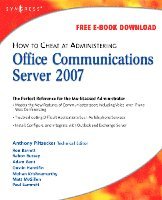
Häftad, Engelska, 2008
How to Cheat at Administering Office Communications Server 2007
Av Anthony Piltzecker, Anthony Piltzecker, Rand Morimoto
406 kr
Beställningsvara. Skickas inom 11-20 vardagar. Fri frakt över 249 kr.
Beskrivning
Microsoft Office Communications Server (OCS) 2007 is Microsoft's latest version of Live Communications Server 2005. The product provides management for all synchronous communications that takes place in real time. This includes instant messaging (IM), Voice over IP (VoIP), and audio conferencing and videoconferencing. It will work with your company's existing telecommunications systems without major hardware upgrades. This means your business can deploy advanced VoIP and conferencing without tearing out its preexisting legacy telephone network.
How to Cheat at Administering Microsoft Office Communicator 2007 provides the busy system administrator with any easy-to-access reference that provides step-by-step instructions on how to install, configure, manage and troubleshoot Communicator across the network. It is the perfect tool for those who simply need to complete a task without reading through lots of theory and principles.
How to Cheat at Administering Microsoft Office Communicator 2007 provides the busy system administrator with any easy-to-access reference that provides step-by-step instructions on how to install, configure, manage and troubleshoot Communicator across the network. It is the perfect tool for those who simply need to complete a task without reading through lots of theory and principles.
- Get Inside Microsoft Office Communications Server 2007
Learn what's new in OCS 2007, compare the previous editions, understand OCS 2007 server roles, plan an OCS 2007 installation - Install the First OCS 2007 Front-End Server
Address the prerequisites, prepare active directory, install and configure OCS 2007 Enterprise Edition, and verify the installation summary - Configure the Edge Server
Install the Edge Server, work with certificates, deal with security issues, and test the Edge Server - Configure the Mediation Server
Install the Configuration Server, configure dialing rules, configure users for voice functionality, and test voice functionality - Configure Archiving
Address compliance requirements, understand archiving topology, and install the Archiving Server - Configure Conference Servers
Understand on-premises conferencing, use on-premises conferencing, understand Microsoft RoundTable, and install conferencing - Integrate OCS with PBX and IP-PBX Systems
Use a gateway, configure Cisco CallManager as a Gateway, and understand CSTA/SIP gateways - Integrate OCS with Exchange 2007 Unified Messaging
Master Exchange 2007 Unified Messaging and architecture, Configure Exchange 2007 UM, and Combine OCS with Exchange 2007 UM - Upgrade to Office Communications Server 2007
Plan your migration from LCS 2005 to OCS 2007, upgrade perimeter servers, upgrade director servers, upgrade front-end servers, perform user migration, and remove LCS 2005 from the network environment
Produktinformation
- Utgivningsdatum: 2008-02-12
- Mått: 184 x 241 x 30 mm
- Vikt: 970 g
- Format: Häftad
- Språk: Engelska
- Serie: How to Cheat
- Antal sidor: 512
- Förlag: Elsevier Science
- ISBN: 9781597492126
Utforska kategorier
Betyg & recensioner
0 recensioner
Inga recensioner tillgängliga.