Häftad, Engelska, 2022
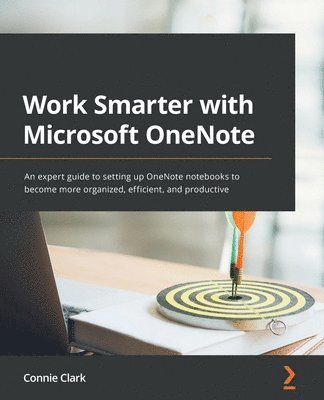
Work Smarter with Microsoft OneNote
An expert guide to setting up OneNote notebooks to become more organized, efficient, and productive
Av Connie Clark
398 kr
Beställningsvara. Skickas inom 3-6 vardagar. Fri frakt över 249 kr.
Beskrivning
Organize work and home life using notes from your phone or computer to supercharge your productivity with this OneNote manualKey FeaturesLearn how to store notes that include images, audio, videos, links, files, emails, and web clippingsUnleash the magic of tags to make notes stand out and become more searchableDiscover the power of shared notebooks with your team or family to ensure everyone is in the loopBook DescriptionDo you want to take your information and note organization to a new level? This book will show you how to use Microsoft's organizational app, OneNote, to store endless amounts of information in a productive and organized way, including solutions for creating your notes and then sharing them easily with your team or department.You'll be guided through everything you need to set up a notebook and customize it to suit you or your team. The book will show you how to navigate through OneNote and search for virtually anything, as well as save time with all the shortcuts. You'll discover that inserting information into your notebooks goes far beyond text, images, and videos, and also includes emails, links to documents, and clippings from the web. But it doesn't stop there. Integration with other Microsoft products is key for making your experience successful, and this book demonstrates how to use OneNote with Microsoft Outlook, OneDrive, SharePoint and Teams. Beyond instructions and essential topics, this book also provides you with the motivation you need to make OneNote a habit as well as real-life examples of notebooks you can use.By the end of this book, you'll be able to use OneNote for everything and from every device. Even if you start a notebook on your laptop and continue it on your phone, you'll find working with the app seamless.What you will learnUnderstand how to create and organize notes in your notebooksDiscover how to turn handwritten notes into typed textExplore how to access your content from anywhere even if offlineUncover ways to collaborate with your team or family and stay in syncUnderstand how to insert your emails, documents, or articles from the webFind out how to integrate with other Microsoft products such as Outlook or TeamsWho this book is forIf you save notes on your phone, wear out more spiral notebooks than you can count, or if you're a Microsoft 365 user and need to keep track of information, then this book is for you. Beginner-level experience with OneNote is required to get the most out of this book.
Produktinformation
- Utgivningsdatum: 2022-12-16
- Mått: 75 x 93 x 18 mm
- Vikt: 607 g
- Format: Häftad
- Språk: Engelska
- Antal sidor: 324
- Förlag: Packt Publishing Limited
- ISBN: 9781801075664
Utforska kategorier
Mer om författaren
With over 30 years of experience in computer software training, Connie Clark has taught and consulted with over 20,000 students. She helps to empower others and make them more productive with technology so they can achieve results. She's gained a reputation of teaching with patience and friendliness. She lives with her husband of 31 years and her two daughters on an acreage in Alberta. She likes to dance, but not exercise, always wanting things to be more fun and genuine. Check out her Mission Computers YouTube channel or reach out anytime by visiting her website.
Betyg & recensioner
0 recensioner
Inga recensioner tillgängliga.