Häftad, Engelska, 2012
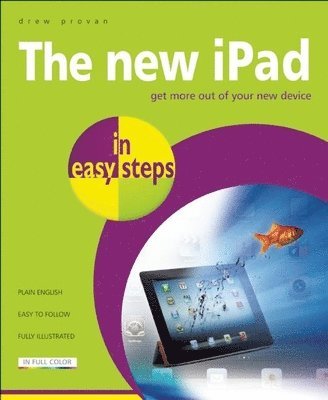
New iPad in Easy Steps
Av Drew Provan
131 kr
Tillfälligt slut
Beskrivning
The New iPad in easy steps helps you make the most of this newversion of the iPad, launched in March 2012, including its keynew features, which are:Retina displayFour times more pixels than iPad 2. Razor-sharp text. Richercolours. The Retina display transforms the entire iPadexperience. So everything looks and feels incredibly lifelike andperfectly detailed. The Retina display on the new iPad featuresa 2048-by-1536 resolution, 44 percent greater colour saturation,and 3.1 million pixels - in the same 9.7-inch space. That's fourtimes the number of pixels in iPad 2 and a million more than anHDTV. The new and powerful A5X chip drives power to every oneof the 3.1 million pixels in the display and its quad-coregraphics processing makes everything you do on iPad feelincredibly responsive. From the little things like swiping,scrolling, and pinching to the big things like editing photos inthe new iPhoto, applying titles and transitions in iMovie, and,of course, playing games.Instant on. Touch and goEach time you press the Home button or open the Smart Cover, it'sready to go, instantly. That's the work of flash storage. It'sfast and reliable, so you can get to your apps and do whateveryou need to do, pronto.The iSight camera5-megapixel iSight camera. Designed with advanced optics, it letsyou take photos and shoot 1080p HD video with automatic videostabilization.Next-generation wireless technology. Ultrafast 4G LTEBuilt with the latest in wireless technology, the new iPad letsyou connect to fast data networks around the world - up to 4GLTE. The new iPad offers the most comprehensive support fornetworks around the world. It's designed with cellular antennasthat access a larger frequency spectrum. That means you can getonline almost anywhere you. You can even pop in a local SIM cardto get a connection when you're travelling.iPad as a personal hotspotShare the high-speed data connection on your iPad. If yourcarrier supports it, iPad can act as a personal hotspot forconnecting up to five devices - such as a MacBook Air, an iPodtouch, or another iPad - over Wi-Fi, Bluetooth, or USB.iCloudiCloud stores your music, photos, apps, mail, contacts,calendars, documents, and more and wirelessly pushes them to allyour devices. So if you buy a song, take a photo, or edit acalendar event on your iPad, iCloud makes sure it appears on yourMac, iPhone, and iPod touch, too.DictationWrite an email, send a text, search the web, create a note and doit all with only your voice. Instead of typing, tap themicrophone icon on the keyboard. Then say what you want to saywhile your iPad listens. Tap Done and, just like that, yourspoken words become written words. Dictation also works withthird-party apps, so you can do things like update your Facebookstatus or share a thought on your Twitter feed.App StoreThe App Store is home to over 200,000 apps and counting - allmade just for iPad, many of them free. Apple's beautiful iPhotoapp on the new iPad is just one of thousands of apps that let youdo things with iPad you never thought possible. With iPhoto inthe picture, the iLife family of apps for iPad - includingGarageBand and iMovie - is complete.AirPlayWhether it's the new album you bought, photos of your Barcelonaescapade, or an HD movie, AirPlay lets you stream wirelesslywhat's on your iPad straight to your speakers and HDTV.The New iPad in easy steps is an ideal guide to help you make themost of your new device.
Produktinformation
- Utgivningsdatum: 2012-05-12
- Mått: 186 x 227 x 12 mm
- Format: Häftad
- Språk: Engelska
- Förlag: In Easy Steps Limited
- ISBN: 9781840785357
Utforska kategorier
Betyg & recensioner
0 recensioner
Inga recensioner tillgängliga.