• Fri frakt över 249 kr
  • •
  • Snabba leveranser
  • •
  • Billiga böcker
Kundservice

Du är på sajten för privatpersoner.

Företag, bibliotek eller offentlig verksamhet?

Du handlar på classic.bokus.com, där alla dina funktioner finns intakta.
Till classic.bokus.com
Bokus logotyp. Gå till startsidan.
  • Erbjudanden
  • Nyheter
  • Student
  • Topplistor
  • Barn & ungdom
  • Bokus Play
  • E-böcker
  • Pocketböcker
  • Spel & pussel

10% rabatt på allt med kod NYSTART10 →

Sidfot

Mina sidor

    Hjälp

    • Kundservice
    • Vanliga frågor och svar
    • Frakt och leverans
    • Retur vid ångerrätt
    • Reklamera vara
    • Betalning
    • Köpvillkor
    • Allmänna villkor
    • Information om webbplatsens tillgänglighet

    Om Bokus

    • Om oss
    • Pressrum
    • För studenter
    • För företag
    • För bibliotek och offentlig verksamhet
    • För leverantörer
    • Hållbarhet

    Populärt

    • Aktuella erbjudanden
    • Presentkort
    • Studentlitteratur
    • Nya böcker
    • Topplistor
    • Signerade böcker
    • Engelska böcker

    Inspiration

    • Boktips
    • BookTok
    • Populära bokserier
    • Barnbokskaraktärer
    • Populära författare
    Logotyp för Bokus
    Följ oss på Facebook (extern länk)Följ oss på Instagram (extern länk)Följ oss på YouTube (extern länk)Följ oss på TikTok (extern länk)
    bokus @ CookiesAnpassa cookiesIntegritetspolicyKöpvillkor
    Till Citymail hemsida (extern länk)Till Budbee hemsida (extern länk)Till Postnord hemsida (extern länk)Till Schenker hemsida (extern länk)Till Early Bird hemsida (extern länk)Till Walleys hemsida (extern länk)
    1. Data och IT
    2. Operativsystem

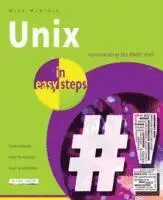
    Unix in Easy Steps

    AvMike McGrath

    Häftad, Engelska, 2014

    138 kr

    Beställningsvara. Skickas inom 5-8 vardagar. Fri frakt över 249 kr.

    Beskrivning

    Unix in easy steps demonstrates how to get the most from any Unix-based operating system using the built-in BASH shell interpreter - the "Bourne Again SHell" (BASH). This is the default shell for Linux distributions (such as Ubuntu), Mac OS X, Solaris, and for the Raspbian operating system on Raspberry Pi devices.This book will show you how to use the BASH command-line interface and how to employ BASH's powerful programming abilities. Complete examples illustrate each aspect with colourised source code and full-colour screenshots depict the actual output. Unix in easy steps begins by demonstrating BASH commands for system navigation and file manipulation so you will quickly become familiar with the command-line interface. It explains all the BASH basics before moving on to describe advanced features such as: Command history.Command-line editing.Environment customisation.This book then introduces BASH programming with examples of flow control, command switches, input/output, job control, and program debugging - allowing you to create your own executable programs by copying the book's examples. Unix in easy steps has an easy-to-follow style that will appeal to: Users who are completely new to Unix-based operating systems.Casual users who wish to expand their knowledge of their computer system.Those who would like to learn programming skills by writing useful shell scripts.The student who is studying programming at school or college.Those seeking a career in computing and need a fundamental understanding of the BASH interpreter on Unix-based operating systems.

    Produktinformation

    • Utgivningsdatum:2014-04-16
    • Mått:186 x 227 x 10 mm
    • Vikt:428 g
    • Format:Häftad
    • Språk:Engelska
    • Antal sidor:192
    • Förlag:In Easy Steps Limited
    • ISBN:9781840786224

    Utforska kategorier

    • Operativsystem inom Data och IT

    Mer om författaren

    Mike McGrath gained his extensive knowledge of computer languages while working as a developer contracting to companies around the world. Mike is an established In Easy Steps author with several guides to his credit including: C++; Javascript, Java, Linux, PHP, SQL and Visual Basic Express. He lives in Manchester, U.K.

    Innehållsförteckning

    • Getting startedManaging filesHandling textEditing commandsCustomizing environmentControlling behaviorPerforming operationsDirecting flowEmploying functionsHandy reference