Vanessa Haralambous – författare
Visar alla böcker från författaren . Handla med fri frakt och snabb leverans.
3 produkter
3 produkter
Häftad, Engelska, 2025
455 kr
Skickas inom 5-8 vardagar
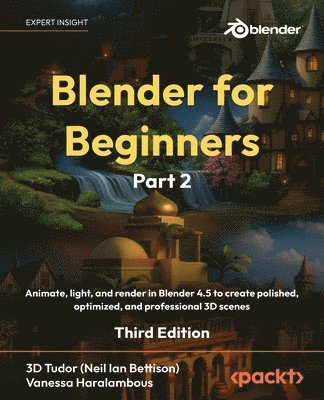
Advance your Blender animation skills with lighting and compositing techniques to turn static scenes into finished, high-quality 3D renders ready for your portfolioPlease note: The Kindle version is available under the Part 1 listing, and it combines both Parts 1 and 2 of the bookKey FeaturesLevel up from static assets to polished shots with clean animation, simple rigs, inverse kinematics (IK), and timing controlsExplore beginner-friendly Geometry Nodes through mini-projects covering scattering, instancing, and simple generatorsPlease note: The Kindle version is available under the Part 1 listing, and it combines both Parts 1 and 2 of the bookBook DescriptionBlender for Beginners Part 2 builds on the solid foundation from Part 1, guiding you from modeling to motion, animation systems, and fully realized rendered scenes.You’ll start with animation essentials: placing keyframes, easing motion, and nudging the curves for smooth movement. Then, you’ll learn to rig with constraints and discover how inverse kinematics (IK) makes posing more natural than fiddly. Through fun, practical mini-projects, you’ll explore beginner-friendly Geometry Nodes and finish with quick speed checks, so your node setups stay responsive on normal hardware.In the final chapters, you’ll bring everything together for presentation, lighting for readability, balancing exposure and shadows, and knowing when to pick EEVEE or Cycles to get the look you want. You’ll build reusable, AOV-driven compositing stacks that add polish with precision, use vertex painting and quick texture touch-ups to add believable variation, and apply no-nonsense optimization tips and tricks with instancing, LODs, Simplify, and sensible render settings.By the end of this Blender book, you’ll have a complete, repeatable pipeline from first keyframe to final composite, along with professional habits to keep projects organized, efficient, and client-friendly.*Email sign-up and proof of purchase requiredWhat you will learnAnimate with keys, interpolation, graph edits, constraints, and simple IK rigsAdd flexible deformation and variation using shape keys and driversBuild simple Geometry Nodes: scattering, instancing, and simple generators with basic profilingAdd surface variation with vertex colors and light texture paint sessionsManage contrast, shadows, and render engine trade-offs for cinematic lightingRender with EEVEE and Cycles using sensible quality and performance controlsWrap up projects professionally with tidy assets, naming conventions, and predictable outputsWho this book is forIf you love games and want hands-on experience in 3D modeling, animation, and scene finishing for props, assets, and full environments, this book is for you. It’s ideal for character artists, animators, environment artists, and game or motion-graphics designers who are ready to move beyond modeling into animation, lighting, and rendering.No prior Blender animation experience is required. However, familiarity with Part 1 or basic Blender navigation will help you progress faster. This book serves as a practical path from motion to final render, helping you build portfolio-ready projects that look professional and well-organized.
Häftad, Engelska, 2025
634 kr
Skickas inom 5-8 vardagar
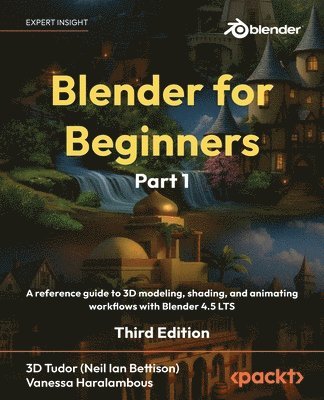
Build real-world skills as you create top-tier animations and 3D models with professional lighting and camera setups, turning theory into a portfolio-worthy showcasePlease note: the Kindle version combines Parts 1 and 2 of the bookKey FeaturesLearn 3D modeling fundamentals in Blender from an expert team of tutors who’ve taught over 250,000 students worldwideStart with the basics and build your skills through a series of projects to create a complex worldPlease note: the Kindle version combines Parts 1 and 2 of the bookBook DescriptionBlender for Beginners Part 1 is your hands-on visual introduction to Blender, brought to you by the educators at 3D Tudor, who’ve helped over 250,000 students worldwide master 3D design. Starting Blender can feel daunting, but this first part makes it approachable. You’ll develop smart habits and clean workflows to keep projects organized. From setting up a readable interface and clean navigation to mastering reliable modeling tools that create shading-friendly results, every lesson builds your foundation as a confident 3D artist.Through easy-to-follow exercises, you’ll learn how to install Blender, navigate key menus and viewport modes, and use essential tools like Extrude, Bevel, and Loop Cut. You’ll build small assets and understand why seams, sharps, normals, and pivots matter for clean surfaces and predictable shading. Neil adds a touch of British humor that will keep you engaged throughout, even as you unwrap UVs using seams and projections, measure texel density, and explore trim sheets and UDIM basics. With principled PBR materials and Node Wrangler shortcuts, you’ll progress from flat clay to believable surfaces. Everything is taught step by step, with keystroke callouts and definitions.By the end of this part, your models will look great under lighting, your topology will behave, and your files will be ready for 3D animation—setting you up for Geometry Nodes, rendering, and compositing in Part 2.*Email sign-up and proof of purchase requiredWhat you will learnCustomize Blender for speed by clearing workspaces, overlays, the Status Bar, and Outliner filtersModel with precision using Extrude, Inset, Bevel, Loop Cut, Knife, Spin, Slide, Shear, and RipProduce shading-friendly topology with bridges, fills, smoothing, Auto Smooth, and sharpsShape faster with curves, modifiers, lattices, and constraints and stay non-destructiveKeep meshes clean with selections, transforms, normals, naming, and file organizationBuild principled PBR materials with Node Wrangler and Ambient Occlusion helpersWho this book is forIf you’re a video game enthusiast looking to gain experience in 3D modeling, 3D rendering, game design, and animation for game props, assets, and environments, this Blender book is for you. It’s ideal for character artists, game designers, motion graphics designers, animators, environment artists, and other technical artists. No prior Blender experience is required, but a general understanding of digital art concepts will help you get the most out of this book.
E-bok
Engelska, 2025466 kr
Läs direkt efter köp
Build real-world skills as you create top-tier animations and 3D models with professional lighting and camera setups, turning theory into a portfolio-worthy showcasePlease note: the Kindle version combines Parts 1 and 2 of the bookKey FeaturesLearn 3D modeling fundamentals in Blender from an expert team of tutors who ve taught over 250,000 students worldwideStart with the basics and build your skills through a series of projects to create a complex worldPlease note: the Kindle version combines Parts 1 and 2 of the bookBook DescriptionBlender for Beginners Part 1 is your hands-on visual introduction to Blender, brought to you by the educators at 3D Tudor, who ve helped over 250,000 students worldwide master 3D design. Starting Blender can feel daunting, but this first part makes it approachable. You ll develop smart habits and clean workflows to keep projects organized. From setting up a readable interface and clean navigation to mastering reliable modeling tools that create shading-friendly results, every lesson builds your foundation as a confident 3D artist. Through easy-to-follow exercises, you ll learn how to install Blender, navigate key menus and viewport modes, and use essential tools like Extrude, Bevel, and Loop Cut. You ll build small assets and understand why seams, sharps, normals, and pivots matter for clean surfaces and predictable shading. Neil adds a touch of British humor that will keep you engaged throughout, even as you unwrap UVs using seams and projections, measure texel density, and explore trim sheets and UDIM basics. With principled PBR materials and Node Wrangler shortcuts, you ll progress from flat clay to believable surfaces. Everything is taught step by step, with keystroke callouts and definitions. By the end of this part, your models will look great under lighting, your topology will behave, and your files will be ready for 3D animation setting you up for Geometry Nodes, rendering, and compositing in Part 2. *Email sign-up and proof of purchase requiredWhat you will learnCustomize Blender for speed by clearing workspaces, overlays, the Status Bar, and Outliner filtersModel with precision using Extrude, Inset, Bevel, Loop Cut, Knife, Spin, Slide, Shear, and RipProduce shading-friendly topology with bridges, fills, smoothing, Auto Smooth, and sharpsShape faster with curves, modifiers, lattices, and constraints and stay non-destructiveKeep meshes clean with selections, transforms, normals, naming, and file organizationBuild principled PBR materials with Node Wrangler and Ambient Occlusion helpersWho this book is forIf you re a video game enthusiast looking to gain experience in 3D modeling, 3D rendering, game design, and animation for game props, assets, and environments, this Blender book is for you. It s ideal for character artists, game designers, motion graphics designers, animators, environment artists, and other technical artists. No prior Blender experience is required, but a general understanding of digital art concepts will help you get the most out of this book.