GO! for Office 2016 Series - Böcker
1 568 kr
Tillfälligt slut
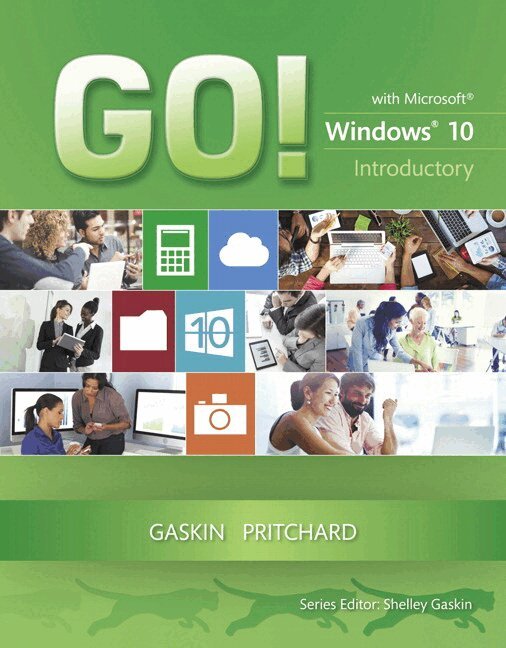
Teach the Windows 10 content YOU want in LESS TIME!
This book provides a solid introduction to Windows 10.
The primary goal of the GO! Series, aside from teaching computer applications, is ease of implementation, with an approach that is based on clearly defined projects for students and a one-of-a-kind supplements package. The GO! series is the right solution for you and your students in today’s fast-moving, mobile environment. GO! focuses on today’s mobile worker wherever, whenever, and from whatever device. It covers Office Online, Office 365 collaboration, and touch devices, so students are prepared to work in any environment.
Windows 10 is a new approach to operating systems for the more mobile world we live in. With Windows 10, apps, services, and content move across devices seamlessly, and updates will be delivered regularly. There are a variety of enhancements from Windows 10, and there are significant changes from Windows 7. To guide both new and experienced users of earlier versions, the GO! series takes project-based approach, which allows students to explore the core functionality of Windows 10, while learning how to use it effectively.
932 kr
Tillfälligt slut
Teach the Windows 10 content YOU want in LESS TIME!
This book provides a one-chapter overview of Windows 10.
The primary goal of the GO! Series, aside from teaching computer applications, is ease of implementation, with an approach that is based on clearly defined projects for students and a one-of-a-kind supplements package. The GO! series is the right solution for you and your students in today’s fast-moving, mobile environment. GO! focuses on today’s mobile worker wherever, whenever, and from whatever device. It covers Office Online, Office 365 collaboration, and touch devices, so students are prepared to work in any environment.
Windows 10 is a new approach to operating systems for the more mobile world we live in. With Windows 10, apps, services, and content move across devices seamlessly, and updates will be delivered regularly. There are a variety of enhancements from Windows 10, and there are significant changes from Windows 7. To guide both new and experienced users of earlier versions, the GO! series takes project-based approach, which allows students to explore the core functionality of Windows 10, while learning how to use it effectively.
2 494 kr
Tillfälligt slut
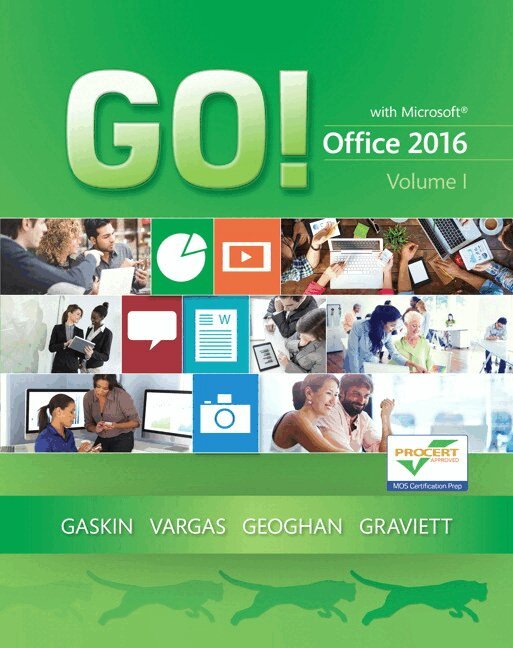
Teach the course YOU want in LESS TIME!
In today's fast-moving, mobile environment, the GO! with Office 2016 series focuses on the job skills needed to succeed in the workforce. With job-related projects that put Microsoft Office® into context, students learn the how and why at the moment they need to know, all in the appropriate Microsoft procedural syntax.
For Office 2016, the hallmark guided-practice to skill-mastery pathway is better than ever. Students have many opportunities to work live in Microsoft office to apply the skills they've learned. In addition, instructional projects are now available as grader projects in MyITLab, so students can work live in Office while receiving auto-graded feedback. These high-fidelity simulations match the text and provide an effective pathway for learning, practicing, and assessing their abilities. After completing the instructional projects, students can apply their skills with a variety of progressively challenging projects that require them to solve problems, think critically, and create on their own. New GO! Collaborate with Google projects allow students to apply their skills to a new environment that is already popular in many workplaces. Integrated Microsoft Office Specialist (MOS) objectives make GO! your one resource for learning Office, gaining critical productivity skills, and prepare for MOS certification.
Also available with MyITLab
MyITLab® is an online homework, tutorial, and assessment program designed for Information Technology (IT) courses, to engage students and improve results. HTML5 Simulation exercises and Live-in-Application Grader projects come with the convenience of auto-grading and instant feedback, so students learn more quickly and effectively, and build the critical skills needed for college and career success. Digital badges allow students to showcase their Microsoft Office or Computer Concepts competencies, keeping them motivated and focused on their future careers.
Note: You are purchasing a standalone product; MyITLab does not come packaged with this content. Students, if interested in purchasing this title with MyITLab, ask your instructor for the correct package ISBN and Course ID. Instructors, contact your Pearson representative for more information.
2 204 kr
Tillfälligt slut
Teach the course YOU want in LESS TIME!
In today's fast-moving, mobile environment, the GO! with Office 2016 series focuses on the job skills needed to succeed in the workforce. With job-related projects that put Microsoft Office® into context, students learn the how and why at the moment they need to know, all in the appropriate Microsoft procedural syntax.
For Office 2016, the hallmark guided-practice to skill-mastery pathway is better than ever. Students have many opportunities to work live in Microsoft office to apply the skills they've learned. In addition, instructional projects are now available as grader projects in MyITLab, so students can work live in Office while receiving auto-graded feedback. These high-fidelity simulations match the text and provide an effective pathway for learning, practicing, and assessing their abilities. After completing the instructional projects, students can apply their skills with a variety of progressively challenging projects that require them to solve problems, think critically, and create on their own. New GO! Collaborate with Google projects allow students to apply their skills to a new environment that is already popular in many workplaces. Integrated Microsoft Office Specialist (MOS) objectives make GO! your one resource for learning Office, gaining critical productivity skills, and prepare for MOS certification.
Also available with MyITLab
MyITLab® is an online homework, tutorial, and assessment program designed for Information Technology (IT) courses, to engage students and improve results. HTML5 Simulation exercises and Live-in-Application Grader projects come with the convenience of auto-grading and instant feedback, so students learn more quickly and effectively, and build the critical skills needed for college and career success. Digital badges allow students to showcase their Microsoft Office or Computer Concepts competencies, keeping them motivated and focused on their future careers.
Note: You are purchasing a standalone product; MyITLab does not come packaged with this content. Students, if interested in purchasing this title with MyITLab, ask your instructor for the correct package ISBN and Course ID. Instructors, contact your Pearson representative for more information.
2 204 kr
Tillfälligt slut
Teach the course YOU want in LESS TIME!
In today's fast-moving, mobile environment, the GO! with Office 2016 series focuses on the job skills needed to succeed in the workforce. With job-related projects that put Microsoft Office® into context, students learn the how and why at the moment they need to know, all in the appropriate Microsoft procedural syntax.
For Office 2016, the hallmark guided-practice to skill-mastery pathway is better than ever. Students have many opportunities to work live in Microsoft office to apply the skills they've learned. In addition, instructional projects are now available as grader projects in MyITLab, so students can work live in Office while receiving auto-graded feedback. These high-fidelity simulations match the text and provide an effective pathway for learning, practicing, and assessing their abilities. After completing the instructional projects, students can apply their skills with a variety of progressively challenging projects that require them to solve problems, think critically, and create on their own. New GO! Collaborate with Google projects allow students to apply their skills to a new environment that is already popular in many workplaces. Integrated Microsoft Office Specialist (MOS) objectives make GO! your one resource for learning Office, gaining critical productivity skills, and prepare for MOS certification.
Also available with MyITLab
MyITLab® is an online homework, tutorial, and assessment program designed for Information Technology (IT) courses, to engage students and improve results. HTML5 Simulation exercises and Live-in-Application Grader projects come with the convenience of auto-grading and instant feedback, so students learn more quickly and effectively, and build the critical skills needed for college and career success. Digital badges allow students to showcase their Microsoft Office or Computer Concepts competencies, keeping them motivated and focused on their future careers.
Note: You are purchasing a standalone product; MyITLab does not come packaged with this content. Students, if interested in purchasing this title with MyITLab, ask your instructor for the correct package ISBN and Course ID. Instructors, contact your Pearson representative for more information.