• Fri frakt över 249 kr
  • •
  • Snabba leveranser
  • •
  • Billiga böcker
Kundservice

Du är på sajten för privatpersoner.

Företag, bibliotek eller offentlig verksamhet?

Du handlar på classic.bokus.com, där alla dina funktioner finns intakta.
Till classic.bokus.com
Bokus logotyp. Gå till startsidan.
  • Erbjudanden
  • Nyheter
  • Student
  • Topplistor
  • Barn & ungdom
  • Bokus Play
  • E-böcker
  • Pocketböcker
  • Spel & pussel

10% rabatt på allt med kod NYSTART10 →

Sidfot

Mina sidor

    Hjälp

    • Kundservice
    • Vanliga frågor och svar
    • Frakt och leverans
    • Retur vid ångerrätt
    • Reklamera vara
    • Betalning
    • Köpvillkor
    • Allmänna villkor
    • Information om webbplatsens tillgänglighet

    Om Bokus

    • Om oss
    • Pressrum
    • För studenter
    • För företag
    • För bibliotek och offentlig verksamhet
    • För leverantörer
    • Hållbarhet

    Populärt

    • Aktuella erbjudanden
    • Presentkort
    • Studentlitteratur
    • Nya böcker
    • Topplistor
    • Signerade böcker
    • Engelska böcker

    Inspiration

    • Boktips
    • BookTok
    • Populära bokserier
    • Barnbokskaraktärer
    • Populära författare
    Logotyp för Bokus
    Följ oss på Facebook (extern länk)Följ oss på Instagram (extern länk)Följ oss på YouTube (extern länk)Följ oss på TikTok (extern länk)
    bokus @ CookiesAnpassa cookiesIntegritetspolicyKöpvillkor
    Till Citymail hemsida (extern länk)Till Budbee hemsida (extern länk)Till Postnord hemsida (extern länk)Till Schenker hemsida (extern länk)Till Early Bird hemsida (extern länk)Till Walleys hemsida (extern länk)
    1. Data och IT
    2. Operativsystem

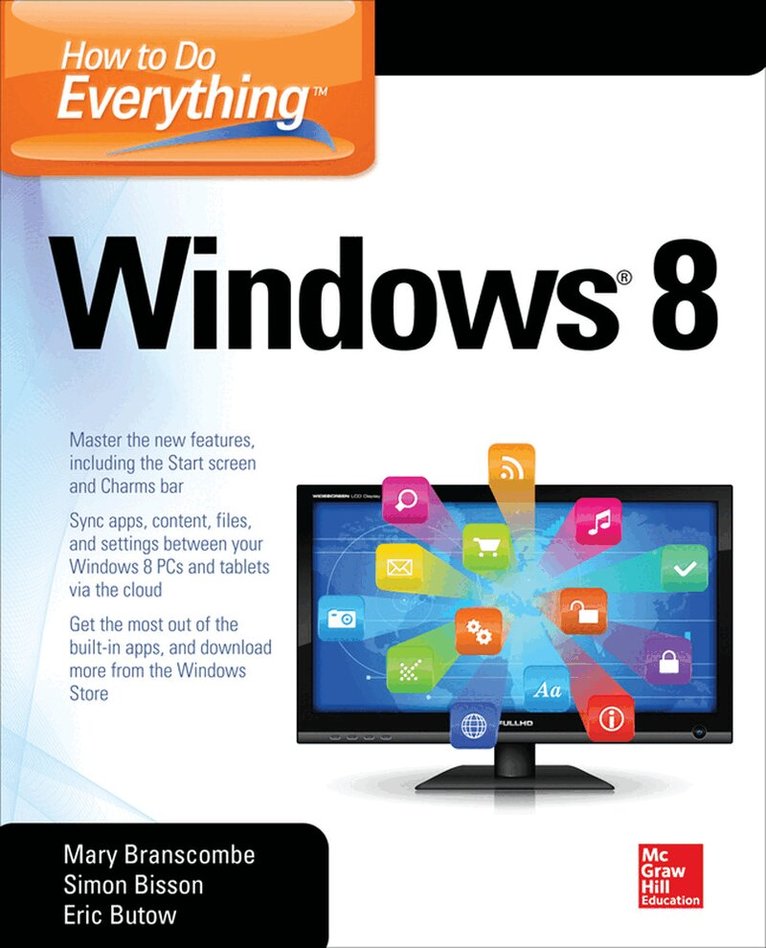
    How to Do Everything

    AvMary Branscombe,Simon Bisson

    Häftad, Engelska, 2013

    324 kr

    Beställningsvara. Skickas inom 3-6 vardagar. Fri frakt över 249 kr.

    Beskrivning

    Publisher's Note: Products purchased from Third Party sellers are not guaranteed by the publisher for quality, authenticity, or access to any online entitlements included with the product.

    Tap into the power of Windows 8

    Maximize the versatile features of Windows 8 on all your devices with help from this hands-on guide. Discover how to customize settings, use the new Start screen and Charms bar, work with gestures on a touchscreen PC, organize and sync data in the cloud, and set up a network. How to Do Everything Windows 8 covers email, video conferencing, web access, peripheral devices, security, and troubleshooting. You’ll also get tips for using the entertainment apps to enjoy music, video, photos, games, and much more.

    • Customize Windows 8, group tiles on the Start screen, pin icons to the taskbar, and change settings
    • Manage and back up your files and sync them to the cloud
    • Share files with a Windows 8 Homegroup
    • Surf the web with both versions of Internet Explorer 10, use tabs, organize favorites, and protect your privacy online
    • Print, scan, and fax with Windows 8
    • Communicate via built-in apps—Mail and Messaging—and add Skype
    • Connect to social networks, including Facebook and Twitter, using the People app
    • Enjoy the Music and Video apps and the Xbox Music free streaming service and video store
    • View, manage, and share photos with the new Photos app—including your Facebook, Flickr, and SkyDrive photos
    • Use all the built-in Windows 8 apps and get more from the Windows Store
    • Keep Windows 8 running smoothly and securely
    • Troubleshoot problems and reset or recover your PC

    Produktinformation

    • Utgivningsdatum:2013-05-16
    • Mått:188 x 231 x 25 mm
    • Vikt:791 g
    • Format:Häftad
    • Språk:Engelska
    • Antal sidor:488
    • Förlag:McGraw-Hill Education
    • ISBN:9780071805148

    Utforska kategorier

    • Operativsystem inom Data och IT

    Mer om författaren

    Eric Butow (Jackson, CA). Eric is the owner of Butow Communications Group (BCG), a Web design and online marketing firm. Butow began writing books in 2000 when he wrote Master Visually Windows 2000 Server. Since then, Butow has authored or co-authored 14 other books. Those books included several chapters in Que’s Special Edition Using Microsoft Windows Vista and the subsequent Microsoft Windows 7 In-Depth, Addison-Wesley’s User Interface Design for Mere Mortals, and most recently Que’s Blogging to Drive Business.

    Innehållsförteckning

    • Ch 1: Get to Know Windows 8Ch 2: Learn How to Get Around Windows 8Ch 3: Make Windows 8 Your OwnCh 4: Manage, Back Up, and Sync Your FilesCh 5: Share Files Among Computers with a Windows 8 HomegroupCh 6: Browse the WebCh 7: Print, Scan, and fax with Windows 8Ch 8: Send and Receive EmailCh 9: Send and Receive Instant MessagesCh 10: Make Phone and Video CallsCh 11: Access Online Social NetworksCh 12: Find and Play Music and Other Audio FilesCh 13: View and Manage PhotosCh 14: Watch and Organize VideosCh 15: Read, Navigate, and ConnectCh 16: Get More Apps and Games for Windows 8Ch 17: Keep Windows 8 Tuned UpCh 18: Troubleshoot Problems in Windows 8Ch 19: Reset or Recover Your PC