• Fri frakt över 249 kr
  • •
  • Snabba leveranser
  • •
  • Billiga böcker
Kundservice

Du är på sajten för privatpersoner.

Företag, bibliotek eller offentlig verksamhet?

Du handlar på classic.bokus.com, där alla dina funktioner finns intakta.
Till classic.bokus.com
Bokus logotyp. Gå till startsidan.
  • Erbjudanden
  • Nyheter
  • Student
  • Topplistor
  • Barn & ungdom
  • Bokus Play
  • E-böcker
  • Pocketböcker
  • Spel & pussel

10% rabatt på allt med kod NYSTART10 →

Sidfot

Mina sidor

    Hjälp

    • Kundservice
    • Vanliga frågor och svar
    • Frakt och leverans
    • Retur vid ångerrätt
    • Reklamera vara
    • Betalning
    • Köpvillkor
    • Allmänna villkor
    • Information om webbplatsens tillgänglighet

    Om Bokus

    • Om oss
    • Pressrum
    • För studenter
    • För företag
    • För bibliotek och offentlig verksamhet
    • För leverantörer
    • Hållbarhet

    Populärt

    • Aktuella erbjudanden
    • Presentkort
    • Studentlitteratur
    • Nya böcker
    • Topplistor
    • Signerade böcker
    • Engelska böcker

    Inspiration

    • Boktips
    • BookTok
    • Populära bokserier
    • Barnbokskaraktärer
    • Populära författare
    Logotyp för Bokus
    Följ oss på Facebook (extern länk)Följ oss på Instagram (extern länk)Följ oss på YouTube (extern länk)Följ oss på TikTok (extern länk)
    bokus @ CookiesAnpassa cookiesIntegritetspolicyKöpvillkor
    Till Citymail hemsida (extern länk)Till Budbee hemsida (extern länk)Till Postnord hemsida (extern länk)Till Schenker hemsida (extern länk)Till Early Bird hemsida (extern länk)Till Walleys hemsida (extern länk)
    1. Data och IT
    2. Grafik och bildbehandling
    3. Fotoredigering och bildredigering

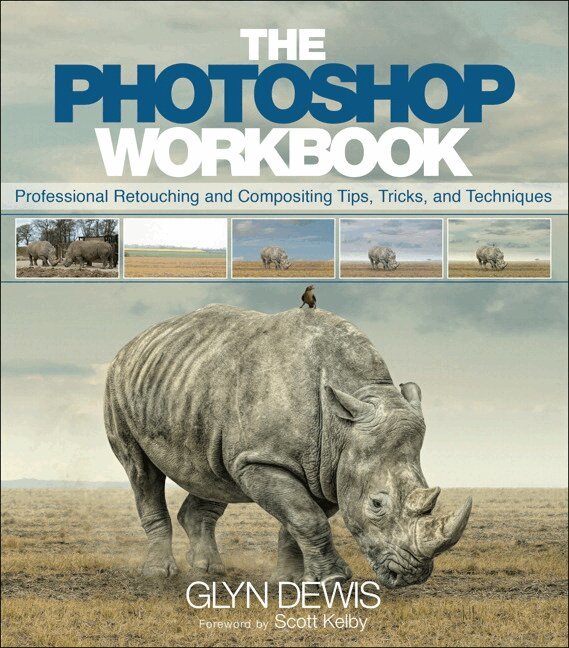
    Photoshop Workbook, The

    Professional Retouching and Compositing Tips, Tricks, and Techniques

    AvGlyn Dewis

    Häftad, Engelska, 2015

    345 kr

    Beställningsvara. Skickas inom 7-10 vardagar. Fri frakt över 249 kr.

    Fler format och utgåvor

    E-bok

    375 kr

    Beskrivning

    The Photoshop Workbook: Professional Retouching and Compositing Tips, Tricks, and Techniques reveals the creative skills that photographer and retoucher Glyn Dewis uses for his global clients. In this guide you will learn not only his step-by-step Photoshop techniques, but how and when to apply them so that you, too, can take your images to a whole new level. Glyn starts by covering the individual Photoshop skills that are the essential building blocks of his process:

        •    Mastering selections and cutouts with the Pen tool and other important tools
        •    Dodging and burning, adding textures, transforming a location, and using the “power of gray” for composites
        •    Applying lighting effects such as spotlights, beams, realistic shadows, reflections, and street lighting to images
        •    Creating special effects, including snow and debris, and turning day into night using a nondestructive workflow

    It’s one thing to learn the techniques, but to master them you need to understand when to apply them and in what order. In the second part of the book, Glyn brings everything together with his real-world projects. He covers six complete, start-to-finish projects—including all the images for you to download and follow along—that show you how to apply the techniques to a variety of scenarios, including character portraits, themed composites, and a landscape.


    Produktinformation

    • Utgivningsdatum:2015-01-15
    • Mått:206 x 234 x 13 mm
    • Vikt:620 g
    • Format:Häftad
    • Språk:Engelska
    • Antal sidor:288
    • Upplaga:1
    • Förlag:Pearson Education
    • ISBN:9780134008462

    Utforska kategorier

    • Fotoredigering och bildredigering inom Data och IT
    • Fotoutrustning och fototeknik inom Kultur
    • Grafik och bildbehandling inom Data och IT

    Mer om författaren

    Glyn Dewis is a photographer, retoucher, and trainer based just outside of Oxford in the UK. Working both nationally and internationally, his work sees him shooting promotional and commercial material for industry professionals, physique athletes, musicians, bands and actors. An Adobe Community Professional, Glyn teaches workshops and one-on-one coaching specifically covering all aspects of Adobe® Photoshop® from the basics through advanced retouching techniques, and Glyn is an instructor at Scott Kelby’s Photoshop World conference. Glyn can be found online at glyndewis.com, as well as at his YouTube channel, which has over 50,000 subscribers.

    Innehållsförteckning

    • PART I: TECHNIQUES  Ch 1: Selections/Cut Outs-       Blend If (Extracting Liquid and Other Tricky Elements)-       Mastering the Pen Tool-       Perfect Results with Refine Edge-       Cut Out with the Overlay Blend Mode-       Creative Uses of Brushes and Layer Masks-       Tricks with Layer Styles (Inner Shadow, etc.)-       Using Color Range  Ch 2: The Power of Grey-       Adding Textures-       How to Transform a Location-       Non Destructive Dodging and Burning-       Lens Flare-       Faking Detail-       Creating Dents and Making Abs  Ch 3: Lighting Effects-       Simple Light Source-       Neverending Lighting Rig-       Gradient to Mimic Street Lighting, etc.-       Light Beams / Sun Rays-       Realistic Shadows (From the Sun; Under Feet/Objects)  Ch 4: Blend Mode Techniques-       Compositing-       Match Color (in Composites)-       Adding Colored Highlights (Blend If)-       Light Glow / Reflection  Ch 5: Special Effects-       Thingies (i.e. Dust in Light Source for Realism)-       Rain-       Cartoon / Painterly Look-       Debris-       Wet Look-       Snow  PART II: PROJECTS  Ch 6: Character Portrait (Editor Style)  Ch 7: Composite on Grey (Tough Guy Style)  Ch 8: Full Composite (Giraffe)  Ch 9: Lion, Witch, and Wardrobe  Ch 10: Flowers