• Fri frakt över 249 kr
  • •
  • Snabba leveranser
  • •
  • Billiga böcker
Kundservice

Du är på sajten för privatpersoner.

Företag, bibliotek eller offentlig verksamhet?

Du handlar på classic.bokus.com, där alla dina funktioner finns intakta.
Till classic.bokus.com
Bokus logotyp. Gå till startsidan.
  • Erbjudanden
  • Nyheter
  • Student
  • Topplistor
  • Barn & ungdom
  • Bokus Play
  • E-böcker
  • Pocketböcker
  • Spel & pussel

10% rabatt på allt med kod: NYSTART10 →

Sidfot

Mina sidor

    Hjälp

    • Kundservice
    • Vanliga frågor och svar
    • Frakt och leverans
    • Retur vid ångerrätt
    • Reklamera vara
    • Betalning
    • Köpvillkor
    • Allmänna villkor
    • Information om webbplatsens tillgänglighet

    Om Bokus

    • Om oss
    • Pressrum
    • För studenter
    • För företag
    • För bibliotek och offentlig verksamhet
    • För leverantörer
    • Hållbarhet

    Populärt

    • Aktuella erbjudanden
    • Presentkort
    • Studentlitteratur
    • Nya böcker
    • Topplistor
    • Signerade böcker
    • Engelska böcker

    Inspiration

    • Boktips
    • BookTok
    • Populära bokserier
    • Barnbokskaraktärer
    • Populära författare
    Logotyp för Bokus
    Följ oss på Facebook (extern länk)Följ oss på Instagram (extern länk)Följ oss på YouTube (extern länk)Följ oss på TikTok (extern länk)
    bokus @ CookiesAnpassa cookiesIntegritetspolicyKöpvillkor
    Till Citymail hemsida (extern länk)Till Budbee hemsida (extern länk)Till Postnord hemsida (extern länk)Till Schenker hemsida (extern länk)Till Early Bird hemsida (extern länk)Till Walleys hemsida (extern länk)
    1. Data och IT
    2. Operativsystem

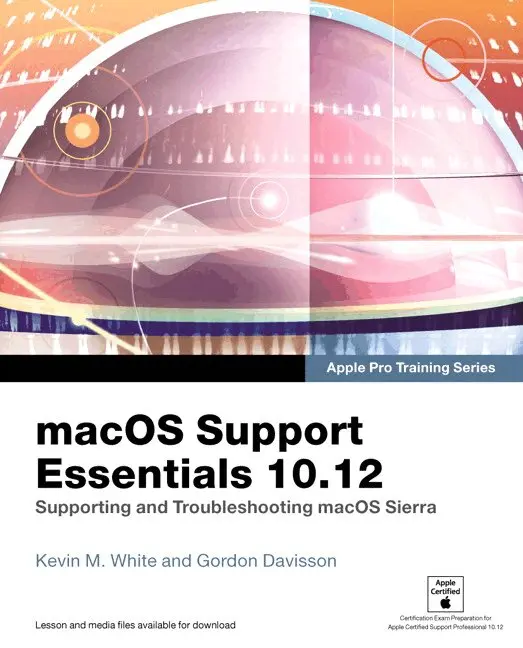
    macOS Support Essentials 10.12 - Apple Pro Training Series

    Supporting and Troubleshooting macOS Sierra

    AvKevin White,Gordon Davisson

    Häftad, Engelska, 2017

    Del i serien Apple Pro Training

    473 kr

    Beställningsvara. Skickas inom 7-10 vardagar. Fri frakt över 249 kr.

    Fler format och utgåvor

    Övrigt

    1 006 kr

    Övrigt

    464 kr

    Beskrivning

    Apple Pro Training Series: macOS Support Essentials 10.12 The Apple-Certified Way to Learn  This is the official curriculum of the macOS Support Essentials 10.12 course and preparation for Apple Certified Support Professional (ACSP) 10.12 certification–as well as a top-notch primer for anyone who needs to support, troubleshoot, or optimize macOS Sierra. The only Apple-certified book on the market, this guide is designed for support technicians, help desk specialists, and ardent Mac users and takes you deep inside the macOS Sierra operating system. You’ll find in-depth, step-by-step instruction on everything from installing and configuring macOS Sierra to managing networks and system administration–all on your way to preparing for the industry-standard ACSP certification. Covers updated system utilities and new features of macOS Sierra, including Siri and Optimized Storage. Features authoritative explanations of underlying technologies, troubleshooting, system administration, and much more. Focused lessons take you step by step through practical, real-world tasks. Lesson files and bonus material available for download–including lesson review questions to help prepare you for the Apple certification exam. Web Edition provides full text of the book available online as part of our Content Update Program with revised content for significant software updates.

    Produktinformation

    • Utgivningsdatum:2017-03-01
    • Mått:190 x 230 x 50 mm
    • Vikt:1 579 g
    • Format:Häftad
    • Språk:Engelska
    • Serie:Apple Pro Training
    • Förlag:Pearson Education (US)
    • ISBN:9780134713854

    Utforska kategorier

    • Operativsystem inom Data och IT

    Mer om författaren

    Kevin M. White serves the Apple community through his company, Macjutsu Inc., which is dedicated to sharing knowledge of the “Apple way.” He is a trainer and a regular presenter at Apple industry events. Kevin co-authored his first book in 2005 and has subsequently authored or co-authored several books including OS X Support Essentials 10.11 and Managing Apple Devices.  Gordon Davisson has spent over 20 years working with Apple hardware and software and designing and implementing networking solutions. An Apple Certified System Administrator, Gordon has also been an Apple Certified Trainer since 2002 and is a consultant and instructor teaching macOS and other courses. Gordon was the co-author of OS X Support Essentials 10.11.

    Innehållsförteckning

    • Lesson 1: Install macOS SierraReference 1.1About macOS SierraReference 1.2Select an Installation MethodReference 1.3Prepare to Upgrade a Previous SystemReference 1.4Prepare the System DiskReference 1.5Upgrade and Install macOSReference 1.6Troubleshoot Installation Issues Exercise 1.1Prepare a Mac for UpgradeExercise 1.2Upgrade to macOS SierraExercise 1.3Erase a Mac System and Install macOS SierraExercise 1.4Verify System Installation Lesson 2 Set Up and Configure macOS Reference 2.1Configure a New SystemReference 2.2Manage System Settings Reference 2.3Inspect System Information Exercise 2.1Configure a New macOS System for ExercisesExercise 2.2Configure an Existing macOS System for ExercisesExercise 2.3Examine System PreferencesExercise 2.4Download the Student Materials in a ClassroomExercise 2.5Download the Student Materials IndependentlyExercise 2.6Install a Configuration ProfileExercise 2.7Examine System Information Lesson 3 Use macOS RecoveryReference 3.1Start Up From macOS RecoveryReference 3.2About macOS Recovery UtilitiesReference 3.3Create a macOS Recovery DiskExercise 3.1Use macOS RecoveryExercise 3.2Create a macOS Install Disk Lesson 4 Update macOS Exercise 4.1Manually Install Software Updates in a ClassroomExercise 4.2Manually Install Software Updates IndependentlyExercise 4.3Use Automatic Software UpdateReference 4.1About Automatic Software UpdatesReference 4.2Manually Install UpdatesReference 4.3Examine Installation History Lesson 5 Manage User Accounts Reference 5.1About User AccountsReference 5.2Configure User AccountsReference 5.3Restrict Local User AccessReference 5.4Configure Login and Fast User SwitchingExercise 5.1Create a Standard User AccountExercise 5.2Create a Managed User Account Lesson 6 Manage User Home FoldersReference 6.1About User Home FoldersReference 6.2Delete User AccountsReference 6.3Migrate and Restore Home FoldersExercise 6.1Restore a Deleted User Account Lesson 7 Manage Security and Privacy Reference 7.1About Password SecurityReference 7.2Manage Secrets in KeychainReference 7.3Use iCloud KeychainReference 7.4Manage System SecurityReference 7.5Manage User PrivacyExercise 7.1Manage Keychains Lesson 8 Manage Password Changes Reference 8.1Change Known PasswordsReference 8.2Reset Lost PasswordsReference 8.3Reset User KeychainsReference 8.4Secure System StartupExercise 8.1Reset Account Passwords in macOS RecoveryExercise 8.2Reset Account PasswordsExercise 8.3Create a New KeychainExercise 8.4Use a Firmware PasswordFile Systems and Storage (Section) Lesson 9 Manage File Systems and Storage Reference 9.1About File Systems Reference 9.2Mount, Unmount, and Eject DisksReference 9.3Inspect File-System ComponentsReference 9.4Manage File SystemsReference 9.5Troubleshoot File SystemsExercise 9.1Repartition a Disk DynamicallyExercise 9.2Erase a DiskExercise 9.3Repair Partitions and Volumes in Target Disk ModeExercise 9.4Repair Partitions and Volumes in Recovery Mode Lesson 10 Manage FileVault Reference 10.1About FileVaultReference 10.2Enable FileVaultReference 10.3Use FileVault RecoveryExercise 10.1Turn On FileVaultExercise 10.2Restart a FileVault-Protected SystemExercise 10.3Use a FileVault Recovery KeyExercise 10.4Turn Off FileVault Lesson 11 Manage Permissions and Sharing Reference 11.1About File-System PermissionsReference 11.2Examine Permissions for SharingReference 11.3Manage PermissionsExercise 11.1Create Items with Default PermissionsExercise 11.2Test Permissions Changes Lesson 12 Use Hidden Items, Shortcuts, and File Archives Reference 12.1Examine Hidden ItemsReference 12.2Examine Bundles and PackagesReference 12.3Use File-System ShortcutsReference 12.4Use File ArchivesExercise 12.1Navigate Hidden Items Lesson 13 Manage System Resources Reference 13.1About macOS File ResourcesReference 13.2About System Integrity ProtectionReference 13.3Manage Font ResourcesExercise 13.1Manage Font Resources Lesson 14 Use Metadata, Spotlight, and Siri Exercise Reference 14.1About File System MetadataReference 14.2Search With Spotlight and SiriExercise 14.1Examine File Metadata Lesson 15 Manage Time Machine Reference 15.1About Time MachineReference 15.2Configure Time MachineReference 15.3Restore from Time MachineExercise 15.1Configure Time MachineExercise 15.2Restore Using Time MachineApplications and Processes  Lesson 16 Install Applications Reference 16.1Use the Mac App StoreReference 16.2About Process EnvironmentsReference 16.3About Application SecurityReference 16.4Use Traditional Installation MethodsReference 16.5Remove Installed SoftwareExercise 16.1Use the Mac App StoreExercise 16.2Use an Installer PackageExercise 16.3Use a Drag-and-Drop InstallExercise 16.4Remove Applications Lesson 17 Manage DocumentsExercise 17.1Use Alternate ApplicationsExercise 17.2Use Auto Save and VersionsExercise 17.3Manage Document LockingExercise 17.4Store Documents in iCloud Lesson 18 Manage and Troubleshoot ApplicationsReference 18.1About Applications and ProcessesReference 18.2Manage Application ExtensionsReference 18.3Monitor Applications and ProcessesReference 18.4Troubleshoot ApplicationsExercise 18.1Force Applications to QuitExercise 18.3Examine Application Diagnostics Lesson 19 Manage Basic Network SettingsReference 19.1About Network TerminologyReference 19.2About Network ActivityReference 19.3Configure Basic Network SettingsExercise 19.1Connect to a Wi-Fi NetworkExercise 19.2Monitor Network Connectivity Lesson 20 Manage Advanced Network Settings Reference 20.1Manage Network LocationsReference 20.2About Network Interfaces and ProtocolsReference 20.3Manage Network ServicesReference 20.4Configure VPN SettingsReference 20.5Configure Advanced Network SettingsExercise 20.1Configure Network LocationsExercise 20.2Configure Network Service OrderExercise 20.3Configure VPN SettingsExercise 20.4Advanced Wi-Fi Configuration Lesson 21 Troubleshoot Network Issues Reference 21.1Troubleshoot General Network IssuesReference 21.2Troubleshoot Using Network UtilityExercise 21.1Troubleshoot Network ConnectivityExercise 22.1Configure a Network Service Account Lesson 22 Manage Network ServicesReference 22.1About Network ServicesReference 22.2Configure Network Service ApplicationsReference 22.3Connect to File-Sharing ServicesReference 22.5Troubleshoot Network ServicesExercise 22.2Use File-Sharing ServicesExercise 22.3Troubleshoot Network Services Lesson 23 Manage Host Sharing and Personal Firewall Reference 23.1Enable Host-Sharing ServicesReference 23.2Control Remote ComputersReference 23.3Share Files via AirDropReference 23.4Manage the Personal FirewallReference 23.5Troubleshoot Shared ServicesExercise 23.1Use Host-Sharing ServicesExercise 23.2Configure the Personal Firewall Lesson 24 Troubleshoot PeripheralsReference 24.1About Peripheral TechnologiesReference 24.2Manage Bluetooth DevicesReference 24.3Troubleshoot Peripheral IssuesExercise 24.1Examine Peripherals via System Information Lesson 25 Manage Printers and ScannersReference 25.1 About Printing in macOS Reference 25.2Configure Printers and ScannersReference 25.3Manage Print JobsReference 25.4Troubleshoot Printing IssuesExercise 25.1Configure PrintingExercise 25.2Manage Printing Exercise 25.3Troubleshoot the Printing System Lesson 26 Troubleshoot Startup and System Issues Reference 26.1Understand System InitializationReference 26.2About User SessionsReference 26.3About Sleep Modes, Logout, and ShutdownReference 26.4Use Startup ShortcutsReference 26.5Troubleshoot System InitializationReference 26.6Troubleshoot User SessionsExercise 26.1Examine System StartupExercise 26.2Use Single-User Mode