• Fri frakt över 249 kr
  • •
  • Snabba leveranser
  • •
  • Billiga böcker
Kundservice

Du är på sajten för privatpersoner.

Företag, bibliotek eller offentlig verksamhet?

Du handlar på classic.bokus.com, där alla dina funktioner finns intakta.
Till classic.bokus.com
Bokus logotyp. Gå till startsidan.
  • Erbjudanden
  • Student
  • Topplistor
  • Barn & ungdom
  • Bokus Play
  • E-böcker
  • Ljudböcker
  • Pocketböcker
  • Spel & pussel

Upp till 25% på utvalda nyheter →

Sidfot

Mina sidor

    Hjälp

    • Kundservice
    • Vanliga frågor och svar
    • Frakt och leverans
    • Retur vid ångerrätt
    • Reklamera vara
    • Betalning
    • Köpvillkor
    • Allmänna villkor
    • Information om webbplatsens tillgänglighet

    Om Bokus

    • Om oss
    • Pressrum
    • För studenter
    • För företag
    • För bibliotek och offentlig verksamhet
    • För leverantörer
    • Hållbarhet

    Populärt

    • Aktuella erbjudanden
    • Presentkort
    • Studentlitteratur
    • Nya böcker
    • Topplistor
    • Signerade böcker
    • Engelska böcker

    Inspiration

    • Boktips
    • BookTok
    • Populära bokserier
    • Barnbokskaraktärer
    • Populära författare
    Logotyp för Bokus
    Följ oss på Facebook (extern länk)Följ oss på Instagram (extern länk)Följ oss på YouTube (extern länk)Följ oss på TikTok (extern länk)
    bokus @ CookiesAnpassa cookiesIntegritetspolicyKöpvillkor
    Till Citymail hemsida (extern länk)Till Budbee hemsida (extern länk)Till Postnord hemsida (extern länk)Till Schenker hemsida (extern länk)Till Early Bird hemsida (extern länk)Till Walleys hemsida (extern länk)
    1. Data och IT
    2. Nätverk och kommunikation

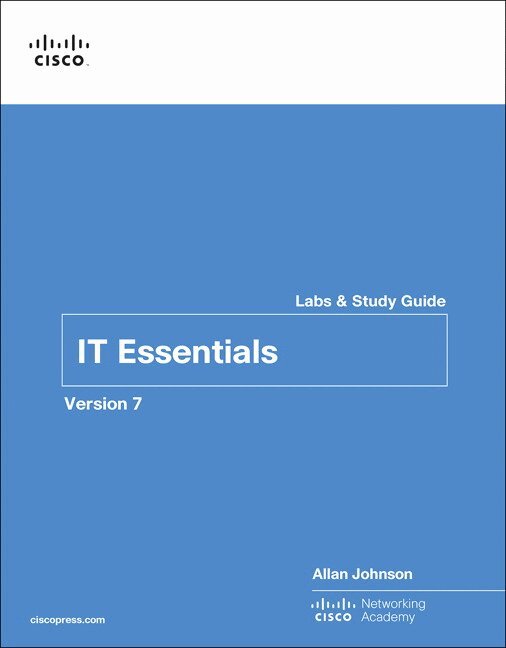
    IT Essentials Labs and Study Guide Version 7

    AvAllan Johnson,Cisco Networking Academy

    Häftad, Engelska, 2020

    592 kr

    Beställningsvara. Skickas inom 7-10 vardagar. Fri frakt över 249 kr.

    Beskrivning

    The only authorized Labs & Study Guide for the Cisco Networking Academy IT Essentials, Version 7 course


    IT Essentials Lab Manual is a supplemental book prepared for students in the Cisco® Networking Academy IT Essentials v7 course. All the hands-on labs and worksheets from the course are printed within this book to provide practical, hands-on experience with the course content. IT Essentials covers fundamental computer and career skills for entry-level IT jobs.


    Practicing and performing all these tasks will reinforce the concepts, skills, and procedures and help prepare the student to take the CompTIA® A+ 220-1001 and 220-1002 exams.


    Each chapter of this book is divided into a Study Guide section followed by a Lab section.


    The Study Guide section offers exercises that help you learn the concepts, configurations, and troubleshooting skills crucial to your success as a CompTIA® A+ 220-1001 and 220-1002 exam candidate. Each chapter is slightly different and includes some or all the following types of exercises:


    • Vocabulary Matching Exercises
    • Concept Questions Exercises
    • Skill-Building Activities and Scenarios
    • Packet Tracer Exercises


    The Labs & Activities include all the online course Labs and Packet Tracer activity instructions. If applicable, this section begins with a Command Reference that you will complete to highlight all the commands introduced in the chapter.


    Related titles:


    IT Essentials Companion Guide, Version 7
    ISBN-10: 0-13-564537-9
    ISBN-13: 978-0-13-564537-6


    IT Essentials Course Booklet, Version 7
    ISBN-10: 0-13-561216-0
    ISBN-13: 978-0-13-561216-3

    Produktinformation

    • Utgivningsdatum:2020-01-06
    • Mått:216 x 274 x 30 mm
    • Vikt:1 320 g
    • Format:Häftad
    • Språk:Engelska
    • Antal sidor:544
    • Upplaga:1
    • Förlag:Pearson Education
    • ISBN:9780135612033

    Utforska kategorier

    • Nätverk och kommunikation inom Data och IT

    Mer om författaren

    Cisco Networking Academy is an innovative Cisco education initiative that delivers information and communication technology skills to improve career and economic opportunities around the world. The Academy provides online courses, interactive tools, and lab activities to prepare individuals for information technology and networking careers in virtually every industry.

    Innehållsförteckning

    • Introduction   xxxiiiChapter 1    Introduction to Personal Computer Hardware  1Personal Computers  2PC Components    3Computer Disassembly  21 The Labs and Activities  221.3.2.2 Lab—Disassemble a Computer    23Chapter 2    PC Assembly  27Assemble the Computer  28Labs and Activities  38 Command Reference   382.1.2.5 Lab—Install the Power Supply    392.1.3.10 Lab—Install the Motherboard in a Computer   402.1.4.7 Lab—Install the Drives   422.1.5.6 Lab—Install Adapter Cards    432.1.7.4 Lab—Install Internal Cables    452.1.7.8 Lab—Install Front Panel Cables    472.1.7.11 Lab—Complete the Computer Assembly   48Chapter 3    Advanced Computer Hardware  49Boot the Computer  50Electrical Power   52Advanced Computer Functionality  53 CPU Computer Configuration  65Protecting the Environment    68Labs and Activities  69 Command Reference   693.1.1.6 Lab—Investigate BIOS or UEFI Settings   703.1.2.5Lab—Search for BIOS or UEFI Firmware Updates  733.1.2.6Lab—Install Windows   753.1.2.7Lab—Install Third-Party Software in Windows   783.2.1.3 Lab—Ohms Law  803.4.1.7 Lab—Research a Hardware Upgrade    81Chapter 4    Preventive Maintenance and Troubleshooting    83Preventive Maintenance   84Troubleshooting Process    85Labs and Activities  90 Command Reference   904.2.3.5Lab—Use a Multimeter and a Power Supply Tester   914.2.3.6Lab—Troubleshoot Hardware Problems    95Chapter 5    Networking Concepts   99Study Guide   100Network Components and Types  100Networking Protocols, Standards, and Services  103Network Devices   108Network Cables   110Labs and Activities   117 Command Reference   1175.4.2.8 Lab—Build and Test a Network Cable   118Chapter 6    Applied Networking   125Device-to-Network Connections   126Network Troubleshooting    130Labs and Activities   134 Command Reference   1346.1.2.1 Packet Tracer—Add Computers to an Existing Network   1356.1.2.7 Lab—Configure a NIC to Use DHCP in Windows   1376.1.3.9Packet Tracer—Connect to a Wireless Network   1426.1.3.10Lab—Configure a Wireless Network    1476.1.4.7Packet Tracer—Configure Firewall Settings   1526.1.4.8Lab—Configure Firewall Settings    1556.1.5.3 Packet Tracer—Configure IoT Devices   1596.2.2.5 Lab—Troubleshoot Network Problems    161Chapter 7    Laptops and Other Mobile Devices  163Characteristics of Laptops and Other Mobile Devices    164Laptop Configuration  166Laptop Hardware and Component Installation and Configuration  167Other Mobile Device Hardware Overview 168 Other Network Connectivity and Email 170Preventive Maintenance and Troubleshooting Laptops and Other Mobile Devices    172Basic Troubleshooting Process for Laptops and Other Mobile Devices    173Labs and Activities   176 Command Reference   1767.1.1.10 Lab—Mobile Device Information    1777.1.2.8 Lab—Research Docking Stations and Port Replicators  1787.3.1.6 Lab—Research Laptop RAM    1817.3.2.4 Lab—Research Laptop Screens    1827.3.2.7 Lab—Research Laptop Batteries    1837.3.2.10 Lab—Research Laptop Drives    1847.5.1.2 Lab—Mobile Wi-Fi  1857.7.2.4Lab—Research Laptop Problems    1877.7.2.5Lab—Gather Information from the Customer   1887.7.2.6Investigate Support Websites and Repair Companies  189Chapter 8    Printers  191Common Printer Features   192Printer Type Comparison  193Installing and Configuring Printers    199Sharing Printers   201Maintaining and Troubleshooting Printers    202Labs and Activities   205 Command Reference   2058.3.1.2 Lab—Install a Printer in Windows    2068.4.1.3 Lab—Share a Printer in Windows    2088.5.2.3 Lab—Perform Preventive Maintenance on an Inkjet Printer   2108.5.3.2 Lab—Perform Preventive Maintenance on a Laser Printer   212Chapter 9    Virtualization and Cloud Computing  215Virtualization 216Cloud Computing  218Labs and Activities   222 Command Reference   2229.1.2.5 Lab—Install Linux in a Virtual Machine and Explore the GUI   223Chapter 10    Windows Installation  227Modern Operating Systems   228Install Windows   231Installation and Boot Sequence 234 Labs and Activities   237 Command Reference   23710.2.1.8 Lab—Create a Partition in Windows    23810.3.1.1 Lab—Windows Installation    24210.3.1.4 Lab—Finalize Windows Installation    245Chapter 11    Windows Configuration  247Windows Desktop and File Explorer 248 Configure Windows with Control Panels    255System Administration  266Command-Line Tools  273Windows Networking   276Common Preventive Maintenance Techniques for Operating Systems  282Basic Troubleshooting Process for Windows Operating Systems    283Labs and Activities   287 Command Reference   28711.1.2.10 Lab—Configure the Windows Desktop   28911.1.3.4 Lab—Work with Task Manager    29211.1.4.11 Lab—Working with File Explorer    29611.2.1.5 Lab—Explore Control Panel Categories   30011.2.2.3 Lab—User Accounts    30311.2.3.5 Lab—Configure Browser Settings    30611.2.6.2 Lab—Use Device Manager    31011.2.7.4 Lab—Region and Language Options    31211.3.1.11 Lab—Monitor and Manage System Resources   31611.3.2.7Lab—System Utilities    32111.3.2.8Lab—Manage System Files    32511.3.3.8 Lab—Hard Drive Maintenance    32811.3.4.6 Lab—Install Third-Party Software    33011.4.1.5 Lab—Work in the Windows Command Shell    33211.4.2.7 Lab—File System Commands    33511.4.3.2 Lab—Disk CLI Commands    34211.4.4.2 Lab—Task and System CLI Commands    35011.4.5.3 Lab—Other Useful Commands    35411.5.1.6 Lab—Network Drive Mapping    359Introduction 35911.5.2.4 Lab—Share Resources 36111.5.4.2 Lab—Connect and Test the Wireless Connection   36411.5.5.3 Packet Tracer—Using Telnet and SSH   36811.5.6.2 Lab—Windows Remote Desktop and Assistance    37011.6.1.2 Lab—Manage the Startup Folder    37511.6.1.5 Lab—Schedule a Task Using the GUI and the Command Line   37811.6.2.4 Lab—System Restore and Hard Drive Backup   38111.7.3.2 Lab—Troubleshoot Operating System Problems  388Chapter 12    Mobile, Linux, and macOS Operating Systems    391Mobile Operating Systems   392Methods for Securing Mobile Devices    394Linux and macOS Operating Systems  395 Labs and Activities   401 Command Reference   40112.1.2.2 Lab—Working with Android    40212.1.3.2 Lab—Working with iOS   41412.1.4.4 Lab—Mobile Device Features    42112.2.1.2 Lab—Passcode Locks 42512.4.2.4 Lab—Troubleshoot Mobile Devices    434Chapter 13    Security  437Security Threats   438Security Procedures   444Securing Windows Workstations  446 Wireless Security   450Basic Troubleshooting Process for Security  452Labs and Activities   454 Command Reference   45413.2.3.7 Lab—BitLocker and BitLocker To Go    455 Introduction   45513.3.2.5 Lab—Configure Windows Local Security Policy  45813.3.3.6 Lab—Configure Users and Groups in Windows  46213.3.4.6 Lab—Configure Windows Firewall    46913.4.1.10 Packet Tracer—Configure Wireless Security   47313.5.2.2 Lab—Document Customer Information in a Work Order   475Chapter 14    The IT Professional   477Communication Skills and the IT Professional    478Operational Procedures  482Ethical and Legal Considerations    483Call Center Technicians  486Labs and Activities   490 Command Reference   49014.1.1.2 Lab—Technician Resources    49114.3.1.5 Lab—Investigate Breaches of PII, PHI, PCI   49214.4.1.4Lab—Remote Technician—Repair Boot Problem    494Student Technician Sheet   49414.4.1.5Lab—Remote Technician—Fix an Operating System Problem    496Student Technician Sheet   49614.4.1.6Lab—Remote Technician—Fix a Network Problem  498Student Technician Sheet   49814.4.1.7Lab—Remote Technician—Fix a Security Problem    500Student Technician Sheet   50014.4.2.7 Lab—Write Basic Scripts in Windows and Linux  502