• Fri frakt över 249 kr
  • •
  • Snabba leveranser
  • •
  • Billiga böcker
Kundservice

Du är på sajten för privatpersoner.

Företag, bibliotek eller offentlig verksamhet?

Du handlar på classic.bokus.com, där alla dina funktioner finns intakta.
Till classic.bokus.com
Bokus logotyp. Gå till startsidan.
  • Erbjudanden
  • Nyheter
  • Student
  • Topplistor
  • Barn & ungdom
  • Bokus Play
  • E-böcker
  • Pocketböcker
  • Spel & pussel

10% rabatt på allt med kod NYSTART10 →

Sidfot

Mina sidor

    Hjälp

    • Kundservice
    • Vanliga frågor och svar
    • Frakt och leverans
    • Retur vid ångerrätt
    • Reklamera vara
    • Betalning
    • Köpvillkor
    • Allmänna villkor
    • Information om webbplatsens tillgänglighet

    Om Bokus

    • Om oss
    • Pressrum
    • För studenter
    • För företag
    • För bibliotek och offentlig verksamhet
    • För leverantörer
    • Hållbarhet

    Populärt

    • Aktuella erbjudanden
    • Presentkort
    • Studentlitteratur
    • Nya böcker
    • Topplistor
    • Signerade böcker
    • Engelska böcker

    Inspiration

    • Boktips
    • BookTok
    • Populära bokserier
    • Barnbokskaraktärer
    • Populära författare
    Logotyp för Bokus
    Följ oss på Facebook (extern länk)Följ oss på Instagram (extern länk)Följ oss på YouTube (extern länk)Följ oss på TikTok (extern länk)
    bokus @ CookiesAnpassa cookiesIntegritetspolicyKöpvillkor
    Till Citymail hemsida (extern länk)Till Budbee hemsida (extern länk)Till Postnord hemsida (extern länk)Till Schenker hemsida (extern länk)Till Early Bird hemsida (extern länk)Till Walleys hemsida (extern länk)
    1. Data och IT
    2. Nätverk och kommunikation

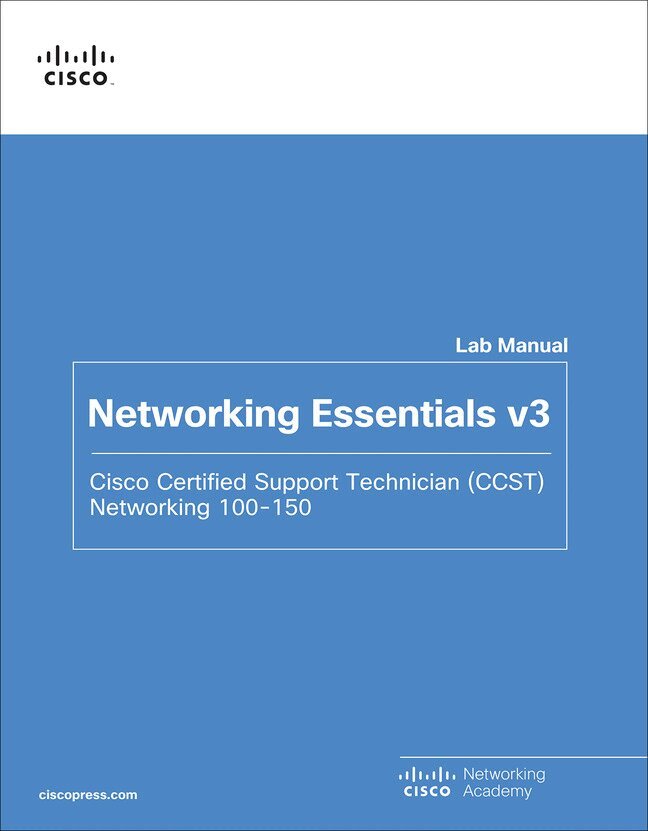
    Networking Essentials Lab Manual v3

    Cisco Certified Support Technician (CCST) Networking 100-150

    AvCisco Networking Academy

    Häftad, Engelska, 2024

    446 kr

    Beställningsvara. Skickas inom 7-10 vardagar. Fri frakt över 249 kr.

    Beskrivning

    The only authorized Lab Manual for the Cisco Networking Academy Networking Essentials Version 3 Course


    The Cisco Certified Support Technician (CCST) Networking certification validates an individual's skills and knowledge of entry-level networking concepts and topics. The certification demonstrates foundational knowledge and skills needed to show how networks operate, including the devices, media, and protocols that enable network communications.


    You'll Learn These Core Skills:

    • Plan and install a home or small business network using wireless technology, and then connect it to the Internet
    • Develop critical thinking and problem-solving skills using Cisco Packet Tracer
    • Practice verifying and troubleshooting network and Internet connectivity
    • Recognize and mitigate security threats to a home network


    The 45 comprehensive labs in this manual emphasize hands-on learning and practice to reinforce configuration skills. The Networking Essentials Lab Manual provides you with all the labs and packet tracer activity instructions from the course designed as hands-on practice develop critical thinking and complex problem-solving skills.


    Related titles:

    Networking Essentials Companion Guide v3: Cisco Certified Support Technician (CCST) Networking 100-150

    Book: 978-0-13-832133-8

    0-13-832133-7

    Produktinformation

    • Utgivningsdatum:2024-04-04
    • Mått:215 x 275 x 12 mm
    • Vikt:536 g
    • Format:Häftad
    • Språk:Engelska
    • Antal sidor:224
    • Upplaga:2
    • Förlag:Pearson Education
    • ISBN:9780138293727

    Utforska kategorier

    • Nätverk och kommunikation inom Data och IT

    Mer om författaren

    Cisco Networking Academy is an innovative Cisco education initiative that delivers information and communication technology skills to improve career and economic opportunities around the world. The Academy provides online courses, interactive tools, and lab activities to prepare individuals for information technology and networking careers in virtually every industry.

    Innehållsförteckning

    • Chapter 1 Communication in a Connected World 1This chapter contains no labs or packet tracers.Chapter 2 Network Components, Types, and Connections 3This chapter contains no labs or packet tracers.Chapter 3 Wireless and Mobile Networks 5This chapter contains no labs or packet tracers.Chapter 4 Build a Home Network 74.4.4. Packet Tracer–Configure a Wireless Router and Clients 7Chapter 5 Communication Principles 13This chapter contains no labs or packet tracers.Chapter 6 Network Media 15This chapter contains no labs or packet tracers.Chapter 7 The Access Layer 17This chapter contains no labs or packet tracers.Chapter 8 The Internet Protocol 198.1.2 Packet Tracer–Connect to a Web Server 19Chapter 9 IPv4 and Network Segmentation 21This chapter contains no labs or packet tracers.Chapter 10 IPv6 Addressing Formats and Rules 23This chapter contains no labs or packet tracers.Chapter 11 Dynamic Addressing with DHCP 2511.2.3 Packet Tracer–Configure DHCP on a Wireless Router 25Chapter 12 Gateways to Other Networks 2912.2.2 Packet Tracer–Examine NAT on a Wireless Router 29Chapter 13 The ARP Process 3313.1.3 Packet Tracer–Identify MAC and IP Addresses 33Reflection Questions 35Chapter 14 Routing Between Networks 3714.3.3 Packet Tracer–Observe Traffic Flow in a Routed Network 3714.3.4 Packet Tracer–Create a LAN 41Reflection Question 43Chapter 15 TCP and UDP 45This chapter contains no labs or packet tracers.Chapter 16 Application Layer Services 4716.1.5 Packet Tracer–The Client Interaction 4716.4.3 Packet Tracer–Observe Web Request 4916.5.3 Packet Tracer–Use FTP Services 5116.6.4 Packet Tracer–Use Telnet and SSH 54Chapter 17 Network Testing Utilities 5717.1.3 Packet Tracer–Use the ipconfig Command 5717.1.6 Packet Tracer–Use the ping Command 58Chapter 18 Network Design 6118.2.3 Lab–View Wireless and Wired NIC Information 61Reflection Questions 63Chapter 19 Cloud and Virtualization 6519.2.3 Lab–Install Linux in a Virtual Machine and Explore the GUI 65Reflection Question 68Chapter 20 Number Systems 69This chapter contains no labs or packet tracers.Chapter 21 Ethernet Switching 7121.1.4 Lab–Determine the MAC Address of a Host 71Reflection Questions 7221.2.6 Lab–Install Wireshark 7421.2.7 Lab–Use Wireshark to Examine Ethernet Frames 77Reflection Question 83Chapter 22 Network Layer 85This chapter contains no labs or packet tracers.Chapter 23 IPv4 Address Structure 87This chapter contains no labs or packet tracers.Chapter 24 Address Resolution 8924.1.9 Packet Tracer–Examine the ARP Table 8924.1.10 Lab–View ARP Traffic in Wireshark 93Reflection Questions 99Chapter 25 IP Addressing Services 10125.1.8 Lab–Observe DNS Resolution 101Reflection Question 105Chapter 26 Transport Layer 10726.8.1 Packet Tracer–TCP and UDP Communications 107Chapter 27 The Cisco IOS Command Line 11327.2.6 Packet Tracer–Navigate the IOS 11327.3.3 Packet Tracer–Use Cisco IOS Show Commands 118Chapter 28 Build a Small Cisco Network 12128.1.4 Packet Tracer–Implement Basic Connectivity 12128.2.4 Packet Tracer–Configure Initial Router Settings 12428.3.6 Packet Tracer–Configure SSH 12828.4.5 Packet Tracer–Troubleshoot Default Gateway Issues 130Chapter 29 ICMP 13329.2.6 Packet Tracer–Verify IPv4 and IPv6 Addressing 13329.2.7 Packet Tracer–Use Ping and Traceroute to Test Network Connectivity 13629.3.1 Packet Tracer–Use ICMP to Test and Correct Network Connectivity 140Chapter 30 Physical Layer 143This chapter contains no labs or packet tracers.Chapter 31 Data Link Layer 145This chapter contains no labs or packet tracers.Chapter 32 Routing at the Network Layer 147This chapter contains no labs or packet tracers.Chapter 33 IPv6 Addressing 14933.4.6 Packet Tracer–Configure IPv6 Addressing 14933.5.4 Lab–Identify IPv6 Addresses 152Reflection Questions 155Chapter 34 IPv6 Neighbor Discovery 15734.1.4 Packet Tracer–IPv6 Neighbor Discovery 157Reflection Questions 161Chapter 35 Cisco Switches and Routers 163This chapter contains no labs or packet tracers.Chapter 36 Troubleshoot Common Network Problems 16536.4.10 Lab–Troubleshoot Using Network Utilities 165Reflection Questions 169Chapter 37 Network Support 17137.2.7 Packet Tracer–Connect a Network Based on a Network Diagram 17137.2.12 Packet Tracer–Use CDP to Map a Network 17437.2.13 Packet Tracer–Troubleshooting Challenge–Document the Network 178Reflection Questions 18037.4.9 Lab–Verify Address with a Subnet Calculator 18237.5.3 Lab–Install Wireshark 18437.5.4 Lab–Use Network Tools to Learn About a Network 186Reflection Question 193Appendix A: Allowing ICMP Traffic Through a Firewall 19337.5.6 Packet Tracer–Troubleshooting Challenge - Use Documentation to Solve Issues 195Chapter 38 Cybersecurity Threats, Vulnerabilities, and Attacks 19938.2.11 Lab–Explore Social Engineering Techniques 199Chapter 39 Network Security 20339.2.13 Packet Tracer–Configure Access Control 20339.6.16 Packet Tracer–Configure Basic Wireless Security 207  9780138293727, TOC, 10/9/23