• Fri frakt över 249 kr
  • •
  • Snabba leveranser
  • •
  • Billiga böcker
Kundservice

Du är på sajten för privatpersoner.

Företag, bibliotek eller offentlig verksamhet?

Du handlar på classic.bokus.com, där alla dina funktioner finns intakta.
Till classic.bokus.com
Bokus logotyp. Gå till startsidan.
  • Erbjudanden
  • Nyheter
  • Student
  • Topplistor
  • Barn & ungdom
  • Bokus Play
  • E-böcker
  • Pocketböcker
  • Spel & pussel

10% studentrabatt med kod TERM26

Sidfot

Mina sidor

    Hjälp

    • Kundservice
    • Vanliga frågor och svar
    • Frakt och leverans
    • Retur vid ångerrätt
    • Reklamera vara
    • Betalning
    • Köpvillkor
    • Allmänna villkor
    • Information om webbplatsens tillgänglighet

    Om Bokus

    • Om oss
    • Pressrum
    • För studenter
    • För företag
    • För bibliotek och offentlig verksamhet
    • För leverantörer
    • Hållbarhet

    Populärt

    • Aktuella erbjudanden
    • Presentkort
    • Studentlitteratur
    • Nya böcker
    • Topplistor
    • Signerade böcker
    • Engelska böcker

    Inspiration

    • Boktips
    • BookTok
    • Populära bokserier
    • Barnbokskaraktärer
    • Populära författare
    Logotyp för Bokus
    Följ oss på Facebook (extern länk)Följ oss på Instagram (extern länk)Följ oss på YouTube (extern länk)Följ oss på TikTok (extern länk)
    bokus @ CookiesAnpassa cookiesIntegritetspolicyKöpvillkor
    Till Citymail hemsida (extern länk)Till Budbee hemsida (extern länk)Till Postnord hemsida (extern länk)Till Schenker hemsida (extern länk)Till Early Bird hemsida (extern länk)Till Walleys hemsida (extern länk)
    1. Data och IT
    2. Grafik och bildbehandling
    3. Webbdesign

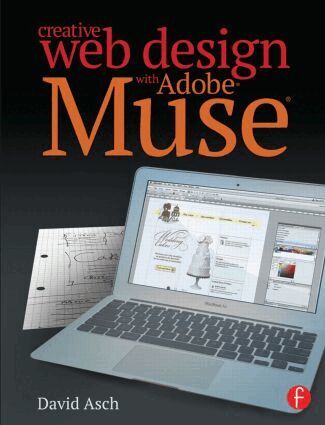
    Creative Web Design with Adobe Muse

    AvDavid Asch

    Häftad, Engelska, 2014

    586 kr

    Beställningsvara. Skickas inom 5-8 vardagar. Fri frakt över 249 kr.

    Fler format och utgåvor

    E-bok

    691 kr

    E-bok

    691 kr

    Inbunden

    2 739 kr

    Beskrivning

    You’ve found your Muse; now learn how to create with itCreative Web Design with Adobe Muse is a step-by-step guide to creating fully-featured websites using Adobe Muse. Adobe Muse can be a complicated program, and web design itself is no easy task, although your clients might think so. This book takes you from the initial design and layout stage right up to helping you publish your beautifully designed and richly developed site. Each chapter covers a different section of the website and, in turn, introduces the tools and features of the program, accompanied by useful tips and tricks that help you speed up your workflow. Follow along as a website is created from concept to execution and rich content such as slideshows, galleries, and social media are incorporated. See how each aspect of a website is created with Muse; watch as it’s published; and visit the final version after learning how it was made. If seeing a website created start to finish wasn’t enough, this book also features: Tips on how to incorporate Photoshop into Muse A companion website that was created with Muse where you can get up-to-the-minute coverage on Muse and other tutorials to help you design the perfect websiteThrough this perfect blend of instruction and inspiration, you’ll be up and running with Adobe Muse in no time.

    Produktinformation

    • Utgivningsdatum:2014-05-08
    • Mått:189 x 246 x 12 mm
    • Vikt:614 g
    • Format:Häftad
    • Språk:Engelska
    • Antal sidor:208
    • Förlag:Taylor & Francis Ltd
    • ISBN:9780415811798

    Utforska kategorier

    • Webbdesign inom Data och IT

    Mer om författaren

    David Asch is a freelance author, photographer and designer. He has written three titles on Photoshop Elements along with numerous articles on Photoshop and Elements for magazines and websites. He also has a strong grounding in web development and ICT.

    Innehållsförteckning

    • Chapter 1: Introducing Muse The main user interface Tools Panels Chapter 2: Design and layout. Creating a new site in Muse Master pages: an explanation of the concept of using templates for the site Site structure: how to add pages and sub-pages to the site Chapter 3: Designing the Master page template Styling the background Working with the page guides, headers and footers Adding fixed images and text (site consistency) Creating navigation with the built-in menu system Chapter 4: Working with individual pages Adding text content Creating a text box pasting from the clipboard The character panel Creating character and paragraph styles Adding images Placing images from a file pasting from the clipboard The fill panel Creating image styles Creating manual hyperlinks (text and graphic) Creating site-wide link styles Adding Photoshop buttons Using Muse’s widget library Composition widgets Menu widgets Panel widgets Slideshow widgets Chapter 5: Advanced techniques Chapter 6: Publishing the site. This chapter will focus on uploading the completed site to the web Preparatory work: adding metadata (page descriptions, keywords, etc.) Exporting the site as HTML (for manual publishing to a pre-existing domain) Publishing to a Business Catalyst hosted site from within Muse