• Fri frakt över 249 kr
  • •
  • Snabba leveranser
  • •
  • Billiga böcker
Kundservice

Du är på sajten för privatpersoner.

Företag, bibliotek eller offentlig verksamhet?

Du handlar på classic.bokus.com, där alla dina funktioner finns intakta.
Till classic.bokus.com
Bokus logotyp. Gå till startsidan.
  • Erbjudanden
  • Nyheter
  • Student
  • Topplistor
  • Barn & ungdom
  • Bokus Play
  • E-böcker
  • Pocketböcker
  • Spel & pussel

10% studentrabatt med kod TERM26

Sidfot

Mina sidor

    Hjälp

    • Kundservice
    • Vanliga frågor och svar
    • Frakt och leverans
    • Retur vid ångerrätt
    • Reklamera vara
    • Betalning
    • Köpvillkor
    • Allmänna villkor
    • Information om webbplatsens tillgänglighet

    Om Bokus

    • Om oss
    • Pressrum
    • För studenter
    • För företag
    • För bibliotek och offentlig verksamhet
    • För leverantörer
    • Hållbarhet

    Populärt

    • Aktuella erbjudanden
    • Presentkort
    • Studentlitteratur
    • Nya böcker
    • Topplistor
    • Signerade böcker
    • Engelska böcker

    Inspiration

    • Boktips
    • BookTok
    • Populära bokserier
    • Barnbokskaraktärer
    • Populära författare

    Mina sidor

      Hjälp

      • Kundservice
      • Vanliga frågor och svar
      • Frakt och leverans
      • Retur vid ångerrätt
      • Reklamera vara
      • Betalning
      • Köpvillkor
      • Allmänna villkor
      • Information om webbplatsens tillgänglighet

      Om Bokus

      • Om oss
      • Pressrum
      • För studenter
      • För företag
      • För bibliotek och offentlig verksamhet
      • För leverantörer
      • Hållbarhet

      Populärt

      • Aktuella erbjudanden
      • Presentkort
      • Studentlitteratur
      • Nya böcker
      • Topplistor
      • Signerade böcker
      • Engelska böcker

      Inspiration

      • Boktips
      • BookTok
      • Populära bokserier
      • Barnbokskaraktärer
      • Populära författare
      Logotyp för Bokus
      Följ oss på Facebook (extern länk)Följ oss på Instagram (extern länk)Följ oss på YouTube (extern länk)Följ oss på TikTok (extern länk)
      bokus @ CookiesAnpassa cookiesIntegritetspolicyKöpvillkor
      Till Citymail hemsida (extern länk)Till Budbee hemsida (extern länk)Till Postnord hemsida (extern länk)Till Schenker hemsida (extern länk)Till Early Bird hemsida (extern länk)Till Walleys hemsida (extern länk)
      1. Data och IT
      2. Operativsystem

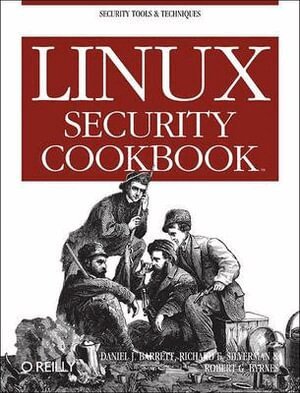
      Linux Security Cookbook

      AvDaniel J Barrett

      Häftad, Engelska, 2003

      Del i serien Cookbooks Ser.

      302 kr

      Beställningsvara. Skickas inom 5-8 vardagar. Fri frakt över 249 kr.

      Beskrivning

      Computer security is an ongoing process, a relentless contest between system administrators and intruders. A good administrator needs to stay one step ahead of any adversaries, which often involves a continuing process of education. If you're grounded in the basics of security, however, you won't necessarily want a complete treatise on the subject each time you pick up a book. Sometimes you want to get straight to the point. That's exactly what the new "Linux Security Cookbook" does. Rather than provide a total security solution for Linux computers, the authors present a series of easy-to-follow recipes-short, focused pieces of code that administrators can use to improve security and perform common tasks securely. The book includes real solutions to a wide range of targeted problems, such as sending encrypted email within Emacs, restricting access to network services at particular times of day, firewalling a webserver, preventing IP spoofing, setting up key-based SSH authentication, and much more. With over 150 ready-to-use scripts and configuration files, this unique book helps administrators secure their systems without having to look up specific syntax.The book begins with recipes devised to establish a secure system, then moves on to secure day-to-day practices, and concludes with techniques to help your system stay secure. Some of the "recipes" you'll find in this book are: controlling access to your system from firewalls down to individual services, using iptables, ipchains, xinetd, inetd, and more; monitoring your network with tcpdump, dsniff, netstat, and other tools; protecting network connections with Secure Shell (SSH) and stunnel; safeguarding email sessions with Secure Sockets Layer (SSL); encrypting files and email messages with GnuPG; and probing your own security with password crackers, nmap, and handy scripts.

      Produktinformation

      • Utgivningsdatum:2003-07-08
      • Mått:180 x 235 x 30 mm
      • Vikt:530 g
      • Format:Häftad
      • Språk:Engelska
      • Serie:Cookbooks Ser.
      • Antal sidor:310
      • Förlag:O'Reilly Media
      • ISBN:9780596003913

      Utforska kategorier

      • Operativsystem inom Data och IT

      Mer om författaren

      Dan Barrett has been immersed in Internet technology since 1985. Currently working as a software engineer, Dan has also been a heavy metal singer, Unix system administrator, university lecturer, web designer, and humorist. He has written several O'Reilly books, as well as monthly columns for Compute! and Keyboard Magazine. Dan and his family reside in Boston. Richard E. Silverman has a B.A. in computer science and an M.A. in pure mathematics. Richard has worked in the fields of networking, formal methods in software development, public-key infrastructure, routing security, and Unix systems administration. He is the co-author of SSH, The Secure Shell: The Definitive Guide. Robert G. Byrnes, Ph.D., has been hacking on Unix systems for twenty years, and has been involved with security issues since the original Internet worm was launched from Cornell University, while he was a graduate student and system administrator. He is currently a software engineer at Curl Corporation, and has worked in the fields of networking, telecommunications, distributed computing, financial technology, and condensed matter physics.

      Recensioner i media

      "I really enjoyed this book. I think my machine is more secure than before I read this book. The advice is good and pitched at, for me, the right level. References were up-to-date ad far as I could see. I would certainly recommend this book to anyone wanting to secure, or test the esisting security, of a Linux system." - Mick Farmer, Linux Security Cookbook - news@UK, September 2003

      Innehållsförteckning

      • Preface 1. System Snapshots with Tripwire 1.1 Setting Up Tripwire 1.2 Displaying the Policy and Configuration 1.3 Modifying the Policy and Configuration 1.4 Basic Integrity Checking 1.5 Read-Only Integrity Checking 1.6 Remote Integrity Checking 1.7 Ultra-Paranoid Integrity Checking 1.8 Expensive, Ultra-Paranoid Security Checking 1.9 Automated Integrity Checking 1.10 Printing the Latest Tripwire Report 1.11 Updating the Database 1.12 Adding Files to the Database 1.13 Excluding Files from the Database 1.14 Checking Windows VFAT Filesystems 1.15 Verifying RPM-Installed Files 1.16 Integrity Checking with rsync 1.17 Integrity Checking Manually 2. Firewalls with iptables and ipchains 2.1 Enabling Source Address Verification 2.2 Blocking Spoofed Addresses 2.3 Blocking All Network Traffic 2.4 Blocking Incoming Traffic 2.5 Blocking Outgoing Traffic 2.6 Blocking Incoming Service Requests 2.7 Blocking Access from a Remote Host 2.8 Blocking Access to a Remote Host 2.9 Blocking Outgoing Access to All Web Servers on a Network 2.10 Blocking Remote Access, but Permitting Local 2.11 Controlling Access by MAC Address 2.12 Permitting SSH Access Only 2.13 Prohibiting Outgoing Telnet Connections 2.14 Protecting a Dedicated Server 2.15 Preventing pings 2.16 Listing Your Firewall Rules 2.17 Deleting Firewall Rules 2.18 Inserting Firewall Rules 2.19 Saving a Firewall Configuration 2.20 Loading a Firewall Configuration 2.21 Testing a Firewall Configuration 2.22 Building Complex Rule Trees 2.23 Logging Simplified 3. Network Access Control 3.1 Listing Your Network Interfaces 3.2 Starting and Stopping the Network Interface 3.3 Enabling/Disabling a Service (xinetd) 3.4 Enabling/Disabling a Service (inetd) 3.5 Adding a New Service (xinetd) 3.6 Adding a New Service (inetd) 3.7 Restricting Access by Remote Users 3.8 Restricting Access by Remote Hosts (xinetd) 3.9 Restricting Access by Remote Hosts (xinetd with libwrap) 3.10 Restricting Access by Remote Hosts (xinetd with tcpd) 3.11 Restricting Access by Remote Hosts (inetd) 3.12 Restricting Access by Time of Day 3.13 Restricting Access to an SSH Server by Host 3.14 Restricting Access to an SSH Server by Account 3.15 Restricting Services to Specific Filesystem Directories 3.16 Preventing Denial of Service Attacks 3.17 Redirecting to Another Socket 3.18 Logging Access to Your Services 3.19 Prohibiting root Logins on Terminal Devices 4. Authentication Techniques and Infrastructures 4.1 Creating a PAM-Aware Application 4.2 Enforcing Password Strength with PAM 4.3 Creating Access Control Lists with PAM 4.4 Validating an SSL Certificate 4.5 Decoding an SSL Certificate 4.6 Installing a New SSL Certificate 4.7 Generating an SSL Certificate Signing Request (CSR) 4.8 Creating a Self-Signed SSL Certificate 4.9 Setting Up a Certifying Authority 4.10 Converting SSL Certificates from DER to PEM 4.11 Getting Started with Kerberos 4.12 Adding Users to a Kerberos Realm 4.13 Adding Hosts to a Kerberos Realm 4.14 Using Kerberos with SSH 4.15 Using Kerberos with Telnet 4.16 Securing IMAP with Kerberos 4.17 Using Kerberos with PAM for System-Wide Authentication 5. Authorization Controls 5.1 Running a root Login Shell 5.2 Running X Programs as root 5.3 Running Commands as Another User via sudo 5.4 Bypassing Password Authentication in sudo 5.5 Forcing Password Authentication in sudo 5.6 Authorizing per Host in sudo 5.7 Granting Privileges to a Group via sudo 5.8 Running Any Program in a Directory via sudo 5.9 Prohibiting Command Arguments with sudo 5.10 Sharing Files Using Groups 5.11 Permitting Read-Only Access to a Shared File via sudo 5.12 Authorizing Password Changes via sudo 5.13 Starting/Stopping Daemons via sudo 5.14 Restricting root's Abilities via sudo 5.15 Killing Processes via sudo 5.16 Listing sudo Invocations 5.17 Logging sudo Remotely 5.18 Sharing root Privileges via SSH 5.19 Running root Commands via SSH 5.20 Sharing root Privileges via Kerberos su 6. Protecting Outgoing Network Connections 6.1 Logging into a Remote Host 6.2 Invoking Remote Programs 6.3 Copying Files Remotely 6.4 Authenticating by Public Key (OpenSSH) 6.5 Authenticating by Public Key (OpenSSH Client, SSH2 Server,OpenSSH Key) 6.6 Authenticating by Public Key (OpenSSH Client, SSH2 Server,SSH2 Key) 6.7 Authenticating by Public Key (SSH2 Client, OpenSSH Server) 6.8 Authenticating by Trusted Host 6.9 Authenticating Without a Password (Interactively) 6.10 Authenticating in cron Jobs 6.11 Terminating an SSH Agent on Logout 6.12 Tailoring SSH per Host 6.13 Changing SSH Client Defaults 6.14 Tunneling Another TCP Session Through SSH 6.15 Keeping Track of Passwords 7. Protecting Files 7.1 Using File Permissions 7.2 Securing a Shared Directory 7.3 Prohibiting Directory Listings 7.4 Encrypting Files with a Password 7.5 Decrypting Files 7.6 Setting Up GnuPG for Public-Key Encryption 7.7 Listing Your Keyring 7.8 Setting a Default Key 7.9 Sharing Public Keys 7.10 Adding Keys to Your Keyring 7.11 Encrypting Files for Others 7.12 Signing a Text File 7.13 Signing and Encrypting Files 7.14 Creating a Detached Signature File 7.15 Checking a Signature 7.16 Printing Public Keys 7.17 Backing Up a Private Key 7.18 Encrypting Directories 7.19 Adding Your Key to a Keyserver 7.20 Uploading New Signatures to a Keyserver 7.21 Obtaining Keys from a Keyserver 7.22 Revoking a Key 7.23 Maintaining Encrypted Files with Emacs 7.24 Maintaining Encrypted Files with vim 7.25 Encrypting Backups 7.26 Using PGP Keys with GnuPG 8. Protecting Email 8.1 Encrypted Mail with Emacs 8.2 Encrypted Mail with vim 8.3 Encrypted Mail with Pine 8.4 Encrypted Mail with Mozilla 8.5 Encrypted Mail with Evolution 8.6 Encrypted Mail with mutt 8.7 Encrypted Mail with elm 8.8 Encrypted Mail with MH 8.9 Running a POP/IMAP Mail Server with SSL 8.10 Testing an SSL Mail Connection 8.11 Securing POP/IMAP with SSL and Pine 8.12 Securing POP/IMAP with SSL and mutt 8.13 Securing POP/IMAP with SSL and Evolution 8.14 Securing POP/IMAP with stunnel and SSL 8.15 Securing POP/IMAP with SSH 8.16 Securing POP/IMAP with SSH and Pine 8.17 Receiving Mail Without a Visible Server 8.18 Using an SMTP Server from Arbitrary Clients 9. Testing and Monitoring 9.1 Testing Login Passwords (John the Ripper) 9.2 Testing Login Passwords (CrackLib) 9.3 Finding Accounts with No Password 9.4 Finding Superuser Accounts 9.5 Checking for Suspicious Account Use 9.6 Checking for Suspicious Account Use, Multiple Systems 9.7 Testing Your Search Path 9.8 Searching Filesystems Effectively 9.9 Finding setuid (or setgid) Programs 9.10 Securing Device Special Files 9.11 Finding Writable Files 9.12 Looking for Rootkits 9.13 Testing for Open Ports 9.14 Examining Local Network Activities 9.15 Tracing Processes 9.16 Observing Network Traffic 9.17 Observing Network Traffic (GUI) 9.18 Searching for Strings in Network Traffic 9.19 Detecting Insecure Network Protocols 9.20 Getting Started with Snort 9.21 Packet Sniffing with Snort 9.22 Detecting Intrusions with Snort 9.23 Decoding Snort Alert Messages 9.24 Logging with Snort 9.25 Partitioning Snort Logs Into Separate Files 9.26 Upgrading and Tuning Snort's Ruleset 9.27 Directing System Messages to Log Files (syslog) 9.28 Testing a syslog Configuration 9.29 Logging Remotely 9.30 Rotating Log Files 9.31 Sending Messages to the System Logger 9.32 Writing Log Entries via Shell Scripts 9.33 Writing Log Entries via Perl 9.34 Writing Log Entries via C 9.35 Combining Log Files 9.36 Summarizing Your Logs with logwatch 9.37 Defining a logwatch Filter 9.38 Monitoring All Executed Commands 9.39 Displaying All Executed Commands 9.40 Parsing the Process Accounting Log 9.41 Recovering from a Hack 9.42 Filing an Incident Report Index
      Hoppa över listan

      Mer från samma författare

      Daniel J Barrett - Ssh, the Secure Shell, Häftad
      • -10% student

      Ssh, the Secure Shell

      Daniel J Barrett

      Häftad, 2005

      3,0 utav 5 stjärnor. Totalt antal röster:(1)

      378 kr

      Daniel J Barrett - Mediawiki, Häftad

      Mediawiki

      Daniel J Barrett

      Häftad, 2008

      302 kr

      Daniel J. Barrett - MediaWiki, E-bok

      MediaWiki

      Daniel J. Barrett

      E-bok
      2008

      351 kr

      Robert G. Byrnes, Richard E. Silverman, Daniel J. Barrett - Linux Security Cookbook, E-bok

      Linux Security Cookbook

      Robert G. Byrnes, Richard E. Silverman, Daniel J. Barrett

      E-bok
      2003

      351 kr

      Robert G. Byrnes, Richard E. Silverman, Daniel J. Barrett - SSH, The Secure Shell: The Definitive Guide, E-bok

      SSH, The Secure Shell: The Definitive Guide

      Robert G. Byrnes, Richard E. Silverman, Daniel J. Barrett

      E-bok
      2005

      389 kr

      Daniel J. Barrett - MediaWiki, E-bok

      MediaWiki

      Daniel J. Barrett

      E-bok
      2008

      328 kr

      Daniel J. Barrett - Efficient Linux at the Command Line, E-bok

      Efficient Linux at the Command Line

      Daniel J. Barrett

      E-bok
      2022

      625 kr

      Daniel J. Barrett - Efficient Linux at the Command Line, E-bok

      Efficient Linux at the Command Line

      Daniel J. Barrett

      E-bok
      2022

      625 kr

      Daniel J Barrett - Efficient Linux at the Command Line, Häftad

      Efficient Linux at the Command Line

      Daniel J Barrett

      Häftad, 2022

      420 kr

      Daniel J. Barrett - Responsible Software Engineering, E-bok

      Responsible Software Engineering

      Daniel J. Barrett

      E-bok
      2025

      732 kr

      Hoppa över listan

      Mer från samma serie

      John Viega - Secure Programming Cookbook for C & C++, Häftad

      Secure Programming Cookbook for C & C++

      John Viega

      Häftad, 2003

      561 kr

      Samuele Pedroni - Jython Essentials, Häftad

      Jython Essentials

      Samuele Pedroni

      Häftad, 2002

      265 kr

      Eric M Burke - Java Extreme Programming Cookbook, Häftad

      Java Extreme Programming Cookbook

      Eric M Burke

      Häftad, 2003

      265 kr

      Craig Hunt - sendmail Cookbook, Häftad

      sendmail Cookbook

      Craig Hunt

      Häftad, 2004

      376 kr

      Bruce W Perry - Java Servlet and JSP Cookbook, Häftad

      Java Servlet and JSP Cookbook

      Bruce W Perry

      Häftad, 2004

      376 kr

      Preston Gralla - Windows XP Cookbook, Häftad

      Windows XP Cookbook

      Preston Gralla

      Häftad, 2005

      339 kr

      Angela Orebaugh - Snort Cookbook, Häftad

      Snort Cookbook

      Angela Orebaugh

      Häftad, 2005

      302 kr

      Ken Bluttman - Access Data Analysis Cookbook, Häftad

      Access Data Analysis Cookbook

      Ken Bluttman

      Häftad, 2007

      376 kr

      Danny Goodman - JavaScript & DHTML Cookbook, Häftad

      JavaScript & DHTML Cookbook

      Danny Goodman

      Häftad, 2007

      339 kr

      Joey Lott - ActionScript 3.0 Cookbook, Häftad

      ActionScript 3.0 Cookbook

      Joey Lott

      Häftad, 2006

      302 kr

      Hoppa över listan

      Du kanske också är intresserad av

      Daniel J Barrett - Second Chances, Häftad

      Second Chances

      Daniel J Barrett

      Häftad, 2023

      185 kr

      Daniel J Barrett - Ssh, the Secure Shell, Häftad
      • -10% student

      Ssh, the Secure Shell

      Daniel J Barrett

      Häftad, 2005

      3,0 utav 5 stjärnor. Totalt antal röster:(1)

      378 kr

      Daniel J Barrett - Efficient Linux at the Command Line, Häftad

      Efficient Linux at the Command Line

      Daniel J Barrett

      Häftad, 2022

      420 kr

      Robert G. Byrnes, Richard E. Silverman, Daniel J. Barrett - SSH, The Secure Shell: The Definitive Guide, E-bok

      SSH, The Secure Shell: The Definitive Guide

      Robert G. Byrnes, Richard E. Silverman, Daniel J. Barrett

      E-bok
      2005

      389 kr

      Daniel J Barrett - Never Say Never, Häftad
      Del 4

      Never Say Never

      Daniel J Barrett

      Häftad, 2016

      169 kr

      Daniel J. Barrett - Can't Sing or Dance, E-bok

      Can't Sing or Dance

      Daniel J. Barrett

      E-bok

      31 kr

      Daniel J. Barrett - Linux kurz & gut, Häftad

      Linux kurz & gut

      Daniel J. Barrett

      Häftad, 2024

      206 kr

      Daniel J. Barrett - Can't Sing or Dance Large Print, Häftad

      Can't Sing or Dance Large Print

      Daniel J. Barrett

      Häftad, 2019

      314 kr

      Daniel J Barrett - Responsible Software Engineering, Häftad

      Responsible Software Engineering

      Daniel J Barrett

      Häftad, 2025

      450 kr

      Daniel J. Barrett - MediaWiki, E-bok

      MediaWiki

      Daniel J. Barrett

      E-bok
      2008

      328 kr