• Fri frakt över 249 kr
  • •
  • Snabba leveranser
  • •
  • Billiga böcker
Kundservice

Du är på sajten för privatpersoner.

Företag, bibliotek eller offentlig verksamhet?

Du handlar på classic.bokus.com, där alla dina funktioner finns intakta.
Till classic.bokus.com
Bokus logotyp. Gå till startsidan.
  • Erbjudanden
  • Nyheter
  • Student
  • Topplistor
  • Barn & ungdom
  • Bokus Play
  • E-böcker
  • Pocketböcker
  • Spel & pussel

10% rabatt på allt med kod NYSTART10 →

Sidfot

Mina sidor

    Hjälp

    • Kundservice
    • Vanliga frågor och svar
    • Frakt och leverans
    • Retur vid ångerrätt
    • Reklamera vara
    • Betalning
    • Köpvillkor
    • Allmänna villkor
    • Information om webbplatsens tillgänglighet

    Om Bokus

    • Om oss
    • Pressrum
    • För studenter
    • För företag
    • För bibliotek och offentlig verksamhet
    • För leverantörer
    • Hållbarhet

    Populärt

    • Aktuella erbjudanden
    • Presentkort
    • Studentlitteratur
    • Nya böcker
    • Topplistor
    • Signerade böcker
    • Engelska böcker

    Inspiration

    • Boktips
    • BookTok
    • Populära bokserier
    • Barnbokskaraktärer
    • Populära författare
    Logotyp för Bokus
    Följ oss på Facebook (extern länk)Följ oss på Instagram (extern länk)Följ oss på YouTube (extern länk)Följ oss på TikTok (extern länk)
    bokus @ CookiesAnpassa cookiesIntegritetspolicyKöpvillkor
    Till Citymail hemsida (extern länk)Till Budbee hemsida (extern länk)Till Postnord hemsida (extern länk)Till Schenker hemsida (extern länk)Till Early Bird hemsida (extern länk)Till Walleys hemsida (extern länk)
    1. Naturvetenskap och teknik
    2. Teknik och industri
    3. Elektronik och kommunikationer

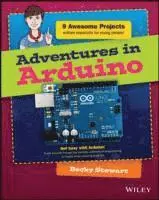
    Adventures in Arduino

    AvBecky Stewart

    Häftad, Engelska, 2015

    Del i serien Adventures In ...

    149 kr

    Beställningsvara. Skickas inom 5-8 vardagar. Fri frakt över 249 kr.

    Fler format och utgåvor

    E-bok

    178 kr

    E-bok

    178 kr

    Beskrivning

    Arduino programming for the absolute beginner, with project-based learning Adventures in Arduino is the beginner's guide to Arduino programming, designed specifically for 11-to 15-year olds who want to learn about Arduino, but don't know where to begin. Starting with the most basic concepts, this book coaches you through nine great projects that gradually build your skills as you experiment with electronics. The easy-to-follow design and clear, plain-English instructions make this book the ideal guide for the absolute beginner, geared toward those with no computing experience. Each chapter includes a video illuminating the material, giving you plenty of support on your journey to electronics programming.Arduino is a cheap, readily available hardware development platform based around an open source, programmable circuit board. Combining these chips with sensors and servos allows you to gain experience with prototyping as you build interactive electronic crafts to bring together data and even eTextiles. Adventures in Arduino gets you started on the path of scientists, programmers, and engineers, showing you the fun way to learn electronic programming and interaction design. Discover how and where to begin Arduino programmingDevelop the skills and confidence to tackle other projectsMake the most of Arduino with basic programming conceptsWork with hardware and software to create interactive electronic devicesThere's nothing like watching your design come to life and interact with the real world, and Arduino gives you the capability to do that time and again. The right knowledge combined with the right tools can create an unstoppable force of innovation, and your curiosity is the spark that ignites the flame. Adventures in Arduino gets you started on the right foot, but the path is totally up to you.

    Produktinformation

    • Utgivningsdatum:2015-05-08
    • Mått:188 x 231 x 13 mm
    • Vikt:590 g
    • Format:Häftad
    • Språk:Engelska
    • Serie:Adventures In ...
    • Antal sidor:320
    • Förlag:John Wiley & Sons Inc
    • ISBN:9781118948477

    Utforska kategorier

    • Elektronik och kommunikationer inom Naturvetenskap och teknik
    • Programmeringsböcker inom Data och IT

    Mer om författaren

    Becky Stewart founded Codasign, a London education company that teaches Arduino and other technology skills to young people. She documents her engineering work at http://blog.theleadingzero.com/.

    Innehållsförteckning

    • Introduction 1What Is an Arduino? 1What You Will Learn 1Parts You Will Need 2Tools You Will Need 11Software You Will Need 15Other Useful Materials 15What I Assume You Already Know 16How This Book Is Organised 16Conventions 18The Companion Website 20Reaching Out 20Adventure 1Setting Up Your Arduino 21What You Need 22Downloading and Installing the Arduino Software on Your Computer 22Installing Arduino Software on a Mac 24Installing Arduino Software on a Windows PC 25Installing Arduino Software on a Linux Machine 27Exploring the Arduino IDE 27Using Blink to Test That Everything Is Set Up Correctly 29Uploading Blink 30Troubleshooting Common Problems 33Building an LED Circuit 38What You Need 38Understanding Circuit Schematics 38Using a Breadboard 41Building Your First Circuit 43Further Adventures with Arduino 45Adventure 2Reading from Sensors 47What You Need 47Adding More LEDs 48Printing Messages to the Computer 54Reading Data from a Potentiometer 58Making Decisions in Code 62Building a Status Message Sign 64What You Need 64Understanding the Circuit 65Prototyping on a Breadboard 66Writing the Code 67Creating your Sign 71Cutting Holes for the Potentiometer and LEDs 72Adding the Status Messages and Decorating the Sign 72Soldering the Circuit 73Inserting the Electronics 76Further Adventures with Arduino 77Adventure 3Working with Servos 79What You Need 79Understanding Different Types of Motors 81Controlling a Servo with Arduino 82Repeating the Same Thing Over and Over 85Digital Input with a Push Button 87Building a Combination Safe 91What You Need 92Understanding the Circuit 94Prototyping on a Breadboard 95Writing the Code 95Making the Safe 102Soldering the Wires 104Inserting the Electronics 107Further Adventures with Arduino 107Adventure 4Using Shift Registers 109What You Need 110Organising Your Code 111Using Functions 111Using for Loops 115Getting More Outputs with Shift Registers 117How a Shift Register Works 118Clock 118Data 119Latch 119Making the Connections for a Shift Register 119Adding LEDs 122Writing the Code 123Adding More Shift Registers 127Building Your Name in Lights 129What You Need 130Understanding the Circuit 131Prototyping on a Breadboard 131Writing the Code 132Making the Lights 136Soldering the Wires 137Inserting the Electronics 138Further Adventures with Shift Registers 139Adventure 5Playing Sounds 141What You Need 141Making a List 142Making Your Intentions Known 144Looping Through an Array 146Putting It Into Practice 146Making Noise 150Wiring the Circuit 151Writing the Code 151Building an Augmented Wind Chime 155What You Need 157Understanding the Circuit 158Prototyping on a Breadboard 158Writing the Code 160Making the Wind Chime 160Making the Base 162Making the Chimes 162Attaching the Chimes 164Connecting the Electronics 164Further Adventures with Sound 165Adventure 6Adding Libraries 167What You Need 167Analogue Out168Fading an LED 171Mixing Light 174Wiring the Circuit 175Writing the Code 176Capacitive Sensing 181Adding a Library 181Wiring the Circuit 183Writing the Code 184Building a Crystal Ball 187What You Need 187Understanding the Circuit 188Prototyping on a Breadboard 189Writing the Code 190Making the Crystal Ball 193Making a Papier Mache Ball 193Soldering the Electronics 195Connecting the Electronics 196Further Adventures with Libraries 197Adventure 7Working with the Arduino Leonardo 199What You Need 199Introducing the Arduino Leonardo 200Connecting Your Leonardo for the First Time 201Acting Like a Keyboard 203Sensing Light 206Building the Circuit 208Writing the Code 210Building a Game Controller 211What You Need 212Building the Circuit 212Writing the Code 214Making the Controller Cover 220Putting It All Together 220Further Adventures with the Leonardo 221Adventure 8Working with the Lilypad Arduino USB 223What You Need 224Introducing the Lilypad Arduino USB 224Blinking from a Lilypad Arduino 226Prototyping Soft Circuits 228Getting Clever with Arrays 230Passing Data Between Functions 236Building a POV Hoodie 239What You Need 240Understanding The Circuit 241Prototyping with Alligator Clips 241Charging the Battery 242Writing the Code 243Making the POV Hoodie 246Making Sewable LEDs 246Sewing the Electronics 247Further Adventures with the Lilypad 249In the Next Adventure 250Adventure 9The Big Adventure: Building a Marble Maze Game 251What You Need 252Part One: Scoring Points 253Sensing Vibrations with Piezos 253Setting a Points Threshold 254Adding Sound Effects 258Keeping Score 259Part Two: Designing Your Maze Game 261Drawing the Maze 261Designing the Game Code 262Prototyping the Circuit 263Part Three: Writing the Code 265Starting the Game 265Ending the Game 266Starting a New Game 269Keeping Track of the High Score 270Adding Sounds 272Part Four: Building the Maze Game 280Making the Maze 280Assembling the Piezos 282Assembling the LEDs and Button 283Completing the Finishing Touches 284Further Adventures: Continuing Your Adventures with Arduino 285Appendix AWhere to Go From Here 287More Boards, Shields, Sensors and Actuators 287Shields 287Sensors and Actuators 288On the Web 288The Arduino Site 288Manufacturers 289Blogs 289Videos 289Books 289Getting Started with Arduino and General Projects 290General Electronics 290Soft Circuits and Wearables 290Other Specialised Topics 290Appendix BWhere to Get Tools and Components 291Starter Kits 291Brick]and]Mortar Stores 292In the UK 292In the US 292Online Stores 292Online Stores Shipping from the EU 292Online Stores Shipping from the US or Canada 293Glossary 295Index 301