• Fri frakt över 249 kr
  • •
  • Snabba leveranser
  • •
  • Billiga böcker
Kundservice

Du är på sajten för privatpersoner.

Företag, bibliotek eller offentlig verksamhet?

Du handlar på classic.bokus.com, där alla dina funktioner finns intakta.
Till classic.bokus.com
Bokus logotyp. Gå till startsidan.
  • Erbjudanden
  • Nyheter
  • Student
  • Topplistor
  • Barn & ungdom
  • Bokus Play
  • E-böcker
  • Pocketböcker
  • Spel & pussel

10% rabatt på allt med kod NYSTART10 →

Sidfot

Mina sidor

    Hjälp

    • Kundservice
    • Vanliga frågor och svar
    • Frakt och leverans
    • Retur vid ångerrätt
    • Reklamera vara
    • Betalning
    • Köpvillkor
    • Allmänna villkor
    • Information om webbplatsens tillgänglighet

    Om Bokus

    • Om oss
    • Pressrum
    • För studenter
    • För företag
    • För bibliotek och offentlig verksamhet
    • För leverantörer
    • Hållbarhet

    Populärt

    • Aktuella erbjudanden
    • Presentkort
    • Studentlitteratur
    • Nya böcker
    • Topplistor
    • Signerade böcker
    • Engelska böcker

    Inspiration

    • Boktips
    • BookTok
    • Populära bokserier
    • Barnbokskaraktärer
    • Populära författare
    Logotyp för Bokus
    Följ oss på Facebook (extern länk)Följ oss på Instagram (extern länk)Följ oss på YouTube (extern länk)Följ oss på TikTok (extern länk)
    bokus @ CookiesAnpassa cookiesIntegritetspolicyKöpvillkor
    Till Citymail hemsida (extern länk)Till Budbee hemsida (extern länk)Till Postnord hemsida (extern länk)Till Schenker hemsida (extern länk)Till Early Bird hemsida (extern länk)Till Walleys hemsida (extern länk)
    1. Data och IT
    2. Programmeringsböcker
    3. Webbprogrammering

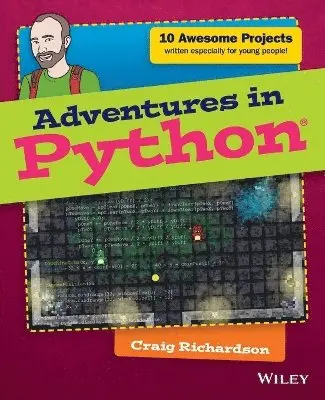
    Adventures in Python

    AvCraig Richardson

    Häftad, Engelska, 2015

    Del i serien Adventures In ...

    183 kr

    Beställningsvara. Skickas inom 5-8 vardagar. Fri frakt över 249 kr.

    Fler format och utgåvor

    E-bok

    220 kr

    E-bok

    220 kr

    Beskrivning

    The complete beginner's guide to Python, for young people who want to start today Adventures in Python is designed for 11-to 15-year olds who want to teach themselves Python programming, but don't know where to start. Even if you have no programming experience at all, this easy to follow format and clear, simple instruction will get you up and running quickly. The book walks you through nine projects that teach you the fundamentals of programming in general, and Python in particular, gradually building your skills until you have the confidence and ability to tackle your own projects. Video clips accompany each chapter to provide even more detailed explanation of important concepts, so you feel supported every step of the way.Python is one of the top programming languages worldwide, with an install base in the millions. It's a favourite language at Google, YouTube, the BBC, and Spotify, and is the primary programming language for the Raspberry Pi. As an open-source language, Python is freely downloadable, with extensive libraries readily available, making it an ideal entry into programming for the beginner. Adventures in Python helps you get started, giving you the foundation you need to follow your curiosity. Start learning Python at its most basic levelLearn where to acquire Python and how to set it upUnderstand Python syntax and interpretation for module programmingDevelop the skills that apply to any programming languagePython programming skills are invaluable, and developing proficiency gives you a head start in learning other languages like C++, Objective-C, and Java. When learning feels like fun, you won't ever want to stop – so get started today with Adventures in Python.

    Produktinformation

    • Utgivningsdatum:2015-05-08
    • Mått:183 x 231 x 13 mm
    • Vikt:499 g
    • Format:Häftad
    • Språk:Engelska
    • Serie:Adventures In ...
    • Antal sidor:288
    • Förlag:John Wiley & Sons Inc
    • ISBN:9781118951798

    Utforska kategorier

    • Webbprogrammering inom Data och IT

    Mer om författaren

    Craig Richardson is a software developer, freelance writer, and former teacher with plenty of classroom experience. In his spare time, he has introduced hundreds of beginners to programming through his fun and engaging Python workshops and resources.

    Innehållsförteckning

    • Introduction 1Adventure 1Diving into Python 23What Is Programming? 24Opening IDLE 25Returning to Your First Python Program 26It Isn’t Working—Grrr! 28Using a File Editor 30Asking Questions with Variables 33A Bit About Variables 35Using Variables for a Fill-in-the-Blanks Story 37Making the Program Make Decisions: Conditionals 39Using if Statements 39Nested if Statements 41Creating an Imaginary Vending Machine 43Repeating Code with Loops 45Using while Loops 45Infinite while Loops 47Praise Generator 48A Bigger Adventure: Spaceship Control Console 50Set-Up and Password 50Using the Console to Do Things 52Adventure 2Drawing with Turtle Graphics 57Getting Started with Turtle 57Using Variables to Change Angles and Lengths 61Using Addition to Draw a Spiral 64Saving Some Space with Loops 65A Shape with 360 Sides: Drawing a Circle 67Controlling the Number of Sides Using for Loops 68Changing the Fill Colour in a Shape 71Creating Functions to Reuse Your Code 72Shape Presets 75Adding Randomly Generated Pictures 76Adventure 3Windows, Buttons, and Other GUI Stuff 83Creating Buttons 84Changing the Button Text on Click 87Counting Clicks 88Creating Text Boxes 90Writing It Backwards 92Adding Passwords 93Building a Random Sentence Generator 96Programming a Guessing Game 99Adventure 4More GUI Elements with Tkinter 105Creating Sliders 105How Colours Work on Computers and as Hexadecimal Values 109Changing the Canvas Colour 111Making the Colour Picker 113Adding a Text Box 116Creating a Click Speed Game 117Adventure 5Drawing Shapes with PyGame 123Installing PyGame 123My First PyGame 124Creating Rectangles 127Creating a Rectangle 127A Rainbow of Rectangles 128Colour Grid 131Creating Ellipses 133Wobbling Circle 133Saving Your Images 135Saving a Single Image 135Saving a Series of Images 136Adventure 6Adding Keyboard Input with PyGame 139Using Keyboard Input 140Other Keys You Can Use 142Creating the Game 142Introducing Full Movement 146Moving the Player Offscreen 148Adding the Ball 150Creating Collisions 152Goal! 154Adding a Time Limit 157Adventure 7Creative Ways to Use a Mouse with PyGame 161Getting the Mouse Position 161Making a Button 163Moving Target 166Exploding Clicks 169Making a Mesh 172Creating Mouse Trails 175Adventure 8Using Images with PyGame 181Loading an Image 181Layering Images 184Randomly Layering Images 186Adding a Moustache to a Photograph 188Making Sprites 191Creating a Walking Animation 191Walking in All Directions 195Teleportation 197Adventure 9Using Sounds and Music with PyGame 203Playing Sounds 203Creating a Noise Loop 205Making Keyboard Sound Effects 207Using Music with Python 210Playing Music 210Adding Volume Tremolo 212Making a Music Player 215Adding Sounds and Music to a Game 218Adventure 10Your Really Big Adventure 223Writing the Program for the Game 224Setting Up the Files 224Making the Game 225Walls 226Doors, Collisions and Coins 229Setting Up the Window and Variables 231Adding the Game Loop 234Character Controls and Animations 234Player Collisions and Collecting Coins 237Displaying Points and Updating the Window 237Playing the Game 238Debugging the Game 239Summary 240Appendix AInstalling and Downloading the Proper Files 243Installing PyGame 243Windows 8 243Windows 7 245Mac 245Linux (Ubuntu) 247Raspberry Pi 248Downloading the Files for Adventures 8, 9 and 10 248Windows 8 248Windows 7 249Mac 249Linux (Ubuntu) 250Raspberry Pi 250Glossary 251Index 257