• Fri frakt över 249 kr
  • •
  • Snabba leveranser
  • •
  • Billiga böcker
Kundservice

Du är på sajten för privatpersoner.

Företag, bibliotek eller offentlig verksamhet?

Du handlar på classic.bokus.com, där alla dina funktioner finns intakta.
Till classic.bokus.com
Bokus logotyp. Gå till startsidan.
  • Erbjudanden
  • Student
  • Topplistor
  • Barn & ungdom
  • Bokus Play
  • E-böcker
  • Ljudböcker
  • Pocketböcker
  • Spel & pussel

10% rabatt på allt med kod NYSTART10 →

Sidfot

Mina sidor

    Hjälp

    • Kundservice
    • Vanliga frågor och svar
    • Frakt och leverans
    • Retur vid ångerrätt
    • Reklamera vara
    • Betalning
    • Köpvillkor
    • Allmänna villkor
    • Information om webbplatsens tillgänglighet

    Om Bokus

    • Om oss
    • Pressrum
    • För studenter
    • För företag
    • För bibliotek och offentlig verksamhet
    • För leverantörer
    • Hållbarhet

    Populärt

    • Aktuella erbjudanden
    • Presentkort
    • Studentlitteratur
    • Nya böcker
    • Topplistor
    • Signerade böcker
    • Engelska böcker

    Inspiration

    • Boktips
    • BookTok
    • Populära bokserier
    • Barnbokskaraktärer
    • Populära författare
    Logotyp för Bokus
    Följ oss på Facebook (extern länk)Följ oss på Instagram (extern länk)Följ oss på YouTube (extern länk)Följ oss på TikTok (extern länk)
    bokus @ CookiesAnpassa cookiesIntegritetspolicyKöpvillkor
    Till Citymail hemsida (extern länk)Till Budbee hemsida (extern länk)Till Postnord hemsida (extern länk)Till Schenker hemsida (extern länk)Till Early Bird hemsida (extern länk)Till Walleys hemsida (extern länk)
    1. Data och IT
    2. Programmeringsböcker

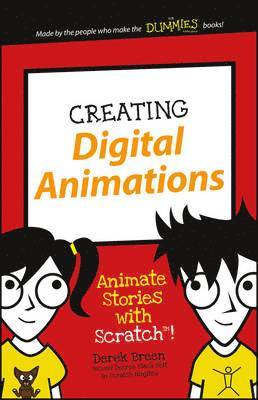
    Creating Digital Animations

    Animate Stories with Scratch!

    AvDerek Breen

    Häftad, Engelska, 2016

    Del i serien Dummies Junior

    80 kr

    Tillfälligt slut

    Fler format och utgåvor

    E-bok

    110 kr

    E-bok

    110 kr

    Beskrivning

    The easy way to start animating today! Creating Digital Animations is your ticket to learning animation! Learn how to animate your very own characters using Scratch—the free multimedia tool that lets you create interactive stories, games, and animations. Designed specifically for kids aged seven and up, this easy-to-follow, full-color guide introduces you to important game design concepts through three simple projects. Step-by-step instructions walk you through the four major phases of animation design, showing you how to turn your idea into a real animation with sound effects and more! You'll work just like the pros as you sketch out your main idea, add your own details, and develop a complete, workable character from scratch. If you're curious about coding, animation is the perfect place to start exploring. The Scratch platform doesn't require an actual programming language, but it gets you used to thinking like a programmer while you develop your very own animation. Short on rules but big on fun, this book is your friendly animation coach to get you started on the right foot. Use stick figures to design your characters' 'bones'Flesh out your design and animate movementsCreate scenes and background locationsAdd sound to take your animation to the next levelAnimation is fun! Building your own characters is exciting! And putting the finishing touches on your animation project shows you just how much you can learn while you play. Coding is a valuable skill that will serve you throughout school and beyond, and this book teaches you the basics in a way that leaves you hungry for more. Where will you take your new animation skills next? Creating Digital Animations takes you on the first steps of your journey to wherever you want to go!

    Produktinformation

    • Utgivningsdatum:2016-07-13
    • Mått:137 x 213 x 8 mm
    • Vikt:159 g
    • Format:Häftad
    • Språk:Engelska
    • Serie:Dummies Junior
    • Antal sidor:128
    • Förlag:John Wiley & Sons Inc
    • ISBN:9781119233527

    Utforska kategorier

    • Programmeringsböcker inom Data och IT

    Mer om författaren

    Derek Breen is a former designer for the Education Arcade at MIT and teaching fellow in the Digital Media Arts and Instructional Design program at Harvard Extension School. He is the author of Scratch For Kids For Dummies.

    Innehållsförteckning

    • Introduction 1About Scratch 1About This Book 2Icons Used in This Book 3Access Scratch 3Create online account 3Use Scratch offline 4Project 1: Animation Essentials 8Draw Your First Character 8Create project 9Draw body parts 9Sculpt the body with the Reshape tool 10Adjust the thickness of multiple lines 11Animate the Stick Figure 12Draw a simple backdrop 13Adjust movement against the backdrop 14Putting the jump in jacks 15Animate with Code Blocks 17Bring Humor to Your Animation 20Add Stick Man's Best Friend 20Modify parts to create a new character 21Develop your humorous story 22Walk Like a Man 23Rotate parts with the Select tool 24Animate the Dog 26Add code to animate the stick dog 26Animate tail wagging 27Talk Like a Man 28Project 2: Animate Great Characters 31Keep It Simple, Stupid 31Getting a Head Start 33Create a new project 34Paint a new sprite 34Quick hairstyling 35Open wide 36Give 'em a nose job 37A Little Body Work 37Add simple legs 38Arming your characters 39Apply Finishing Touches 40It's Okay to Clone Scratch People 41From Dead Skin to Furry Beast 41Fangs Make the Beast 43Undress the Beast 44Strike a Pose 45Add Finishing Touches 45Create a Third Character 47From zombie girl to bland boy 48Design character clothing 50Tweak facial features 50Add a set of teeth 51Posing clothed figures 52Assembling Your Cast 52Project 3: Location, Location, Location 54Planning Animation Scenes 54Design an Interior Scene 55Make Scenes More Immersive 59Change a backdrop into a sprite 60Design see-through windows 60Build your own furniture 63Design an Exterior Scene 66Draw scenes with perspective 69Scale characters inside a scene 71Project 4: Sounds Good to Me 74That's What He Said 74Write dialogue for your characters 75Record Dialogue in Scratch 76Find the Record button 77Edit Audio Clips 80Trim Beginning of Sound 81Use sound editing effects 82Play Sound with Code Blocks 83Animate Character Speech 84Mouthing the words 85Easy lip-synching 86Achieve more realistic lip-synching 87Create custom phoneme costumes 90Switch costumes to match phonemes 91Project 5: Lights, Camera, Action! 95(Not) Starting from Scratch 95Create a night scene 95Turn out the lights 98Camera (or What Do I Focus On?) 101Increase the costume size 101Create a back view of characters 103Create a side view of characters 104Action! (or Let's Get the Story@Moving) 104Animate sprite entering the scene 105Add a (slightly) more realistic walk 105Broadcast Animation Messages 106Send a broadcast message 106Receive a broadcast message 107Switch between Animation Scenes 108And Cut! 111Author Notes 112Share Your Scratch Projects in the Scratch Online Community 112Share project from the online Scratch editor 113Share project from the offline Scratch editor 114Broadcast Scratch Animation on Any Website 114Record/Export Scratch Videos 115Export Scratch Graphics to Other Applications 117