• Fri frakt över 249 kr
  • •
  • Snabba leveranser
  • •
  • Billiga böcker
Kundservice

Du är på sajten för privatpersoner.

Företag, bibliotek eller offentlig verksamhet?

Du handlar på classic.bokus.com, där alla dina funktioner finns intakta.
Till classic.bokus.com
Bokus logotyp. Gå till startsidan.
  • Erbjudanden
  • Student
  • Topplistor
  • Barn & ungdom
  • Bokus Play
  • E-böcker
  • Ljudböcker
  • Pocketböcker
  • Spel och pussel

Pocketfynda! Hundratals böcker för 49 kr/st →

Sidfot

Mina sidor

    Hjälp

    • Kundservice
    • Vanliga frågor och svar
    • Frakt och leverans
    • Retur vid ångerrätt
    • Reklamera vara
    • Betalning
    • Köpvillkor
    • Allmänna villkor
    • Information om webbplatsens tillgänglighet

    Om Bokus

    • Om oss
    • Pressrum
    • För studenter
    • För företag
    • För bibliotek och offentlig verksamhet
    • För leverantörer
    • Hållbarhet

    Populärt

    • Aktuella erbjudanden
    • Presentkort
    • Studentlitteratur
    • Nya böcker
    • Topplistor
    • Signerade böcker
    • Engelska böcker

    Inspiration

    • Boktips
    • BookTok
    • Barnbokskaraktärer
    • Populära författare
    Logotyp för Bokus
    Följ oss på Facebook (extern länk)Följ oss på Instagram (extern länk)Följ oss på YouTube (extern länk)Följ oss på TikTok (extern länk)
    bokus @ CookiesAnpassa cookiesIntegritetspolicyKöpvillkor
    Till Citymail hemsida (extern länk)Till Budbee hemsida (extern länk)Till Postnord hemsida (extern länk)Till Schenker hemsida (extern länk)Till Early Bird hemsida (extern länk)Till Walleys hemsida (extern länk)
    1. Naturvetenskap och teknik
    2. Teknik och industri
    3. Energiteknik

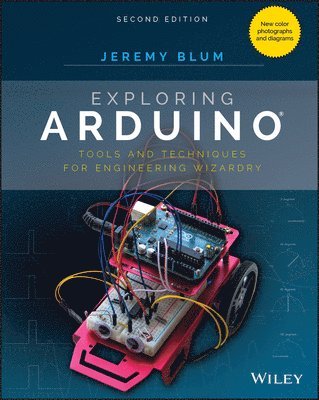
    Exploring Arduino

    Tools and Techniques for Engineering Wizardry

    AvJeremy Blum

    Häftad, Engelska, 2019

    249 kr

    Beställningsvara. Skickas inom 5-8 vardagar. Fri frakt över 249 kr.

    Fler format och utgåvor

    E-bok

    320 kr

    E-bok

    320 kr

    E-bok

    491 kr

    E-bok

    367 kr

    Beskrivning

    The bestselling beginner Arduino guide, updated with new projects! Exploring Arduino makes electrical engineering and embedded software accessible. Learn step by step everything you need to know about electrical engineering, programming, and human-computer interaction through a series of increasingly complex projects. Arduino guru Jeremy Blum walks you through each build, providing code snippets and schematics that will remain useful for future projects. Projects are accompanied by downloadable source code, tips and tricks, and video tutorials to help you master Arduino. You'll gain the skills you need to develop your own microcontroller projects! This new 2nd edition has been updated to cover the rapidly-expanding Arduino ecosystem, and includes new full-color graphics for easier reference. Servo motors and stepper motors are covered in richer detail, and you'll find more excerpts about technical details behind the topics covered in the book. Wireless connectivity and the Internet-of-Things are now more prominently featured in the advanced projects to reflect Arduino's growing capabilities. You'll learn how Arduino compares to its competition, and how to determine which board is right for your project. If you're ready to start creating, this book is your ultimate guide! Get up to date on the evolving Arduino hardware, software, and capabilitiesBuild projects that interface with other devices—wirelessly!Learn the basics of electrical engineering and programmingAccess downloadable materials and source code for every projectWhether you're a first-timer just starting out in electronics, or a pro looking to mock-up more complex builds, Arduino is a fantastic tool for building a variety of devices. This book offers a comprehensive tour of the hardware itself, plus in-depth introduction to the various peripherals, tools, and techniques used to turn your little Arduino device into something useful, artistic, and educational. Exploring Arduino is your roadmap to adventure—start your journey today!

    Produktinformation

    • Utgivningsdatum:2019-12-05
    • Mått:188 x 234 x 25 mm
    • Vikt:1 199 g
    • Format:Häftad
    • Språk:Engelska
    • Antal sidor:512
    • Upplaga:2
    • Förlag:John Wiley & Sons Inc
    • ISBN:9781119405375

    Utforska kategorier

    • Energiteknik inom Naturvetenskap och teknik
    • Programvaruutveckling inom Data och IT
    • Affärsapplikationer inom Data och IT

    Mer om författaren

    Jeremy Blum is an electrical engineer known for his series of educational YouTube videos that have taught engineering concepts to millions of people around the world. Previously as a hardware engineer at Google [X] and currently as director of engineering at Shaper Tools, he spends every day creating complex electromechanical products. He has designed and built solar trackers, prosthetic arms, truss-traversing robots, musical theremins, gesture controllers, home automation systems, augmented reality hardware, and more.

    Innehållsförteckning

    • Introduction xxvPart I Arduino Engineering Basics 11 Getting Started and Understanding the Arduino Landscape 3Exploring the Arduino Ecosystem 4Arduino Functionality 5The Microcontroller 7Programming Interfaces 8Input/Output: GPIO, ADCs, and Communication Busses 9Power 9Arduino Boards 11Creating Your First Program 15Downloading and Installing the Arduino IDE 16Running the IDE and Connecting to the Arduino 17Breaking Down Your First Program 18Summary 212 Digital Inputs, Outputs, and Pulse-Width Modulation 23Digital Outputs 24Wiring Up an LED and Using Breadboards 24Working with Breadboards 24Wiring LEDs 25Programming Digital Outputs 29Using For Loops 30Pulse-Width Modulation with analogWrite() 31Reading Digital Inputs 35Reading Digital Inputs with Pull-Down Resistors 35Working with “Bouncy” Buttons 38Building a Controllable RGB LED Nightlight 42Summary 463 Interfacing with Analog Sensors 47Understanding Analog and Digital Signals 48Comparing Analog and Digital Signals 48Converting an Analog Signal to Digital 49Reading Analog Sensors with the Arduino: analogRead() 51Reading a Potentiometer 51Using Analog Sensors 56Using Variable Resistors to Make Your Own Analog Sensors 60Using Resistive Voltage Dividers 61Using Analog Inputs to Control Analog Outputs 64Summary 66Part II Interfacing with Your Environment 674 Using Transistors and Driving DC Motors 69Driving DC Motors 70Handling High-Current Inductive Loads 71Using Transistors as Switches 72Using Protection Diodes73Using a Secondary Power Source 74Wiring the Motor 74Controlling Motor Speed with PWM 76Using an H-Bridge to Control DC Motor Direction 78Building an H-Bridge Circuit 80Operating an H-Bridge Circuit 82Building a Roving Robot 86Choosing the Robot Parts 87Selecting a Motor and Gearbox 87Powering Your Robot 87Constructing the Robot 89Writing the Robot Software 92Bringing It Together 96Summary 975 Driving Stepper and Servo Motors 99Driving Servo Motors 100Understanding the Difference between Continuous Rotation and Standard Servos 100Understanding Servo Control 101Controlling a Servo 104Building a Sweeping Distance Sensor 105Understanding and Driving Stepper Motors 109How Bipolar Stepper Motors Work 111Making Your Stepper Move 113Building a “One-Minute Chronograph” 117Wiring and Building the Chronograph 117Programming the Chronograph 119Summary 1246 Making Sounds and Music 125Understanding How Speakers Work 126The Properties of Sound 126How a Speaker Produces Sound 128Using tone() to Make Sounds 129Including a Definition File 129Wiring the Speaker 130Making Sound Sequences 133Using Arrays 133Making Note and Duration Arrays 134Completing the Program 134Understanding the Limitations of the tone() Function 136Building a Micro Piano 136Summary 1397 USB Serial Communication 141Understanding the Arduino’s Serial Communication Capabilities 142Arduino Boards with an Internal or External FTDI or Silicon Labs USB-to-Serial Converter 143Arduino Boards with a Secondary USB-Capable ATmega MCU Emulating a Serial Converter 146Arduino Boards with a Single USB-Capable MCU 147Arduino Boards with USB-Host Capabilities 147Listening to the Arduino 148Using print Statements 148Using Special Characters 150Changing Data Type Representations 152Talking to the Arduino 152Configuring the Arduino IDE’s Serial Monitor to Send Command Strings 152Reading Incoming Data from a Computer or Other Serial Device 153Telling the Arduino to Echo Incoming Data 153Understanding the Differences between Chars and Ints 154Sending Single Characters to Control an LED 156Sending Lists of Values to Control an RGB LED 158Talking to a Desktop App 161Installing Processing 162Controlling a Processing Sketch from Your Arduino 163Sending Data from Processing to Your Arduino 166Summary 1698 Emulating USB Devices 171Emulating a Keyboard 173Typing Data into the Computer 173Commanding Your Computer to Do Your Bidding 177Emulating a Mouse 178Summary 1829 Shift Registers 183Understanding Shift Registers 184Sending Parallel and Serial Data 185Working with the 74HC595 Shift Register 186Understanding the Shift Register pin Functions 186Understanding How the Shift Register Works 187Shifting Serial Data from the Arduino 189Converting Between Binary and Decimal Formats 192Controlling Light Animations with a Shift Register 192Building a “Light Rider” 192Responding to Inputs with an LED Bar Graph 194Summary 197Part III Communication Interfaces 19910 The I2C Bus 201History of the I2C Bus 202I2C Hardware Design 203Communication Scheme and ID Numbers 203Hardware Requirements and Pull-Up Resistors 206Communicating with an I2C Temperature Probe 208Setting Up the Hardware208Referencing the Datasheet 210Writing the Software 212Combining Shift Registers, Serial Communication, and I2C Communications 214Building the Hardware for a Temperature Monitoring System 214Modifying the Embedded Program 215Writing the Processing Sketch 218Summary 22111 The SPI Bus and Third-Party Libraries 223Overview of the SPI Bus 224SPI Hardware and Communication Design 225Hardware Configuration 225Communication Scheme 227Comparing SPI to I2C and UART 227Communicating with an SPI Accelerometer 228What is an Accelerometer? 229Gathering Information from the Datasheet 231Setting Up the Hardware233Writing the Software 235Installing the Adafruit Sensor Libraries 236Leveraging the Library 237Creating an Audiovisual Instrument Using a 3-Axis Accelerometer 241Setting Up the Hardware242Modifying the Software 242Summary 24612 Interfacing with Liquid Crystal Displays 247Setting Up the LCD 248Using the LiquidCrystal Library to Write to the LCD 251Adding Text to the Display 252Creating Special Characters and Animations 254Building a Personal Thermostat 258Setting Up the Hardware 258Displaying Data on the LCD 261Adjusting the Set Point with a Button 264Adding an Audible Warning and a Fan 265Bringing It All Together: The Complete Program 266Taking This Project to the Next Level 270Summary 271Part IV Digging Deeper and Combining Functions 27313 Interrupts and Other Special Functions 275Using Hardware Interrupts 276Knowing the Tradeoffs Between Polling and Interrupting 277Ease of Implementation (Software) 277Ease of Implementation (Hardware) 277Multitasking 278Acquisition Accuracy 278Understanding the Arduino Hardware Interrupt Capabilities 278Building and Testing a Hardware-Debounced Button Interrupt Circuit 279Creating a Hardware-Debouncing Circuit 280Assembling the Complete Test Circuit 284Writing the Software 285Using Timer Interrupts 288Understanding Timer Interrupts 288Getting the Library 289Executing Two Tasks Simultaneously(ish) 289Building an Interrupt-Driven Sound Machine 290Sound Machine Hardware 291Sound Machine Software 291Summary 29414 Data Logging with SD Cards 295Getting Ready for Data Logging 296Formatting Data with CSV Files 297Preparing an SD Card for Data Logging 297Formatting Your SD Card Using a Windows PC 298Formatting Your SD Card Using Mac OS 300Formatting Your SD Card Using Linux 302Interfacing the Arduino with an SD Card 304SD Card Shields 304SD Card SPI Interface 307Writing to an SD Card 307Reading from an SD Card 312Real-Time Clocks 317Understanding Real-Time Clocks 317Communicating with a Real-Time Clock 317Using the RTC Arduino Third-Party Library 318Using a Real-Time Clock 319Installing the RTC and SD Card Modules 319Updating the Software 320Building an Entrance Logger 327Logger Hardware 328Logger Software 329Data Analysis 334Summary 335Part V Going Wireless 33715 Wireless RF Communications 339The Electromagnetic Spectrum 340The Spectrum 342How Your RF Link Will Send and Receive Data 343Receiving Key Presses with the RF Link 346Connecting Your Receiver 346Programming Your Receiver 347Making a Wireless Doorbell 351Wiring the Receiver 351Programming the Receiver 351The Start of Your Smart Home—Controlling a Lamp 354Your Home’s AC Power 356How a Relay Works 356Programming the Relay Control 358Hooking up Your Lamp and Relay to the Arduino 360Summary 36116 Bluetooth Connectivity 363Demystifying Bluetooth 364Bluetooth Standards and Versions 364Bluetooth Profiles and BTLE GATT Services 365Communication between Your Arduino and Your Phone 366Reading a Sensor over BTLE 366Adding Support for Third-Party Boards to the Arduino IDE 367Installing the BTLE Module Library 369Programming the Feather Board 369Connecting Your Smartphone to Your BTLE Transmitter 377Sending Commands from Your Phone over BTLE 379Parsing Command Strings 380Commanding Your BTLE Device with Natural Language 384Controlling an AC Lamp with Bluetooth 389How Your Phone “Pairs” to BTLE Devices 389Writing the Proximity Control Software 390Pairing Your Phone 394Pairing an Android Phone 394Pairing an iPhone 395Make Your Lamp React to Your Presence 396Summary 39717 Wi-Fi and the Cloud 399The Web, the Arduino, and You 400Networking Lingo 401The Internet vs. the World Wide Web vs. the Cloud 401IP Address 401Network Address Translation 402MAC Address 402HTML 402HTTP and HTTPS 402GET/POST 403DHCP 403DNS 403Clients and Servers 403Your Wi-Fi–Enabled Arduino 404Controlling Your Arduino from the Web 404Setting Up the I/O Control Hardware 404Preparing the Arduino IDE for Use with the Feather Board.406Ensuring the Wi-Fi Library is Matched to the Wi-Fi Module’s Firmware 407Checking the WINC1500’s Firmware Version 408Updating the WINC1500’s Firmware 408Writing an Arduino Server Sketch 408Connecting to the Network and Retrieving an IP Address via DHCP 409Writing the Code for a Bare-Minimum Web Server 412Controlling Your Arduino from Inside and Outside Your Local Network 423Controlling Your Arduino over the Local Network 423Using Port Forwarding to Control Your Arduino from Anywhere 425Interfacing with Web APIs 427Using a Weather API428Creating an Account with the API Service Provider 429Understanding How APIs are Structured 430JSON-Formatted Data and Your Arduino 430Fetching and Parsing Weather Data 431Getting the Local Temperature from the Web on Your Arduino 433Completing the Live Temperature Display 440Wiring up the LED Readout Display 440Driving the Display with Temperature Data 443Summary 449Appendix A: Deciphering Datasheets and Schematics 451Index 461

    Betyg & recensioner

    4.5/5