• Fri frakt över 249 kr
  • •
  • Snabba leveranser
  • •
  • Billiga böcker
Kundservice

Du är på sajten för privatpersoner.

Företag, bibliotek eller offentlig verksamhet?

Du handlar på classic.bokus.com, där alla dina funktioner finns intakta.
Till classic.bokus.com
Bokus logotyp. Gå till startsidan.
  • Erbjudanden
  • Nyheter
  • Student
  • Topplistor
  • Barn & ungdom
  • Bokus Play
  • E-böcker
  • Pocketböcker
  • Spel & pussel

10% rabatt på allt med kod: NYSTART10 →

Sidfot

Mina sidor

    Hjälp

    • Kundservice
    • Vanliga frågor och svar
    • Frakt och leverans
    • Retur vid ångerrätt
    • Reklamera vara
    • Betalning
    • Köpvillkor
    • Allmänna villkor
    • Information om webbplatsens tillgänglighet

    Om Bokus

    • Om oss
    • Pressrum
    • För studenter
    • För företag
    • För bibliotek och offentlig verksamhet
    • För leverantörer
    • Hållbarhet

    Populärt

    • Aktuella erbjudanden
    • Presentkort
    • Studentlitteratur
    • Nya böcker
    • Topplistor
    • Signerade böcker
    • Engelska böcker

    Inspiration

    • Boktips
    • BookTok
    • Populära bokserier
    • Barnbokskaraktärer
    • Populära författare
    Logotyp för Bokus
    Följ oss på Facebook (extern länk)Följ oss på Instagram (extern länk)Följ oss på YouTube (extern länk)Följ oss på TikTok (extern länk)
    bokus @ CookiesAnpassa cookiesIntegritetspolicyKöpvillkor
    Till Citymail hemsida (extern länk)Till Budbee hemsida (extern länk)Till Postnord hemsida (extern länk)Till Schenker hemsida (extern länk)Till Early Bird hemsida (extern länk)Till Walleys hemsida (extern länk)
    1. Data och IT
    2. Nätverk och kommunikation

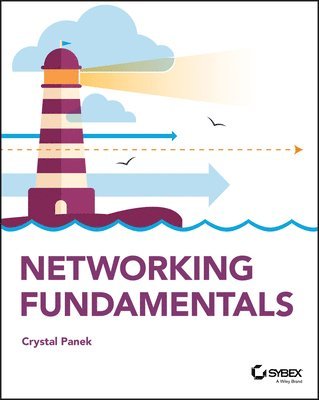
    Networking Fundamentals

    AvCrystal Panek

    Häftad, Engelska, 2019

    324 kr

    Beställningsvara. Skickas inom 5-8 vardagar. Fri frakt över 249 kr.

    Fler format och utgåvor

    E-bok

    415 kr

    E-bok

    415 kr

    Beskrivning

    A clear and concise resource on Windows networking, perfect for IT beginnersDid you know that nearly 85% of IT support roles require a good understanding of networking concepts? If you are looking to advance your IT career, you will need a foundational understanding of Windows networking. Network Fundamentals covers everything you need to know about network infrastructures, hardware, protocols, and services. You will learn everything you need to gain the highly in-demand Networking Fundamentals MTA Certification. This entry-level credential could be your first step into a rewarding, stable and lucrative IT career.This new Sybex guide covers the basics of networking starting from the “ground level,” so no previous IT knowledge is required. Each chapter features approachable discussion of the latest networking technologies and concepts, closing with a quiz so you can test your knowledge before moving to the next section. Even if you are brand new to computers, Network Fundamentals will guide you to confidence and mastery. Understand wired and wireless networks in every detailLearn everything you need to attain the Networking Fundamentals MTA CertificationTest your knowledge with end-of-chapter quiz questionsUnderstand internet protocol (IP) and categorize IPv4 addressesWork with networking services and area networksDefine network infrastructures and network security, including intranets, extranets, and VPNsBeginning and established IT professionals looking to understand more about networking will gain the knowledge to create a network diagram and confidently explain basic networking concepts. Thanks to the features in this book, you will be able to apply your new networking skills in real world situations and feel confident when taking the certification test.

    Produktinformation

    • Utgivningsdatum:2019-12-12
    • Mått:188 x 229 x 23 mm
    • Vikt:454 g
    • Format:Häftad
    • Språk:Engelska
    • Antal sidor:336
    • Förlag:John Wiley & Sons Inc
    • ISBN:9781119650744

    Utforska kategorier

    • Nätverk och kommunikation inom Data och IT

    Mer om författaren

    ABOUT THE AUTHOR Crystal Panek, MCP, MCP+I, MCSA, MCSE, MCTS, MCDBA currently works on a contract basis creating courseware for several large IT training facilities. For over 15 years, she served as vice-president of a large IT training company where she developed training materials and courseware to help 1000's of students get through their certification exams. She has trained students and IT professionals at the MicroC, Stellacon Corporation, and the University of New Hampshire.

    Innehållsförteckning

    • Introduction xvLesson 1 Understanding Local Area Networking 1Examining Local Area Networks, Devices, and Data Transfer 3Defining the LAN 3Identifying Types of LANs 20Getting to Know Perimeter Networks 23Identifying Network Topologies and Standards 25Identifying Network Topologies 25Defining Ethernet Standards 29Identifying the Differences Between Client/Server and Peer-to-Peer 32Skill Summary 36Knowledge Assessment 38Multiple Choice 38Fill in the Blank 40Business Case Scenarios 41Scenario 1-1: Planning and Documenting a Basic LAN 41Scenario 1-2: Selecting the Correct Networking Model 41Scenario 1-3: Selecting Network Adapters for Your LAN Computers 41Scenario 1-4: Configuring the Correct Subnet Mask 41Solutions to Business Case Scenarios 42Lesson 2 Defining Networks with the OSI Model 43Understanding OSI Basics 45Defining the OSI Model Layers 46Defining the Communications Subnetwork 48Define the Physical Layer 49Define the Data Link Layer 51Understanding Layer 2 Switching 52Understanding Layer 3 Switching 56Understanding Characteristics of Switches 56Defining the Upper OSI Layers 58Defining the Transport Layer 59Defining the Session Layer 62Defining the Presentation Layer 63Defining the Application Layer 64Reviewing the OSI Layers 65Defining the TCP/IP Model 67Skill Summary 68Knowledge Assessment 69Multiple Choice 69Fill in the Blank 71Business Case Scenarios 71Scenario 2-1: Installing the Appropriate Switch 71Scenario 2-2: Defining the IP Address and Ports Used by Destination Servers 72Scenario 2-3: Ensuring a Newly Created Email Account’s Logon is Encrypted 72Scenario 2-4: Creating a Permanent ARP Table Entry 72Lesson 3 Understanding Wired and Wireless Networks 75Recognizing Wired Networks and Media Types 77Identifying and Working with Twisted-Pair Cables 77Identifying and Working with Fiber-Optic Cable 86Understanding Wireless Networks 89Identifying Wireless Devices 89Identifying Wireless Networking Standards 91Skill Summary 97Knowledge Assessment 98Multiple Choice 98Fill in the Blank 100Business Case Scenarios 100Scenario 3-1: Selecting Channels for a WLAN 100Scenario 3-2: Running Cable Drops Properly 100Scenario 3-3: Selecting Network Adapters for Your WLAN Computers 101Scenario 3-4: Securing a WLAN 101Lesson 4 Understanding Internet Protocol 103Working with IPV4 105Categorizing IPv4 Addresses 105Default Gateways and DNS Servers 114Defining Advanced IPv4 Concepts 117Working with IPV6 129Understanding IPv6 130Configuring IPv6 133Skill Summary 140Knowledge Assessment 142Multiple Choice 142Fill in the Blank 144Business Case Scenarios 145Scenario 4-1: Defining a Private Class C IP Network 145Scenario 4-2: Specifying the Correct Device 145Scenario 4-3: Implementing the Correct Class Network 145Scenario 4-4: Implementing the Correct Subnet Mask 145Lesson 5 Implementing TCP/IP in the Command Line 147Using Basic TCP/IP Commands 149Working with the Command Prompt Window 149Using ipconfig and ping 152Working with Advanced TCP/IP Commands 162Using netstat and nbtstat 162Using tracert and pathping 167Using nslookup 170Using ftp and telnet 171Using Windows PowerShell 173Using net 180Skill Summary 188Knowledge Assessment 189Multiple Choice 189Fill in the Blank 192Business Case Scenarios 195Scenario 5-1: Connecting to an FTP Server 195Scenario 5-2: Troubleshooting TCP/IP Results 195Scenario 5-3: Documenting a Basic Wide Area Network 196Scenario 5-4: Using Advanced Ping 196Lesson 6 Working with Networking Services 199Setting Up Common Networking Services 201Working with the Dynamic Host Configuration Protocol (DHCP) 202Introducing Remote Administration 208Enable Remote Desktop 210Access Remote Desktop 210Defining More Networking Services 213Defining RRAS 213Defining IPsec 217Defining Name Resolution Techniques 218Defining DNS 218Defining WINS 222Skill Summary 223Knowledge Assessment 225Multiple Choice 225Fill in the Blank 227Business Case Scenarios 227Scenario 6-1: Selecting the Appropriate Services 227Scenario 6-2: Selecting the Appropriate Services 228Scenario 6-3: Setting Up a DHCP Server 228Scenario 6-4: Setting Up a New DHCP and Migrating Old Computers 228Scenario 6-5: Managing Remote Connections 228Lesson 7 Understanding Wide Area Networks 231Understanding Routing 233Identifying Static and Dynamic Routing 233Understanding Quality of Service (QOS) 237Defining Common WAN Technologies and Connections 239Defining Packet Switching 239Defining T-Carriers 249Defining Other WAN Technologies and Internet Connectivity 250Skill Summary 252Knowledge Assessment 254Multiple Choice 254Fill in the Blank 256Business Case Scenarios 256Scenario 7-1: Selecting the Appropriate Service and Protocol 256Scenario 7-2: Selecting the Appropriate WAN Technology 256Scenario 7-3: Recommending the Right Service 257Scenario 7-4: Setting Up Routes to Other Networks 257Lesson 8 Defining Network Infrastructures and Network Security 259Understanding Networks Outside the LAN 261Defining the Internet 261Defining Intranets and Extranets 262Configuring VPN Connections and Authentication 264Selecting Types of VPN Protocols 265Selecting Authentication for VPN Connections 267Creating a VPN Connection Using the Create a VPN Connection Wizard 268Creating a VPN Connection Using Windows 10 Settings 270Using Connection Manager (CM) and the Connection Manager Administration Kit (CMAK) 272Understanding Security Devices and Zones 273Defining Firewalls and Other Perimeter Security Devices 273Redefining the DMZ 277Putting It All Together 278Skill Summary 281Knowledge Assessment 282Multiple Choice 282Fill in the Blank 284Business Case Scenarios 285Scenario 8-1: Setting Up a DMZ 285Scenario 8-2: Selecting the Appropriate Solution 285Scenario 8-3: Setting Up a PPTP Server 285Scenario 8-4: Creating a WAN with VPN 286Appendix Answer Key 289Lesson 1: Understanding Local Area Networking 290Answers to Knowledge Assessment 290Answers to Business Case Scenarios 291Lesson 2: Defining Networks with the OSI Model 292Answers to Knowledge Assessment 292Answers to Business Case Scenarios 293Lesson 3: Understanding Wired and Wireless Networks 293Answers to Knowledge Assessment 293Answers to Business Case Scenarios 294Lesson 4: Understanding Internet Protocol 295Answers to Knowledge Assessment 295Answers to Business Case Scenarios 296Lesson 5: Implementing TCP/IP in the Command Line 297Answers to Knowledge Assessment 297Answers to Business Case Scenarios 298Lesson 6: Working with Networking Services 298Answers to Knowledge Assessment 298Answers to Business Case Scenarios 299Lesson 7: Understanding Wide Area Networks 301Answers to Knowledge Assessment 301Answers to Business Case Scenarios 302Lesson 8: Defining Network Infrastructure and Network Security 302Answers to Knowledge Assessment 302Answers to Business Case Scenarios 303Index 305