• Fri frakt över 249 kr
  • •
  • Snabba leveranser
  • •
  • Billiga böcker
Kundservice

Du är på sajten för privatpersoner.

Företag, bibliotek eller offentlig verksamhet?

Du handlar på classic.bokus.com, där alla dina funktioner finns intakta.
Till classic.bokus.com
Bokus logotyp. Gå till startsidan.
  • Erbjudanden
  • Nyheter
  • Student
  • Topplistor
  • Barn & ungdom
  • Bokus Play
  • E-böcker
  • Pocketböcker
  • Spel & pussel

10% rabatt på allt med kod: NYSTART10 →

Sidfot

Mina sidor

    Hjälp

    • Kundservice
    • Vanliga frågor och svar
    • Frakt och leverans
    • Retur vid ångerrätt
    • Reklamera vara
    • Betalning
    • Köpvillkor
    • Allmänna villkor
    • Information om webbplatsens tillgänglighet

    Om Bokus

    • Om oss
    • Pressrum
    • För studenter
    • För företag
    • För bibliotek och offentlig verksamhet
    • För leverantörer
    • Hållbarhet

    Populärt

    • Aktuella erbjudanden
    • Presentkort
    • Studentlitteratur
    • Nya böcker
    • Topplistor
    • Signerade böcker
    • Engelska böcker

    Inspiration

    • Boktips
    • BookTok
    • Populära bokserier
    • Barnbokskaraktärer
    • Populära författare
    Logotyp för Bokus
    Följ oss på Facebook (extern länk)Följ oss på Instagram (extern länk)Följ oss på YouTube (extern länk)Följ oss på TikTok (extern länk)
    bokus @ CookiesAnpassa cookiesIntegritetspolicyKöpvillkor
    Till Citymail hemsida (extern länk)Till Budbee hemsida (extern länk)Till Postnord hemsida (extern länk)Till Schenker hemsida (extern länk)Till Early Bird hemsida (extern länk)Till Walleys hemsida (extern länk)
    1. Data och IT
    2. Grafik och bildbehandling

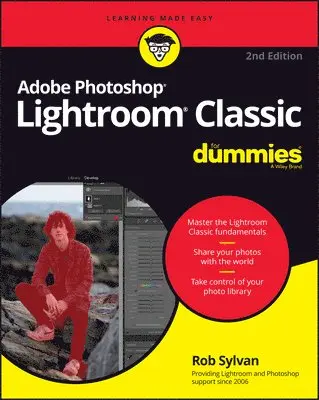
    Adobe Photoshop Lightroom Classic For Dummies

    AvRob Sylvan

    Häftad, Engelska, 2022

    Del i serien For Dummies

    290 kr

    Beställningsvara. Skickas inom 5-8 vardagar. Fri frakt över 249 kr.

    Fler format och utgåvor

    Häftad

    295 kr

    E-bok

    305 kr

    E-bok

    305 kr

    E-bok

    472 kr

    E-bok

    472 kr

    E-bok

    473 kr

    E-bok

    504 kr

    Beskrivning

    Learn to make your digital photos *pop* with easy-to-follow help using AI-powered software from Adobe With no prior photography or editing experience necessary, Adobe Photoshop Lightroom Classic For Dummies delivers a must-have walkthrough for taking your photos to the next level using Adobe’s powerful consumer software. You’ll learn the fundamentals of opening your pictures, managing your photo library, and fixing common problems—like redeye and poor lighting—before jumping into more advanced topics, like creating slideshows and troubleshooting problems. The perfect place to begin learning how to improve your family photos, Adobe Photoshop Lightroom Classic For Dummies also helps you discover: How to take control of and organize your photo libraryHow to apply common artificial intelligence-powered photo enhancements with the click of a mouseWays to share your photos with the world, both digitally and on paperThe premier jumping-off point for aspiring photo editors everywhere, this book is a can’t-miss resource for anyone who wants to make the most of their digital photo collection and for professionals who want to expand their design skillset by learning Adobe Lightroom Classic.

    Produktinformation

    • Utgivningsdatum:2022-06-13
    • Mått:185 x 234 x 23 mm
    • Vikt:816 g
    • Format:Häftad
    • Språk:Engelska
    • Serie:For Dummies
    • Antal sidor:400
    • Upplaga:2
    • Förlag:John Wiley & Sons Inc
    • ISBN:9781119873211

    Utforska kategorier

    • Grafik och bildbehandling inom Data och IT

    Mer om författaren

    Rob Sylvan is a photographer, educator, and writer. Rob also authors and curates tutorials found within the Photoshop and Lightroom applications, is a Canon Product Educator, writes for LightroomKillerTips.com, regularly contributes to Photoshop User magazine, and teaches at photography industry conferences such as Adobe MAX, Photoshop World, PHOTOPLUS, and more.

    Innehållsförteckning

    • Introduction 1Part 1: Getting Started with Lightroom Classic 7Chapter 1: Getting to Know Adobe Photoshop Lightroom Classic 9Chapter 2: Working with Catalogs 27Chapter 3: Lightroom Classic Basics That You Should Know 47Part 2: Managing Your Photos with Lightroom Classic 67Chapter 4: Tackling the Lightroom Classic Import Process 69Chapter 5: Viewing and Finding Photos in the Library 91Chapter 6: Getting Organized with the Library 117Chapter 7: Exploring the Library Module’s Advanced Features 141Part 3: Working in Lightroom Classic’s Digital Darkroom 163Chapter 8: Editing Photos in the Develop Module 165Chapter 9: Solving Problems and Saving Time 185Chapter 10: Taking Your Photos to the Next Level 209Part 4: Sharing Your Work with the World 237Chapter 11: Exporting Copies and Using External Editors 239Chapter 12: Designing a Book 267Chapter 13: Producing a Slideshow 285Chapter 14: Printing Your Work 305Chapter 15: Creating a Web Gallery 327Part 5: The Part of Tens 343Chapter 16: Ten Things to Know About Using Lightroom Classic and Lightroom Together 345Chapter 17: Ten Things to Know About Organizing and Editing in Lightroom 353Chapter 18: Ten Things to Know About Using the Lightroom Mobile Camera 365Index 373