• Fri frakt över 249 kr
  • •
  • Snabba leveranser
  • •
  • Billiga böcker
Kundservice

Du är på sajten för privatpersoner.

Företag, bibliotek eller offentlig verksamhet?

Du handlar på classic.bokus.com, där alla dina funktioner finns intakta.
Till classic.bokus.com
Bokus logotyp. Gå till startsidan.
  • Erbjudanden
  • Nyheter
  • Student
  • Topplistor
  • Barn & ungdom
  • Bokus Play
  • E-böcker
  • Pocketböcker
  • Spel & pussel

10% rabatt på allt med kod NYSTART10 →

Sidfot

Mina sidor

    Hjälp

    • Kundservice
    • Vanliga frågor och svar
    • Frakt och leverans
    • Retur vid ångerrätt
    • Reklamera vara
    • Betalning
    • Köpvillkor
    • Allmänna villkor
    • Information om webbplatsens tillgänglighet

    Om Bokus

    • Om oss
    • Pressrum
    • För studenter
    • För företag
    • För bibliotek och offentlig verksamhet
    • För leverantörer
    • Hållbarhet

    Populärt

    • Aktuella erbjudanden
    • Presentkort
    • Studentlitteratur
    • Nya böcker
    • Topplistor
    • Signerade böcker
    • Engelska böcker

    Inspiration

    • Boktips
    • BookTok
    • Populära bokserier
    • Barnbokskaraktärer
    • Populära författare
    Logotyp för Bokus
    Följ oss på Facebook (extern länk)Följ oss på Instagram (extern länk)Följ oss på YouTube (extern länk)Följ oss på TikTok (extern länk)
    bokus @ CookiesAnpassa cookiesIntegritetspolicyKöpvillkor
    Till Citymail hemsida (extern länk)Till Budbee hemsida (extern länk)Till Postnord hemsida (extern länk)Till Schenker hemsida (extern länk)Till Early Bird hemsida (extern länk)Till Walleys hemsida (extern länk)
    1. Psykologi och pedagogik
    2. Pedagogik
    3. Material och digital teknik i undervisningen

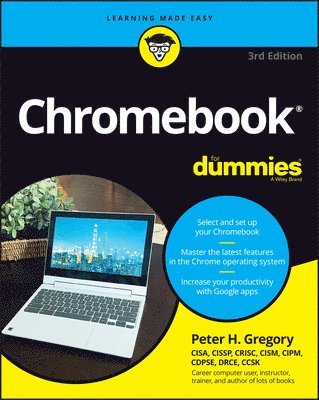
    Chromebook For Dummies

    AvPeter H. Gregory

    Häftad, Engelska, 2023

    210 kr

    Beställningsvara. Skickas inom 5-8 vardagar. Fri frakt över 249 kr.

    Fler format och utgåvor

    E-bok

    269 kr

    E-bok

    268 kr

    E-bok

    374 kr

    E-bok

    374 kr

    Beskrivning

    The return of the bestselling Chromebook guide on the market Chromebook For Dummies, Third Edition, is your easy-to-follow guide to the low-cost alternative to a traditional laptop. This beginner’s manual walks you through setting up your Chromebook, transitioning from using a traditional computer, and customizing the system to fit your needs. In case you’re wondering, the Chromebook can be used for anything you'd normally do online—checking email, browsing websites, watching videos. This book takes you through all of it, giving you the latest updates on new Chromebook hardware and software features. Navigate apps, apply advanced settings and features, and turn to this guide time and again as you customize and optimize your Chromebook’s performance. Get all the basics on using your Chromebook, in easy-to-follow Dummies styleSet up and start using your Chromebook with ease Learn about the latest features in the Chrome operating systemDiscover the benefits of Chromebook versus traditional laptopsNew and novice Chromebook users will love this approachable intro to Google’s little portable computer.

    Produktinformation

    • Utgivningsdatum:2023-04-24
    • Mått:185 x 234 x 33 mm
    • Vikt:658 g
    • Format:Häftad
    • Språk:Engelska
    • Antal sidor:480
    • Upplaga:3
    • Förlag:John Wiley & Sons Inc
    • ISBN:9781394168804

    Utforska kategorier

    • Material och digital teknik i undervisningen inom Psykologi och pedagogik
    • Hårdvara inom Data och IT

    Mer om författaren

    Peter H. Gregory is a senior director of cybersecurity at GCI General Communication, Inc. He is the author of more than fifty books on information security and emerging technology and is an expert in privacy policy, standards and compliance, risk management, and cybersecurity risk assessments.

    Innehållsförteckning

    • Introduction 1Part 1: Getting Started with Chromebook 5Chapter 1: Choosing and Setting Up Your Chromebook 7Chapter 2: Working with the Chromebook Desktop 19Chapter 3: Surveying the Chrome Browser 33Chapter 4: Getting Your Hands on the Keyboard and Touchpad 49Chapter 5: Finding and Exploring Chromebook Apps 67Chapter 6: Working with Gmail and Google Calendar 77Chapter 7: Working with Files and Google Drive 105Part 2: Harnessing Business Power with the Chromebook 121Chapter 8: Writing with Word Processing. 123Chapter 9: Summarizing Spreadsheets 149Chapter 10: Preparing Presentations 185Chapter 11: Using Other Office Tools 221Part 3: The Chromebook Recreational Vehicle 239Chapter 12: Managing Your Music 241Chapter 13: Having Fun with Photos 261Chapter 14: Playing Video on the Chromebook 277Chapter 15: Chatting with Friends and Family 297Chapter 16: Reading Ebooks on the Chromebook 319Part 4: Advanced Chromebook Settings 335Chapter 17: Customizing Your Chromebook 337Chapter 18: Securing Your Chromebook 357Chapter 19: Troubleshooting Your Chromebook 383Part 5: The Part of Tens 401Chapter 20: Ten (Plus One) Hardware Features to Consider When Buying a Chromebook 403Chapter 21: Ten (Plus One) Handy Chromebook Shortcuts 411Chapter 22: Ten Great ChromeOS Apps 417Chapter 23: Ten Chromebook Security Tips 423Index 429