• Fri frakt över 249 kr
  • •
  • Snabba leveranser
  • •
  • Billiga böcker
Kundservice

Du är på sajten för privatpersoner.

Företag, bibliotek eller offentlig verksamhet?

Du handlar på classic.bokus.com, där alla dina funktioner finns intakta.
Till classic.bokus.com
Bokus logotyp. Gå till startsidan.
  • Erbjudanden
  • Nyheter
  • Student
  • Topplistor
  • Barn & ungdom
  • Bokus Play
  • E-böcker
  • Pocketböcker
  • Spel & pussel

10% rabatt på allt med kod: NYSTART10 →

Sidfot

Mina sidor

    Hjälp

    • Kundservice
    • Vanliga frågor och svar
    • Frakt och leverans
    • Retur vid ångerrätt
    • Reklamera vara
    • Betalning
    • Köpvillkor
    • Allmänna villkor
    • Information om webbplatsens tillgänglighet

    Om Bokus

    • Om oss
    • Pressrum
    • För studenter
    • För företag
    • För bibliotek och offentlig verksamhet
    • För leverantörer
    • Hållbarhet

    Populärt

    • Aktuella erbjudanden
    • Presentkort
    • Studentlitteratur
    • Nya böcker
    • Topplistor
    • Signerade böcker
    • Engelska böcker

    Inspiration

    • Boktips
    • BookTok
    • Populära bokserier
    • Barnbokskaraktärer
    • Populära författare
    Logotyp för Bokus
    Följ oss på Facebook (extern länk)Följ oss på Instagram (extern länk)Följ oss på YouTube (extern länk)Följ oss på TikTok (extern länk)
    bokus @ CookiesAnpassa cookiesIntegritetspolicyKöpvillkor
    Till Citymail hemsida (extern länk)Till Budbee hemsida (extern länk)Till Postnord hemsida (extern länk)Till Schenker hemsida (extern länk)Till Early Bird hemsida (extern länk)Till Walleys hemsida (extern länk)
    1. Data och IT
    2. Systemvetenskap och AI

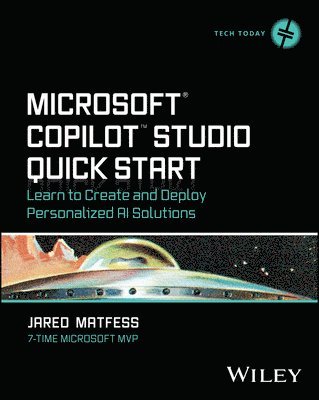
    Microsoft Copilot Studio Quick Start

    Learn to Create and Deploy Personalized AI Solutions

    AvJared Matfess

    Häftad, Engelska, 2025

    Del i serien Tech Today

    661 kr

    Beställningsvara. Skickas inom 5-8 vardagar. Fri frakt över 249 kr.

    Fler format och utgåvor

    E-bok

    813 kr

    E-bok

    764 kr

    Beskrivning

    A practical and accessible guide to Microsoft's Copilot Studio In Microsoft Copilot Studio Quick Start, author Jared Matfess delivers an easy-to-read and hands-on guide to navigating Microsoft's newest generative AI platform. From introductions to the Copilot ecosystem and Copilot Studio to building your first custom agent, publishing it across different environments, and measuring its results so you can optimize its impact, this book walks you through the steps you need to take to use this powerful new tool. You'll learn to extend your Copilot's functionality from knowledge agents to semi-autonomous agents that can perform actions on your behalf, by integrating with third-party APIs and other Microsoft services via Power Platform connectors. Microsoft Copilot Studio Quick Start provides: Industry use cases from healthcare, finance, retail, and government that include a problem statement, solution overview and business outcomesStrategies for enhancing Copilot with agents, complete with an introduction to the agent architecture and tips for debugging and testing your agentsA comprehensive discussion of the future of Copilot Studio and AI developmentPerfect for tech-savvy professionals interested in unlocking the full potential of Microsoft's Copilot Studio, Microsoft Copilot Studio Quick Start is also a must-read resource for everyone who wants to build exciting new software tools driven by generative AI in the Microsoft ecosystem.

    Produktinformation

    • Utgivningsdatum:2025-08-14
    • Mått:183 x 229 x 20 mm
    • Vikt:476 g
    • Format:Häftad
    • Språk:Engelska
    • Serie:Tech Today
    • Antal sidor:336
    • Förlag:John Wiley & Sons Inc
    • ISBN:9781394333707

    Utforska kategorier

    • Systemvetenskap och AI inom Data och IT
    • Affärsapplikationer inom Data och IT

    Mer om författaren

    JARED MATFESS is an AI Architect at AvePoint who partners with a diverse portfolio of clients, including Fortune 500 companies and State & Local Government agencies. He is a 7-time Microsoft MVP and has more than 20 years’ experience working in the Microsoft ecosystem and is an expert at assisting organizations in their digital transformations by leveraging advanced technologies, including AI.

    Innehållsförteckning

    • Foreword xxiChapter 1 Navigating the Copilot Ecosystem 1What Is GenAI? 2How Does GenAI Work? 3GenAI Key Terms and Definitions 3The Risk of Bias in GenAI 4OpenAI Brings GenAI to the World 4ChatGPT Gains Excitement 5ChatGPT Data Leaks 5Microsoft’s Strategic Investment in OpenAI 6Retrieval-Augmented Generation 7Azure OpenAI RAG Pattern 8Enterprise Adoption of the RAG Pattern 9Microsoft M365 Copilot 10The Rise of the Copilots 12Copilot, aka Bing Chat Enterprise 12Microsoft’s Copilot Portfolio 13Copilot for Sales 14Copilot for Service 16Copilot for Security 17Copilot in Microsoft Viva 19Viva Goals 19Viva Engage 20Viva Amplify 21Viva Roadmap 22Additional Copilots 22Aligning Copilots with Company Personas 24Introducing Copilot Studio 25Conclusion 26Chapter 2 Introduction to Copilot Studio 29Copilot Studio’s Core Audience 29Citizen Developers Overview 30Citizen Developer Challenges 31The Role of IT 32Copilot Studio: The Platform 33Copilot Studio Prerequisites 33Accessing Copilot Studio 34Power Platform Environments 35Microsoft Dataverse 36Dataverse Core Components 37Environment Management 39Creating Your First Agent 39Adding Knowledge Sources 42Testing Your Copilot Agent 47Copilot Studio Topics 50Conversational Boosting with GenAI 52Modifying Your User Experience with Topics 55Lights, Camera, Actions! 57Conclusion 69Chapter 3 Publishing Your Copilot Agent 71Channels 71Publishing Your Agent to Teams + Microsoft 365 74Publishing Your Agent 79Testing Your Agent in Microsoft Teams and M365 Copilot 86Conclusion 90Chapter 4 Microsoft 365 Copilot Declarative Agents 91The Spectrum of Copilot Agents 91M365 Copilot Agents 92Declarative Copilot Agents 93The Agent App Package 93App Manifest 93App Icons 94Declarative Agents Manifest 94Plugin Manifest 95Configuration Options 96The AI Orchestrator 96Creating a Declarative M365 Copilot Agent with the Copilot Studio Agent Builder 97Configuring Your Agent 98Setting Instructions 99Configuring Knowledge 101Actions and Capabilities 103Starter Prompts 104Creating Your Agent 105Adjusting Sharing Permissions 106Application Manifest: Manifest.json 108The DeclarativeAgent_0.json File 110Code Versus Configuration 112Test Driving Your Agent 112Updating Your Declarative Agent 114Copilot Studio Agent Builder Limitations 115Data Storage 115Application Lifecycle Management 116User Experience 116When to Use Declarative Agents 117Conclusion 118Chapter 5 Planning ALM for Your Copilot Agents 119The ALM Framework 120Requirements Gathering 120Design 121Development 121Testing 122Deployment 122Maintenance and Retirement 123ALM Summary 123Power Platform Environments 123Environment Strategy 124Environment Costs 124Managed Environments 125Managed Environments Considerations 127Solutions 127Creating a Solution 129Exporting a Solution 132Importing a Solution 135CI/CD Pipelines 140Conclusion 141Chapter 6 Deep Dive into Agent Templates 143Prerequisites 144Selecting Our Agent Template 145Citizen Services Template 146Knowledge Sources 146Topics 147Apply for a Service Topic 148Data Collection Topic and Adaptive Cards 149Road Closures Topic 154Conversational Boosting Topic 155Summarizing Topics 157Building Our Agent from the Citizen Services Template 157Updating Knowledge Sources 158Updating Topics 159Testing Your Agent 166Conclusion 169Chapter 7 Real-World Use Cases and Inspiration 171Agents in the Contact Center 171The Scenario 172Technical Setup 173Testing the Contact Center Agent 175Contact Center Charlie Agent Summary 176Agents in the Public Sector 176Technical Setup 176Testing Our Shared Mailbox Agent 182Summary of the Shared Mailbox Agent 185Agents in Human Resources 186Technical Setup 186Testing Your Heidi from HR Agent 194Summary of the Updated Heidi from HR Agent 195Conclusion 195Chapter 8 Building an Autonomous Agent 197Autonomous vs. Semi-autonomous Agents 197Considerations for Autonomous Agents 198How Microsoft’s Autonomous Agents Work 198Autonomous Agent Use Case 199Microsoft Form Configuration 200Salesforce Sales Cloud Setup 201Configuring Your Agent 202Enabling Orchestration 203Creating a Trigger 204Configuring your Trigger 207Setting Up Knowledge Sources 213Creating Actions 218Creating Inputs 220Formatting Variables 221Getting the Account ID 222Creating a Condition 224Creating a Contact 226Creating an Opportunity 227Associating Your Opportunity to a Contact 228Configuring “Run as” User 231Configuring the Create Lead Action 232Configuring Your Agent Instructions 235Testing Your Agent 236Publishing and Monitoring 242Conclusion 242Chapter 9 Optimizing and Measuring Your Agent 245Prerequisites 245Agent Analytics 246Optimizing Your Agent for Cost 248Enhancing User-Focused Agent Performance 251Quick Replies 251Starter Prompts 253Capturing User Feedback 255Conclusion 265Chapter 10 Copilot Studio and Azure AI Foundry: Better Together 267Azure AI Search 268Optimizing for Cost 269Creating Your Azure SQL Database 269Creating a Table and Loading Data 274Provisioning Azure AI Search 276Configuring Your Agent for Azure AI Search 286Testing Your Agent 288Conclusion 289Appendix Agent Flows 291Index 297