• Fri frakt över 249 kr
  • •
  • Snabba leveranser
  • •
  • Billiga böcker
Kundservice

Du är på sajten för privatpersoner.

Företag, bibliotek eller offentlig verksamhet?

Du handlar på classic.bokus.com, där alla dina funktioner finns intakta.
Till classic.bokus.com
Bokus logotyp. Gå till startsidan.
  • Erbjudanden
  • Nyheter
  • Student
  • Topplistor
  • Barn & ungdom
  • Bokus Play
  • E-böcker
  • Pocketböcker
  • Spel & pussel

10% rabatt på allt med kod NYSTART10 →

Sidfot

Mina sidor

    Hjälp

    • Kundservice
    • Vanliga frågor och svar
    • Frakt och leverans
    • Retur vid ångerrätt
    • Reklamera vara
    • Betalning
    • Köpvillkor
    • Allmänna villkor
    • Information om webbplatsens tillgänglighet

    Om Bokus

    • Om oss
    • Pressrum
    • För studenter
    • För företag
    • För bibliotek och offentlig verksamhet
    • För leverantörer
    • Hållbarhet

    Populärt

    • Aktuella erbjudanden
    • Presentkort
    • Studentlitteratur
    • Nya böcker
    • Topplistor
    • Signerade böcker
    • Engelska böcker

    Inspiration

    • Boktips
    • BookTok
    • Populära bokserier
    • Barnbokskaraktärer
    • Populära författare
    Logotyp för Bokus
    Följ oss på Facebook (extern länk)Följ oss på Instagram (extern länk)Följ oss på YouTube (extern länk)Följ oss på TikTok (extern länk)
    bokus @ CookiesAnpassa cookiesIntegritetspolicyKöpvillkor
    Till Citymail hemsida (extern länk)Till Budbee hemsida (extern länk)Till Postnord hemsida (extern länk)Till Schenker hemsida (extern länk)Till Early Bird hemsida (extern länk)Till Walleys hemsida (extern länk)
    1. Data och IT
    2. Affärsapplikationer

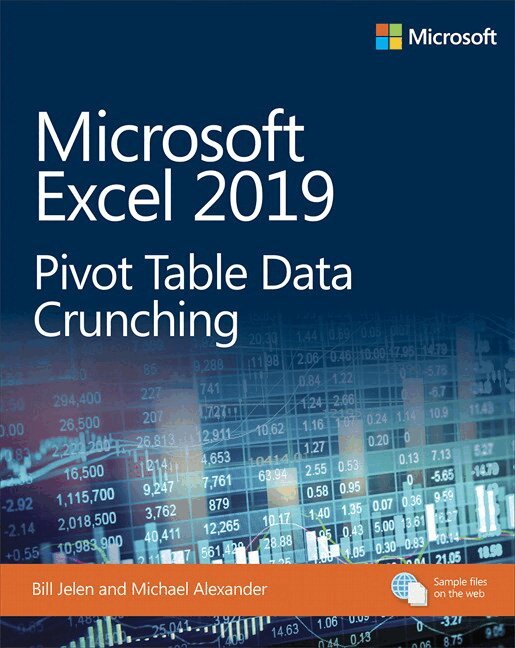
    Microsoft Excel 2019 Pivot Table Data Crunching

    AvBill Jelen,Michael Alexander

    Häftad, Engelska, 2019

    Del i serien Business Skills

    282 kr

    Beställningsvara. Skickas inom 7-10 vardagar. Fri frakt över 249 kr.

    Beskrivning

    Renowned Excel experts Bill Jelen (MrExcel) and Michael Alexander help you crunch data from any source with Excel 2019 pivot tables. 


    Use Excel 2019 pivot tables and pivot charts to produce powerful, dynamic reports in minutes instead of hours, to take control of your data and your business. Even if you’ve never created a pivot table before, this book will help you leverage all their remarkable flexibility and analytical power–including valuable improvements in Excel 2019 and Excel in Office 365. Drawing on more than 45 combined years of Excel experience, Bill Jelen and Michael Alexander offer practical “recipes” for solving real business problems, help you avoid common mistakes, and present tips and tricks you’ll find nowhere else. 


    By reading this book, you will: 

    • Master easy, powerful ways to create, customize, change, and control pivot tables 

    • Control all future pivot tables using new pivot table defaults 

    • Transform huge data sets into clear summary reports 

    • Instantly highlight your most profitable customers, products, or regions 

    • Use Power Query to quickly import, clean, shape, and analyze disparate data sources 

    • Build geographical pivot tables with 3D Map 

    • Construct and share state-of-the-art dynamic dashboards 

    • Revamp analyses on the fly by dragging and dropping fields 

    • Build dynamic self-service reporting systems 

    • Share your pivot tables with colleagues 

    • Create data mashups using the full Power Pivot capabilities of Excel 2019 and Excel in Office 365 

    • Automate pivot tables with macros and VBA 

    • Save time by adapting reports with GetPivotData 

    • Discover today’s most useful pivot table tips and shortcuts 


    Produktinformation

    • Utgivningsdatum:2019-02-12
    • Mått:188 x 231 x 20 mm
    • Vikt:840 g
    • Format:Häftad
    • Språk:Engelska
    • Serie:Business Skills
    • Antal sidor:512
    • Upplaga:1
    • Förlag:Pearson Education
    • ISBN:9781509307241

    Utforska kategorier

    • Affärsapplikationer inom Data och IT

    Mer om författaren

    Bill Jelen, Excel MVP and the host of MrExcel.com, has been using spreadsheets since 1985, and he launched the MrExcel.com website in 1998. Bill was a regular guest on Call for Help with Leo Laporte and has produced more than 2,200 episodes of his daily video podcast, Learn Excel from MrExcel. He is the author of 57 books about Microsoft Excel and writes the monthly Excel column for Strategic Finance magazine. Before founding MrExcel.com, Bill spent 12 years in the trenches, working as a financial analyst for the finance, marketing, accounting, and operations departments of a $500 million public company. He lives in Merritt Island, Florida, with his wife, Mary Ellen. Mike Alexander is a Microsoft Certified Application Developer (MCAD) and author of several books on advanced business analysis with Microsoft Access and Excel. He has more than 15 years of experience consulting and developing Office solutions. Mike has been named a Microsoft MVP for his ongoing contributions to the Excel community.

    Innehållsförteckning

    • Introduction Pivot Table FundamentalsCreating a Basic Pivot TableCustomizing a Pivot TableGrouping, Sorting, and Filtering Pivot DataPerforming Calculations in Pivot TablesUsing Pivot Charts and Other VisualizationsAnalyzing Disparate Data Sources with Pivot TablesSharing Dashboards with Power BIUsing Cube Formulas with the Data Model or OLAP DataUnlocking Features with the Data Model and Power PivotAnalyzing Geographic Data with 3D MapEnhancing Pivot Table reports with MacrosUsing VBA to Create Pivot TablesAdvanced Pivot Table Tips and TechniquesDr. Jekyll and Mr. GetPivotData