• Fri frakt över 249 kr
  • •
  • Snabba leveranser
  • •
  • Billiga böcker
Kundservice

Du är på sajten för privatpersoner.

Företag, bibliotek eller offentlig verksamhet?

Du handlar på classic.bokus.com, där alla dina funktioner finns intakta.
Till classic.bokus.com
Bokus logotyp. Gå till startsidan.
  • Erbjudanden
  • Nyheter
  • Student
  • Topplistor
  • Barn & ungdom
  • Bokus Play
  • E-böcker
  • Pocketböcker
  • Spel & pussel

10% rabatt på allt med kod: NYSTART10 →

Sidfot

Mina sidor

    Hjälp

    • Kundservice
    • Vanliga frågor och svar
    • Frakt och leverans
    • Retur vid ångerrätt
    • Reklamera vara
    • Betalning
    • Köpvillkor
    • Allmänna villkor
    • Information om webbplatsens tillgänglighet

    Om Bokus

    • Om oss
    • Pressrum
    • För studenter
    • För företag
    • För bibliotek och offentlig verksamhet
    • För leverantörer
    • Hållbarhet

    Populärt

    • Aktuella erbjudanden
    • Presentkort
    • Studentlitteratur
    • Nya böcker
    • Topplistor
    • Signerade böcker
    • Engelska böcker

    Inspiration

    • Boktips
    • BookTok
    • Populära bokserier
    • Barnbokskaraktärer
    • Populära författare
    Logotyp för Bokus
    Följ oss på Facebook (extern länk)Följ oss på Instagram (extern länk)Följ oss på YouTube (extern länk)Följ oss på TikTok (extern länk)
    bokus @ CookiesAnpassa cookiesIntegritetspolicyKöpvillkor
    Till Citymail hemsida (extern länk)Till Budbee hemsida (extern länk)Till Postnord hemsida (extern länk)Till Schenker hemsida (extern länk)Till Early Bird hemsida (extern länk)Till Walleys hemsida (extern länk)
    1. Läromedel
    2. Läromedel: matematik och naturvetenskap
    3. Läromedel: teknik och praktiska ämnen

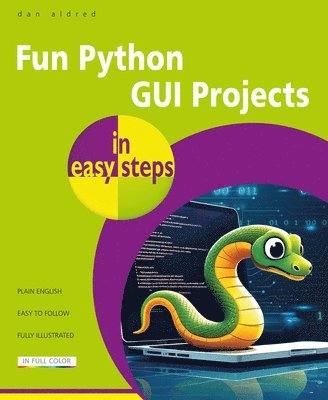
    Fun Python GUI Projects in easy steps

    AvDan Aldred

    Häftad, Engelska, 2026

    Del i serien In Easy Steps

    312 kr

    Kommande

    Beskrivning

    Fun Python GUI Projects in easy steps contains mostly outrageous projects and a few sensible ones. Get ready to embark on a thrilling adventure into the world of graphical user interfaces (GUIs) with guizero – an easy way to build GUIs with Python code. If you've ever wanted to add a splash of interactivity and charm to your Python projects, this is the book for you! Learn how to code fun apps and programs – in easy steps!The first chapter of Fun Python GUI Projects in easy steps gently introduces you to the world of GUI programming, explaining concepts in simple terms so that you'll never feel lost or overwhelmed. Once you've got the hang of the basics, it's time to start building and combining features. The book shows you how to code and use all sorts of fun GUI elements – buttons that trigger actions, text boxes for inputting data, labels to display information, and more. With guizero's intuitive syntax and easy-to-use functions, you'll be amazed at how quickly you can bring the projects and your ideas to life.Ever wanted to prank your friends with a virtual whoopee cushion? This book shows you how to create a hilarious application that emits fart sounds at the click of a button. If you’re curious about your compatibility with your crush, you'll learn how to create a fun calculator that predicts your compatibility with another person based on a set of quirky questions. Who knows, you might just uncover a surprising match! Have you ever wondered if you could outrun your favorite superhero? In this book you'll learn how to build a game that challenges players to react faster than iconic superheroes. It's a thrilling test of speed and reflexes! As you progress through Fun Python GUI Projects in easy steps, we'll delve deeper into the world of GUI design, exploring topics like mouse interaction, drawing, layout, and styling. You'll learn how to arrange your GUI elements in visually pleasing ways so that your applications not only work great but look awesome too. Most of this book’s projects use the Microsoft Windows platform. However, Python and guizero are both compatible with Linux and Apple computers. Before you begin, you will need install the compatible versions of Python and guizero. Comprehensive guides on installation and setup are included in the book. Let’s code and have fun! For kids and young adults aged 11+

    Produktinformation

    • Utgivningsdatum:2026-09-11
    • Mått:186 x 227 x 9 mm
    • Vikt:323 g
    • Format:Häftad
    • Språk:Engelska
    • Serie:In Easy Steps
    • Antal sidor:192
    • Förlag:In Easy Steps Limited
    • ISBN:9781787910393

    Utforska kategorier

    • Läromedel: teknik och praktiska ämnen inom Läromedel
    • Programmeringsböcker inom Data och IT
    • Programspråk inom Data och IT

    Mer om författaren

    strong>Dan Aldred is a Computer Science teacher and a freelance resource writer and hacker. He has championed the use of the Raspberry Pi as a tool for learning and creativity and is a Raspberry Pi Certified educator. Dan led the winning team of students for the first Astro Pi competition, whose code is now orbiting Earth aboard the ISS. Dan has authored a set of international micro:bit teaching resources with ARM and hacked Scratch with a Microsoft Kinnect for an open evening at school and invited all the students to dance. Dan runs the TeCoEd website (www.tecoed.co.uk) and also a YouTube channel. Dan resides in the UK.

    Innehållsförteckning

    • Hello GUI – understanding what a GUI (Graphical User Interface) is, and creating your first GUIAre you funnier than a hyena? Building a joke machineMaking a F.A.R.T. box – a disgusting soundboard Photo Book. Build a GUI to show your favorite picsIt’s just a prank, bro! Build a fake quiz to Rickroll your friendsAre you a mind reader? Build a higher or lower guessing gameIs your password secure? Build a password checkerAre you faster than a superhero? Build a reaction game that measures your reaction time and calculates your reaction speedBae or Bust calculator. Build a GUI that shows you what your Bae score is – how compatible you are with someone, based on their nameTwisted timer. Build a countdown timerA classic game of Tic-Tac-Toe Pixel painter. Color in pixels to make pixel artAppendix A – Installing Python on Microsoft WindowsAppendix B – Installing Python on other operating systemsAppendix C – Installing guizero on other operating systems and features of guizeroAppendix D – Downloading code and resources from GitHubAppendix E – Creating and editing your own images