• Fri frakt över 249 kr
  • •
  • Snabba leveranser
  • •
  • Billiga böcker
Kundservice

Du är på sajten för privatpersoner.

Företag, bibliotek eller offentlig verksamhet?

Du handlar på classic.bokus.com, där alla dina funktioner finns intakta.
Till classic.bokus.com
Bokus logotyp. Gå till startsidan.
  • Erbjudanden
  • Nyheter
  • Student
  • Topplistor
  • Barn & ungdom
  • Bokus Play
  • E-böcker
  • Pocketböcker
  • Spel & pussel

10% rabatt på allt med kod: NYSTART10 →

Sidfot

Mina sidor

    Hjälp

    • Kundservice
    • Vanliga frågor och svar
    • Frakt och leverans
    • Retur vid ångerrätt
    • Reklamera vara
    • Betalning
    • Köpvillkor
    • Allmänna villkor
    • Information om webbplatsens tillgänglighet

    Om Bokus

    • Om oss
    • Pressrum
    • För studenter
    • För företag
    • För bibliotek och offentlig verksamhet
    • För leverantörer
    • Hållbarhet

    Populärt

    • Aktuella erbjudanden
    • Presentkort
    • Studentlitteratur
    • Nya böcker
    • Topplistor
    • Signerade böcker
    • Engelska böcker

    Inspiration

    • Boktips
    • BookTok
    • Populära bokserier
    • Barnbokskaraktärer
    • Populära författare
    Logotyp för Bokus
    Följ oss på Facebook (extern länk)Följ oss på Instagram (extern länk)Följ oss på YouTube (extern länk)Följ oss på TikTok (extern länk)
    bokus @ CookiesAnpassa cookiesIntegritetspolicyKöpvillkor
    Till Citymail hemsida (extern länk)Till Budbee hemsida (extern länk)Till Postnord hemsida (extern länk)Till Schenker hemsida (extern länk)Till Early Bird hemsida (extern länk)Till Walleys hemsida (extern länk)
    1. Data och IT
    2. Digital livsstil och datorspel

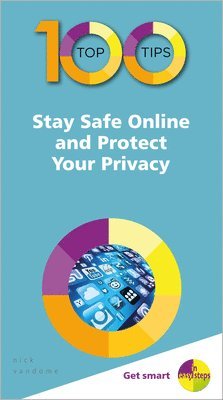
    100 Top Tips - Stay Safe Online and Protect Your Privacy

    AvNick Vandome

    Häftad, Engelska, 2019

    Del i serien 100 Top Tips - In Easy Steps

    80 kr

    Skickas . Fri frakt över 249 kr.

    Beskrivning

    100 Top Tips - Stay Safe Online and Protect Your Privacy contains tips covering all aspects of staying as safe as possible in the online world. These include: Detailing the types of threats that are out thereEnsuring that passwords for all of your devices are as secure as possibleIdentifying and avoiding common online scams and consStaying protected when using websitesDealing with threats that can be contained within emailsLooking at general social media security threatsUnderstanding security issues related specifically to FacebookProtecting yourself against identity theftKeeping your money safe when using online bankingUsing security options to keep children safe in the online worldWith 100 Top Tips - Stay Safe Online and Protect Your Privacy at your side, you will be one step closer to protecting yourself from the ongoing threats in the online world.

    Produktinformation

    • Utgivningsdatum:2019-06-28
    • Mått:100 x 180 x 8 mm
    • Vikt:112 g
    • Format:Häftad
    • Språk:Engelska
    • Serie:100 Top Tips - In Easy Steps
    • Antal sidor:108
    • Förlag:In Easy Steps Limited
    • ISBN:9781840788679

    Utforska kategorier

    • Digital livsstil och datorspel inom Data och IT
    • IT-säkerhet inom Data och IT

    Mer om författaren

    Nick Vandome is an IT writer and trainer who specializes in digital imaging and web authoring subjects. In addition to his writing, he also works designing websites and runs training courses. Before he started working with computers he wrote books about working and traveling abroad.

    Innehållsförteckning

    • About Online SecurityAddressing Physical SecuritySecuring Sensitive DataUsing Anti-Virus SoftwareIdentifying New VirusesRouter SecurityChanging a Router PasswordUsing Wi-Fi HotspotsDisposing of Old DevicesWhen it’s not Good to ShareAlways be SuspiciousAvoiding Online DangersDon’t Leave it UnprotectedCreating a Strong PasswordPassword SecurityTwo-Factor AuthenticationAbout Password ManagersUsing Password ManagersGenerating PasswordsSaving PasswordsChanging PasswordsUsing Passwords in PublicYour Finger is Your PasswordYour Face is Your PasswordResetting a PasswordDon’t Go PhishingViruses can be SickeningUpdating Operating SystemsWorming Their Way InBeware the Hidden TrojansHolding You To RansomBeing in DenialFake NewsFake AdvertisementsOnline and Phone ScamsBeing Wary of PeripheralsGetting Your BackupLooking for HTTPSRecognizing Fake WebsitesFinding Privacy SettingsApplying Privacy SettingsAllowing Cookies or NotClearing the CacheTo Auto-Fill or NotSending Money OnlineChecking IdentitiesClaims of Account LockingChecking the Email AddressChecking Email ContentDon’t Reply or UnsubscribeFake Email WarningsSocial Media PasswordsBe Friends With Your FriendsThings Not To Post AboutBeware the Digital FootprintPause Before You PostFalling Foul of the LawIt’s Not All About YouBeware of the TrollsAlways Log OutFacebook Security SettingsEditing Security SettingsFacebook Privacy OptionsChoosing Your AudienceViewing Your DetailsDealing with AdsAccessing the Safety CenterAccount SecurityHelp CenterReporting a Hacked AccountDeactivating an AccountRecognizing Identity FraudProtecting Vital InformationMicro-Shredding EverythingChecking Your Credit ScoreBlocking Website TrackersReporting Identity FraudKeeping CopiesUsing a Home SafeGetting Your Banking OnlineBanking SecurityPotential Banking ScamsAlways Log OutMonitoring Your AccountsMaking Payments OnlineAbout Contactless PaymentSetting Up ContactlessUsing Contactless OnlineInvestment ScamsRisks for ChildrenSocial Media for ChildrenParental Controls AppsSetting Up Parental ControlsSetting Content RestrictionsSetting Age RestrictionsSetting Time RestrictionsSetting Up Screen TimeViewing Screen TimeScreen Time OptionsScreen Time Restrictions