Häftad, Engelska, 2024
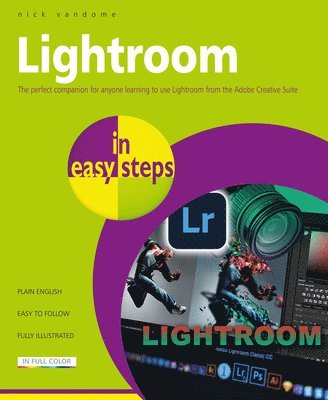
Lightroom in easy steps
Av Nick Vandome
Del i serien In Easy Steps
164 kr
Beställningsvara. Skickas inom 5-8 vardagar. Fri frakt över 249 kr.
Beskrivning
Adobe Lightroom is a world-leading photo-editing and storage solution from the creators of the popular image-editing apps Adobe Photoshop and Adobe Elements. However, Lightroom is more than just a single app; it is a comprehensive service including versions for a range of devices, and a linked online cloud service for storing, accessing, and sharing your photos. Lightroom has an easy-to-use interface that contains all of the tools required to unleash every last pixel of your photographic creativity Lightroom in easy steps begins by looking at the desktop, mobile and web versions of Lightroom and shows how they can be used individually and together to effortlessly capture, edit, and share photos between your devices. This provides a one-stop-shop for all of your photography needs, whether you are at home or at different locations capturing photos.Lightroom has a sophisticated range of color-editing tools, for fine-tuning every aspect of a photo. These are looked at in detail, so you can master all of the techniques required to edit your photos to your own exact requirements. These include: Profiles, which are preset options that can apply a range of editing elements to photos, mostly unprocessed ones (RAW). Once a profile has been created, it can be used on similar photos to create a consistent appearance. If required, additional editing can be undertaken once a profile has been applied.Light, including exposure, contrast, highlights, shadows, whites, and blacks. Color, including white balance, temperature, tint, black and white, vibrance, hue, saturation, and luminance. Targeted adjustment, including the Tone Curve and the Color Mixer. Effects, including texture, clarity, dehaze, and vignette. Detail, including sharpening - to improve the focus of a photo - reducing color noise, and applying film grain effects. Optics, for correcting camera lens issues for digital photos, including chromatic aberration, lens corrections, and defringing. Geometry, which can be used to edit the geometric perspective in photos - for instance if buildings do not initially appear straight. In addition to the manual editing functions, there are also over 40 preset editing techniques that can be applied to photos in a single click. These include color presets, and there is everything from presets for street photos to nature and architecture. Lightroom is also a powerful tool for organizing photos - a vital function, as digital photo libraries can expand at a staggering rate. Lightroom in easy steps shows how to manage and handle all of your photos through the use of albums, folders, and stacks. The powerful search options also ensure that you never lose track of any of your photos, with functions for adding keywords, metadata, flags, and ratings. There is also a valuable filter option that can be used to display photos according to a range of criteria, including Keywords, Cameras, Locations and People.Being able to safely store and share your photos is an important part of any photo app, and Lightroom has both of these options well covered. Group albums can be created to share photos with family and friends, and even give other people access to edit your photos themselves. There are extensive settings that can be used to ensure you can share your photos in exactly the way you want. Additional sharing options include adding photos and albums to a variety of online services, known as connections. Lightroom can also export photos in several different photo file formats and add watermarks to them for security if you are sharing them or displaying them online. These functions are all covered in the book too.Lightroom in easy steps demystifies the latest developments in the world of digital photo editing, organizing, sharing, and storing so that all of your attention can be focused on making your photos as stunning as possible.
Produktinformation
- Utgivningsdatum: 2024-03-06
- Mått: 186 x 227 x 10 mm
- Vikt: 390 g
- Format: Häftad
- Språk: Engelska
- Serie: In Easy Steps
- Antal sidor: 192
- Förlag: In Easy Steps Limited
- ISBN: 9781787910089
Utforska kategorier
Mer om författaren
Nick Vandome is an IT writer and trainerwho specializes in digital lifestyle, digital imaging and web-authoring. In Easy Steps books to his credit include top sellerssuch as Windows 11 in easy steps, AndroidPhones for Seniors in easy steps and PhotoshopElements in easy steps. Before he embarked on his successfulcareer in writing computing books, he wrote books on working and travelingabroad. He lives in Perth,UK.
Recensioner i media
Select Guide Rating
Betyg & recensioner
0 recensioner
Inga recensioner tillgängliga.