• Fri frakt över 249 kr
  • •
  • Snabba leveranser
  • •
  • Billiga böcker
Kundservice

Du är på sajten för privatpersoner.

Företag, bibliotek eller offentlig verksamhet?

Du handlar på classic.bokus.com, där alla dina funktioner finns intakta.
Till classic.bokus.com
Bokus logotyp. Gå till startsidan.
  • Erbjudanden
  • Nyheter
  • Student
  • Topplistor
  • Barn & ungdom
  • Bokus Play
  • E-böcker
  • Pocketböcker
  • Spel & pussel

10% rabatt på allt med kod NYSTART10 →

Sidfot

Mina sidor

    Hjälp

    • Kundservice
    • Vanliga frågor och svar
    • Frakt och leverans
    • Retur vid ångerrätt
    • Reklamera vara
    • Betalning
    • Köpvillkor
    • Allmänna villkor
    • Information om webbplatsens tillgänglighet

    Om Bokus

    • Om oss
    • Pressrum
    • För studenter
    • För företag
    • För bibliotek och offentlig verksamhet
    • För leverantörer
    • Hållbarhet

    Populärt

    • Aktuella erbjudanden
    • Presentkort
    • Studentlitteratur
    • Nya böcker
    • Topplistor
    • Signerade böcker
    • Engelska böcker

    Inspiration

    • Boktips
    • BookTok
    • Populära bokserier
    • Barnbokskaraktärer
    • Populära författare
    Logotyp för Bokus
    Följ oss på Facebook (extern länk)Följ oss på Instagram (extern länk)Följ oss på YouTube (extern länk)Följ oss på TikTok (extern länk)
    bokus @ CookiesAnpassa cookiesIntegritetspolicyKöpvillkor
    Till Citymail hemsida (extern länk)Till Budbee hemsida (extern länk)Till Postnord hemsida (extern länk)Till Schenker hemsida (extern länk)Till Early Bird hemsida (extern länk)Till Walleys hemsida (extern länk)
    1. Data och IT
    2. Affärsapplikationer

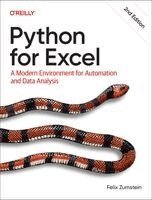
    Python for Excel

    A Modern Environment for Automation and Data Analysis

    AvFelix Zumstein

    Häftad, Engelska, 2026

    446 kr

    Beställningsvara. Skickas inom 5-8 vardagar. Fri frakt över 249 kr.

    Fler format och utgåvor

    E-bok

    627 kr

    E-bok

    625 kr

    Beskrivning

    Professionals in nearly every industry use Excel to create powerful tools that can adapt quickly to fast-changing environments. But Excel's automation language, VBA, stopped evolving a long time ago. Python, on the other hand, has exploded in popularity, so Microsoft's official Python integration came as no surprise. This thoroughly revised hands-on guide helps you unlock Excel's full potential using Python.Analysts, engineers, data scientists, and other power users will learn how to extend Excel's powerful analytics engine with Microsoft's Python in Excel feature. And with Excel's AI Copilot tool, even Python newbies can easily accomplish advanced tasks. Author Felix Zumstein-creator of the popular open source package xlwings-also dives into complementary solutions, including xlwings and OpenPyXL, that make the most of the combined capabilities of Excel and Python.Learn how to use Python's core featuresGet started with modern tools, including Jupyter notebooks and Visual Studio CodeApply powerful pandas commands to acquire, clean, and analyze dataUse advanced analytics via pandas in Excel, using Python in ExcelManipulate Excel files with Python, using xlwings and OpenPyXLAutomate Excel with Python, using xlwings and xlwings Lite

    Produktinformation

    • Utgivningsdatum:2026-06-09
    • Mått:226 x 28 x 177 mm
    • Vikt:770 g
    • Format:Häftad
    • Språk:Engelska
    • Antal sidor:416
    • Upplaga:2
    • Förlag:O'Reilly Media
    • ISBN:9798341640290

    Utforska kategorier

    • Affärsapplikationer inom Data och IT
    • Programspråk inom Data och IT
    • Systemvetenskap och AI inom Data och IT

    Mer om författaren

    Felix Zumstein is creator and maintainer of xlwings, a popular open-source package that allows the automation of Excel with Python on Windows and macOS. He also organizes the xlwings meetups in London and NYC to promote a broad range of innovative solutions for Excel. As CEO of xltrail, a version control system for Excel files, he has talked to hundreds of users who use Excel for business critical tasks and has therefore gained deep insight into the typical uses cases and issues with Excel across various industries.