Cheryl Shrock – författare
Visar alla böcker från författaren Cheryl Shrock. Handla med fri frakt och snabb leverans.
7 produkter
7 produkter
Häftad, Engelska, 2014
818 kr
Skickas inom 11-20 vardagar
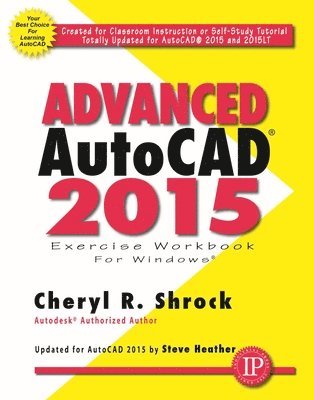
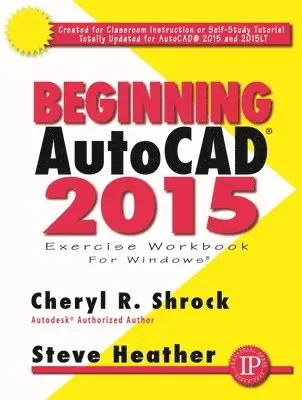
This is the right book for users if they liked the author’s “Beginning AutoCAD” workbook, or they’re looking for a clear, no nonsense, easy-to-follow text, or they want to learn more about AutoCAD such as Xref, Attributes, and 3D solids. Totally updated for AutoCAD 2015 and 2015 LT, it offers several new and improved features. All exercises print easily on a standard 8 ½” x 11” printer. For use with the PC version of AutoCAD 2015 only.NEW FEATURESThe ability to capture, embed and plot maps with Geographic LocationDark color interface which includes the Ribbon, Status Bar and Palettes. This contrasts with the dark model space and reduces eye strain.IMPROVED FEATURESEnhanced Status Bar giving greater control on the tools you want displayed.Reorganized View Ribbon making it easier to control the visibility of the UCS Icon, Navigation Bar, ViewCube and Layout Tabs.Improved graphics with Line Smoothing.Cheryl R. Shrock recently retired as Professor and Chairperson of Computer Aided Design at Orange Coast College (CA) where she had taught since 1990. She is an Autodesk® registered author. Previous to teaching, she owned and operated a commercial product and machine design company, using CAD to create and document designs. This book draws upon both her teaching and industry experience.Steve Heather has 30-plus years of experience as a practicing mechanical engineer and has taught AutoCAD to engineering and architectural students at the college level. He is an authorized AutoCAD beta tester and a member of AutoCAD Connected Desktop Customer Council.
Häftad, Engelska, 2017
880 kr
Skickas inom 5-8 vardagar
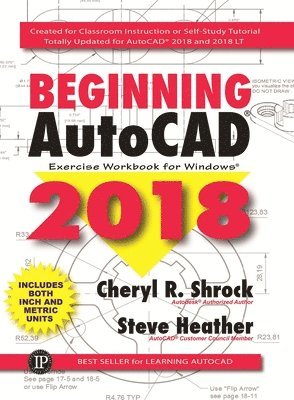
The BeginningAutoCAD® 2018 Exercise Workbook is designed for classroom instruction and self-study alike, and is now suitable for both inch and metric users to accommodate readers around the world. Each lesson starts with step-by-step instructions on how to master a particular task, followed by exercises designed for practicing the commands readers learned within that lesson.The 2018 version of the software boasts the new feature of being able to import SHX fonts when importing documents into AutoCAD. With past versions, you could only import SHX fonts as objects that were included in the PDF, which meant that users could not alter the text in any way. In this 2018 version of the software, the text will be fully editable – the same as TrueType text and fonts. That’s a tremendous advantage for architects and designers, who use SHX fonts extensively in their drawings.Written by Cheryl Shrock and Steve Heather, two bestselling authors and official Beta Testers of AutoCAD® software, this is an invaluable resource for the thousands of students, designers, architects, and manufacturers who are just learning AutoCAD®, or getting up to speed with the latest version of the software. New and Improved FeaturesThe ability to import SHX fonts when importing a PDF document into AutoCAD.The ability to convert single rows of text into paragraphs.All exercises will include metric equivalents alongside the original imperial (inch) measurements.Additional new features just being released by AutoCAD to beta testers.Beginning AutoCAD 2018 Exercise Workbook is the right book for users new to AutoCAD or who want to brush up on the basics. Thisis a clear, no nonsense, easy-to-follow text that helps user learn AutoCAD quickly and easily. All exercises print easily on a standard 8.5 x 11 printer.Cheryl Shrock is a retired Professor and Chairperson of Computer Aided Design at Orange Coast College in California. The AutoCAD Exercise Workbooks are the result of both her teaching skills and her industry experience. She is an Autodesk® registered author. Steve Heather is a former Lecturer of Mechanical Engineering and Computer Aided Design in England, UK. For the past 8 years, he has been a Beta Tester for Autodesk®, testing the latest AutoCAD® software. He is the co-author of the bestselling series of Beginning and Advanced AutoCAD® Exercise Workbooks. Previous to teaching, and for more than 30 years, Heather worked as a Precision Engineer in the aerospace and defense industries.
Häftad, Engelska, 2021
906 kr
Skickas inom 3-6 vardagar
Just as the AutoCAD software continues to be improved and perfected, so does the Beginning AutoCAD® Exercise Workbook. This work is truly the ideal package from which to learn AutoCAD, whether you're a complete beginner, or simply learning about the latest features. The new AutoCAD 2022 software includes features such as Installer, which reduces the number of steps needed for the initial install, Share Current Drawing, allowing other users to view or edit a drawing in the online AutoCAD Web application, and Trace, encouraging collaboration on drawing changes using the AutoCAD Web and Mobile apps. Readers can download the provided templates used for drawings in the book from the Industrial Press website. Expert author duo Shrock and Heather share their knowledge with students and instructors, including plenty of inside tips and dozens of exercises to help users get comfortable and see real progress.NEW AND/OR IMPROVED FEATURES IN BEGINNING AUTOCAD 2022:Redesigned Start Tab—There are three main sections that provide access to recent work, enabling users to carry on where they left off, and offering them access to online saved drawing files. (Included in Lesson 1)Count—The new Count feature allows users to count the instances of objects and Blocks that are placed in their drawing. (Included in Lesson 29)Floating Drawing Tabs—Users can now drag a drawing file Tab from the main AutoCAD application window to make it a separate drawing file window. This is extremely useful for those with two or more monitors. (Included in Lesson 2)
Häftad, Engelska, 2011
761 kr
Tillfälligt slut
This is the right book for you if you liked the author's "Beginning AutoCAD" workbook, you're looking for a clear, no nonsense, easy-to-follow text, or you want to learn more about AutoCAD such as as Xref, Attributes, and 3D solids. Totally updated for AutoCAD 2012 and 2012 LT, it includes 3D Associative Array, 3D AutoSnap Marker, Autodesk, Inventor Fusion, and DWG Conversion capabilities, as well as these enhanced features: Improved performance when opening large 3D models and Orbiting, Fillet and Camfer Edge, Presspull functionality, and UCS control enhancements. All exercises print easily on your 8 ½" x 11" printer.Shows you step-by-step HOW TO: Customize your workspace: Create new Ribbon tabs and panels, Customize the Quick Access Toolbar, Customize the Status Bar. Create master setup drawings for decimals or architecture. Create Isometric drawings and dimensions.Insert just about anything using the Design Center. Easily understand Blocks, Dynamic Blocks and Attributes. Use the time-saving External Reference commands. Learn the basics for 3-dimensional drawing.Work with the powerful Table maker. Create Parametric objects using Geometric and Dimensional constraints.
Häftad, Engelska, 2015
422 kr
Tillfälligt slut
Handy, Invaluable AutoCAD Pocket Reference. The AutoCAD Pocket Reference, Seventh Edition, at 360 pages in softcover, is indispensable and handy. Authors Cheryl R. Schrock's and Steve Heather'sAutoCAD series at Industrial Press is on our top seller's list for good reason. In the AutoCAD Pocket Reference, the authors provide easy access to the important fundamental commands, concepts, and "how to" information for everyday use. The book is divided into 13 sections. It's like an expert's cheat sheet, but much better. AutoCAD Pocket Reference is ideal for practitioners in the field. And it is perfect for students, teachers, and AutoCAD users on the go. The reference provides a quick and easy refresh -- occasional or everyday -- on the use of AutoCAD commands. This pocket reference does not substitute for either introductory or advanced AutoCAD textbooks. Its job is to bring comfort as a ready reference. Place a copy by your AutoCAD workstation. And be sure to keep a copy with your laptop, To learn AutoCAD quickly and easily, you'll want to obtain IP's Beginning AutoCAD 2014 Exercise Workbook. More experienced users should selectAdvanced AutoCAD 2014 Exercise Workbook. Both are by the same authors. Also available are Shrock's exercise workbooks for prior versions of AutoCAD. Cheryl R. Shrock recently retired as Professor and Chairperson of Computer Aided Design at Orange Coast College (CA) where she had taught since 1990. She is an Autodesk® registered author. Previous to teaching, she owned and operated a commercial product and machine design company, using CAD to create and document designs. This book draws upon both her teaching and industry experience. Steve Heather has 30-plus years of experience as a practicing mechanical engineer and has taught AutoCAD to engineering and architectural students at the college level. He is an authorized AutoCAD beta tester and a member of AutoCAD Connected Desktop Customer Council. Steve lives near Canterbury, England. Action Commands, Concepts, Dimensioning, Drawing Entities, How To, Layers, Input Options, Miscellaneous, Plotting, Settings, Text, UCS, Constraints, Appendices, Index
Häftad, Engelska, 2016
880 kr
Tillfälligt slut
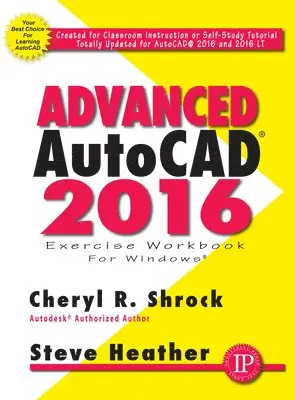
The best-selling title that has been helping AutoCAD users for more than two decades is better than ever.This is THE book for users of AutoCAD® who are looking for the same great, step-by-step instruction and illustrations in the Beginning AutoCAD® Exercise Workbook and want to delve deeper into AutoCAD 2017’s features. Designed for students, teachers, and professionals in the field, the Advanced AutoCAD® 2017 Exercise Workbook includes invaluable, updated coverage of essential features for intermediate and advanced users. For example, this new book covers creating Metric master templates, border and title blocks, and dimension styles.A Game-Changer! For the first time, this top-selling Workbook and the companion title Beginning AutoCAD® 2017 Exercise Workbook now include both METRIC and INCH measurements side by side, so that readers worldwide can benefit from all of the instructions and exercises.NEW AND IMPROVED FEATURESPDF Import command allowing users to import a .pdf file directly into AutoCAD as usable geometry and/or text.Instructions on the Share Design View command, explaining how to share a design on the web without compromising the original drawing data.Dialog Box enhancements, plus useful Q's & A's.Two new dimension commands, Associative Centerlines and Associative Center Marks, which are both fully editable.How to send 3D model designs to a 3D printer, or save them for use at a later date.A refreshed cover design highlights the latest editions of the AutoCAD Exercise Workbook series.This is the right book for users who liked the author’s “Beginning AutoCAD” workbook and want to learn more about AutoCAD’s features, including Xref, Attributes, and 3D solids. This clear, no nonsense, easy-to-follow text is totally updated for AutoCAD 2017 and 2017 LT, and it offers several new and improved features. All exercises are easy to print on standard 8 ½" x 11" paper. For use with the PC version of AutoCAD 2017 only.Cheryl Shrock recently retired as Professor and Chairperson of Computer Aided Design at Orange Coast College in California, where she had taught since 1990. She is an Autodesk® registered author. Previous to teaching, she owned and operated a commercial product and machine design company, using CAD to create and document designs. This book draws upon both her teaching and industry experience. Steve Heather has 30-plus years of experience as a practicing mechanical engineer and has taught AutoCAD to engineering and architectural students at the college level. He is an authorized AutoCAD beta tester and a member of AutoCAD Connected Desktop Customer Council. Steve lives near Canterbury, England, and welcomes your questions or comments at: steve.heather@live.com.
Häftad, Engelska, 2020
880 kr
Tillfälligt slut
There’s simply no better resource for anyone learning about and/or teaching CAD software than the Beginning AutoCAD Exercise Workbook. Veteran AutoCAD experts and former instructors Shrock and Heather have packed the 2021 version with a vastly improved interior design layout, 30 in-depth lessons with hundreds of useful practice exercises, all new screenshots, along with tried and true features such as “CAD tips” and side-by-side metric/inch measurements. The detailed, step-by-step format makes mastering AutoCAD much easier, in or out of a formal classroom. Readers can download the provided templates used for drawings in the book from the Industrial Press website. New and/or Improved Features in Beginning AutoCAD 2021 Streamlined Trim and Extend command—Boundary edges are now selected automatically, making trimming or extending objects far more efficient.Revision Cloud enhancements—Users can use one value that measures the chord distance between the end points of each cloud arc to create more consistent revision clouds.Measure Geometry: Quick Measure—The area and perimeter of closed objects (and even multiple objects) can be measured with a simple click, all in one go.Beginning AutoCAD 2021 contains more content than ever before, yet has been redesigned and reduced by more than 100 pages, making it more manageable to read and carry.There’s simply no better resource for anyone learning about and/or teaching CAD software than the Beginning AutoCAD Exercise Workbook. Veteran AutoCAD experts and former instructors Shrock and Heather have packed the 2021 version with a vastly improved interior design layout, 30 in-depth lessons with hundreds of useful practice exercises, all new screenshots, along with tried and true features such as “CAD tips” and side-by-side metric/inch measurements. The detailed, step-by-step format makes mastering AutoCAD much easier, in or out of a formal classroom. Readers can download the provided templates used for drawings in the book from the Industrial Press website. New and/or Improved Features in Beginning AutoCAD 2021 Streamlined Trim and Extend command—Boundary edges are now selected automatically, making trimming or extending objects far more efficient.Revision Cloud enhancements—Users can use one value that measures the chord distance between the end points of each cloud arc to create more consistent revision clouds.Measure Geometry: Quick Measure—The area and perimeter of closed objects (and even multiple objects) can be measured with a simple click, all in one go.Beginning AutoCAD 2021 contains more content than ever before, yet has been redesigned and reduced by more than 100 pages, making it more manageable to read and carry.Cheryl Shrock is a retired Professor and Chairperson of Computer Aided Design at Orange Coast College in California. The AutoCAD ExerciseWorkbooks are the result of both her teaching skills and her industry experience. She is an Autodesk® registered author. Steve Heather has more than 30 years of experience as a practicing mechanical engineer, and has taught AutoCAD to engineering and architectural students at the college level. He is a Beta Tester for Autodesk®, testing the latest AutoCAD software, and a member of the AutoCAD® Customer Council.* Starting AutoCAD * Creating & Using a Template * Selecting a Command * Drawing Lines * Erase * Undo and Redo * Starting a New Drawing * Opening Multiple Files * Automatic Save * Circle * Rectangle * Grid and Increment Snap * Transparency * Object Snap * Zoom * Drawing Setup * Polygon * Ellipse * Point * Break * Trim * Extend * Move * Drag * Explode * Copy * Mirror * Fillet * Chamfer * Single & Multiline Text * Tabs & Indents * Columns * Paragraph & Line Spacing * Editing * Coordinate Input * Absolute Coordinates * Direct Distance Entry (DDE) * Measure Tools * Moving the Origin * Displaying the UCS Icon * Polar Coordinate Input * Dynamic Input* Polar Tracking * Using Polar Tracking & DDE * Polar Snap * Offset * Properties Palette * Quick Properties Panel * Array * Scale: Stretch: Rotate * Hatch Types * Editing Hatch Set Properties * Linear, Continue, & Baseline Dimensioning * Ignoring Hatch Objects * Editing Dimension Text Values * Modifying a Dimension Style * Dimension Breaks * Jogging a Dimension Line * Adjusting the Distance Between Dimensions * Dimensioning Diameters & Radii * Angular Dimensioning * Center Mark—Automatic & Manual * Centerline * Flip Arrow * Creating a Multileader Style * Special Text Characters * Dim Command… and much more!