Manuel Singer - Böcker
Visar alla böcker från författaren Manuel Singer. Handla med fri frakt och snabb leverans.
3 produkter
3 produkter
653 kr
Skickas inom 5-8 vardagar
Take a deep dive into the world of Windows desktop deployment using the Microsoft Deployment ToolkitAbout This Book• Learn Microsoft Deployment Toolkit best practices and how to adopt them into your deployment project• Troubleshoot task sequence errors and quickly resolve deployment blockers• An easy-to-follow, in-depth guide to image creation, customization, and deployment of WindowsWho This Book Is ForThis book is ideal for those deploying or planning to deploy Windows, in need of a top-to-bottom guide on project deployment. It is also an invaluable resource for consultants who need a top-to-bottom guide (or just a refresher) on project deployment.What You Will Learn• Build a production-ready MDT environment• Administer the environment for multiple users• Customize your reference image with an MDT Task Sequence• Create standalone media for offline deployments• Customize the default user profile according to the version of Windows• Get to grips with some troubleshooting steps and processes to reduce the time for recovery of a failed image• Customize and create Windows images for deployment• Discover useful tips and tricks to help save time in your deployment projectsIn DetailThe Microsoft Deployment Toolkit (MDT) provides a comprehensive collection of tools, processes, and guidance for automating desktop and server deployments. It considerably reduces deployment time and standardizes desktop and server images. Moreover, MDT offers improved security and ongoing configuration management. Microsoft Deployment Toolkit is the official supported method of creating and customizing Windows images for deployment.Starting from scratch, this book walks you through the MDT setup, task sequence creation, and image deployment steps in detail. Breaking down the various MDT concepts, this book will give you a thorough understanding of the deployment process.Beginning with imaging concepts and theory, you will go on to build a Microsoft Deployment Toolkit environment. You will understand the intricacies of customizing the default user profile in different versions of Windows. Driver handling can be a challenge for larger organizations; we'll cover various driver concepts including mandatory driver profiles. ]Other important topics like the User State Migration Tool (USMT), configuration of XML files, and how to troubleshoot the USMT are also discussed in the book.We will cover the verifier and Windows Performance Toolkit for image validation scenarios. Furthermore, you will learn about MDT web frontend implementation as well as how to utilize the database capabilities of MDT for deeper deployment options. We'll wrap it all up with some links to resources for more information, blogs to watch, and useful Twitter handles.Style and approachThis is a comprehensive guide written using a step-by-step approach. It begins with the basics and gradually moves on to the advanced topics MDT.
589 kr
Skickas inom 5-8 vardagar
Learn the art of configuring, deploying, managing and securing Windows 10 for your enterprise.About This Book• Enhance your enterprise administration skills to manage Windows 10 Redstone 3• Get acquainted with configuring Azure Active Directory for enabling cloud-based services and Remote Server Admin Tools for managing Windows Server• Provide enterprise-level security with ease using the built-in data loss prevention of Windows 10Who This Book Is ForIf you are a system administrator who has been given the responsibility of administering and managing Windows 10 Redstone 3, then this book is for you. If you have deployed and managed previous versions of Windows, it would be an added advantage.What You Will Learn• Understand the remote access capabilities• Use third-party tools to deploy Windows 10• Customize image and user Interface experience• Implement assigned access rights• Configure remote administration• Manage Windows 10 security• Work with Azure AD and Intune managementIn DetailMicrosoft's launch of Windows 10 is a step toward satisfying the enterprise administrator's needs for management and user experience customization. This book provides the enterprise administrator with the knowledge needed to fully utilize the advanced feature set of Windows 10 Enterprise.This practical guide shows Windows 10 from an administrator's point of view. You'll focus on areas such as installation and configuration techniques based on your enterprise requirements, various deployment scenarios and management strategies, and setting up and managing admin and other user accounts. You'll see how to configure Remote Server Administration Tools to remotely manage Windows Server and Azure Active Directory.Lastly, you will learn modern Mobile Device Management for effective BYOD and how to enable enhanced data protection, system hardening, and enterprise-level security with the new Windows 10 in order to prevent data breaches and impede attacks.By the end of this book, you will know the key technologies and capabilities in Windows 10 and will confidently be able to manage and deploy these features in your organization.Style and approachThis step-by-step guide will show you how to configure, deploy, manage, and secure the all new Windows 10 Redstone 3 for your enterprise.
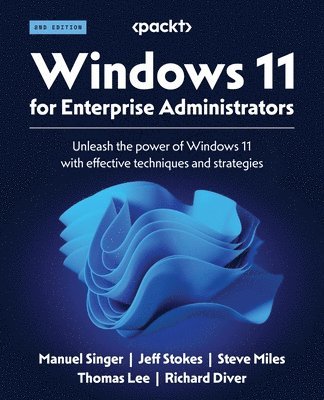
Windows 11 for Enterprise Administrators
Unleash the power of Windows 11 with effective techniques and strategies
Häftad, Engelska, 2023
621 kr
Skickas inom 5-8 vardagar
Get to grips with the intricacies of Windows 11 management, security, and deployment to foster organizational efficiency and resiliencyKey FeaturesEnhance your enterprise administration skills to reap the full potential of Windows 11Configure Azure Active Directory (AD) to enable cloud-based servicesProvide enterprise-level security with ease using the built-in data loss prevention of Windows 11Purchase of the print or Kindle book includes a free PDF eBookBook DescriptionWindows 11 comes with a plethora of new security measures, customizability, and accessibility features that can help your organization run more smoothly. But, without a proper introduction to this new version of Windows, it’s easy to miss the most important improvements, along with configuration options that will make migrating to Windows 11 frictionless. Windows 11 for Enterprise Administrators helps you understand the installation process, configuration methods, deployment scenarios, and management strategies. You’ll delve into configuring Remote Server Administration Tools for remote Windows Server and Azure Active Directory management. This edition emphasizes PowerShell's role in automating administrative tasks, and its importance in Windows 11 and Windows Server management. It also provides comprehensive insights into Windows 11 updates, including Version 21H2 and 22H2, contrasting them with Windows 10, ensuring your knowledge stays current with the latest enhancements in the Windows ecosystem. By the end of this book, you'll be well-equipped with Windows 11's vital technologies and potentials, enabling you to adeptly oversee and implement these attributes within your company.What you will learnConfigure and harden PowerShellExplore advanced options to secure the user account credentialsPerform administrative tasks using the RSAT toolExplore EUC device models and their key considerationsManage Windows 11 security efficientlyWork with Azure AD and Intune managementApply the zero-trust and defense-in-depth approachWho this book is forIf you’re a system administrator tasked with upgrading to Windows 11, then this book is for you. Having deployed and managed previous versions of Windows in the past will help you follow along this book, but you can also use it as a guide if Windows 11 is your first foray into system administration.