Travis Everett - Böcker
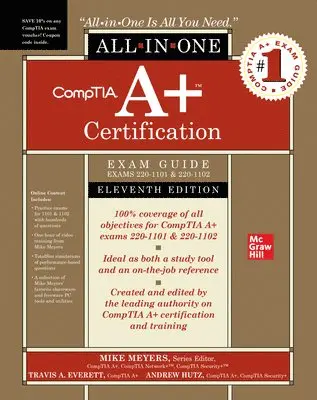
CompTIA A+ Certification All-in-One Exam Guide, Eleventh Edition (Exams 220-1101 & 220-1102)
509 kr
Skickas
This bestselling on-the-job reference and test preparation guide has been fully revised for new 2022 exam objectives
This fully revised and updated resource offers complete coverage of the latest release of CompTIA A+ exams 220-1101 & 220-1102. You’ll find learning objectives at the beginning of each chapter, exam tips, practice exam questions, and in-depth explanations. Designed to help you pass the CompTIA A+ exams with ease, this definitive guide also serves as an essential on-the-job IT reference.
Covers all exam topics, including how to:
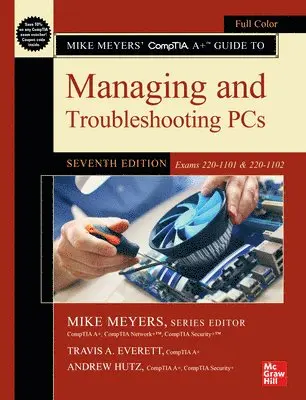
Work with CPUs, RAM, BIOS, motherboards, power supplies, and other personal computer componentsInstall, configure, and maintain hard drivesManage input devices and removable mediaSet up, upgrade, and maintain Microsoft WindowsTroubleshoot and fix computer problemsInstall printers and other peripheralsConfigure and secure mobile devicesConnect to the InternetSet up wired and wireless networksProtect your personal computer and your networkImplement virtualization and cloud-based technologiesOnline content includes:Practice exams for 1101 & 1102 with hundreds of questionsOne hour of video training from Mike MeyersTotalSim simulations of performance-based questionsA collection of Mike Meyers’ favorite shareware and freeware PC tools and utilitiesMike Meyers' CompTIA A+ Guide to Managing and Troubleshooting PCs, Seventh Edition (Exams 220-1101 & 220-1102)
659 kr
Skickas
Fully Updated, Essential Skills for a Successful IT Career
Created and edited by the leading authority on CompTIA A+ certification and training, this four-color guide will help you pass CompTIA A+ exams 220-1101 and 220-1102 and become a certified IT professional with proven expertise in hardware and software. Mike Meyers’ CompTIA A+™ Guide to Managing and Troubleshooting PCs, Seventh Edition offers complete coverage of the latest exam objectives. You’ll get on-the-job tips, end-of-chapter review questions, and hundreds of photographs and illustrations.
Learn how to:
Work with CPUs, RAM, BIOS, motherboards, power supplies, and other personal computer componentsInstall, configure, and maintain hard drivesManage input devices and removable mediaSet up, upgrade, and maintain Microsoft WindowsTroubleshoot and fix computer problemsEstablish users and groupsSet up video and multimedia cardsAdminister smartphones, tablets, and other mobile devicesSet up wired and wireless networksConnect to the InternetProtect your personal computer and your networkInstall printers and other peripheralsImplement virtualization and cloud-based technologiesUnderstand safety and environmental issuesOnline content includes:Practice exams for 220-1101 and 220-1102 with hundreds of questionsOne hour of free video training from Mike MeyersTotalSim simulations of performance-based questionsA collection of Mike Meyers’ favorite freeware and shareware PC tools and utilitiesEach chapter features:Learning objectivesPhotographs and illustrationsReal-world examplesTry This! and Cross Check exercisesKey terms highlightedTech Tips, Notes, and WarningsExam TipsEnd-of-chapter quizzes and lab projects