• Fri frakt över 249 kr
  • •
  • Snabba leveranser
  • •
  • Billiga böcker
Kundservice

Du är på sajten för privatpersoner.

Företag, bibliotek eller offentlig verksamhet?

Du handlar på classic.bokus.com, där alla dina funktioner finns intakta.
Till classic.bokus.com
Bokus logotyp. Gå till startsidan.
  • Erbjudanden
  • Nyheter
  • Student
  • Topplistor
  • Barn & ungdom
  • Bokus Play
  • E-böcker
  • Pocketböcker
  • Spel & pussel

10% rabatt på allt med kod NYSTART10 →

Sidfot

Mina sidor

    Hjälp

    • Kundservice
    • Vanliga frågor och svar
    • Frakt och leverans
    • Retur vid ångerrätt
    • Reklamera vara
    • Betalning
    • Köpvillkor
    • Allmänna villkor
    • Information om webbplatsens tillgänglighet

    Om Bokus

    • Om oss
    • Pressrum
    • För studenter
    • För företag
    • För bibliotek och offentlig verksamhet
    • För leverantörer
    • Hållbarhet

    Populärt

    • Aktuella erbjudanden
    • Presentkort
    • Studentlitteratur
    • Nya böcker
    • Topplistor
    • Signerade böcker
    • Engelska böcker

    Inspiration

    • Boktips
    • BookTok
    • Populära bokserier
    • Barnbokskaraktärer
    • Populära författare
    Logotyp för Bokus
    Följ oss på Facebook (extern länk)Följ oss på Instagram (extern länk)Följ oss på YouTube (extern länk)Följ oss på TikTok (extern länk)
    bokus @ CookiesAnpassa cookiesIntegritetspolicyKöpvillkor
    Till Citymail hemsida (extern länk)Till Budbee hemsida (extern länk)Till Postnord hemsida (extern länk)Till Schenker hemsida (extern länk)Till Early Bird hemsida (extern länk)Till Walleys hemsida (extern länk)
    1. Data och IT
    2. Affärsapplikationer

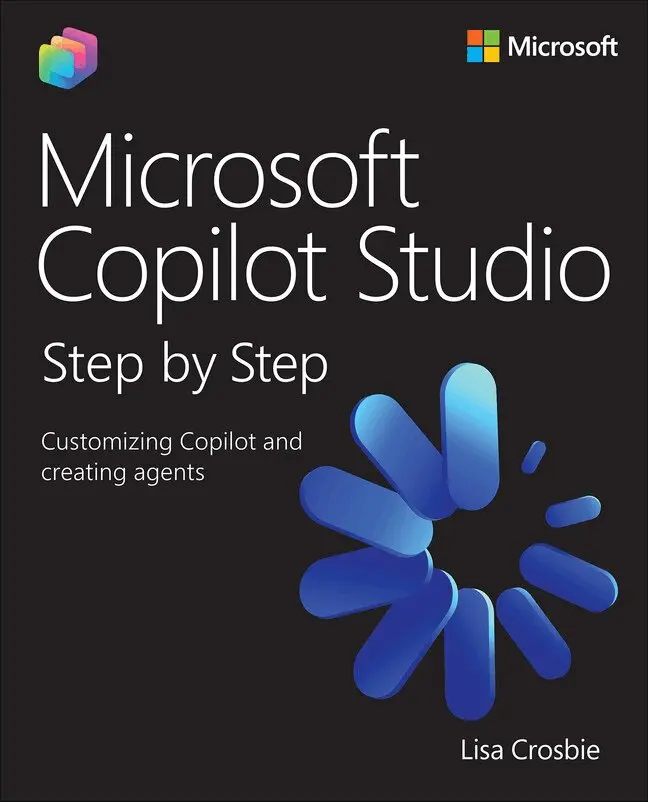
    Microsoft Copilot Studio Step by Step

    Customizing Copilot and creating agents

    AvLisa Crosbie

    Häftad, Engelska, 2026

    699 kr

    Beställningsvara. Skickas inom 7-10 vardagar. Fri frakt över 249 kr.

    Beskrivning

    Renowned Microsoft AI authority Lisa Crosbie unveils an essential guide to mastering agent building and business process automation with Microsoft Copilot Studio

    Featuring a foreword by Dan Lewis, Corporate Vice President, Microsoft Copilot Studio

    Microsoft Copilot Studio Step by Step: Customizing Copilot and creating agents is the definitive, hands-on guide for professionals seeking to master Microsoft’s low-code agent-building platform. The book combines reference material with step-by-step tutorials, making complex AI concepts accessible to low-code makers, consultants, and IT pros. You will learn to design, build, and deploy AI-powered agents that automate workflows, transform business processes, and integrate with Microsoft 365 Copilot and your line of business systems. Through practical scenarios, best practices, and end-to-end examples, this book equips users with the skills to leverage Copilot Studio for organizational value, offering the depth and clarity needed to turn ideas into working solutions, and emerging as the essential resource for this rapidly growing technology.


    By reading this book, you will:


    • Understand the foundational concepts and architecture of Microsoft Copilot Studio and AI agents
    • Create AI-powered agents using natural language and low-code tools for internal and customer-facing scenarios
    • Configure autonomous agents with event-driven, scheduled, and data-based triggers
    • Ground your agents in organizational knowledge by connecting to multiple data sources
    • Author structured conversational topics using advanced tools like branching logic and adaptive cards
    • Extend agent capabilities with connectors, prompts, MCP servers, and workflow automation
    • Design multi-agent orchestration using child and connected agents to delegate tasks across specialized domains
    • Publish and authenticate agents across Microsoft 365 Copilot, Teams, websites, and other external channels
    • Monitor agent performance using built-in analytics to optimize user experience
    • Expand your solutions with advanced capabilities for integration with voice channels, customer engagement hubs and Azure AI

    Produktinformation

    • Utgivningsdatum:2026-03-04
    • Mått:225 x 30 x 190 mm
    • Vikt:965 g
    • Format:Häftad
    • Språk:Engelska
    • Antal sidor:592
    • Upplaga:1
    • Förlag:Pearson Education
    • ISBN:9780135491508

    Utforska kategorier

    • Affärsapplikationer inom Data och IT
    • Operativsystem inom Data och IT
    • Artificiell intelligens inom Data och IT

    Mer om författaren

    Lisa Crosbie is a globally recognized expert in Microsoft AI and Business Applications, a published author, a sought-after global conference speaker, and prolific content creator, with a YouTube channel boasting over 100,000 subscribers and millions of views.

    Innehållsförteckning

    • Foreword. . . . . . . . . . . . . . . . . . . . . . . . . . . . . . . . . . . . . . . . . .. . . . . . . . . . . . . . . . xiiiIntroduction. . . . . . . . . . . . . . . . . . . . . . . . . . . . . . . . . . . . . . . . . . . . . . . . . . . xxi  Part 1: Introducing Copilot Studio and agentsChapter 1: Understanding Copilot Studio and agents . 1Practice files. . . . . . . . . . . . . . . . . . . . . . . . . . . . . . . . . . . . . . . . . . . . . . . . . . . . .  . .  .  1Get started with Copilot Studio. . . . . . . . . . . . . . . . . . . . . . . . . . . . . . . . .  . . . . . 2Understand the capabilities of Copilot Studio. . . . . . . . . . . . . . . . . . . . . . . . . . . . . .  11Explore use cases for Copilot Studio agents. . . . . . . . . . . . . . . . . . . . . . . . . . . . . . . .  18Skills review. . . . . . . . . . . . . . . . . . . . . . . . . . . . . . . . . . . . . . . . . . . . . . . . . .. . . . . . 26Practice tasks . . . . . . . . . . . . . . . . . . . . . . . . . . . . . . . . . . . . . . . . . . . . . . . . . . . . . . . . 27  Chapter 2: Designing effective agents . 29Practice files. . . . . . . . . . . . . . . . . . . . . . . . . . . . . . . . . . . . . . . . . . . . . . . . . . . . . . . . . . . . .  29Choose the type of agent. . . . . . . . . . . . . . . . . . . . . . . . . . . . . . . . . . . . . . . . . . . . . . . . .  30Select the agent’s orchestration model . . . . . . . . . . . . . . . . . . . . . . . . . . . . . . . . . . . . . 36Design the agent’s capabilities. . . . . . . . . . . . . . . . . . . . . . . . . . . . . . . . . . . . . . . . . . . . . 45Understand and calculate agent costs. . . . . . . . . . . . . . . . . . . . . . . . . . . . . . . . . . . . . . 54Skills review. . . . . . . . . . . . . . . . . . . . . . . . . . . . . . . . . . . . . . . . . . . . . . . . . . . . . . . . . . . . . . . 59Practice tasks . . . . . . . . . . . . . . . . . . . . . . . . . . . . . . . . . . . . . . . . . . . . . . . . . . . . . . . . . . . . . 60  Part 2: Building agents with Copilot StudioChapter 3. Building agents with the lite experience of Copilot Studio . 63Practice files. . . . . . . . . . . . . . . . . . . . . . . . . . . . . . . . . . . . . . . . . . . . . . . . . . . . . . . . . . . . .  . 63Describe and configure an agent. . . . . . . . . . . . . . . . . . . . . . . . . . . . . . . . . . . . . . . . . . 64Build an agent from a template . . . . . . . . . . . . . . . . . . . . . . . . . . . . . . . . . . . . . . . . . . . . 83Share and manage agents . . . . . . . . . . . . . . . . . . . . . . . . . . . . . . . . . . . . . . . . . . . . . . . . . 87Skills review. . . . . . . . . . . . . . . . . . . . . . . . . . . . . . . . . . . . . . . . . . . . . . . . . . . . . . . . . . . . . . . 94Practice tasks . . . . . . . . . . . . . . . . . . . . . . . . . . . . . . . . . . . . . . . . . . . . . . . . . . . . . . . . . . . . . 95  Chapter 4: Building agents in Copilot Studio . 97Practice files. . . . . . . . . . . . . . . . . . . . . . . . . . . . . . . . . . . . . . . . . . . . . . . . . . . . . . . . . . . . .  . 97Understand environments and solutions. . . . . . . . . . . . . . . . . . . . . . . . . . . . . . . . . . . . 98Configure a new agent . . . . . . . . . . . . . . . . . . . . . . . . . . . . . . . . . . . . . . . . . . . . . . . . . . . 103Manage agent settings. . . . . . . . . . . . . . . . . . . . . . . . . . . . . . . . . . . . . . . . . . . . . . . . . . . 111Edit the Conversation Start topic. . . . . . . . . . . . . . . . . . . . . . . . . . . . . . . . . . . . . . . . . . 115Start with an agent template. . . . . . . . . . . . . . . . . . . . . . . . . . . . . . . . . . . . . . . . . . . . . . 118Install a managed agent. . . . . . . . . . . . . . . . . . . . . . . . . . . . . . . . . . . . . . . . . . . . . . . . . . 121Skills review. . . . . . . . . . . . . . . . . . . . . . . . . . . . . . . . . . . . . . . . . . . . . . . . . . . . . . . . . . . . . . 124Practice tasks . . . . . . . . . . . . . . . . . . . . . . . . . . . . . . . . . . . . . . . . . . . . . . . . . . . . . . . . . . . . 125  Chapter 5: Building autonomous agents . 129Practice files. . . . . . . . . . . . . . . . . . . . . . . . . . . . . . . . . . . . . . . . . . . . . . . . . . . . . . . . . . . . . 129Identify use cases for autonomous agents . . . . . . . . . . . . . . . . . . . . . . . . . . . . . . . . . 130Build an autonomous agent. . . . . . . . . . . . . . . . . . . . . . . . . . . . . . . . . . . . . . . . . . . . . . . 135Publish and monitor an autonomous agent. . . . . . . . . . . . . . . . . . . . . . . . . . . . . . . . 161Skills review. . . . . . . . . . . . . . . . . . . . . . . . . . . . . . . . . . . . . . . . . . . . . . . . . . . . . . . . . . . . . . 165Practice tasks . . . . . . . . . . . . . . . . . . . . . . . . . . . . . . . . . . . . . . . . . . . . . . . . . . . . . . . . . . . . 166  Chapter 6: Grounding agents in knowledge . 169Practice files. . . . . . . . . . . . . . . . . . . . . . . . . . . . . . . . . . . . . . . . . . . . . . . . . . . . . . . . . . . . . 169Understand how knowledge works in Copilot Studio. . . . . . . . . . . . . . . . . . . . . . . 170Connect to public websites as a knowledge source. . . . . . . . . . . . . . . . . . . . . . . . . 182Add files as a knowledge source. . . . . . . . . . . . . . . . . . . . . . . . . . . . . . . . . . . . . . . . . . . 188Add SharePoint as a knowledge source. . . . . . . . . . . . . . . . . . . . . . . . . . . . . . . . . . . 208Add real-time connectors to enterprise data. . . . . . . . . . . . . . . . . . . . . . . . . . . . . . . 218Skills review. . . . . . . . . . . . . . . . . . . . . . . . . . . . . . . . . . . . . . . . . . . . . . . . . . . . . . . . . . . . . 228Practice tasks . . . . . . . . . . . . . . . . . . . . . . . . . . . . . . . . . . . . . . . . . . . . . . . . . . . . . . . . . . . 230  Chapter 7: Authoring topics . 233Practice files. . . . . . . . . . . . . . . . . . . . . . . . . . . . . . . . . . . . . . . . . . . . . . . . . . . . . . . . . . . . 233Create and edit topics. . . . . . . . . . . . . . . . . . . . . . . . . . . . . . . . . . . . . . . . . . . . . . . . . . . 234Use message nodes and adaptive cards. . . . . . . . . . . . . . . . . . . . . . . . . . . . . . . . . . . 253Use questions, variables, and entities. . . . . . . . . . . . . . . . . . . . . . . . . . . . . . . . . . . . . 266Use formulas, logic, and generative answers . . . . . . . . . . . . . . . . . . . . . . . . . . . . . . . 281Manage topic transitions and internal triggers . . . . . . . . . . . . . . . . . . . . . . . . . . . . 300Skills review. . . . . . . . . . . . . . . . . . . . . . . . . . . . . . . . . . . . . . . . . . . . . . . . . . . . . . . . . . . . . . 311Practice tasks . . . . . . . . . . . . . . . . . . . . . . . . . . . . . . . . . . . . . . . . . . . . . . . . . . . . . . . . . . . . 312  Chapter 8: Extending agents with tools . 317Practice files. . . . . . . . . . . . . . . . . . . . . . . . . . . . . . . . . . . . . . . . . . . . . . . . . . . . . . . . . . . . . 317Use connectors and REST APIs . . . . . . . . . . . . . . . . . . . . . . . . . . . . . . . . . . . . . . . . . . . . 318Create agent flows. . . . . . . . . . . . . . . . . . . . . . . . . . . . . . . . . . . . . . . . . . . . . . . . . . . . . . 336Add tools to a topic . . . . . . . . . . . . . . . . . . . . . . . . . . . . . . . . . . . . . . . . . . . . . . . . . . . . . 363Use a prompt as a tool. . . . . . . . . . . . . . . . . . . . . . . . . . . . . . . . . . . . . . . . . . . . . . . . . . . 368Add tools from a Model Context Protocol server. . . . . . . . . . . . . . . . . . . . . . . . . . 377Skills review. . . . . . . . . . . . . . . . . . . . . . . . . . . . . . . . . . . . . . . . . . . . . . . . . . . . . . . . . . . . . 382Practice tasks . . . . . . . . . . . . . . . . . . . . . . . . . . . . . . . . . . . . . . . . . . . . . . . . . . . . . . . . . . . 383  Chapter 9: Designing multi-agent orchestration . 391Practice files. . . . . . . . . . . . . . . . . . . . . . . . . . . . . . . . . . . . . . . . . . . . . . . . . . . . . . . . . . . . . 391Understand multi-agent orchestration. . . . . . . . . . . . . . . . . . . . . . . . . . . . . . . . . . . . 392Create and use child agents. . . . . . . . . . . . . . . . . . . . . . . . . . . . . . . . . . . . . . . . . . . . . . 393Connect to existing agents. . . . . . . . . . . . . . . . . . . . . . . . . . . . . . . . . . . . . . . . . . . . . . . 403Skills review. . . . . . . . . . . . . . . . . . . . . . . . . . . . . . . . . . . . . . . . . . . . . . . . . . . . . . . . . . . . . 408Practice tasks . . . . . . . . . . . . . . . . . . . . . . . . . . . . . . . . . . . . . . . . . . . . . . . . . . . . . . . . . . . 409  Part 3: Publishing and monitoring your agentChapter 10: Publishing and authenticating agents. 413Practice files. . . . . . . . . . . . . . . . . . . . . . . . . . . . . . . . . . . . . . . . . . . . . . . . . . . . . . . . . . . . . 413Understand and select the agent authentication method. . . . . . . . . . . . . . . . . . . 414Publish and test an agent. . . . . . . . . . . . . . . . . . . . . . . . . . . . . . . . . . . . . . . . . . . . . . . . . 418Choose and configure channels. . . . . . . . . . . . . . . . . . . . . . . . . . . . . . . . . . . . . . . . . . 424Skills review. . . . . . . . . . . . . . . . . . . . . . . . . . . . . . . . . . . . . . . . . . . . . . . . . . . . . . . . . . . . . 438Practice tasks . . . . . . . . . . . . . . . . . . . . . . . . . . . . . . . . . . . . . . . . . . . . . . . . . . . . . . . . . . . 439  Chapter 11: Monitoring agent performance . 441Practice files. . . . . . . . . . . . . . . . . . . . . . . . . . . . . . . . . . . . . . . . . . . . . . . . . . . . . . . . . . . . . 441Analyze conversational agent performance. . . . . . . . . . . . . . . . . . . . . . . . . . . . . . . 442Download and view conversation transcripts. . . . . . . . . . . . . . . . . . . . . . . . . . . . . . 453Analyze autonomous agent performance. . . . . . . . . . . . . . . . . . . . . . . . . . . . . . . . . 458Skills review. . . . . . . . . . . . . . . . . . . . . . . . . . . . . . . . . . . . . . . . . . . . . . . . . . . . . . . . . . . . . . 461Practice tasks . . . . . . . . . . . . . . . . . . . . . . . . . . . . . . . . . . . . . . . . . . . . . . . . . . . . . . . . . . . 462  Part 4: Extending and integrating with other platformsChapter 12: Working with voice and customer engagement systems . 465Practice files. . . . . . . . . . . . . . . . . . . . . . . . . . . . . . . . . . . . . . . . . . . . . . . . . . . . . . . . . . . . 465Create a voice-enabled agent. . . . . . . . . . . . . . . . . . . . . . . . . . . . . . . . . . . . . . . . . . . . 466Test a voice-enabled agent using chat. . . . . . . . . . . . . . . . . . . . . . . . . . . . . . . . . . . . . 476Publish to a customer engagement channel and configure escalation. . . . . . . 479Skills review. . . . . . . . . . . . . . . . . . . . . . . . . . . . . . . . . . . . . . . . . . . . . . . . . . . . . . . . . . . . . 490Practice tasks . . . . . . . . . . . . . . . . . . . . . . . . . . . . . . . . . . . . . . . . . . . . . . . . . . . . . . . . . . . . 491  Chapter 13: Extending Copilot Studio agents with Azure AI. 493Practice files. . . . . . . . . . . . . . . . . . . . . . . . . . . . . . . . . . . . . . . . . . . . . . . . . . . . . . . . . . . . 493Create a vector index in Azure AI Search. . . . . . . . . . . . . . . . . . . . . . . . . . . . . . . . . . 494Add Azure AI Search as a knowledge source . . . . . . . . . . . . . . . . . . . . . . . . . . . . . . . 501Bring your own Azure AI Foundry model. . . . . . . . . . . . . . . . . . . . . . . . . . . . . . . . . . 506Skills review. . . . . . . . . . . . . . . . . . . . . . . . . . . . . . . . . . . . . . . . . . . . . . . . . . . . . . . . . . . . . . 517Practice tasks . . . . . . . . . . . . . . . . . . . . . . . . . . . . . . . . . . . . . . . . . . . . . . . . . . . . . . . . . . . . 518  Appendices: Practice tasks for end-to-end agent scenariosAppendix A: Build an IT helpdesk agent. . . . . . . . . . . . . . . . . . . . . . . . . . . . . . . . . . . . 521Appendix B: Build a customer support agent. . . . . . . . . . . . . . . . . . . . . . . . . . . . . . 533  Index. . . . . . . . . . . . . . . . . . . . . . . . . . . . . . . . . . . . . . . . . . . . . . . . . . . . . . . . . . . . .  . . . . . . 547