• Fri frakt över 249 kr
  • •
  • Snabba leveranser
  • •
  • Billiga böcker
Kundservice

Du är på sajten för privatpersoner.

Företag, bibliotek eller offentlig verksamhet?

Du handlar på classic.bokus.com, där alla dina funktioner finns intakta.
Till classic.bokus.com
Bokus logotyp. Gå till startsidan.
  • Erbjudanden
  • Nyheter
  • Student
  • Topplistor
  • Barn & ungdom
  • Bokus Play
  • E-böcker
  • Pocketböcker
  • Spel & pussel

10% rabatt på allt med kod NYSTART10 →

Sidfot

Mina sidor

    Hjälp

    • Kundservice
    • Vanliga frågor och svar
    • Frakt och leverans
    • Retur vid ångerrätt
    • Reklamera vara
    • Betalning
    • Köpvillkor
    • Allmänna villkor
    • Information om webbplatsens tillgänglighet

    Om Bokus

    • Om oss
    • Pressrum
    • För studenter
    • För företag
    • För bibliotek och offentlig verksamhet
    • För leverantörer
    • Hållbarhet

    Populärt

    • Aktuella erbjudanden
    • Presentkort
    • Studentlitteratur
    • Nya böcker
    • Topplistor
    • Signerade böcker
    • Engelska böcker

    Inspiration

    • Boktips
    • BookTok
    • Populära bokserier
    • Barnbokskaraktärer
    • Populära författare
    Logotyp för Bokus
    Följ oss på Facebook (extern länk)Följ oss på Instagram (extern länk)Följ oss på YouTube (extern länk)Följ oss på TikTok (extern länk)
    bokus @ CookiesAnpassa cookiesIntegritetspolicyKöpvillkor
    Till Citymail hemsida (extern länk)Till Budbee hemsida (extern länk)Till Postnord hemsida (extern länk)Till Schenker hemsida (extern länk)Till Early Bird hemsida (extern länk)Till Walleys hemsida (extern länk)
    1. Data och IT
    2. Affärsapplikationer

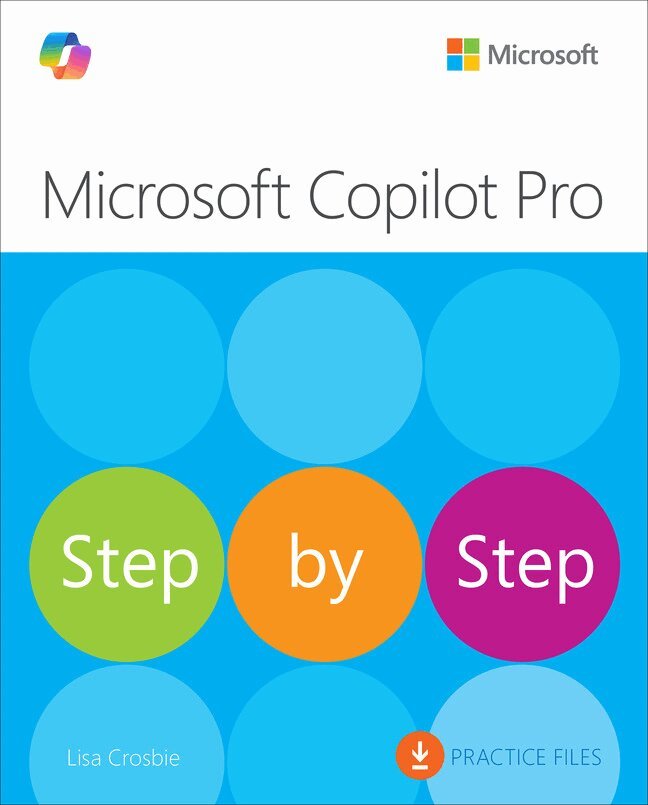
    Microsoft Copilot Pro Step by Step

    AvLisa Crosbie

    Häftad, Engelska, 2025

    Del i serien Step by Step

    373 kr

    Beställningsvara. Skickas inom 7-10 vardagar. Fri frakt över 249 kr.

    Beskrivning

    The quick way to learn Microsoft Copilot Pro!

    This is learning made easy. Get more done quickly with Microsoft Copilot Pro for home or professional use and gain the skills you need to succeed with it. Jump in wherever you need answers—brisk lessons and detailed screenshots show you exactly what to do, step by step.

    • Learn how to access AI-powered assistance across different devices and platforms, including web and mobile, wherever you work
    • Learn core concepts of generative AI and effective prompting techniques
    • Enhance productivity and creativity with Copilot Pro across various apps including Excel, Outlook, Word, PowerPoint, and OneNote
    • Use Copilot Pro in drafting, editing, summarizing, and analyzing content, as well as brainstorming new ideas and generating images
    • Simplify data management tasks using Copilot Pro to highlight, sort, filter data, generate formula columns, and understand data through insights and visualizations in Excel
    • Use Copilot Pro in Outlook to provide coaching for better communication, to summarize email threads, and to save time writing emails
    • Leverage AI to enhance document quality, create presentations, and manage notes efficiently in Word, PowerPoint, and OneNote
    • Includes practice tasks and downloadable practice files, allowing you to apply the skills and techniques learned in real-world scenarios

    Produktinformation

    • Utgivningsdatum:2025-01-16
    • Mått:187 x 232 x 20 mm
    • Vikt:714 g
    • Format:Häftad
    • Språk:Engelska
    • Serie:Step by Step
    • Antal sidor:400
    • Upplaga:1
    • Förlag:Pearson Education
    • ISBN:9780135369425

    Utforska kategorier

    • Affärsapplikationer inom Data och IT

    Mer om författaren

    Lisa Crosbie is a highly respected expert in Microsoft business applications, with a focus on leveraging Copilot and low-code solutions to transform how businesses operate. A five-time Microsoft Most Valuable Professional and Microsoft Certified Trainer, Lisa is known for her ability to break down complex technologies into easy-to-understand concepts, making them accessible and enjoyable for everyone.Lisa’s extensive experience and enthusiasm for technology have made her a sought after speaker at international conferences and a trusted educator through her popular YouTube channel. She is passionate about empowering beginners to take their first steps with tools like Copilot, helping them build confidence and skills from the ground up. Lisa is also focused on staying at the cutting edge of technology, regularly sharing insights on the latest advancements in Copilot and Power Platform and educating the community on how to leverage these technologies to solve real-world challenges.Lisa lives in Melbourne, Australia, with her husband, two daughters, one dog, two guinea pigs, and three fish. She is a long-time reader and first-time author.

    Innehållsförteckning

    • Part 1: Get started with Copilot Pro1: Introduction to Copilot Pro2: Writing effective prompts for CopilotPart 2: Use Copilot Pro on the web and the mobile app3: Copilot on the Web4: Copilot mobile appPart 3: Use Copilot Pro in Microsoft 365 applications5: Copilot in Excel6: Copilot in Outlook7: Copilot in Word8: Copilot in PowerPoint9: Copilot in OneNote