• Fri frakt över 249 kr
  • •
  • Snabba leveranser
  • •
  • Billiga böcker
Kundservice

Du är på sajten för privatpersoner.

Företag, bibliotek eller offentlig verksamhet?

Du handlar på classic.bokus.com, där alla dina funktioner finns intakta.
Till classic.bokus.com
Bokus logotyp. Gå till startsidan.
  • Erbjudanden
  • Nyheter
  • Student
  • Topplistor
  • Barn & ungdom
  • Bokus Play
  • E-böcker
  • Pocketböcker
  • Spel & pussel

10% rabatt på allt med kod: NYSTART10 →

Sidfot

Mina sidor

    Hjälp

    • Kundservice
    • Vanliga frågor och svar
    • Frakt och leverans
    • Retur vid ångerrätt
    • Reklamera vara
    • Betalning
    • Köpvillkor
    • Allmänna villkor
    • Information om webbplatsens tillgänglighet

    Om Bokus

    • Om oss
    • Pressrum
    • För studenter
    • För företag
    • För bibliotek och offentlig verksamhet
    • För leverantörer
    • Hållbarhet

    Populärt

    • Aktuella erbjudanden
    • Presentkort
    • Studentlitteratur
    • Nya böcker
    • Topplistor
    • Signerade böcker
    • Engelska böcker

    Inspiration

    • Boktips
    • BookTok
    • Populära bokserier
    • Barnbokskaraktärer
    • Populära författare
    Logotyp för Bokus
    Följ oss på Facebook (extern länk)Följ oss på Instagram (extern länk)Följ oss på YouTube (extern länk)Följ oss på TikTok (extern länk)
    bokus @ CookiesAnpassa cookiesIntegritetspolicyKöpvillkor
    Till Citymail hemsida (extern länk)Till Budbee hemsida (extern länk)Till Postnord hemsida (extern länk)Till Schenker hemsida (extern länk)Till Early Bird hemsida (extern länk)Till Walleys hemsida (extern länk)
    1. Data och IT
    2. Affärsapplikationer

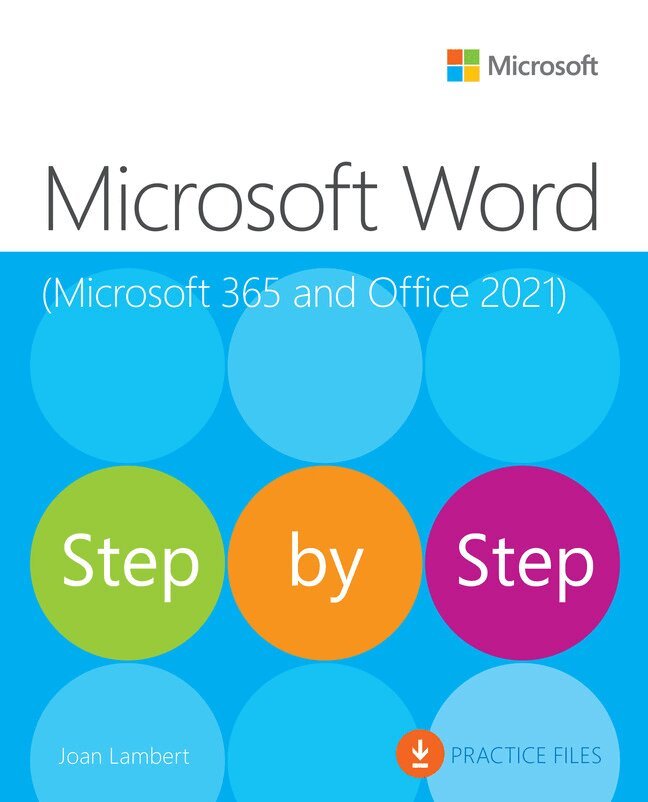
    Microsoft Word Step by Step (Office 2021 and Microsoft 365)

    AvJoan Lambert

    Häftad, Engelska, 2023

    Del i serien Step by Step

    282 kr

    Beställningsvara. Skickas inom 7-10 vardagar. Fri frakt över 249 kr.

    Beskrivning

    The quick way to learn Microsoft Word 365 and Word 2021 for Windows!

    This is learning made easy. Get more done quickly with Microsoft Word. Jump in wherever you need answers— brisk lessons and detailed screenshots show you exactly what to do, step by step.

    • Create great-looking, well-organized, accessible documents to enhance communication
    • Use headings, bookmarks, and footnotes for more intuitive access to knowledge
    • Present complex information in diagrams and charts
    • Illustrate concepts by using professional stock images, 3D models, icons, and screen clippings
    • Collaborate with other Word and Word for the web users to create and edit documents in real time, tracking changes for review and automatically saving file versions
    • Enforce security and privacy in electronic documents
    • Quickly build tables of contents, indexes, and bibliographies
    • Generate personalized emails, letters, labels, envelopes, directories, and catalogs from various data sources
    • Supercharge efficiency with custom styles, themes, templates, and building blocks
    • Look up just the tasks and lessons you need

    Produktinformation

    • Utgivningsdatum:2023-06-01
    • Mått:186 x 230 x 36 mm
    • Vikt:1 140 g
    • Format:Häftad
    • Språk:Engelska
    • Serie:Step by Step
    • Antal sidor:656
    • Upplaga:1
    • Förlag:Pearson Education
    • ISBN:9780137522729

    Utforska kategorier

    • Affärsapplikationer inom Data och IT

    Mer om författaren

    Joan Lambert is a certified expert in accessibility, training, Adobe InDesign, Intuit QuickBooks, Dynamics, Windows Server technologies, and many Microsoft applications and systems including Access, Excel, OneNote, Outlook, PowerPoint, SharePoint, Windows, and Word. A former small business owner and recovering workaholic, she has worked for over 36 years with Microsoft and Microsoft technologies and for over 26 years in the training and certification industry.As a member of the Pearson VUE Accessibility team since 2022, Joan has gained a new perspective on computer interactions and the importance of providing equitable access to technology and content. Through her books, Joan enjoys helping people gain confidence and increase their productivity. She has written more than 50 books about Windows, Office, and SharePoint technologies, including dozens of Step by Step books and five generations of Microsoft Office Specialist certification study guides. Students who use the GO! with Microsoft Office textbook products from Pearson may overhear her cheerfully demonstrating Office features in the videos that accompany the series.A native of the Pacific Northwest, Joan has had the good fortune to live in many parts of the world—including Germany, New Zealand, Sweden, and Denmark—and many of our United States. She currently resides with her family—one daughter, two dogs, two cats, and five chickens— in the Beehive State, where she enjoys the majestic mountain views, mostly blue skies, and occasional snowstorm.

    Innehållsförteckning

    • Part 1: Get started with Microsoft Word 365Chapter 1: Word basicsChapter 2: Create and manage documentsChapter 3: Enter and edit textPart 2: Create professional documentsChapter 4: Modify the structure and appearance of textChapter 5: Organize information in columns and tablesChapter 6: Add simple graphic elementsPart 3: Enhance document contentChapter 7: Insert and modify diagrams and 3D models.Chapter 8: Insert and modify chartsChapter 9: Format document elementsChapter 10: Organize and arrange contentPart 4: Review and finalize documentsChapter 11: Collaborate on documentsChapter 12: Finalize and distribute documentsPart 5: Use advanced Word functionsChapter 13: Reference content and content sourcesChapter 14: Merge data with documents and labelsChapter 15: Create custom document elementsChapter 16: Customize options and the user interface