• Fri frakt över 249 kr
  • •
  • Snabba leveranser
  • •
  • Billiga böcker
Kundservice

Du är på sajten för privatpersoner.

Företag, bibliotek eller offentlig verksamhet?

Du handlar på classic.bokus.com, där alla dina funktioner finns intakta.
Till classic.bokus.com
Bokus logotyp. Gå till startsidan.
  • Erbjudanden
  • Nyheter
  • Student
  • Topplistor
  • Barn & ungdom
  • Bokus Play
  • E-böcker
  • Pocketböcker
  • Spel & pussel

10% rabatt på allt med kod: NYSTART10 →

Sidfot

Mina sidor

    Hjälp

    • Kundservice
    • Vanliga frågor och svar
    • Frakt och leverans
    • Retur vid ångerrätt
    • Reklamera vara
    • Betalning
    • Köpvillkor
    • Allmänna villkor
    • Information om webbplatsens tillgänglighet

    Om Bokus

    • Om oss
    • Pressrum
    • För studenter
    • För företag
    • För bibliotek och offentlig verksamhet
    • För leverantörer
    • Hållbarhet

    Populärt

    • Aktuella erbjudanden
    • Presentkort
    • Studentlitteratur
    • Nya böcker
    • Topplistor
    • Signerade böcker
    • Engelska böcker

    Inspiration

    • Boktips
    • BookTok
    • Populära bokserier
    • Barnbokskaraktärer
    • Populära författare
    Logotyp för Bokus
    Följ oss på Facebook (extern länk)Följ oss på Instagram (extern länk)Följ oss på YouTube (extern länk)Följ oss på TikTok (extern länk)
    bokus @ CookiesAnpassa cookiesIntegritetspolicyKöpvillkor
    Till Citymail hemsida (extern länk)Till Budbee hemsida (extern länk)Till Postnord hemsida (extern länk)Till Schenker hemsida (extern länk)Till Early Bird hemsida (extern länk)Till Walleys hemsida (extern länk)
    1. Data och IT
    2. Affärsapplikationer

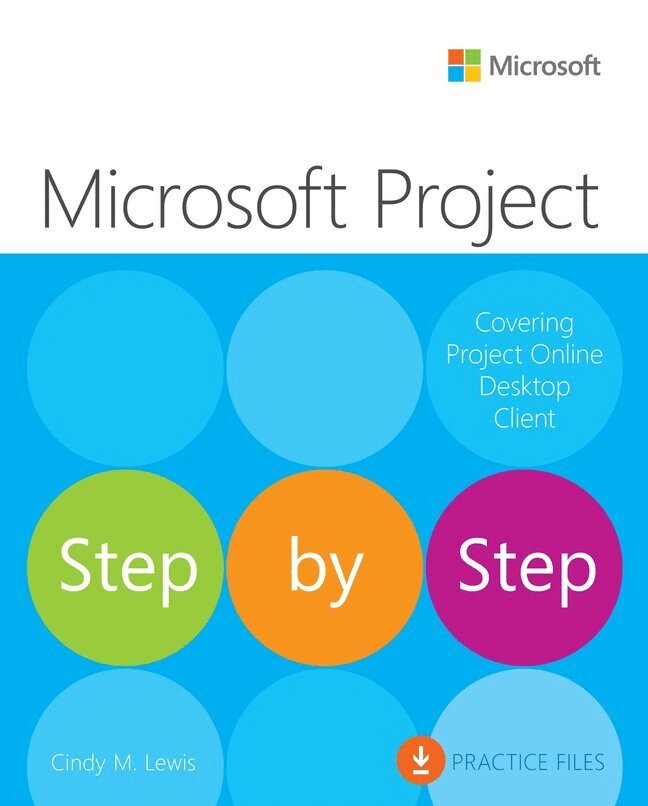
    Microsoft Project Step by Step (covering Project Online Desktop Client)

    AvCindy Lewis

    Häftad, Engelska, 2022

    Del i serien Step by Step

    272 kr

    Beställningsvara. Skickas inom 7-10 vardagar. Fri frakt över 249 kr.

    Beskrivning

    Microsoft Project Desktop is still a popular software!

    If you are using any of these products, this book is for you:

    • Microsoft Project Standard 2021 or 2024
    • Microsoft Project Professional 2021 or 2024
    • Microsoft Project Online Desktop Client (subscription version)
    • Earlier versions (Microsoft Project 2010 through 2019) – feature differences are summarized in Chapter 1

    Although Microsoft has announced they are retiring Project Online, this does not impact the desktop client software. In fact, the desktop client software is still needed for companies who are using Project Server. (Refer to Appendix C for a sample solution using Project Server).

    Microsoft Project Desktop has been around for over 40 years and continues to be the most robust scheduling tool available for managing projects!

    The quick way to learn Microsoft Project!

    This is learning made easy. Get more done quickly with Microsoft Project. Jump in wherever you need answers. Brisk lessons and detailed screenshots show you exactly what to do, step by step.
    • Quickly start a new plan, build task lists, and assign resources
    • Share your plan and track your progress
    • Capture and fine-tune work and cost details
    • Use Gantt charts and other views and reports to visualize project schedules
    • Share resources across multiple plans and consolidate projects
    • Manage Agile plans using the new task boards to create backlogs, plan sprints, and hold scrum meetings
    • Learn more about integrating Project with Microsoft 365 solutions for collaboration
    • Master project management best practices as you learn Project
    • Easily identify the features and lessons you need

    Produktinformation

    • Utgivningsdatum:2022-05-30
    • Mått:188 x 230 x 36 mm
    • Vikt:1 080 g
    • Format:Häftad
    • Språk:Engelska
    • Serie:Step by Step
    • Antal sidor:608
    • Upplaga:1
    • Förlag:Pearson Education
    • ISBN:9780137565054

    Utforska kategorier

    • Affärsapplikationer inom Data och IT

    Mer om författaren

    Cindy M. Lewis is a project management consultant and trainer with 4 Pillars of Success, her consultancy business. She helps clients around the world gain business value and is also a sought after speaker who presents on a variety of topics related to project management.   Cindy is a multiyear recipient of the Microsoft Most Valuable Professional (MVP) award, with specific expertise in Microsoft Project Online desktop client, Project for the web, and Project Online. She is also a Microsoft Office Specialist (MOS), Microsoft Certified Professional (MCP), and Microsoft Certified Trainer (MCT).   In addition, Cindy is certified as a Project Management Professional (PMP) and Scheduling Professional (PMI-SP) by the Project Management Institute (PMI). She earned her bachelor's degree from WMU in Kalamazoo, Michigan, and her MBA degree from Regis University in Denver, Colorado.   To stay current with the latest industry developments and explore new ideas, Cindy attends as many professional events and conferences as she can. She is active in several chapters of the PMI and enjoys both sharing her knowledge with the project management community and helping others gain satisfaction in what they do.

    Innehållsförteckning

    • Part 1: Get started with Microsoft Project 1: Project, project management, and you 2: Take a guided tour   Part 2: Simple scheduling basics 3: Start a new plan 4: Build a task list 5: Set up resources 6: Assign resources to tasks 7: Format and share your plan 8: Track progress: Basic techniques   Part 3: Advanced scheduling techniques 9: Fine-tune task scheduling 10: Fine-tune task details 11: Fine-tune resource and assignment details 12: Fine-tune the Project plan 13: Organize plan details 14: Track progress: Detailed techniques 15: View and report project status   Part 4: In-depth and special subjects 16: Format and print views: In-depth techniques 17: Format reports: In-depth techniques 18: Customize Project 19: Share information with other programs 20: Consolidate projects and resources 21: Use Agile project management with Project   Part 5: Appendixes A: A short course in project management B: Develop your project management skills C: Integration with Microsoft 365 solutions for collaboration D: Use this book in a classroom Glossary Index