• Fri frakt över 249 kr
  • •
  • Snabba leveranser
  • •
  • Billiga böcker
Kundservice

Du är på sajten för privatpersoner.

Företag, bibliotek eller offentlig verksamhet?

Du handlar på classic.bokus.com, där alla dina funktioner finns intakta.
Till classic.bokus.com
Bokus logotyp. Gå till startsidan.
  • Erbjudanden
  • Nyheter
  • Student
  • Topplistor
  • Barn & ungdom
  • Bokus Play
  • E-böcker
  • Pocketböcker
  • Spel & pussel

10% rabatt på allt med kod: NYSTART10 →

Sidfot

Mina sidor

    Hjälp

    • Kundservice
    • Vanliga frågor och svar
    • Frakt och leverans
    • Retur vid ångerrätt
    • Reklamera vara
    • Betalning
    • Köpvillkor
    • Allmänna villkor
    • Information om webbplatsens tillgänglighet

    Om Bokus

    • Om oss
    • Pressrum
    • För studenter
    • För företag
    • För bibliotek och offentlig verksamhet
    • För leverantörer
    • Hållbarhet

    Populärt

    • Aktuella erbjudanden
    • Presentkort
    • Studentlitteratur
    • Nya böcker
    • Topplistor
    • Signerade böcker
    • Engelska böcker

    Inspiration

    • Boktips
    • BookTok
    • Populära bokserier
    • Barnbokskaraktärer
    • Populära författare
    Logotyp för Bokus
    Följ oss på Facebook (extern länk)Följ oss på Instagram (extern länk)Följ oss på YouTube (extern länk)Följ oss på TikTok (extern länk)
    bokus @ CookiesAnpassa cookiesIntegritetspolicyKöpvillkor
    Till Citymail hemsida (extern länk)Till Budbee hemsida (extern länk)Till Postnord hemsida (extern länk)Till Schenker hemsida (extern länk)Till Early Bird hemsida (extern länk)Till Walleys hemsida (extern länk)
    1. Data och IT
    2. Grafik och bildbehandling
    3. Fotoredigering och bildredigering

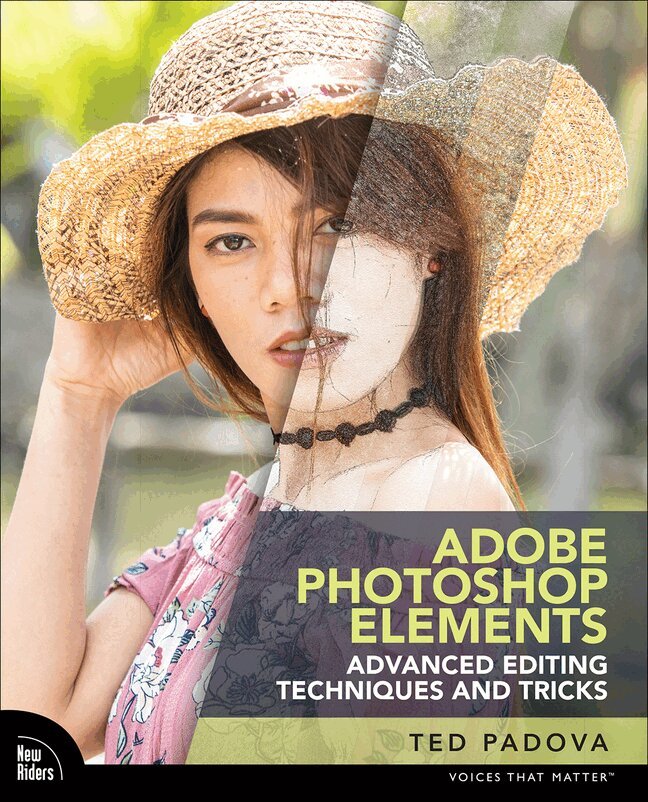
    Adobe Photoshop Elements Advanced Editing Techniques and Tricks

    The Essential Guide to Going Beyond Guided Edits

    AvTed Padova

    Häftad, Engelska, 2022

    Del i serien Voices That Matter

    273 kr

    Beställningsvara. Skickas inom 7-10 vardagar. Fri frakt över 249 kr.

    Beskrivning

    Adobe Photoshop Elements Advanced Editing Techniques and Tricks: The Essential Guide to Going Beyond Guided Edits is a must for those who want to go beyond automated features and Guided Edits and delve into the many advanced techniques that are possible using Adobe Photoshop Elements.


    LEARN HOW TO

    • Perfect editing portrait images by performing techniques such as skin tone correction, frequency separations, skin smoothing, and enhancing facial features
    • Properly edit and enhance a subject's eyes, lips, eyebrows, and facial lighting
    •   Apply advanced photo compositing techniques, utilizing rules for controlling perspective
    • Use color grading techniques similar to those used by professional motion picture film editors
    • Delve into advanced tools not included in Photoshop Elements such as curves, color range, selective color, working with color LUTs, and more

    With detailed step-by-step instructions, this book is targeted to intermediate and advanced users who want to take their photography to the next level. Additional tips using Photoshop Elements can be found on Ted's YouTube channel at www.YouTube/tedpadova.

    Produktinformation

    • Utgivningsdatum:2022-06-16
    • Mått:178 x 228 x 20 mm
    • Vikt:880 g
    • Format:Häftad
    • Språk:Engelska
    • Serie:Voices That Matter
    • Antal sidor:480
    • Upplaga:1
    • Förlag:Pearson Education
    • ISBN:9780137844029

    Utforska kategorier

    • Fotoredigering och bildredigering inom Data och IT
    • Grafik och bildbehandling inom Data och IT

    Mer om författaren

    I've been a professional photographer on and off for almost 60 years. I first started working in photography in 1963 at the Army Aviation Test Office at Edwards Air Force Base in Edwards, California. I shot on glass plates using the Fairchild Flight Analyzer, developed the plates, and made contact prints. It was crude but an interesting first introduction to photography.   A few years later, I joined the Peace Corps and spent several years in a Venezuelan fishing village and the Amazon jungle in Ecuador. It was early in my Peace Corps service that I acquired my first SLR and became thoroughly engrossed in photography.   After my tour in the Peace Corps, I went to the New York Institute of Photography in New York City when it was a resident school. After a short time in Manhattan, where I shot all over the city, I acquired a diploma in Commercial Photography and headed off to my home in California.   Throughout the time I was working on my baccalaureate degree and going to graduate school, I shot weddings that paid for my education. When I had time off from school, I worked in a small trailer I converted into a dark room, where I processed B&W film and made enlargements.   I began teaching secondary school after finishing my university degree and was given a class to teach in photography. For more than 30 years, I've been involved in teaching photography and digital image editing. I owned a digital imaging and photo finishing company for more than 16 years. That's where much of my work was spent on the back end of photography.    Photography has never been a regular job for me, but it's been a delight and a great love. I wouldn't want to spend all my time in a full-time job in photography, and I'm quite certain that is the reason it's still a first love for me. In years past, my heroes in the photography world were the great photographers of all time, such as Ansel Adams, Richard Avedon, Bert Stern, Irving Penn, Annie Leibovitz, and several others. But today, my heroes are the many young people I come across in teaching and some young modern-day professionals.   I've been working with computers for more than 40 years. I had the luxury of learning applications slowly over time. When Photoshop 1.0 was introduced, I taught all the tools and menu commands and just about all that could be done in Photoshop in my one-day university classes at UC Santa Barbara and UCLA. The same went for Adobe Illustrator all the way through version 3.2. Today, however, one could spend a week covering just color in Photoshop or Illustrator without getting into various tools and commands to handle other edits.    The young people today who can jump into Photoshop 2022 or Elements 2022 and become knowledgeable and skilled in a short time are truly my heroes. I'm simply amazed at how fast young people learn such a complicated set of applications so quickly. It took me more than 40 years to know a little about the applications I work with today. If I had to start learning now, I just might retire and go fishing.

    Innehållsförteckning

    • PART I USING PLUG-INS AND PRESETS 1 Using Plug-ins and Presets 2 Using Camera Raw   PART II SELECTIONS AND LAYERS 3 Making Selections 4 Working with Layers 5 Masking Photos   PART III SHARPENING AND EFFECTS 6 Sharpening Photos 7 Using Effects   PART IV PHOTO COMPOSITING 8 Compositing Images   PART V WORKING WITH COLOR 9 Sampling Color 10 Color Toning and Color Grading   PART VI WORKING WITH TEXT AND PHOTO EFFECTS 11 Working with Type 12 Creating Photo Effects   PART VII EDITING PHOTOS OF PEOPLE 13 Editing Vintage Photos 14 Editing Portraits 15 Editing Skin Tones   PART VI SHARING YOUR CREATIONS 16 Sharing Images 17 Working with Brushes, Online 18 Cropping Images, Online